Azure-functions-vs-build-sdk: Azure Functions v2 (.Net Standard) project application DLL is getting locked and subsequent publish fails despite adding app_offline file
REPRO MACHINE: WNVM00100
REPRO ACCOUNT: fareast\v-lawu
REPRO Configuration: Win 10 x64 ENU + 15.5 (latest pre-release-build) VSE (Web + Azure workload)
INSTALL STEPS
- Clean machine: Win 10 x64 ENU
2.Install Dev15.5 (latest pre-release-build) from \cpvsbuild\drops\VS\d15rel\products\27101.00\channels\internal\Preview\bootstrappers\fixed - Select Web + Azure workload
- After Dev15 installed, install the VSIX below:
\vwdbuild01\drops\WTA\AzureFunctions-Dev15-OOB.Nightly\Dev15\2017-11-02_b50\Release\Signed\VSIX\enu\Microsoft.VisualStudio.Web.AzureFunctions.vsix
REPRO STEPS
- File > New Project > C# > Azure Functions > Azure Functions v2 (.Net Standard) with the Http trigger template (Access rights set to "Function") + Browse storage account.
- Publish to Azure Function App.
- Publish once more.
ACTUAL
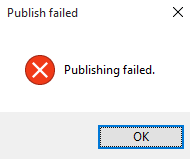
Messages in Output:
 Publish Started
c:\users\v-lawu\source\repos\FunctionApp4\FunctionApp4\FunctionApp4.csproj : warning NU1701: Package 'Microsoft.AspNet.WebApi.Client 5.2.2' was restored using '.NETFramework,Version=v4.6.1' instead of the project target framework '.NETStandard,Version=v2.0'. This package may not be fully compatible with your project.
  FunctionApp4 -> c:\users\v-lawu\source\repos\FunctionApp4\FunctionApp4\bin\Any CPU\Debug\netstandard2.0\bin\FunctionApp4.dll
C:\Users\v-lawu\.nuget\packages\microsoft.net.sdk.functions\1.0.6\build\netstandard1.0\Microsoft.NET.Sdk.Functions.Build.targets(32,5): warning :  [c:\users\v-lawu\source\repos\FunctionApp4\FunctionApp4\FunctionApp4.csproj]
  FunctionApp4 -> c:\users\v-lawu\source\repos\FunctionApp4\FunctionApp4\obj\Debug\netstandard2.0\PubTmp\Out\
C:\Users\v-lawu\.nuget\packages\microsoft.net.sdk.functions\1.0.6\build\netstandard1.0\Microsoft.NET.Sdk.Functions.Publish.targets(142,5): warning :  [c:\users\v-lawu\source\repos\FunctionApp4\FunctionApp4\FunctionApp4.csproj]
  Updating file (FunctionApp20171103023834\bin\FunctionApp4.dll).
C:\Program Files\dotnet\sdk\2.1.1-preview-007118\Sdks\Microsoft.NET.Sdk.Publish\build\netstandard1.0\PublishTargets\Microsoft.NET.Sdk.Publish.MSDeploy.targets(139,5): error : Web deployment task failed. (Web Deploy cannot modify the file 'FunctionApp4.dll' on the destination because it is locked by an external process.  In order to allow the publish operation to succeed, you may need to either restart your application to release the lock, or use the AppOffline rule handler for .Net applications on your next publish attempt.  Learn more at: http://go.microsoft.com/fwlink/?LinkId=221672#ERROR_FILE_IN_USE.) [c:\users\v-lawu\source\repos\FunctionApp4\FunctionApp4\FunctionApp4.csproj]
  Publish failed to deploy.
EXPECTED:
Publish should work.
 bzhu94
All 20 comments
Observing this same behavior on some publish attempts.
- Visual Studio 15.5.2
- Azure Functions and Web Jobs Tools 15.0.31201.0
Manually restarting the function application from the Azure portal does succeed in releasing the lock. Additionally, I do have some publish attempts that succeed.
 royshea
on 4 Jan 2018
royshea
on 4 Jan 2018
@vijayrkn, is this something you could look into? This issue is also detailed in this stack overflow post: https://stackoverflow.com/questions/48329974/azure-function-publish-fails-with-message-web-deploy-cannot-modify-the-file-on/48349856#48349856
 mhoeger
on 19 Jan 2018
mhoeger
on 19 Jan 2018
The same thing: VS2017 15.5.4, Azure Functions and Web Jobs Tools 15.0.40108.0
Manually restarted function app and hit publish button, again failure, hit second time - success.
 Alezis
on 20 Jan 2018
Alezis
on 20 Jan 2018
Same here, ERROR_FILE_IN_USE publishing a V2 function app in VS2017 15.7.2
Got it working again by restarting the function app
Seems like I have to restart the function app for every redeploy
n.b. this is publishing to a regular app service plan (basic tier), not consumption plan
V1 precompiled function apps seem to publish fine on the same app service plan
 markheath
on 25 May 2018
markheath
on 25 May 2018
From the stackoverflow article linked above (thanks @mhoeger) I was able to resolve my issue by adding MSDEPLOY_RENAME_LOCKED_FILES=1 to the application settings of my publish profile within visual studio.
https://github.com/projectkudu/kudu/wiki/Dealing-with-locked-files-during-deployment
 grayjeremy
on 4 Jul 2018
grayjeremy
on 4 Jul 2018
I went through this locked files issue more than one year ago. On 2 March 2017, @davidebbo confirmed that setting MSDEPLOY_RENAME_LOCKED_FILES=1 was not necessary anymore:
@0xced indeed, you should no longer need this app setting.
And today this exact same issue is back on the v2 runtime? Setting MSDEPLOY_RENAME_LOCKED_FILES=1 in the app settings solved my publish issue, but this is really disappointing and doesn't inspire confidence in Function Apps. 😞
 0xced
on 15 Aug 2018
0xced
on 15 Aug 2018
This is still occurring today for me. Our team would love to be able to use Azure Functions in production, but having to stop the function, wait a while, and try to publish again (retrying several times if it does not succeed, even then it sometimes not working) makes this a hard sell.
We've set MSDEPLOY_RENAME_LOCKED_FILES=1, but this seems to have no effect.
C:\Program Files\dotnet\sdk\2.1.401\Sdks\Microsoft.NET.Sdk.Publish\build\netstandard1.0\PublishTargets\Microsoft.NET.Sdk.Publish.MSDeploy.targets(139,5): error : Web deployment task failed. (Web Deploy cannot modify the file 'Microsoft.Mixer.Alexandria.dll' on the destination because it is locked by an external process. In order to allow the publish operation to succeed, you may need to either restart your application to release the lock, or use the AppOffline rule handler for .Net applications on your next publish attempt. Learn more at: http://go.microsoft.com/fwlink/?LinkId=221672#ERROR_FILE_IN_USE.)
 connor4312
on 6 Sep 2018
connor4312
on 6 Sep 2018
Have you tried running from a zip package? It's a different approach that should completely solve this, and has other benefits.
 davidebbo
on 6 Sep 2018
davidebbo
on 6 Sep 2018
@davidebbo I'm running into the same issue with a zip package, uploading from the az CLI.
Command: "D:\home\site\deployments\tools\deploy.cmd"
Handling Basic Web Site deployment.
KuduSync.NET from: 'D:\local\Temp\zipdeploy\extracted' to: 'D:\home\site\wwwroot'
Error: Failed to change file that is currently being used "D:\home\site\wwwroot\bin\Microsoft.Mixer.Alexandria.pdb"
Copying file: 'host.json'
Copying file: 'bin\Microsoft.Mixer.Alexandria.dll'
Copying file: 'bin\Microsoft.Mixer.Alexandria.pdb'
Failed exitCode=1, command="kudusync" -v 50  -f "D:\local\Temp\zipdeploy\extracted" -t "D:\home\site\wwwroot" -n "D:\home\site\deployments\3f9c35e352a74242b72ef31391902c09\manifest" -p "D:\home\site\deployments\fcb837b69e45405cb1df70edfb17207b\manifest" -i ".git;.hg;.deployment;deploy.cmd"
An error has occurred during web site deployment.
Error: Failed to change file that is currently being used "D:\home\site\wwwroot\bin\Microsoft.Mixer.Alexandria.pdb"\r\nD:\Program Files (x86)\SiteExtensions\Kudu\77.10830.3542\bin\Scripts\starter.cmd "D:\home\site\deployments\tools\deploy.cmd"
This is after a previous successful 'clean' zip upload I created after manually stopping the app.
connor4312
on 6 Sep 2018
@connor4312 you are using zipdeploy, but you are not running from the package. I know this may sound confusing, and hopefully https://github.com/Azure/app-service-announcements/issues/110 clarifies that. Bottom line: set WEBSITE_RUN_FROM_ZIP to 1 on your app, and then try the same zip deploy again, and you'll be running from the package.
davidebbo
on 6 Sep 2018
Ah okay, thank you! I'll give that a spin in the morning.
connor4312
on 6 Sep 2018
Zip deploys seem to be working well so far. Thank you!
connor4312
on 12 Sep 2018
@connor4312 Glad to hear! And we just announced that it is now GA.
davidebbo
on 12 Sep 2018
It's been more than a year since this bug was opened and it is still happening for the most basic Azure Function projects. Currently using Azure Functions v2 with .NET Core 2.1. Not great.
 zmarty
on 13 Nov 2018
zmarty
on 13 Nov 2018
@davidebbo If setting WEBSITE_RUN_FROM_ZIP=1 is the recommendation then maybe update the wiki on this subject? The highest Google result (for me) was: https://github.com/projectkudu/kudu/wiki/Dealing-with-locked-files-during-deployment , which doesn't mention it (yet).
Also, the best resource I could find on how to deploy Azure Function using AzDevOps (VSTS), https://medium.com/microsoftazure/serverless-devops-and-ci-cd-part-2-b6e0a6d05530 , also doesn't mention WEBSITE_RUN_FROM_ZIP=1, it but I'll add a comment there.
 yzorg
on 29 Nov 2018
yzorg
on 29 Nov 2018
@yzorg good call, I added a section there. Also adding @ahmelsayed for further comments, as I am no longer on the team.
davidebbo
on 30 Nov 2018
We can configure the appOffline rule in the publishing profile (In Solution explorer> Properties>PublishProfiles>*.pubxml). Set the EnableMSDeployAppOffline to true as below.
<PropertyGroup>
  ...
  <EnableMSDeployAppOffline>true</EnableMSDeployAppOffline>
  ...
</PropertyGroup>
This setting take the app offline so the file lock is released and your app will start automatically after deploy.
And there's an update in process to make the template use true by default.
 JohnReeson
on 30 Nov 2018
JohnReeson
on 30 Nov 2018
VS already sets this to true by default. Closing this ticket.
 vijayrkn
on 5 Feb 2019
vijayrkn
on 5 Feb 2019
With the default v2 Function template in VS2017 (fresh install as of yesterday), EnableMSDeployAppOffline does not appear to be automatically set to true. I had to set it manually.
 jsauve
on 5 Feb 2019
jsauve
on 5 Feb 2019
It is actually fixed in VS 2019. You can get the latest version here - https://visualstudio.microsoft.com/vs/preview/
For VS 2017, you will have to set it manually or use Zip Deploy.
vijayrkn
on 5 Feb 2019
Related issues
 prabh-62
·
3Comments
prabh-62
·
3Comments
 jeroenwo
·
6Comments
jeroenwo
·
6Comments
 MisinformedDNA
·
11Comments
MisinformedDNA
·
11Comments
 pramod-hegde
·
12Comments
pramod-hegde
·
12Comments
 nikagarwal25
·
8Comments
nikagarwal25
·
8Comments
Most helpful comment
I went through this locked files issue more than one year ago. On 2 March 2017, @davidebbo confirmed that setting
MSDEPLOY_RENAME_LOCKED_FILES=1was not necessary anymore:And today this exact same issue is back on the v2 runtime? Setting
MSDEPLOY_RENAME_LOCKED_FILES=1in the app settings solved my publish issue, but this is really disappointing and doesn't inspire confidence in Function Apps. 😞