Azure-functions-core-tools: Normalize --language in func new to accept language name aliases
Trying to create a new Javascript function is not working.
It asks for a Template, but no option is given. Trying to type the template name does not work either, making it unusable.

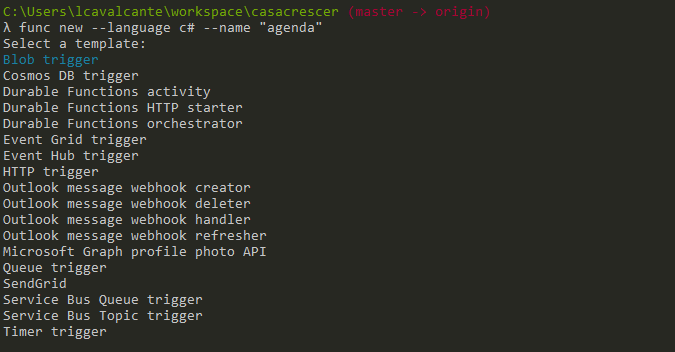
Trying to create the same function in C# actually works fine:
 ltouro
All 2 comments
@ltouro , try to use javascript instead of js.
 JohnReeson
on 26 May 2018
JohnReeson
on 26 May 2018
👍1
@JohnReeson It works with "javascript".
Think we need some validation for the language informed by the user. Or something like this: https://github.com/Azure/azure-functions-core-tools/blob/d3b278faccd93ce2af6f9cb238bebf390d5e3d10/src/Azure.Functions.Cli/Helpers/WorkerRuntimeLanguageHelper.cs#L20
ltouro
on 26 May 2018
👍2
Was this page helpful?
0 / 5 - 0 ratings
Related issues
 Kaushik27
·
5Comments
Kaushik27
·
5Comments
 buragc
·
6Comments
buragc
·
6Comments
 brandonh-msft
·
4Comments
brandonh-msft
·
4Comments
 dstaley
·
3Comments
dstaley
·
3Comments
 Mikey032
·
3Comments
Mikey032
·
3Comments
Most helpful comment
@JohnReeson It works with "javascript".
Think we need some validation for the language informed by the user. Or something like this: https://github.com/Azure/azure-functions-core-tools/blob/d3b278faccd93ce2af6f9cb238bebf390d5e3d10/src/Azure.Functions.Cli/Helpers/WorkerRuntimeLanguageHelper.cs#L20