Azure-functions-core-tools: Pack/Publish Function on xplat CLI
Hello! I'm trying to pack and publish a function with a pre-compiled netstandard2.0 project on VSCode in OSX using the Core CLI.
func azure functionapp publish testgirofuncs
Publish /Users/tempuser/dev/repos/Platyform/Platyform.API/src/Platyform.EventHandlers/bin/Debug/netstandard2.0/Test contents to an Azure Function App. Locally deleted files are not removed from destination.
Getting site publishing info...
Creating archive for current directory...
Uploading archive...
Error uploading archive (Forbidden).
Retry: 1 of 2
Creating archive for current directory...
Uploading archive...
Error uploading archive (Forbidden).
Retry: 2 of 2
Creating archive for current directory...
Uploading archive...
Error uploading archive (Forbidden).
So, what is wrong? I've logged in my azure subscription using the func alias, and created a test project with a simple pre-compiled function and I'm having these errors (Forbidden) when trying to publish it.
Any ideas on what can be happening?
I appreciate any help.
 galvesribeiro
All 49 comments
Same here.. any ideas what's causing this?
@lindydonna, @christopheranderson ?
 cmatskas
on 25 Sep 2017
cmatskas
on 25 Sep 2017
@cmatskas there is an announcement with the preview of the xplat CLI https://blogs.msdn.microsoft.com/appserviceteam/2017/09/25/develop-azure-functions-on-any-platform/ and https://azure.microsoft.com/en-us/blog/serverless-for-all-developers-bringing-azure-functions-to-linux-mac-planet-scale-nosql-real-time-analytics-and-productivity-apps/
I didn't tested out myself yet, but will do and report back here.
galvesribeiro
on 25 Sep 2017
I'm running the latest and greatest! The CLI is failing on my Mac so thus could be a factor. I'll try on my Windows machine in a bit.
Thanks
Get Outlook for iOShttps://aka.ms/o0ukef
From: Gutemberg Ribeiro notifications@github.com
Sent: Monday, September 25, 2017 7:20:22 PM
To: Azure/azure-functions-cli
Cc: Christos Matskas; Mention
Subject: Re: [Azure/azure-functions-cli] Pack/Publish Function on xplat CLI (#230)
@cmatskashttps://github.com/cmatskas there is an announcement with the preview of the xplat CLI https://blogs.msdn.microsoft.com/appserviceteam/2017/09/25/develop-azure-functions-on-any-platform/ and https://azure.microsoft.com/en-us/blog/serverless-for-all-developers-bringing-azure-functions-to-linux-mac-planet-scale-nosql-real-time-analytics-and-productivity-apps/
I didn't tested out myself yet, but will do and report back here.
—
You are receiving this because you were mentioned.
Reply to this email directly, view it on GitHubhttps://github.com/Azure/azure-functions-cli/issues/230#issuecomment-331968634, or mute the threadhttps://github.com/notifications/unsubscribe-auth/AD74Hhhhod0E6B9fp-u66AnnCLzfH6COks5sl-7ggaJpZM4PMKXn.
cmatskas
on 25 Sep 2017
fixed in 5894c96863da9d0a43c86619b2f523c1c2577472 I'll see if we can get another release
 ahmelsayed
on 25 Sep 2017
ahmelsayed
on 25 Sep 2017
@ahmelsayed if you could push another release then that would be awesome. I have a demo tomorrow in front of 400 people. It would be nice to have a working solution... Many thanks for the update and I appreciate the quick response!
cmatskas
on 25 Sep 2017
@cmatskas sure! I'll sync up with @mamaso
ahmelsayed
on 25 Sep 2017
@ahmelsayed
[09/25/2017 18:47:43] Assembly reference changes detected. Restarting host...
[09/25/2017 18:47:43] Environment shutdown has been triggered. Stopping host and signaling shutdown.
[09/25/2017 18:47:43] Job host stopped
That happens if I rebuild the project while the CLI host is running. The host process never restart as the message suggests and we have to manually stop and start it.
Do you want me to open another issue for that?
Great work BTW.
galvesribeiro
on 25 Sep 2017
@galvesribeiro yes please, open another issue with the content of your reply. It'll make it easier not to lose track of it.
Thanks for trying it out! :) some edges are still rough, but will get there
ahmelsayed
on 25 Sep 2017
galvesribeiro
on 25 Sep 2017
I just pushed 2.0.1-beta.16, so do a npm i -g azure-functions-core-tools@core and it should bring it. Let me know if you hit any issues!
ahmelsayed
on 26 Sep 2017
@ahmelsayed Tried to update and it stuck here:
npm i -g azure-functions-core-tools@core

> [email protected] uninstall /usr/local/lib/node_modules/azure-functions-core-tools
> node lib/uninstall.js

deleting /Users/guto/.azurefunctions/bin
/usr/local/bin/azurefunctions -> /usr/local/lib/node_modules/azure-functions-core-tools/lib/main.js
/usr/local/bin/azfun -> /usr/local/lib/node_modules/azure-functions-core-tools/lib/main.js
/usr/local/bin/func -> /usr/local/lib/node_modules/azure-functions-core-tools/lib/main.js

> [email protected] postinstall /usr/local/lib/node_modules/azure-functions-core-tools
> node lib/install.js
Any ideas what may be happening?
galvesribeiro
on 26 Sep 2017
hmmm, what do you get if you do
curl -O https://functionscdn.azureedge.net/public/2.0.1-beta.16/Azure.Functions.Cli.zip? that's really all the install script (here) is doing.
Also, what version of nodenpm are you using?
ahmelsayed
on 26 Sep 2017
@ahmelsayed nvm. It was a networking problem with Azure CDN and my region. It took a while downloading it but it completed properly.
Now, I tried to func azure functionapp publish myapp from the publish output directory and here is what I have:
Getting site publishing info...
Creating archive for current directory...
Uploading archive...
Error uploading archive (InternalServerError).
Retry: 1 of 2
Creating archive for current directory...
Uploading archive...
Error uploading archive (InternalServerError).
Retry: 2 of 2
Creating archive for current directory...
Uploading archive...
Error uploading archive (InternalServerError).
It changed from forbidden to InternalServerError...
galvesribeiro
on 26 Sep 2017
oh, that's coming from the server. Can you share your function app name directly or indirectly
ahmelsayed
on 26 Sep 2017
@ahmelsayed
I'm unable to get the ID and UTC TS because the app is empty as I'm trying to publish the netstandard2.0 to there.
galvesribeiro
on 26 Sep 2017
Also, with this latest updates, none of my functions are working anymore:
[09/26/2017 02:45:46] Reading host configuration file '/Users/guto/dev/repos/GiroPlatform/src/GP.Accounting/bin/Debug/netstandard2.0/host.json'
[09/26/2017 02:45:46] Host configuration file read:
[09/26/2017 02:45:46] {
[09/26/2017 02:45:46] }
[09/26/2017 02:45:46] Generating 0 job function(s)
[09/26/2017 02:45:46] Starting Host (HostId=gutomacpro-249563572, Version=2.0.11280.0, ProcessId=8827, Debug=False, Attempt=0)
[09/26/2017 02:45:46] No job functions found. Try making your job classes and methods public. If you're using binding extensions (e.g. ServiceBus, Timers, etc.) make sure you've called the registration method for the extension(s) in your startup code (e.g. config.UseServiceBus(), config.UseTimers(), etc.).
[09/26/2017 02:45:46] Job host started
[09/26/2017 02:45:46] The following 1 functions are in error:
[09/26/2017 02:45:46] AccountEntry: Unable to load one or more of the requested types. Retrieve the LoaderExceptions property for more information.
[09/26/2017 02:45:46]
[09/26/2017 02:45:46]
Listening on http://localhost:7071/
Hit CTRL-C to exit...
[09/26/2017 02:45:47] Host lock lease acquired by instance ID '000000000000000000000000DC2C1470'.
That happens while func host start.
galvesribeiro
on 26 Sep 2017
the InternalServerError on publish. I found the issue. Sorry about that, it's path \ vs / issue, I should be testing on a unix machine (note taken)
I pushed a fix https://github.com/Azure/azure-functions-cli/commit/212d94a6018b8a780b75ed8eddb9fda3ceb98ebe and it's building
regarding the error
AccountEntry: Unable to load one or more of the requested types. Retrieve the LoaderExceptions property for more information.
Are you saying that exactly the same function works if you install 2.0.1-beta1.15 and not with the latest? All I did was a constant change which is puzzling how it could do that
ahmelsayed
on 26 Sep 2017
btw, I just pushed 2.0.1-beta.17
ahmelsayed
on 26 Sep 2017
@ahmelsayed
Are you saying that exactly the same function works if you install 2.0.1-beta1.15 and not with the latest? All I did was a constant change which is puzzling how it could do that
I agree, and that is weird... Is there a way to debug those LoaderException problems?
galvesribeiro
on 26 Sep 2017
OK... I was able to narrow down the scope of the problem by commenting all the code and uncommenting line by line...
At some point on some functions, I query a DocumentDB DB and in the following particular code is where the problem happen:
var results = new List<MerchantPolicy>();
            while (query.HasMoreResults)
            {
                var policy = await query.ExecuteNextAsync<MerchantPolicy>();
                //results.AddRange(policy);
            }
If I comment the var policy... line, recompile and run the host again, it detect the functions and everything is OK. However, uncommenting it give me the LoaderExceptions message.
It would be good if we have a "trace" or "verbose" log mode so we can track those kind of exceptions. Without it, I'm completely lost on what is going on...
galvesribeiro
on 26 Sep 2017
Even with beta 17 it still fails - right now I cannot install anymore:
events.js:182
      throw er; // Unhandled 'error' event
      ^

Error: EACCES: permission denied, open '/Users/radu/.azurefunctions/bin/AccentedCommandLineParser.dll'
 radu-matei
on 26 Sep 2017
radu-matei
on 26 Sep 2017
@radu-matei, have you tried installing with sudo npm i -g azure-functions-core-tools@core --unsafe-perm?
You can also run npm config set loglevel silly to get more verbose traces from npm
 mamaso
on 26 Sep 2017
mamaso
on 26 Sep 2017
@ahmelsayed
I kinda _found_ the cause of the LoaderExceptions the hard way...
I'm using Microsoft.Azure.DocumentDB.Core package and inside my function method, I'm making a query against DocDB as you can see on my previous sample. Microsoft.Azure.DocumentDB.Core.dll is on my bin/Debug/netstandard2.0/publish folder, but not on my bin/Debug/netstandard2.0 which is from where I run func host start.
If I copy that dll from the publish directory to the directory where func host start run, it works.
I don't know how the host is loading assemblies but, in .Net Core, those dependency assemblies are not put in the build output directory. They are loaded from nuget package cache directly hence why the LoaderExceptions is being throw (probably complaining that can't find the missing assembly). In .Net Core, all the dependencies are copy to the publish directory _only_ if you publish it.
This is probably some inheritance from the old CLI codebase which is based on net461 where it _assume_ all the dependencies are on the same folder.
So, I found the root cause... Do you have any idea on how to make it work properly on .Net Core?
galvesribeiro
on 26 Sep 2017
Good stuff @galvesribeiro! A quick and dirty fix might be for our extensions csproj to use the CopyNugetImplementations target, which should move all dependencies to the output folder. A better fix would be to resolve assemblies in the same manner as dotnet core from the package cache.
mamaso
on 26 Sep 2017
@mamaso you mean add this to my PropertyGroup?
<PropertyGroup>
    <CopyNugetImplementations>true</CopyNugetImplementations>
    <TargetFramework>netstandard2.0</TargetFramework>
  </PropertyGroup>
Yep, give that a shot!
mamaso
on 26 Sep 2017
No changes to the output :(
galvesribeiro
on 26 Sep 2017
Ok, found it.
The workaround for now to get the debugger to work with the CLI is to add <CopyLocalLockFileAssemblies>true</CopyLocalLockFileAssemblies> to your PropertyGroup. That will make sure that all the dlls from your lock file got copy to the output directory so you will bypass the LoaderExceptions.
The proper way to fix it, is to instead of rely on Assembly loading and the _old_ ResolveAssembly event, use the DependencyContext to properly resolve the dependencies from the .deps.json file while in debug mode.
For now, I think it worth to update the Known issues page with that.
Btw, I can confirm that the latest release is indeed working to push netstandard2.0 libraries to function apps on Azure (as long as you are using the beta version of the runtime there).
galvesribeiro
on 26 Sep 2017
Ah, good find - CopyNugetImplementations and CopyLocalLockFileAssemblies usually come as a pair, looking at the test frameworks out there (thanks xunit). Glad we could get you unblocked, I'll add that to the known issues.
mamaso
on 26 Sep 2017
Btw, GREAT work guys :)
This new host based on Kestrel is waaaaayyyy faster than previous one :)
Keep going!
galvesribeiro
on 26 Sep 2017
I can verify that the fix works as expected and I was able to publish my csx and JavaScript functions using the Core tools. Thanks so much for resolving this so quickly :)
cmatskas
on 26 Sep 2017
@ahmelsayed we may need an issue open against the SDK repo to make sure this is tracked as I was under the impression we were already handling this as expected there.
We will likely support a model a model where we support resolution of dependencies defined in the deps file, but our current model should be supported without requiring explicit project changes.
The build tooling (for function.json and extensions.json generation) also depended on that. _Some_ related work is already in progress and will help us lay the foundation for a nice and consistent local and deployed experience.
@galvesribeiro can you confirm you experienced this when you had a reference to the latest functions SDK package (Microsoft.NET.Sdk.Functions 1.0.4)
Again, thank you guys for trying this out, reporting issues and providing feedback! We really appreciate it, and I'm happy that, although you're hitting some of the kinks we still need to iron out, you're also enjoying some of the new things :)
 fabiocav
on 26 Sep 2017
fabiocav
on 26 Sep 2017
@fabiocav does 1.0.4 sdk codegen the function.json at build time for the .net core project?
I thought we should be manually generating the file.
galvesribeiro
on 26 Sep 2017
@fabiocav when adding that package, I get weird warnings on restore:
warning NU1701: Package 'Microsoft.AspNet.WebApi.Client 5.2.2' was restored using '.NETFramework,Version=v4.6.1' instead of the project target framework '.NETStandard,Version=v2.0'. This package may not be fully compatible with your project.
That's a harmless warning. It's there because of the CompatShim dependency.
fabiocav
on 26 Sep 2017
@fabiocav So will it generate the function.json base on the attributes or should I keep creating it manually?
galvesribeiro
on 26 Sep 2017
Ok, things started making sense. Here is what I found:
- We don't need
<CopyLocalLockFileAssemblies>true</CopyLocalLockFileAssemblies>as @fabiocav suggested. Great! - Adding
<PackageReference Include="Microsoft.NET.Sdk.Functions" Version="1.0.4" />produces a harmless warning. By adding it, your project will generate abin/directory under your bin on regular output folder. So make sure yourfunction.jsonis properly pointing to this bin directory since there is where the function .dll will be and not on your main output folder. - You don't need to do
dotnet publishin order to run it. Justdotnet buildis ok. The assembly loading is properly working if you use the functions SDK package as @fabiocav pointed out. - To start the host and debugger on VSCode, make you
launch.jsonsimilar to the following by replacing the variables in<>(look at the comments inline):
{
    "version": "0.2.0",
    "configurations": [
        {
            "name": ".NET Core Launch Function Host",
            "type": "coreclr",
            "request": "launch",
            "preLaunchTask": "build",
            "program": "${env:HOME}/.azurefunctions/bin/Azure.Functions.Cli.dll", //This is where your functions CLI was installed.
            "args": [ "host", "start" ], //You can pass here any parameter to the functions host
            "cwd": "${workspaceRoot}/src/<YOUR_PROJECT_DIR>/bin/Debug/netstandard2.0", //The work dir. Make sure it is the output directory where your host.json and local.settings.json are.
            "stopAtEntry": false,
            "console": "internalConsole"
        }
    ]
}
This probably worth an update on this blog post: https://blogs.msdn.microsoft.com/appserviceteam/2017/09/25/develop-azure-functions-on-any-platform/
I hope it help.
Update: Bonus! If you start the function host manually from cmd/terminal, you can leave it running and hot-reload works just fine!!! Just build it and the host automatically restarts!
galvesribeiro
on 26 Sep 2017
Yes, this is exactly the experience I expected, so thank you for validating! :)
fabiocav
on 26 Sep 2017
@fabiocav, one last thing, what this error mean:
[09/26/2017 23:11:34] Email: Microsoft.Azure.WebJobs.Host: Error indexing method 'Functions.Email'. Microsoft.Azure.WebJobs.Host: Cannot bind parameter '$return' to type SendGridMessage&. Make sure the parameter Type is supported by the binding. If you're using binding extensions (e.g. ServiceBus, Timers, etc.) make sure you've called the registration method for the extension(s) in your startup code (e.g. config.UseServiceBus(), config.UseTimers(), etc.).
I'm not aware of where is my _startup code_. :(
galvesribeiro
on 27 Sep 2017
I finally could make my netstandard2.0 function work locally, how to deploy it to azure now?
VS2017 doesn't show me a publish profile option other than "Folder" for it :(
 andrecarlucci
on 29 Sep 2017
andrecarlucci
on 29 Sep 2017
@andrecarlucci please use either
- VSTS https://blogs.msdn.microsoft.com/appserviceteam/2017/06/01/deploying-visual-studio-2017-function-projects-with-vsts/
- Continuous Deployment: https://docs.microsoft.com/en-us/azure/azure-functions/functions-continuous-deployment
I hope this helps
cmatskas
on 29 Sep 2017
Tks, @cmatskas, I will try it.
As I'm just testing netstandard2.0 with a dummy func before porting all my functions, I was expecting an easier way. (Func CLI doesn't work too).
andrecarlucci
on 29 Sep 2017
As @DarqueWarrior says, "you play as you practice". It should literarily take you 5 mins to setup VSTS to deploy your app or even setup continuous integration from the Azure Functions portal. If you set it up once you'll never have to do it again for the same app. And you can take the knowledge you've gained and repeat it once you have some that's more production ready :) Win Win
cmatskas
on 29 Sep 2017
@cmatskas I know! I have that setup saving my time for all my other functions.
It was just to be sure what was working and what wasn't :)
andrecarlucci
on 29 Sep 2017
Weird, using git deployment didn't work.
I'm trying to deploy this function: https://github.com/andrecarlucci/AzureFuncNetStandard20
The deployment seems to be fine:
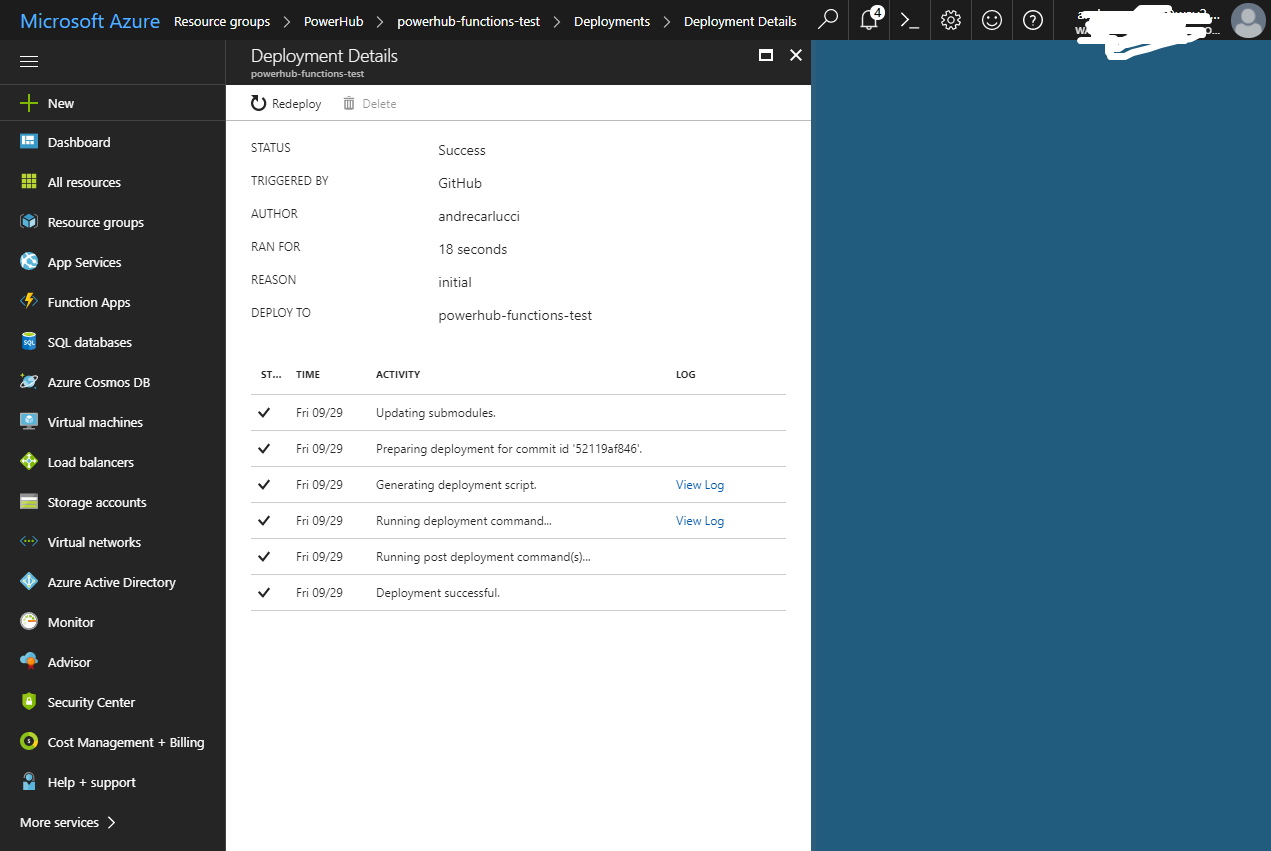
The function is not detected:
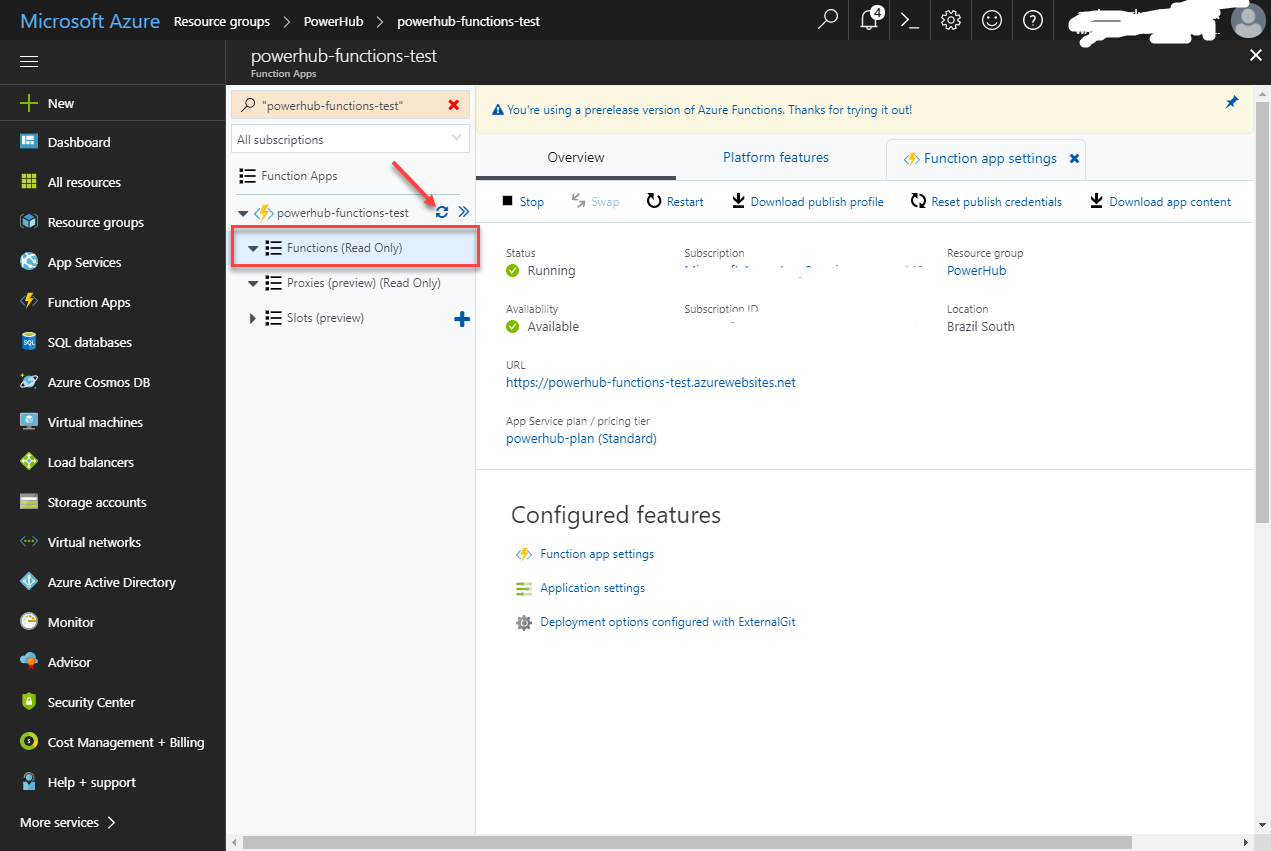
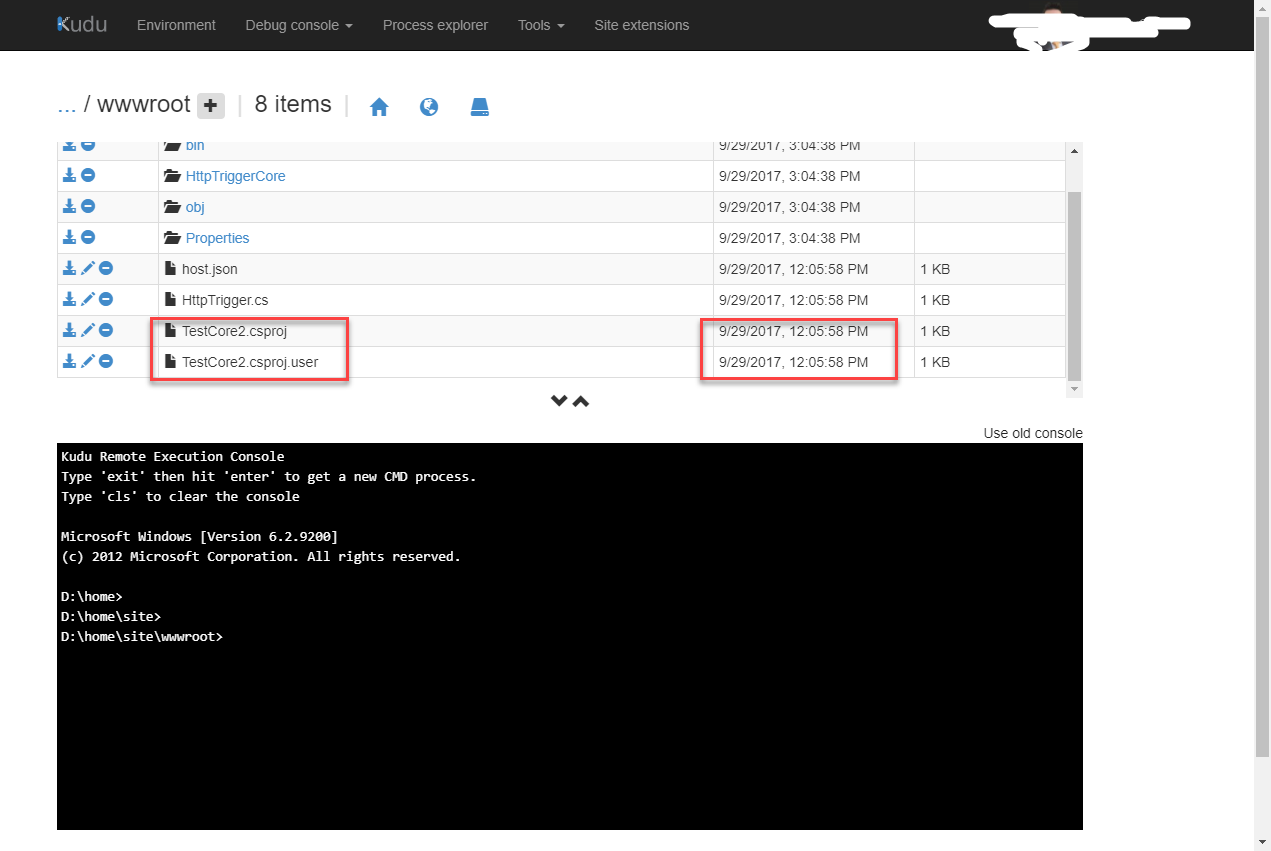
Kudu shows me an old project instead of my latest deploy!
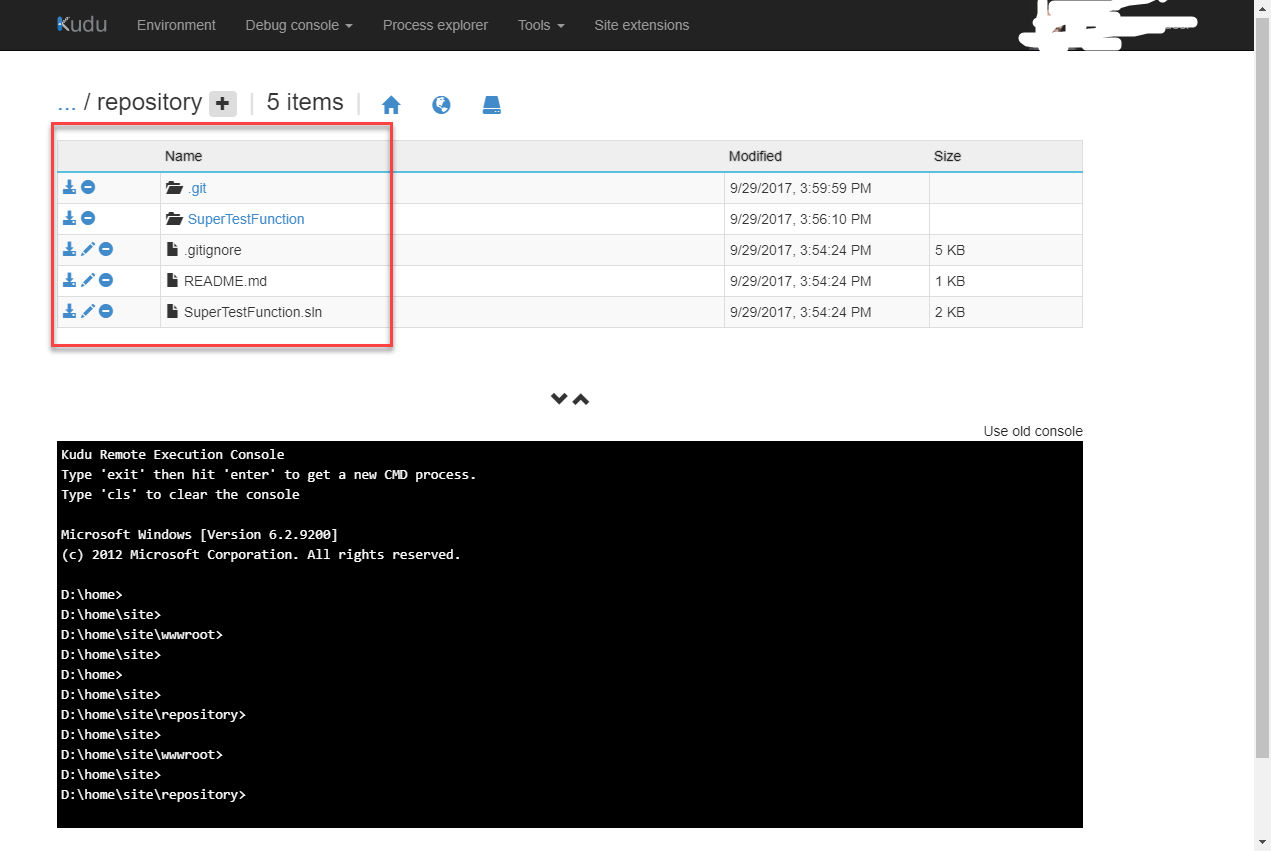
But the folder "repository" seems to be synchronized with git:
Any thoughts?
andrecarlucci
on 29 Sep 2017
Did you changed the application settings to use the beta version of the runtime, @andrecarlucci ?
galvesribeiro
on 29 Sep 2017
Yes :(
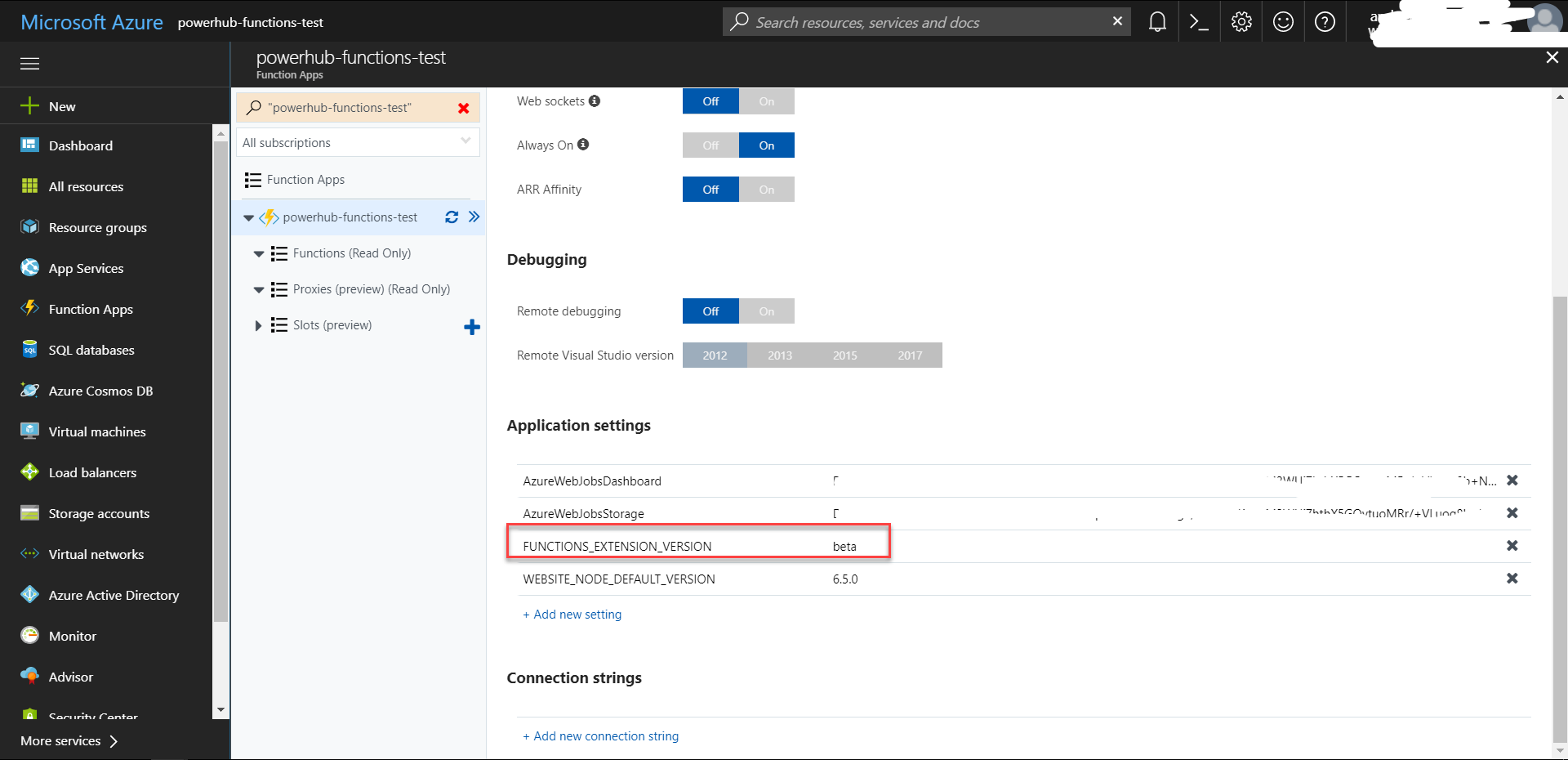
andrecarlucci
on 29 Sep 2017
CI on dotnet 2.0 still doesn't work even with the sample sample project on GitHub? Checking to see if there's an new issue.
 paulgmiller
on 1 Nov 2017
paulgmiller
on 1 Nov 2017
@galvesribeiro @fabiocav I'm trying to get the https://github.com/lindydonna/CSharpHttpCore example to work after adding a nuget package. The dependency resolution fails if I don't publish first.
I've read through this but not quite certain what I need to do. Can you explain better please? I see I need the latest SDK but not sure how that should be installed.
EDIT:
I added Microsoft.NET.Sdk.Functions --version 1.0.6 to the project and now the DLLs are getting copied into the bin directory after dotnet build but I'm getting a runtime error.
HttpTriggerCSharp: Invalid script file name configuration. The 'scriptFile' property is set to afile that does not exist.
UPDATE:
I see that the path to the main DLL has changed and is inside a bin folder now, so I updated the path in function.json. That resolved the error.
I'll leave this here incase it's useful for anyone else.
 jmotes
on 1 Dec 2017
jmotes
on 1 Dec 2017
Related issues
 solvingj
·
5Comments
solvingj
·
5Comments
 christopheranderson
·
6Comments
christopheranderson
·
6Comments
 SteveALee
·
4Comments
SteveALee
·
4Comments
 jerimiahwelch
·
4Comments
jerimiahwelch
·
4Comments
 cgillum
·
4Comments
cgillum
·
4Comments
Most helpful comment
Btw, GREAT work guys :)
This new host based on Kestrel is waaaaayyyy faster than previous one :)
Keep going!