Azure-docs: Update screenshot for assigning built-in role to a container
In this section: https://docs.microsoft.com/en-us/azure/storage/common/storage-auth-aad-rbac-portal#assign-an-azure-built-in-role
The text explains how to assign a role in a container (which is what I'm looking for) but the screenshot shows access being granted at the storage account level.
Please update the image - it could mislead someone into giving more permissions than desired.
Document Details
⚠ Do not edit this section. It is required for docs.microsoft.com ➟ GitHub issue linking.
- ID: 1ca94e03-5f05-6703-1672-8062f31c0780
- Version Independent ID: a6a8d9e9-9aac-c0ed-c474-34cbd0609584
- Content: Use the Azure portal to assign an Azure role for data access - Azure Storage
- Content Source: articles/storage/common/storage-auth-aad-rbac-portal.md
- Service: storage
- Sub-service: common
- GitHub Login: @tamram
- Microsoft Alias: tamram
 jcmrva
All 5 comments
Thanks for reporting this. I have assigned the issue to the content author to investigate further and update the document as appropriate.
 DerekHerman-MSFT
on 17 Sep 2020
DerekHerman-MSFT
on 17 Sep 2020
@jcmrva - Thanks for your feedback! However, I am not seeing what you are seeing. The screenshot shows the access control settings being set on the container.
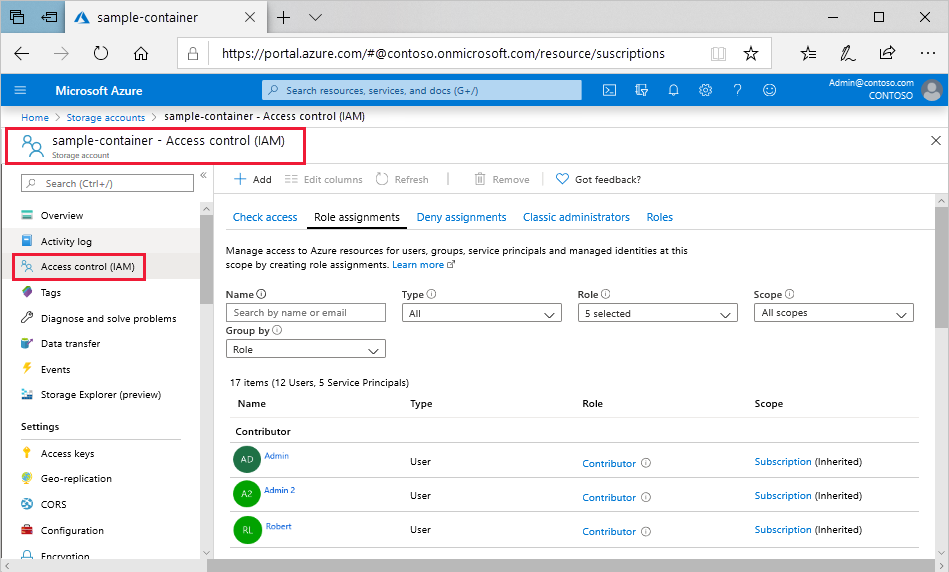
Can you provide more details?
 tamram
on 22 Sep 2020
tamram
on 22 Sep 2020
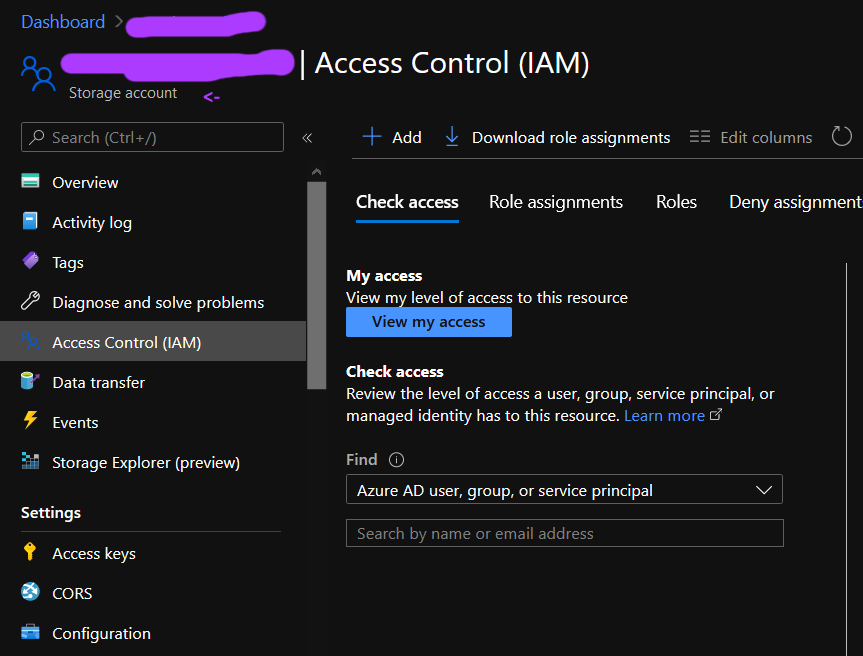
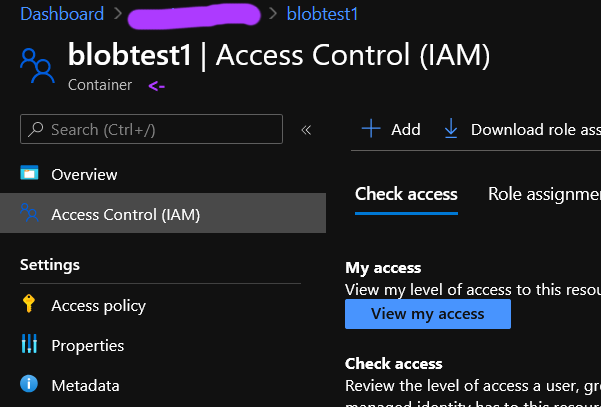
I can't reproduce that exact view but that looks like a storage account named "sample-container".
After navigating into the container, it looks different.
jcmrva
on 23 Sep 2020
@jcmrva - I see what you mean. I've updated the image and the change is now live. Thanks for your feedback.
tamram
on 25 Sep 2020
please-close
tamram
on 25 Sep 2020
Related issues
 JeffLoo-ong
·
3Comments
JeffLoo-ong
·
3Comments
 Ponant
·
3Comments
Ponant
·
3Comments
 jamesgallagher-ie
·
3Comments
jamesgallagher-ie
·
3Comments
 varma31
·
3Comments
varma31
·
3Comments
 AronT-TLV
·
3Comments
AronT-TLV
·
3Comments