Azure-docs: capture private traffic on tunnel interface instead of encrypted public to public traffic
[Enter feedback here]
I just tried Start-AzVirtualnetworkGatewayPacketCapture and Start-AzVirtualNetworkGatewayConnectionPacketCapture ,
The two captured files only show packets like:
[on-prem VPN public IP] [VPN Gateway public IP] ESP 222 ESP (SPI=0xef1955ba)
Not the private traffic on the tunnel interface. This isn't really very helpful.
Is this it supposed to be?
Document Details
⚠ Do not edit this section. It is required for docs.microsoft.com ➟ GitHub issue linking.
- ID: 85090bbe-facd-f493-9817-b639df44f345
- Version Independent ID: 29832cb6-6676-147d-5d5f-fccbd55b2fba
- Content: Azure VPN Gateway: Configure packet capture
- Content Source: articles/vpn-gateway/packet-capture.md
- Service: vpn-gateway
- GitHub Login: @radwiv
- Microsoft Alias: radwiv
 jackchenquest
All 6 comments
@jackchenquest Thanks for the feedback. We are investigating the issue and will update you shortly.
 RohitMungi-MSFT
on 13 Sep 2020
RohitMungi-MSFT
on 13 Sep 2020
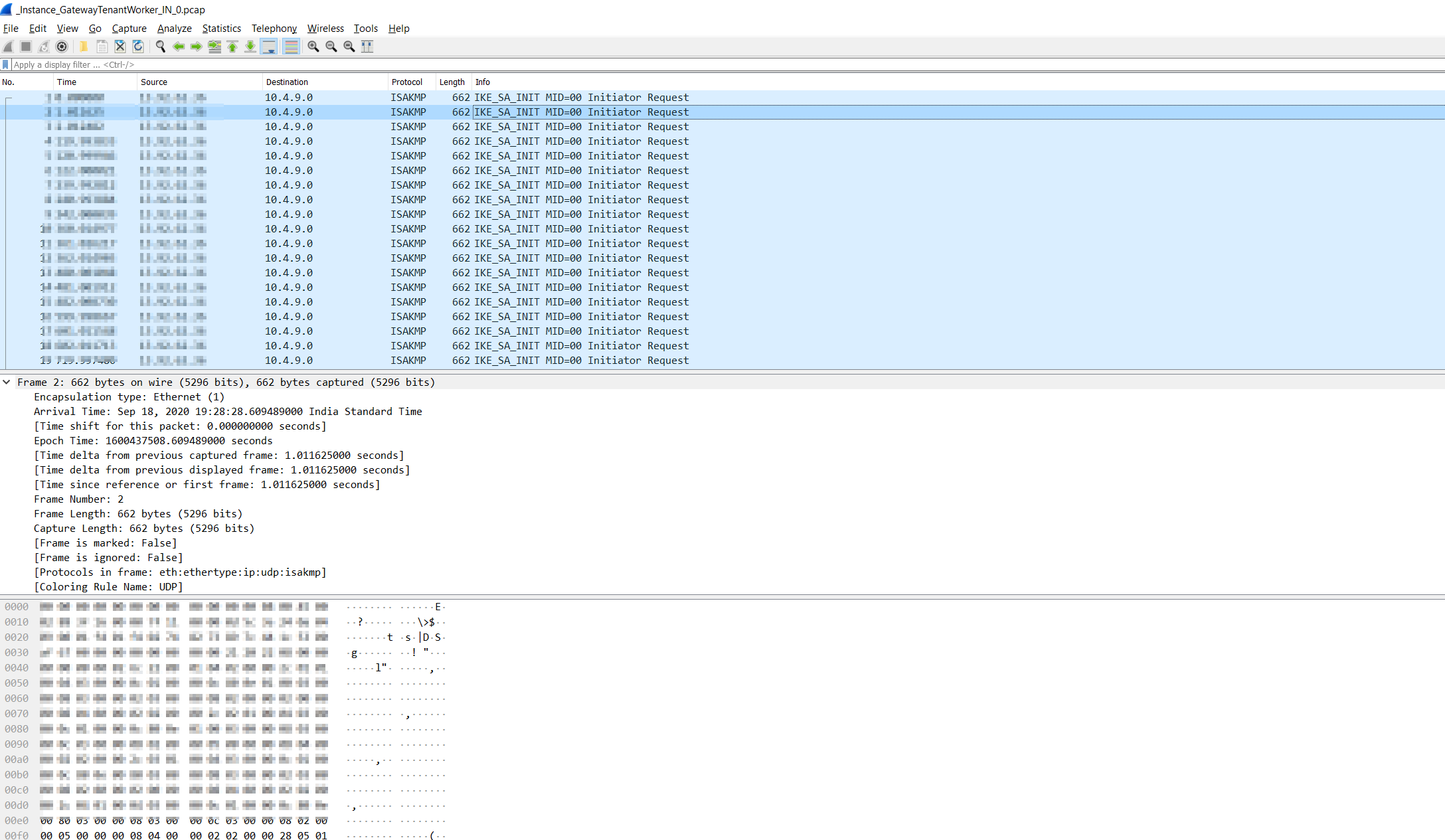
@jackchenquest, Appreciate your patience. I have captured the similar log in my test environment. But It should capture both encrypted and plaintext packets. It will capture all packets going into/from VNETs. Each packet from VNet VMs to on premises should result in 2 packets: one from VNet (not encrypted) and one encrypted packet.
SS:
 SubhashVasarapu-MSFT
on 21 Sep 2020
SubhashVasarapu-MSFT
on 21 Sep 2020
Thanks SubhashVasarapu! Not sure why I only got encrypted packet, I will retest it.
jackchenquest
on 21 Sep 2020
@jackchenquest, are we good to close this issue? For any kind of troubleshooting scenerios and technical help, please post your quesries on Microsoft Q&A platform for better reach. GitHub platform concentrates more on improvising Azure Docs in case there is a need for Doc enhancement.
SubhashVasarapu-MSFT
on 21 Sep 2020
Sure.
jackchenquest
on 21 Sep 2020
It looks like you need to specify a filter to get any inner packets to show up in the capture.
You can use a "catch-all" filter from https://docs.microsoft.com/en-us/powershell/module/az.network/start-azvirtualnetworkgatewaypacketcapture?view=azps-4.8.0#example-3 to get all the inner traffic:
$a = "{`"TracingFlags`": 11,`"MaxPacketBufferSize`": 120,`"MaxFileSize`": 500,`"Filters`" :[{`"CaptureSingleDirectionTrafficOnly`": false}]}"
Start-AzVirtualnetworkGatewayPacketCapture -ResourceGroupName "PktCaptureTestSite2RG" -Name "PktCaptureTestSite2VNG" -FilterData $a
In my opinion the documentation can be improved to make this clearer.
 bailsman
on 19 Oct 2020
bailsman
on 19 Oct 2020
Related issues
 ianpowell2017
·
3Comments
ianpowell2017
·
3Comments
 Agazoth
·
3Comments
Agazoth
·
3Comments
 monteledwards
·
3Comments
monteledwards
·
3Comments
 bdcoder2
·
3Comments
bdcoder2
·
3Comments
 behnam89
·
3Comments
behnam89
·
3Comments