Azure-docs: Can you use Time to Live?
Can you test the _time to live_ functionality with the emulator?
Document details
⚠ Do not edit this section. It is required for docs.microsoft.com ➟ GitHub issue linking.
- ID: 109ed3f8-faf1-92b9-bf50-4be52e9099d4
- Version Independent ID: ebc5326a-46da-6bc1-1f47-01a8e16d11fb
- Content: Develop locally with the Azure Cosmos Emulator
- Content Source: articles/cosmos-db/local-emulator.md
- Service: cosmos-db
- GitHub Login: @markjbrown
- Microsoft Alias: mjbrown
 garfbradaz
All 4 comments
@garfbradaz Thank you for the feedback. We are actively investigating and will get back to you soon.
 AnuragSharma-MSFT
on 13 Jul 2020
AnuragSharma-MSFT
on 13 Jul 2020
@garfbradaz There are couple of ways you can test TTL functionality with Emulator:
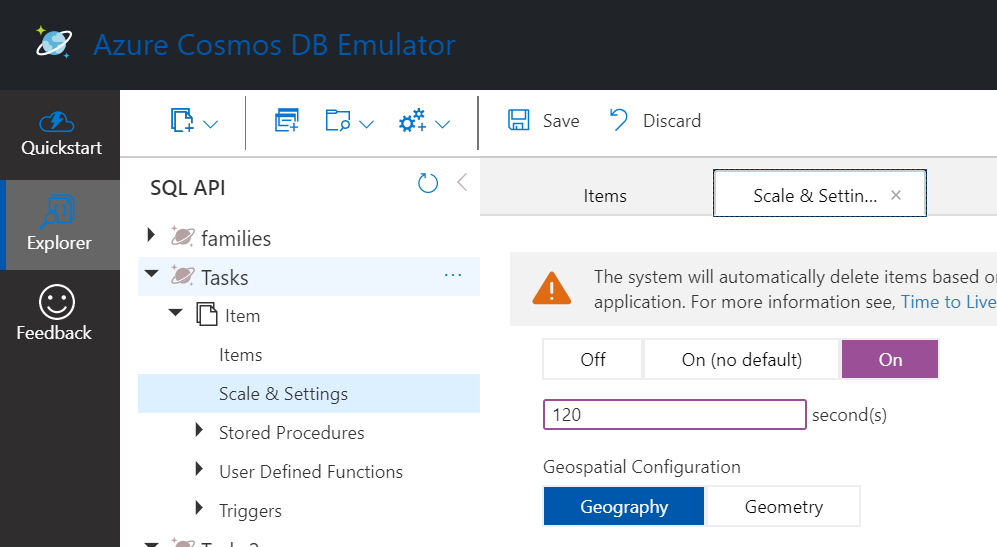
- You need to set the TTL at the Container or Item level. Please refer to Link. I set it up at container level with 120 seconds as shown in below screenshot:
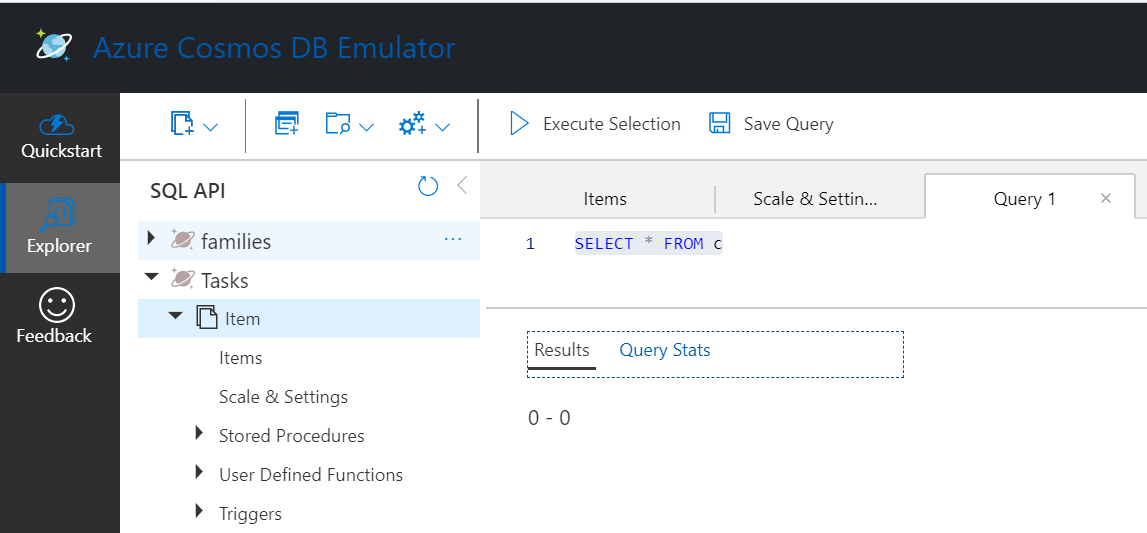
Post 120 seconds, running query in Data Explorer will not return the document. Refer to below screenshot:
- Another way is to set it through code using any SDK as mentioned in above article:
// Create a new container with TTL enabled and a 90 day expiration
await client.GetDatabase("database").CreateContainerAsync(new ContainerProperties
{
Id = "container",
PartitionKeyPath = "/myPartitionKey",
DefaultTimeToLive = 90 * 60 * 60 * 24; // expire all documents after 90 days
});
Then create a document using the explorer/code and try fetching the record post 120 seconds. You must not receive documents older than 120 seconds.
This Article provides end to end steps for creation of MVC application using.NET SDK.
If there are further questions regarding this matter, please comment and we will gladly continue the discussion.
AnuragSharma-MSFT
on 13 Jul 2020
Thanks guys, i will take a look today.
garfbradaz
on 14 Jul 2020
@garfbradaz We are proceeding to close this issue.
If there are further questions regarding this matter, please comment and we will gladly continue the discussion.
AnuragSharma-MSFT
on 15 Jul 2020
Related issues
 Favna
·
3Comments
Favna
·
3Comments
 jamesgallagher-ie
·
3Comments
jamesgallagher-ie
·
3Comments
 bdcoder2
·
3Comments
bdcoder2
·
3Comments
 JamesDLD
·
3Comments
JamesDLD
·
3Comments
 bityob
·
3Comments
bityob
·
3Comments