Azure-docs: Deploying management group level resources through tenant deployment
When doing tenant level deployment, there is an option to nested deployment to subscription as shown below.
{
            "type": "Microsoft.Resources/deployments",
            "apiVersion": "2019-07-01",
            "name": "deploy_to_subscription",
            "location": "westus",
            "subscriptionId": "XXX-XXX-XXXXX",
            "properties": {
                "mode": "Incremental",
                "template": {
                    "$schema": "https://schema.management.azure.com/schemas/2018-05-01/subscriptionDeploymentTemplate.json#",
                    "contentVersion": "1.0.0.0",
                    "resources": []
                 }
            }
}
In the same way how to target a management group? I would like to deploy to particular management group. How to specify the management group id in Microsoft.Resources/deployments?
Document Details
⚠ Do not edit this section. It is required for docs.microsoft.com ➟ GitHub issue linking.
- ID: 849c85a8-1301-9040-d13d-f2e1d4244547
- Version Independent ID: 3cf9bdd8-0eb0-a953-c339-266994869fb8
- Content: Deploy resources to tenant - Azure Resource Manager
- Content Source: articles/azure-resource-manager/templates/deploy-to-tenant.md
- Service: azure-resource-manager
- Sub-service: templates
- GitHub Login: @mumian
- Microsoft Alias: jgao
 yesoreyeram
All 5 comments
@yesoreyeram Thanks for your comment. We are actively investigating and will get back to you shortly.
 SwathiDhanwada-MSFT
on 2 Jul 2020
SwathiDhanwada-MSFT
on 2 Jul 2020
@yesoreyam I believe you might have missed to check this, you can use schema mentioned in this document. Kindly check and revert if you have further questions.
SwathiDhanwada-MSFT
on 6 Jul 2020
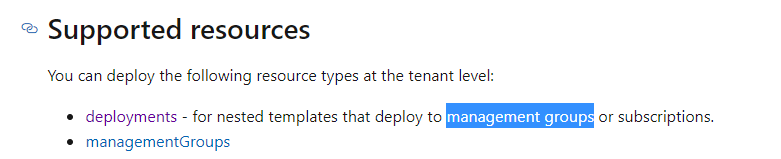
I am sure i have seen that but that doesn't answer. My question is about this page https://docs.microsoft.com/en-us/azure/azure-resource-manager/templates/deploy-to-tenant . I am looking for templates for the highlighted scenario.
yesoreyeram
on 6 Jul 2020
@yesoreyeram I understood what you meant to say. I am checking internally with the team and will update you soon.
SwathiDhanwada-MSFT
on 9 Jul 2020
@yesoreyeram Apologies for late response. Here is a sample template for deploying to specific management group.
{
    "$schema": "https://schema.management.azure.com/schemas/2019-08-01/tenantDeploymentTemplate.json#",
    "contentVersion": "1.0.0.0",
    "parameters": {
        "mgName": {
            "type": "string",
            "defaultValue": "5f572433-b4b5-4eed-bb22-764e5f4c12dd"
        }
    },
    "variables": {
        "mgId": "[concat('Microsoft.Management/managementGroups/', parameters('mgName'))]"
    },
    "resources": [
        {
            "name": "nested",
            "type": "Microsoft.Resources/deployments",
            "apiVersion": "2019-10-01",
            "scope": "[variables('mgId')]",
            "location": "eastus",
            "properties": {
                "expressionEvaluationOptions": {
                    "scope": "outer"
                },
                "mode": "Incremental",
                "template": {
                    "$schema": "https://schema.management.azure.com/schemas/2019-04-01/deploymentTemplate.json#",
                    "contentVersion": "1.0.0.0",
                    "resources": [
                        {
                            "type": "Microsoft.Authorization/policyDefinitions",
                            "apiVersion": "2018-05-01",
                            "name": "locationpolicy",
                            "properties": {
                                "policyType": "Custom",
                                "parameters": {},
                                "policyRule": {
                                    "if": {
                                        "field": "location",
                                        "equals": "northeurope"
                                    },
                                    "then": {
                                        "effect": "deny"
                                    }
                                }
                            }
                        }
                    ],
                    "outputs": {
                        "deployed": {
                            "type": "string",
                            "value": "deployed to different MG"
                        }
                    }
                }
            }
        }
    ],
    "outputs": {
        "innerOutput": {
            "type": "string",
            "value": "[reference('nested').outputs.deployed.value]"
        }
    }
}
The document will also be updated soon. If there are further questions , kindly revert.
SwathiDhanwada-MSFT
on 24 Jul 2020
Related issues
 behnam89
·
3Comments
behnam89
·
3Comments
 Agazoth
·
3Comments
Agazoth
·
3Comments
 Ponant
·
3Comments
Ponant
·
3Comments
 spottedmahn
·
3Comments
spottedmahn
·
3Comments
 jamesgallagher-ie
·
3Comments
jamesgallagher-ie
·
3Comments