Azure-docs: Issue with authentication: Need admin approval
Hello
I'm stuck at step "Need admin approval"
This type of credential will cause a browser window to open, asking to provide Azure credentials
unfortunately I cannot authenticate with my MSFT account
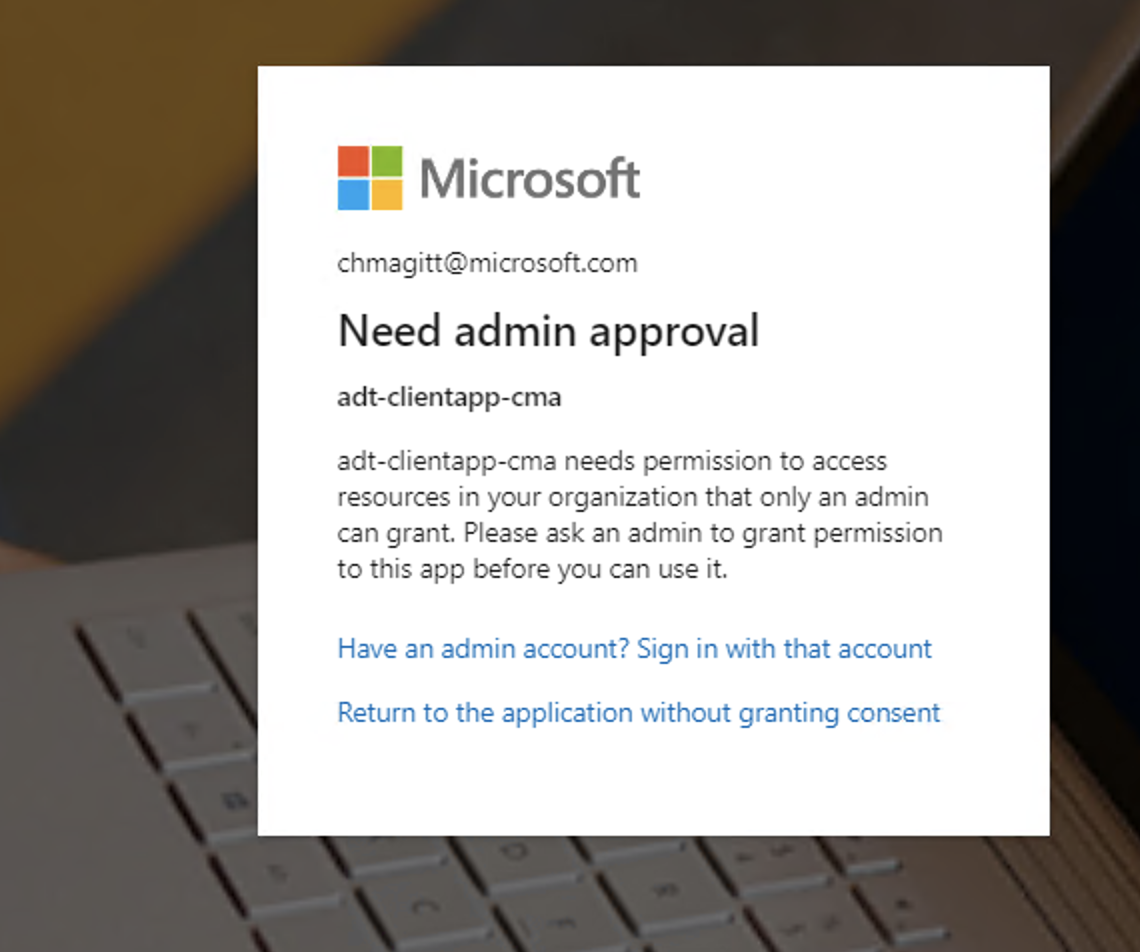
and receive the pop up message
" [email protected]
Need admin approval
adt-clientapp-cma
adt-clientapp-cma needs permission to access resources in your organization that only an admin can grant. Please ask an admin to grant permission to this app before you can use it.
Have an admin account? Sign in with that account
Return to the application without granting consent"
I followed carefully the previous steps .
Can you help ?
Document Details
⚠ Do not edit this section. It is required for docs.microsoft.com ➟ GitHub issue linking.
- ID: 5389e8ca-c178-1b35-5745-105638c647c6
- Version Independent ID: c0e2213c-aba0-24b9-4285-644ca1d39837
- Content: Code a client app - Azure Digital Twins
- Content Source: articles/digital-twins/tutorial-code.md
- Service: digital-twins
- GitHub Login: @cschormann
- Microsoft Alias: cschorm
 chmagitt
All 13 comments
@chmagitt
Thanks for the feedback! We are currently investigating and will update you shortly.
 SatishBoddu-MSFT
on 1 Jul 2020
SatishBoddu-MSFT
on 1 Jul 2020
@chmagitt Could you please pin point exact location of the document section where you are stuck with login? to better understand the issue.
SatishBoddu-MSFT
on 1 Jul 2020
Hello
I’m stuck here in the documentation:
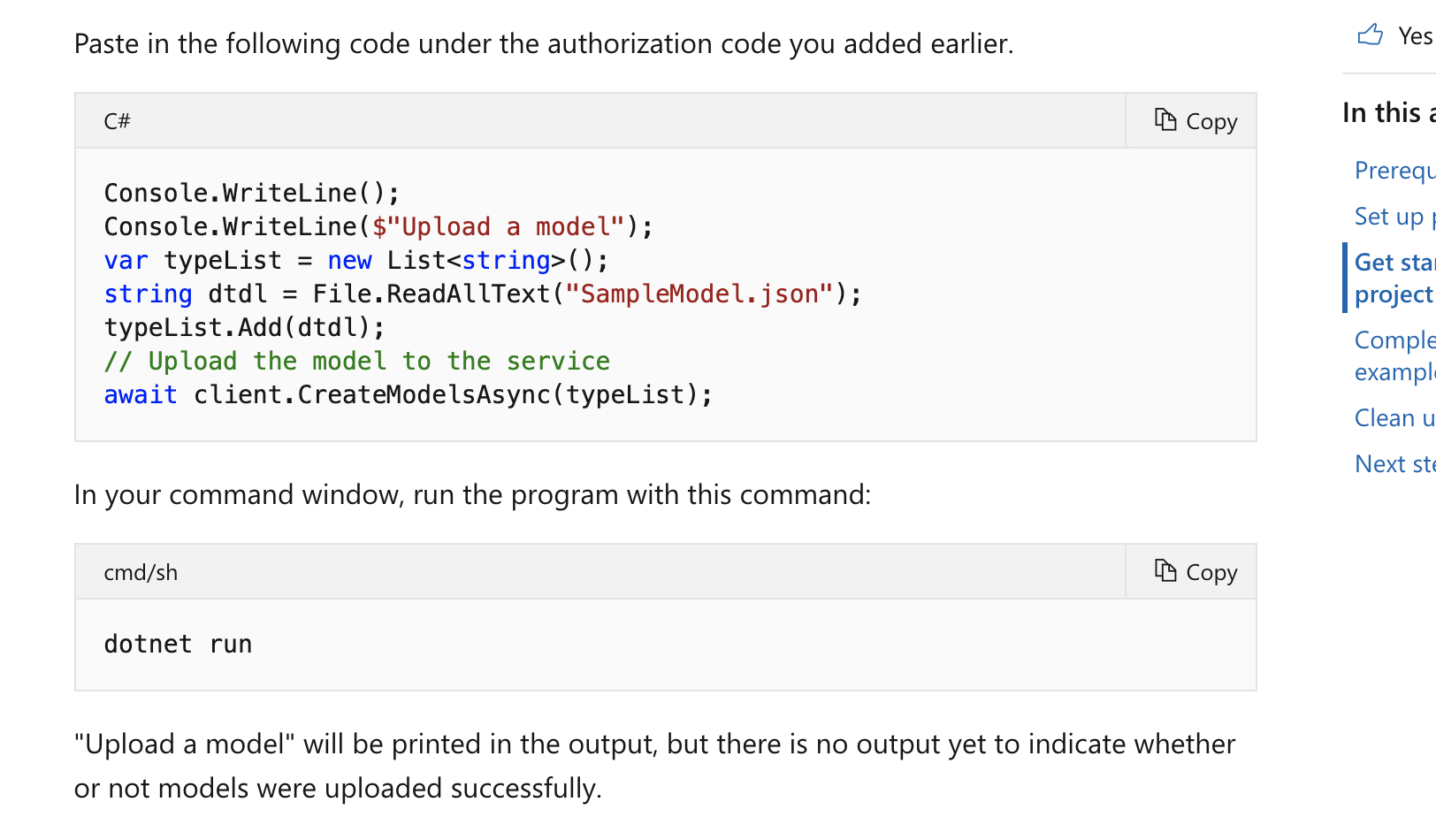
“in your command window, run the program with command dotnet run”
[A screenshot of a cell phone Description automatically generated]
Here is the output of my console
[A screenshot of a cell phone Description automatically generated]
And I cannot authenticate correctly
Here is the error message
[A screenshot of a cell phone Description automatically generated]
chmagitt
on 1 Jul 2020
@chmagitt Thanks for the info, the attached screenshots are not uploaded properly, if possible please retry to upload. Make sure no sensitive info is uploaded. I will work on my side and will update you shortly.
SatishBoddu-MSFT
on 1 Jul 2020
chmagitt
on 1 Jul 2020
This is what happen when I launch the client app to load a model
chmagitt
on 1 Jul 2020
@chmagitt
Thanks for the details! We are currently investigating and will update you shortly.
SatishBoddu-MSFT
on 1 Jul 2020
@chmagitt I have followed below steps to upload the sample model to my ADT.
Step 1: Author SampleModel.json file
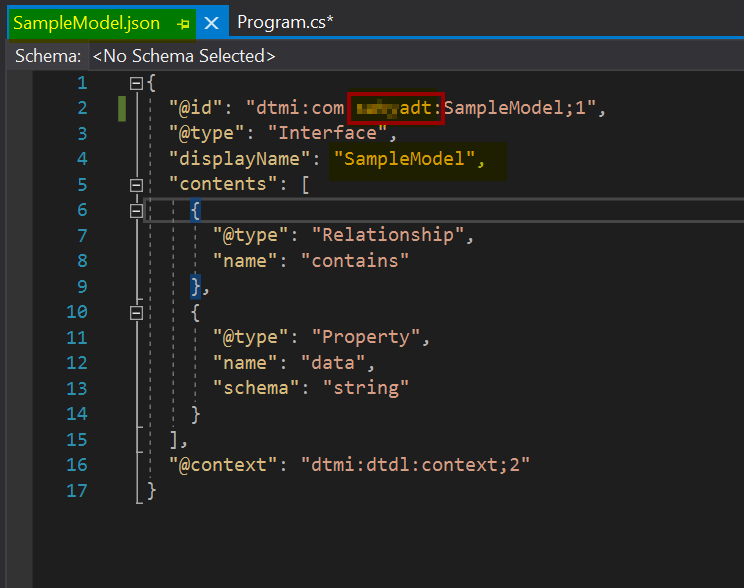
Step 2: Register an App and give permissions to Azure Digital Twins in my org.
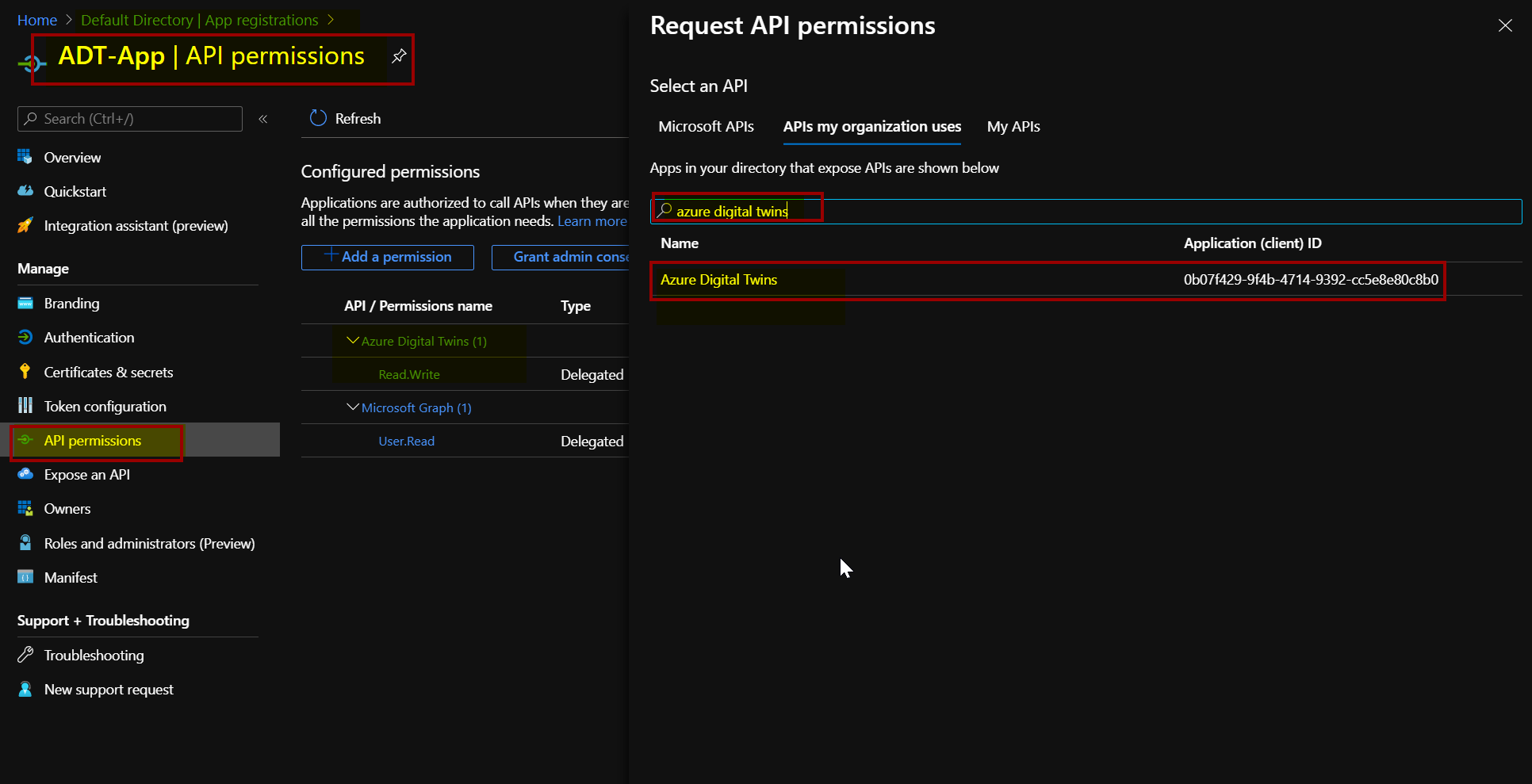
Step 3: I have exclusively created a test user account in my org with owner permissions and then assigned the Azure Digital Twins to the test user. So that it will be used while interactive login. [You can recheck on this step with your Subscription permissions]
az dt role-assignment create --dt-name Myadt --assignee "[email protected]" --role "Azure Digital Twins Owner (Preview)"
Step 4: Use Interactive mode for login & Authentication to upload the Model json file.
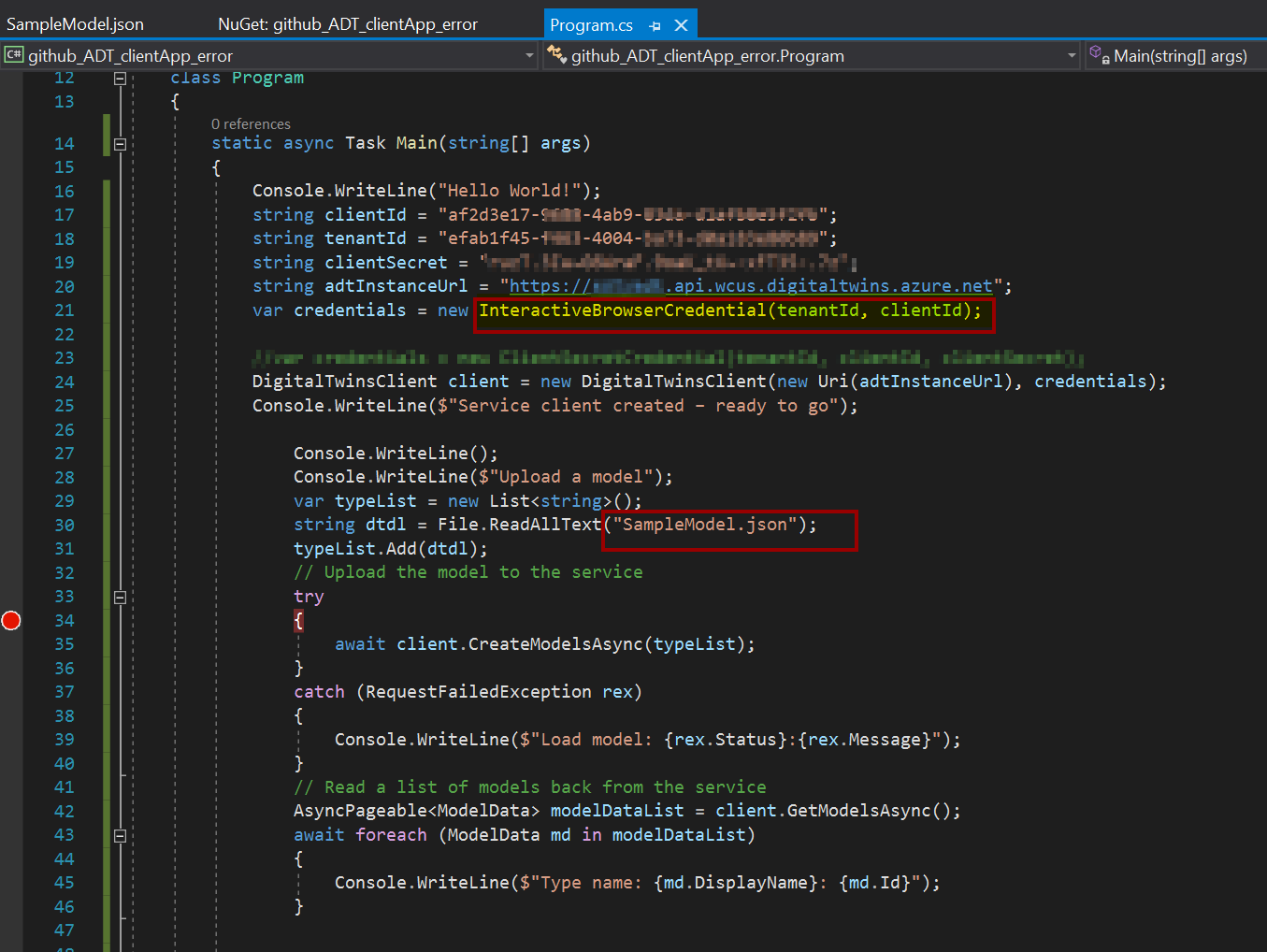
Browser page
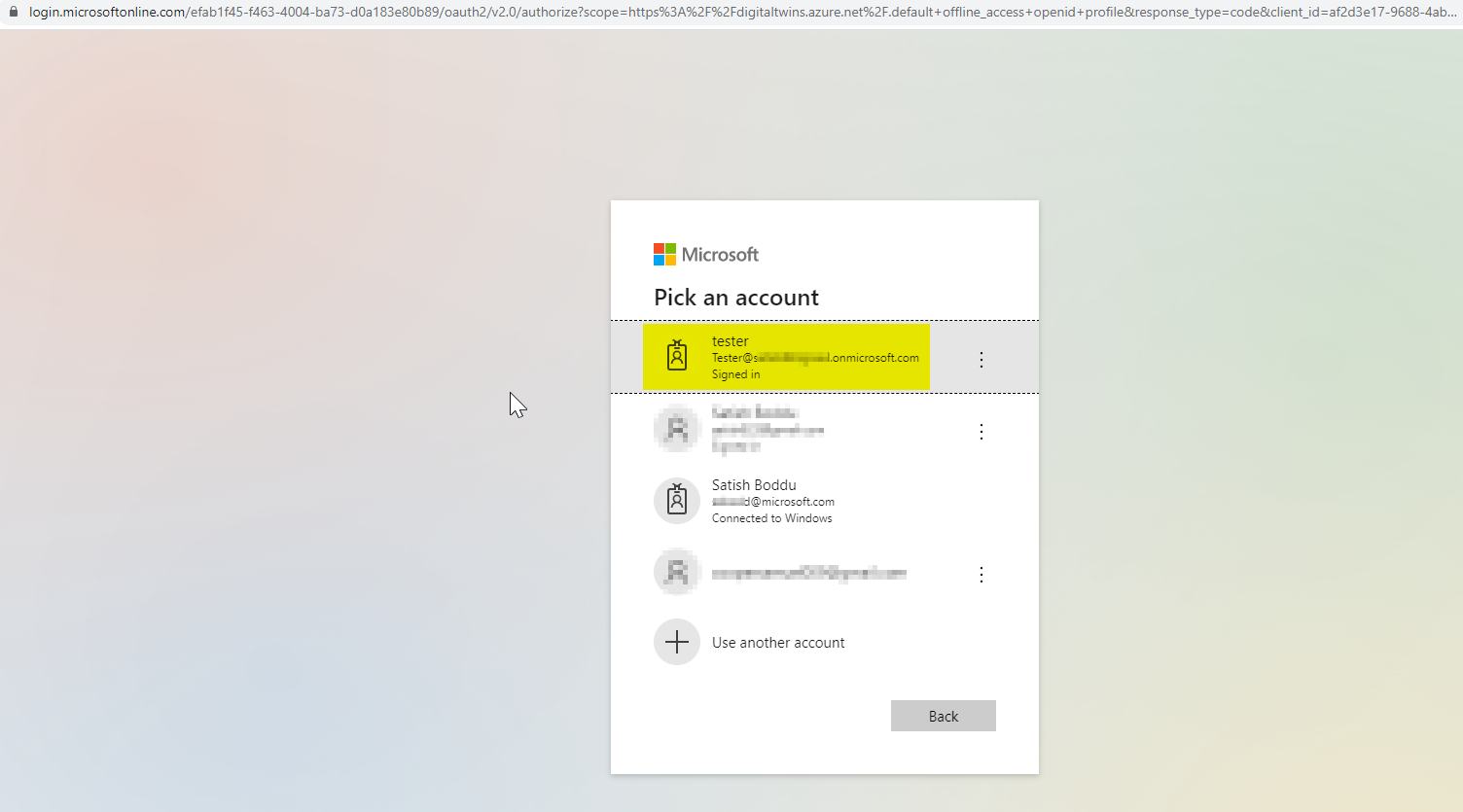
It went well with no issues in interactive login, so now i use post man to query the ADT to see if i have my Model uploaded.
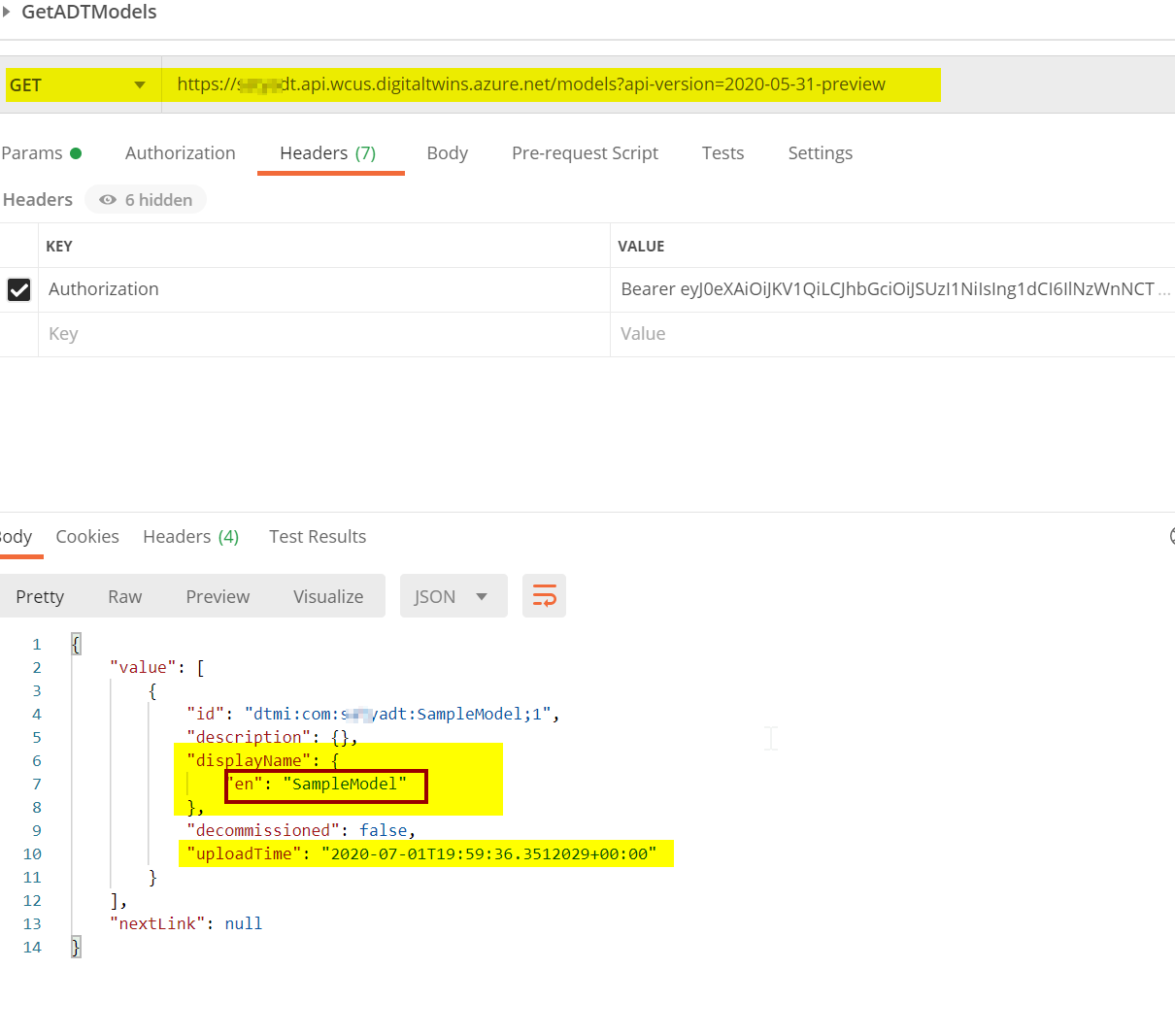
Please let us know if you need further help in troubleshooting this issue.
SatishBoddu-MSFT
on 1 Jul 2020
@chmagitt
Just checking back! Please let us know if you need further help.
SatishBoddu-MSFT
on 2 Jul 2020
@chmagitt Just checking back! please let us know if you are still stuck and we would be happy to help you on this issue.
SatishBoddu-MSFT
on 6 Jul 2020
We will now proceed to close this thread. If there are further questions regarding this matter, please tag me in your reply. We will gladly continue the discussion and we will reopen the issue.
 AshokPeddakotla-MSFT
on 7 Jul 2020
AshokPeddakotla-MSFT
on 7 Jul 2020
Hi
you can close the issue
the problem is at app registration level and due to restriction in Microsoft tenant using FTE internal subscription. I had to open a case to MS IT to allow access to the app reg
thanks a lot for your support
chmagitt
on 9 Jul 2020
@chmagitt Thank you for the info, this resolution really helps others as well with similar issue.
SatishBoddu-MSFT
on 9 Jul 2020
Related issues
 bityob
·
3Comments
bityob
·
3Comments
 Ponant
·
3Comments
Ponant
·
3Comments
 jebeld17
·
3Comments
jebeld17
·
3Comments
 spottedmahn
·
3Comments
spottedmahn
·
3Comments
 paulmarshall
·
3Comments
paulmarshall
·
3Comments