Azure-docs: How to give access to a subdirectory?
Hello,
I'm trying to give access to a subdirectory, but access is only granted in the subdirectory, in previous directories access is not granted. Can someone help me please?
Below is the step by step:
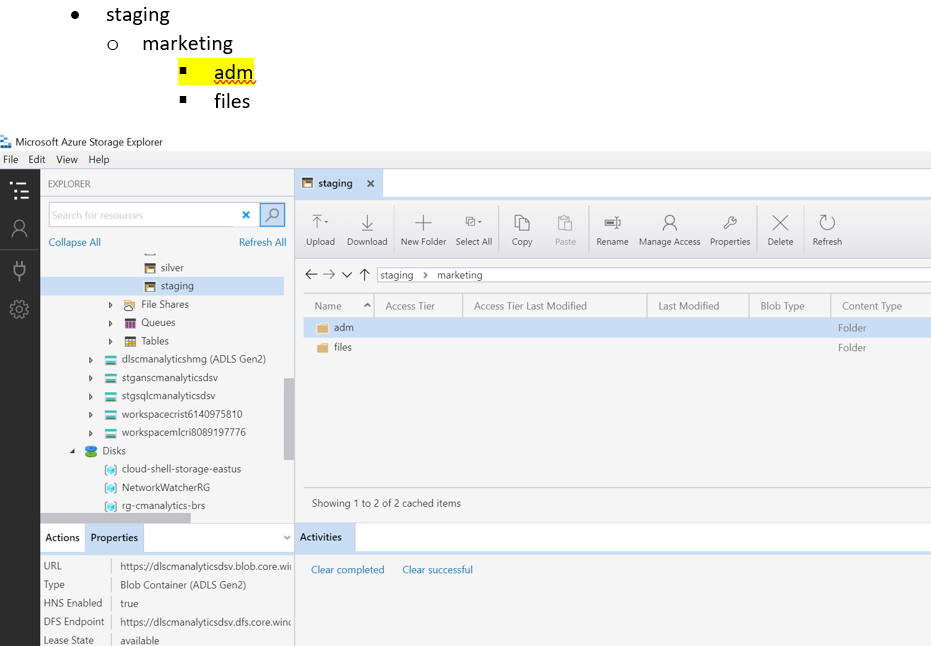
Data Lake Structure
Commands
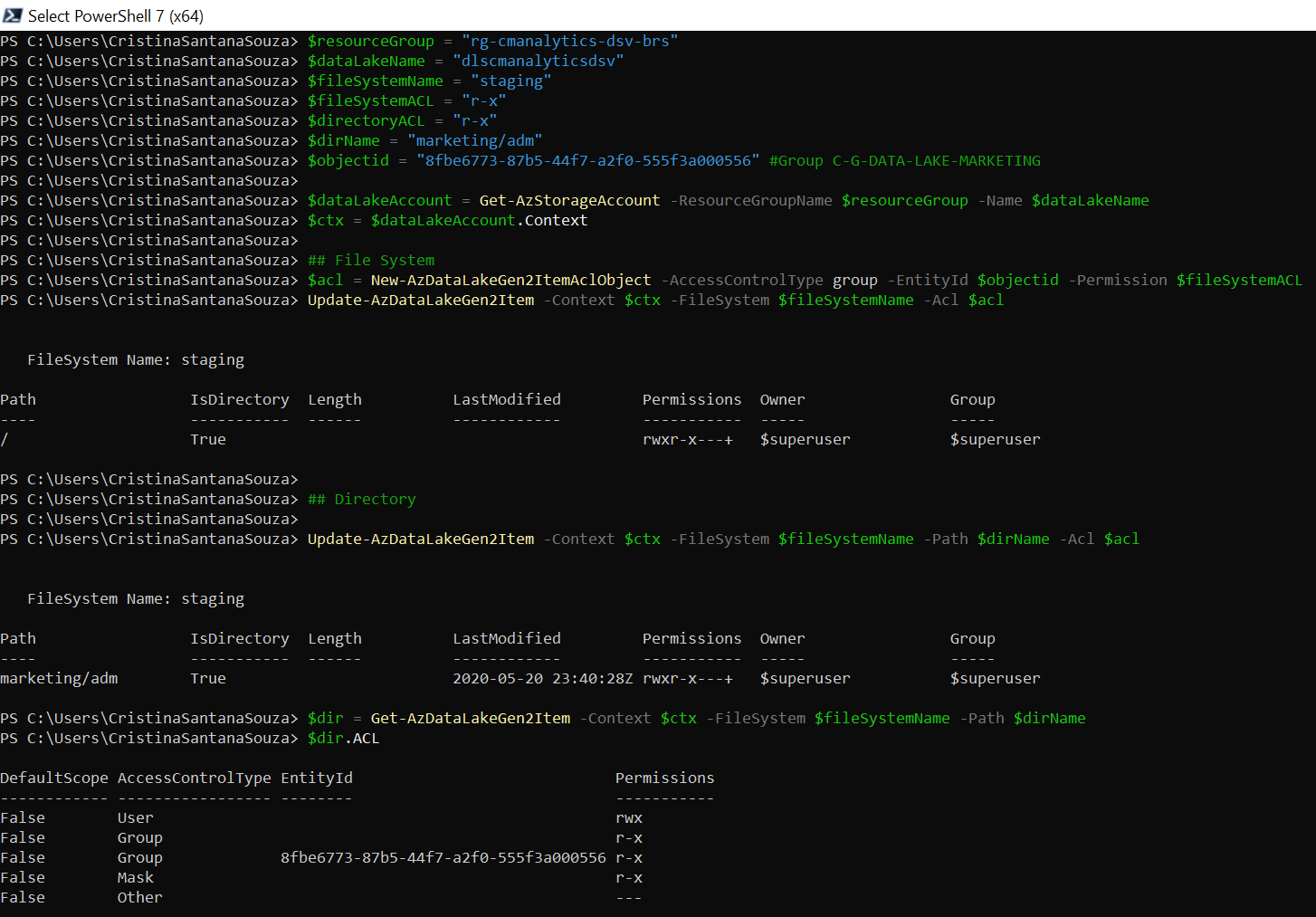
$resourceGroup = "rg-cmanalytics-dsv-brs"
$dataLakeName = "dlscmanalyticsdsv"
$fileSystemName = "staging"
$fileSystemACL = "r-x"
$directoryACL = "r-x"
$dirName = "marketing/adm"
$objectid = "8fbe6773-87b5-44f7-a2f0-555f3a000556" #Group C-G-DATA-LAKE-MARKETING
$dataLakeAccount = Get-AzStorageAccount -ResourceGroupName $resourceGroup -Name $dataLakeName
$ctx = $dataLakeAccount.Context
File System
$acl = New-AzDataLakeGen2ItemAclObject -AccessControlType group -EntityId $objectid -Permission $fileSystemACL
Update-AzDataLakeGen2Item -Context $ctx -FileSystem $fileSystemName -Acl $acl
Directory
Update-AzDataLakeGen2Item -Context $ctx -FileSystem $fileSystemName -Path $dirName -Acl $acl
$dir = Get-AzDataLakeGen2Item -Context $ctx -FileSystem $fileSystemName -Path $dirName
$dir.ACL
Result
Access was granted in the "adm" subdirectory.
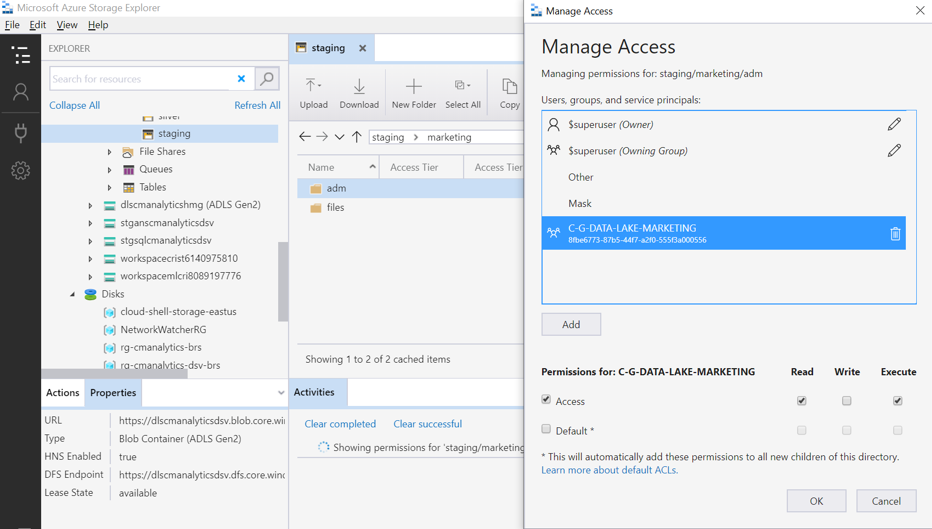
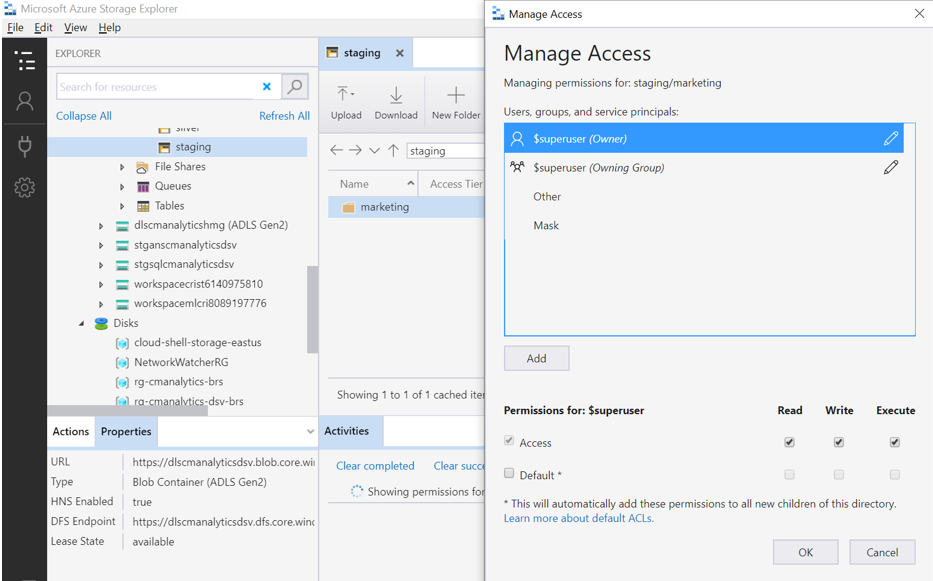
But the user cannot access the subdirectory because he doesn't have access in the "marketing" directory. This is the problem.
Best regards,
Cristina
Document Details
⚠ Do not edit this section. It is required for docs.microsoft.com ➟ GitHub issue linking.
- ID: 562aa838-243f-bed8-c3cb-9164af5efe71
- Version Independent ID: 369544f3-5260-3773-68f2-3479c6e9587e
- Content: Azure Data Lake Storage Gen2 PowerShell for files & ACLs
- Content Source: articles/storage/blobs/data-lake-storage-directory-file-acl-powershell.md
- Service: storage
- Sub-service: data-lake-storage-gen2
- GitHub Login: @normesta
- Microsoft Alias: normesta
 crisansou
All 8 comments
@crisansou Thanks for the question! We are investigating and will update you shortly.
 CHEEKATLAPRADEEP-MSFT
on 21 May 2020
CHEEKATLAPRADEEP-MSFT
on 21 May 2020
@normesta Could you please provide insight on how to give access to a subdirectory without providing access to the parent directory?
CHEEKATLAPRADEEP-MSFT
on 26 May 2020
Hi @crisansou - For the user to see the "adm" subdirectory, you'll have to grant execute perms to the marketing directory. Please see Common scenarios related to permissions for examples. Thx for asking!
 normesta
on 28 May 2020
normesta
on 28 May 2020
please-close
normesta
on 28 May 2020
Hi @crisansou - For the user to see the "adm" subdirectory, you'll have to grant execute perms to the marketing directory. Please see Common scenarios related to permissions for examples. Thx for asking!
Hi @normesta ,
So if I have 10 subdirectories before the "adm" subdirectory would I have to give access one by one?
Best regards,
Cristina
crisansou
on 28 May 2020
Hi @crisansou my understanding is yes. If you create a new directory after the ACL of the parent directory is set, then the child directory inherits those ACLs. However, if you apply an ACL to the parent directory (such as execute), it doesn't auto propagate down to the child directories. @priyashetty-gh can check my understanding. Thx
normesta
on 29 May 2020
What @normesta has described is the current system behavior. We have this capability planned in the roadmap, that will allow propagation of ACLs to child items, to handle such cases where ACLs are being assigned to parent items after child items are created.
 priyashetty-gh
on 29 May 2020
priyashetty-gh
on 29 May 2020
Ok guys, thank you.
crisansou
on 29 May 2020
Related issues
 spottedmahn
·
3Comments
spottedmahn
·
3Comments
 Ponant
·
3Comments
Ponant
·
3Comments
 jharbieh
·
3Comments
jharbieh
·
3Comments
 varma31
·
3Comments
varma31
·
3Comments
 paulmarshall
·
3Comments
paulmarshall
·
3Comments