Azure-docs: How can we set an ACL on a file system?
Hello,
I'm trying to set an ACL for a container but it is mandatory to fill the parameter "Path". In the documentation there is an example and in the command there is no parameter "Path". Can someone help me, please?
Documentation: https://docs.microsoft.com/en-us/azure/storage/blobs/data-lake-storage-directory-file-acl-powershell#set-an-acl
Commands:
$resourceGroup = "rg-dsv-brs"
$storageAccountName = "dlsfilesdsv"
$containerName = "raw"
$directoryName = "files"
$objectid = "0xx8xbx5-9863-4687-adcc-aed20db0043e"
$storageAccount = Get-AzStorageAccount -ResourceGroupName $resourceGroup -Name $storageAccountName
$ctx = $storageAccount.Context
$acl = New-AzDataLakeGen2ItemAclObject -AccessControlType group -EntityId $objectid -Permission r-x
Update-AzDataLakeGen2Item -Context $ctx -FileSystem $containerName -Acl $acl

Document Details
⚠ Do not edit this section. It is required for docs.microsoft.com ➟ GitHub issue linking.
- ID: 562aa838-243f-bed8-c3cb-9164af5efe71
- Version Independent ID: 369544f3-5260-3773-68f2-3479c6e9587e
- Content: Azure Data Lake Storage Gen2 PowerShell for files & ACLs
- Content Source: articles/storage/blobs/data-lake-storage-directory-file-acl-powershell.md
- Service: storage
- Sub-service: data-lake-storage-gen2
- GitHub Login: @normesta
- Microsoft Alias: normesta
 crisansou
All 12 comments
@crisansou Thanks for your question. We are checking on this and will respond to you soon.
 SumanthMarigowda-MSFT
on 6 May 2020
SumanthMarigowda-MSFT
on 6 May 2020
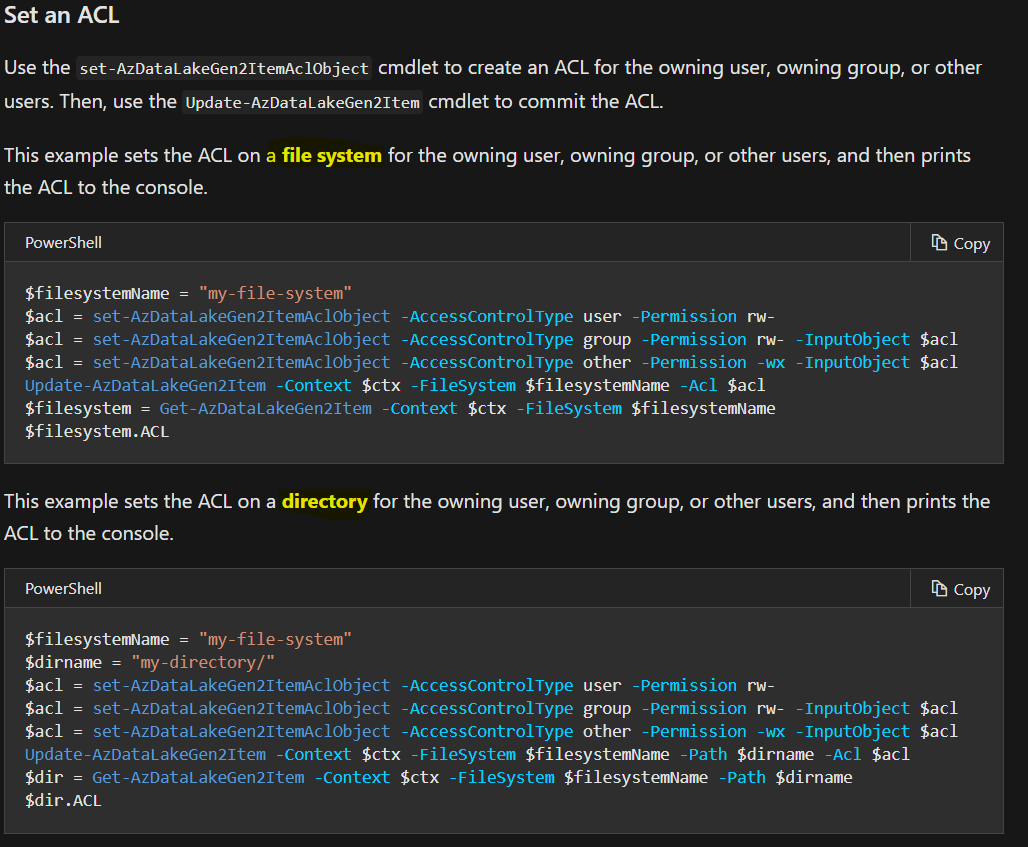
@crisansou The example you have pointed out talks about applying ACLs at the File System Level. However, in your case, you need to set it a directory level (the next example talks about the same and the code sample includes Path parameter passed to the cmdlet.
Hope this helps.
 ChiragMishra-MSFT
on 6 May 2020
ChiragMishra-MSFT
on 6 May 2020
@crisansou The example you have pointed out talks about applying ACLs at the File System Level. However, in your case, you need to set it a directory level (the next example talks about the same and the code sample includes Path parameter passed to the cmdlet.
Hope this helps.
Hi @ChiragMishra-MSFT,
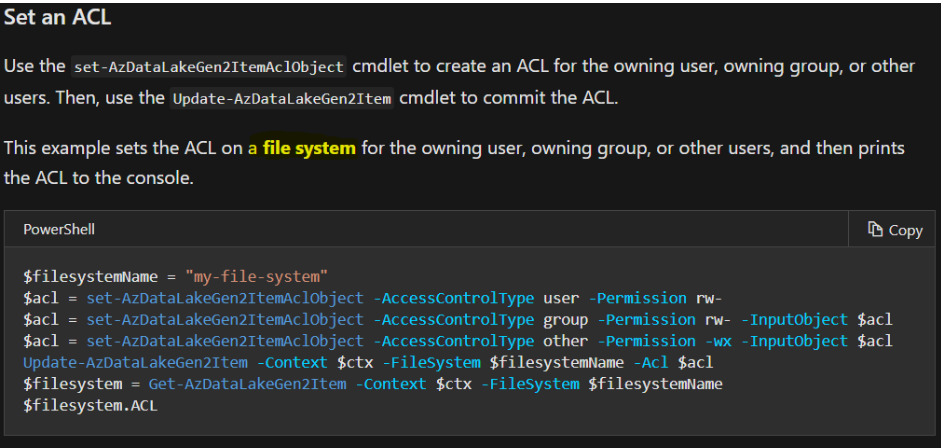
I'll try to explain the problem, I created a group that should have access in container "raw" and in directory "marketing", that's why I want to know how to set an ACL on a file system. If I use the command "Update-AzDataLakeGen2Item -Context $ctx -FileSystem $containerName -Path $directoryName -Acl $acl" that gives access only in the directory "marketing" the user will not be able to access it because he doesn't have access in the container "raw". Do you know how to set an ACL on a file system? I can't run the command "Update-AzDataLakeGen2Item -Context $ ctx -FileSystem $ containerName -Acl $ acl" without filling in the "Path" parameter as shown below:

But the documentation says it is possible:
Best regards,
Cristina
crisansou
on 6 May 2020
Hi @crisansou please refer to this article section - Common scenarios related to permissions. It describes the level of permissions required to achieve certain scenarios. In the case of directory permissions you have to give execute permission to the container that contains the directory. Execute perms on the container enables the user to traverse and see the directory in the container.
 normesta
on 6 May 2020
normesta
on 6 May 2020
Hi @crisansou please refer to this article section - Common scenarios related to permissions. It describes the level of permissions required to achieve certain scenarios. In the case of directory permissions you have to give execute permission to the container that contains the directory. Execute perms on the container enables the user to traverse and see the directory in the container.
Hello @normesta ,
This is exactly what I want to do, but I can't give permission on the container, it is mandatory to fill in the "Path" parameter.

Best regards,
Cristina
crisansou
on 6 May 2020
@crisansou this is definitely strange. I just ran the same command without receiving that error message. Are you using a previous version of this module (perhaps the preview module)?
normesta
on 11 May 2020
@crisansou this is definitely strange. I just ran the same command without receiving that error message. Are you using a previous version of this module (perhaps the preview module)?
Hello @normesta,
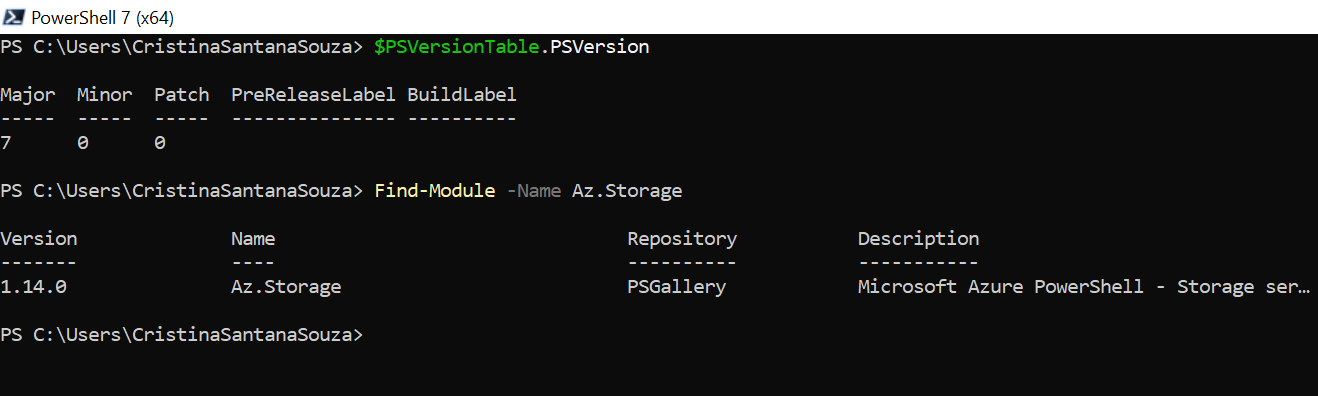
I'm using version 1.14.0 and you?
Best regards,
Cristina
crisansou
on 12 May 2020
I'm using the same version. @blueww is it a bug or known issue that an attempt to update the ACL of a file system prompts for a path? I'm using the same build as Cristina but I cannot repro the issue.
normesta
on 12 May 2020
@crisansou , @normesta
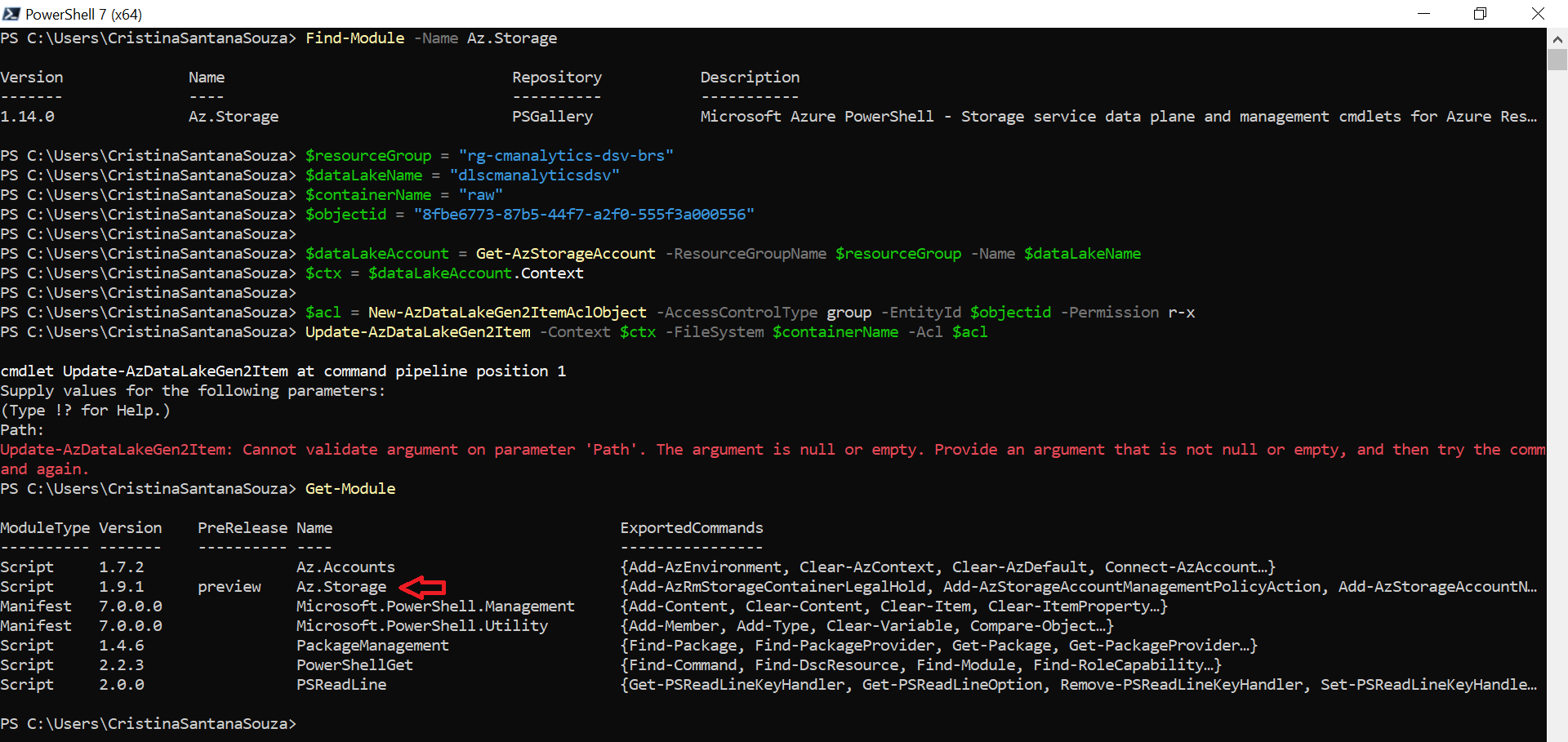
Please run Get-Module after the issue happen, see if any other version of Az.Storage module imported.Find-module is to find the module can be installed, it can't show which module is installed or imported.
Update-AzDataLakeGen2Item without FileSystem only works on Az.Storage 1.14.0 or later.
 blueww
on 13 May 2020
blueww
on 13 May 2020
@crisansou , @normesta
Please runGet-Moduleafter the issue happen, see if any other version of Az.Storage module imported.Find-moduleis to find the module can be installed, it can't show which module is installed or imported.
Update-AzDataLakeGen2Itemwithout FileSystem only works on Az.Storage 1.14.0 or later.
Hi @blueww and @normesta ,
Thank you very much! There is a preview version, I'll try to remove it.
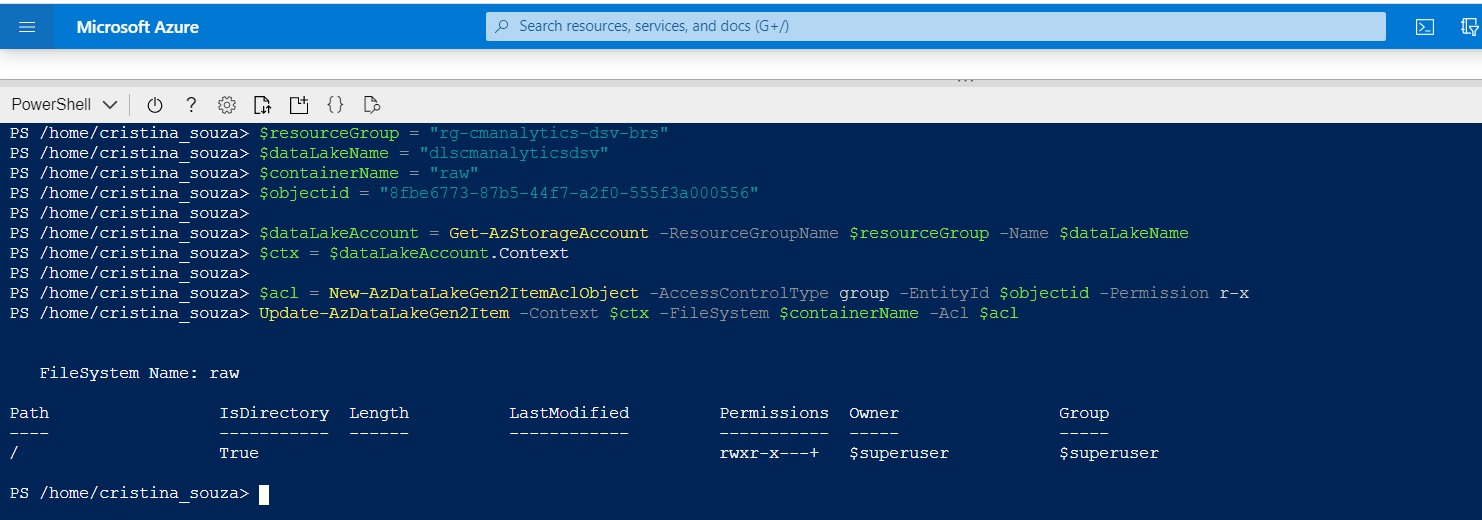
As there is a version problem, I successfully ran the commands using Cloud Shell.
Best regards,
Cristina
crisansou
on 13 May 2020
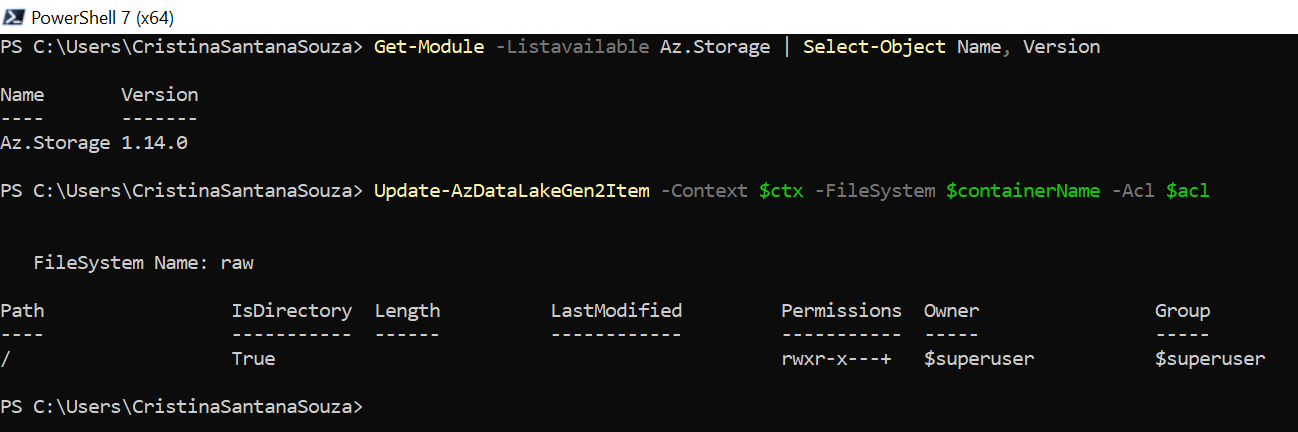
I installed version 1.14.0 and the problem was resolved.
crisansou
on 13 May 2020
@blueww Thank you so much! That was very informative.
normesta
on 13 May 2020
Related issues
 ianpowell2017
·
3Comments
ianpowell2017
·
3Comments
 jebeld17
·
3Comments
jebeld17
·
3Comments
 spottedmahn
·
3Comments
spottedmahn
·
3Comments
 paulmarshall
·
3Comments
paulmarshall
·
3Comments
 varma31
·
3Comments
varma31
·
3Comments