Azure-docs: Existing workspace to deploy agents
Is there a way to configure Security Center so that it uses the existing connected workspace and not an additionally created Default Workspace to deploy agents on VM's?
Document Details
⚠ Do not edit this section. It is required for docs.microsoft.com ➟ GitHub issue linking.
- ID: 52631c70-1c13-324f-29db-23d80f756e47
- Version Independent ID: f8f06c19-4bf7-7ede-12f0-e3867c6cd889
- Content: Azure Security Center FAQ - questions about existing Log Analytics agents
- Content Source: articles/security-center/faq-azure-monitor-logs.md
- Service: security-center
- GitHub Login: @memildin
- Microsoft Alias: memildin
 Ayanmullick
All 5 comments
@Ayanmullick Thanks for your feedback! We will investigate and update as appropriate.
 SaurabhSharma-MSFT
on 24 Apr 2020
SaurabhSharma-MSFT
on 24 Apr 2020
@Ayanmullick To use an existing Log Analytics workspace you can go to Security Center > Pricing & Settings > Data Collection blade on Azure portal. You can select a different workspace under Use another workspace drop down. Please refer to the documentation.
SaurabhSharma-MSFT
on 25 Apr 2020
As @SaurabhSharma-MSFT said, you can use any workspace and the quickstarts all refer to that option.
please-close
 memildin
on 26 Apr 2020
memildin
on 26 Apr 2020
I was unable to contact @SaurabhSharma-MSFT through Teams. @memildin, there are gaps in the documentation. This is what I see in 'Data Collections'.
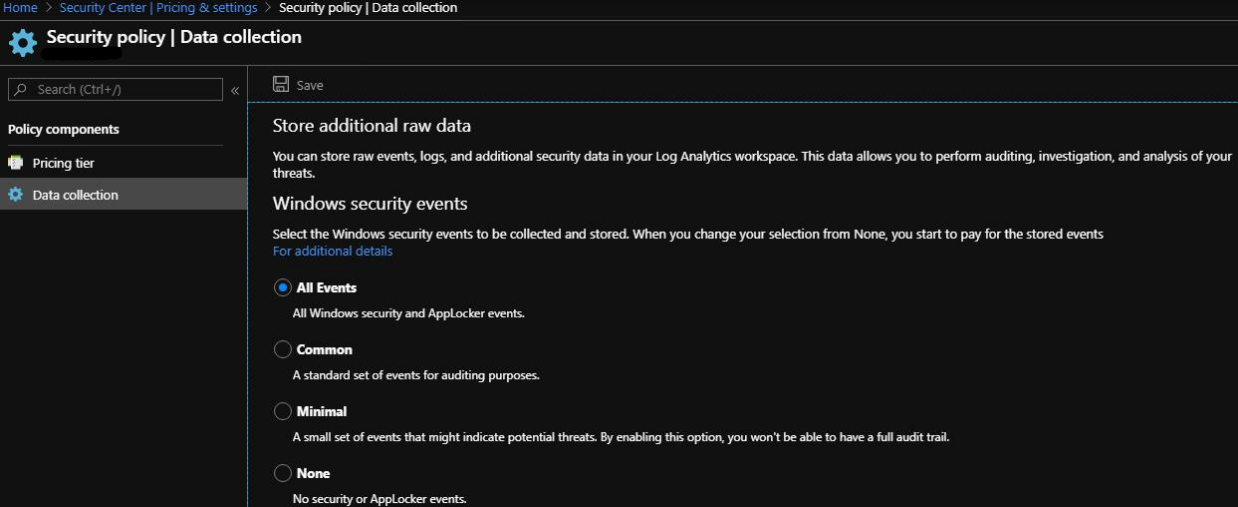
Here it says a Default workspace is created for agent deployment irrespective of selecting one's existing workspace. How does one point to the existing workspace for agent deployment?
Ayanmullick
on 26 Apr 2020
@Ayanmullick As per discussion over call I am reopening this issue and will provide you the information you are looking for.
SaurabhSharma-MSFT
on 27 Apr 2020
Related issues
 AronT-TLV
·
3Comments
AronT-TLV
·
3Comments
 jebeld17
·
3Comments
jebeld17
·
3Comments
 jharbieh
·
3Comments
jharbieh
·
3Comments
 Agazoth
·
3Comments
Agazoth
·
3Comments
 varma31
·
3Comments
varma31
·
3Comments