Azure-docs: Timezone for dates in the Portal
It's not clear what timezone is used to display dates in Application Insights (in Azure Portal). It seems it uses the same timezone as my computer. I wanted to see any logs/events/telemetry in UTC date time.
How can we switch to UTC in Azure Portal?
Thanks!
Document Details
⚠ Do not edit this section. It is required for docs.microsoft.com ➟ GitHub issue linking.
- ID: 88844d44-a476-9c82-bb1f-77fe958d5639
- Version Independent ID: 1a7e36ee-d4fa-653d-8fca-126b352a8087
- Content: Azure Application Insights Transaction Diagnostics - Azure Monitor
- Content Source: articles/azure-monitor/app/transaction-diagnostics.md
- Service: azure-monitor
- Sub-service: application-insights
- GitHub Login: @mrbullwinkle
- Microsoft Alias: mbullwin
 AlissonRS
All 6 comments
@AlissonRS Thanks for the question. It would be great if you could provide us any Azure documentation link that you might be following while setting up your app insights as this would help us find the right person/team to help you with the query.
 RohitMungi-MSFT
on 10 Apr 2020
RohitMungi-MSFT
on 10 Apr 2020
@RohitMungi-MSFT thanks for the reply, I'm sorry I forgot to add it.
Here it is:
Transaction Diagnostics
Ideally it should reflect in the Performance/Failures sections of App Insights, so all data would be displayed in UTC (as I work with people spread in different timezones and also our internal data are in UTC, it's easier to correlate and discuss if everything was UTC.
Thanks!
AlissonRS
on 10 Apr 2020
Just want to provide more details.
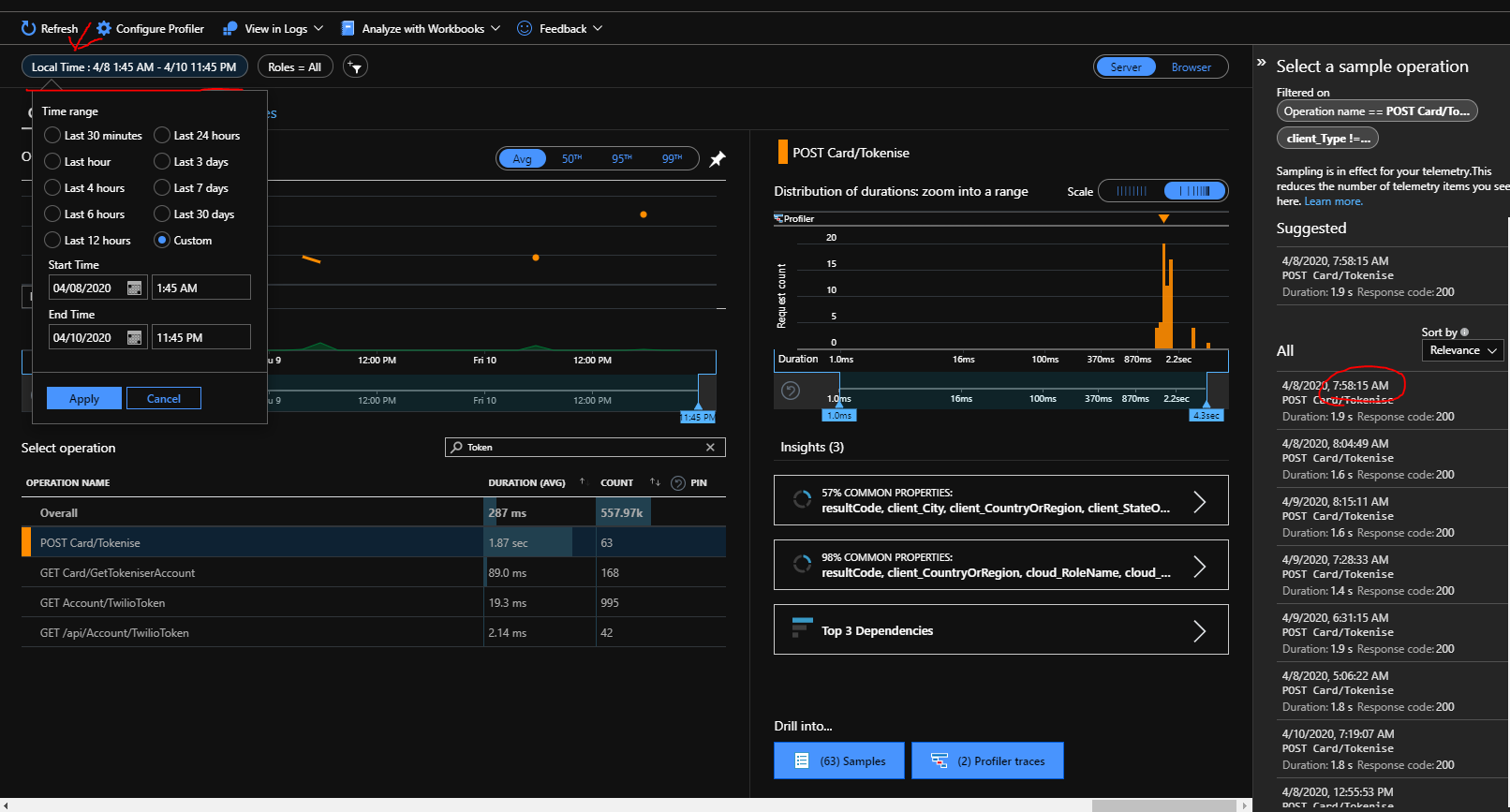
As you can see below, the dates are "Local Time", and local time is fetched from my OS. How can I change my "local time" in my Azure account so all these screens (e.g Performance, Failures, Events, Logs) stop relying on my OS?
AlissonRS
on 14 Apr 2020
@AlissonRS AFAIK, this is not doable directly from the App Insights portal.
However, you can choose to drill down on your query in the Log Analytics blade from the "View in Logs" option as follows, to see data in UTC time:
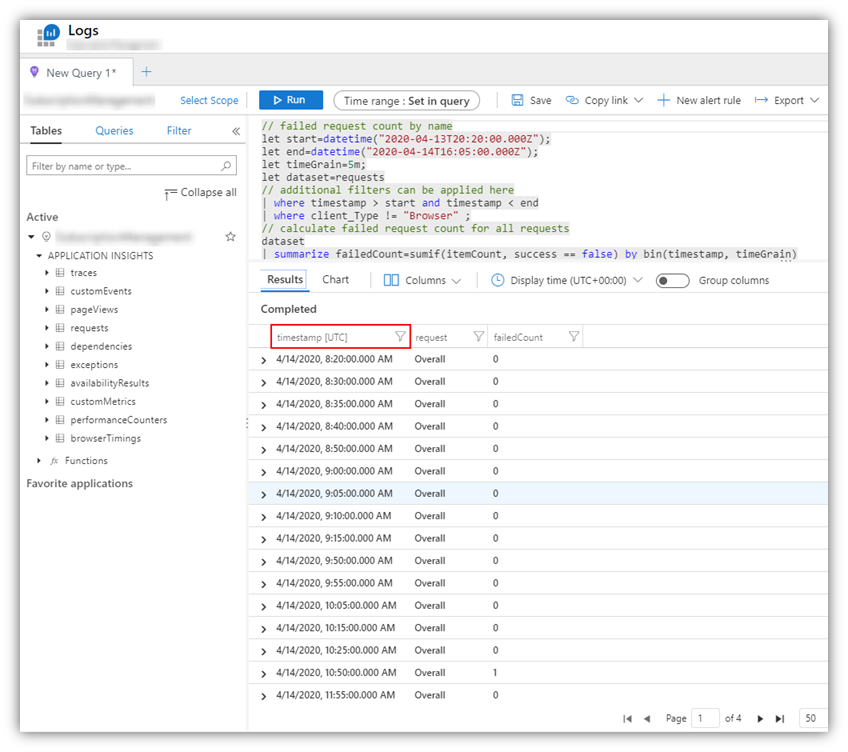
Please use this workaround for the time being while I check further with our internal Teams.
 BhargaviAnnadevara-MSFT
on 14 Apr 2020
BhargaviAnnadevara-MSFT
on 14 Apr 2020
Yes, all Application Insights experiences (a.k.a. blades) should show a time zone (local time). But they indeed don't allow to change it. This ask is in our backlog. Thank you for raising it here - it helps us to prioritize it!
 zakimaksyutov
on 16 Apr 2020
zakimaksyutov
on 16 Apr 2020
@zakimaksyutov Thanks for the update!
@AlissonRS Hope the above responses help.
At this point, it appears that there are no edits or updates needed to the document in question. Hence closing this issue for now. If there are any further questions regarding the documentation, please tag me in your reply and we will be happy to continue the conversation.
BhargaviAnnadevara-MSFT
on 16 Apr 2020
Related issues
 jharbieh
·
3Comments
jharbieh
·
3Comments
 spottedmahn
·
3Comments
spottedmahn
·
3Comments
 jamesgallagher-ie
·
3Comments
jamesgallagher-ie
·
3Comments
 AronT-TLV
·
3Comments
AronT-TLV
·
3Comments
 JamesDLD
·
3Comments
JamesDLD
·
3Comments
Most helpful comment
Yes, all Application Insights experiences (a.k.a. blades) should show a time zone (local time). But they indeed don't allow to change it. This ask is in our backlog. Thank you for raising it here - it helps us to prioritize it!