Azure-docs: Not able to change colors of chart lines
For some reason I'm not able to get the color picker up when pressing the color bar on the legend. Is this feature removed?
Document Details
⚠ Do not edit this section. It is required for docs.microsoft.com ➟ GitHub issue linking.
- ID: ea95f9c8-e0ad-93d2-cac2-0b486a684600
- Version Independent ID: e03365fb-056d-1388-1cc3-01c009b1d2ec
- Content: Advanced features of Azure Metrics Explorer - Azure Monitor
- Content Source: articles/azure-monitor/platform/metrics-charts.md
- Service: azure-monitor
- Sub-service: metrics
- GitHub Login: @vgorbenko
- Microsoft Alias: vitalyg
 knuthalvor
All 8 comments
Hi @knuthalvor , we are currently investigating and will get back to you shortly.
 femsulu
on 21 Mar 2020
femsulu
on 21 Mar 2020
Hi @knuthalvor, just so I'm on the same page with you, can you send me a screenshot of what you currently see in the portal?
femsulu
on 25 Mar 2020
hi @femsulu. See attached picture. Looking at Metrics under AI, referencing to this documentation: https://docs.microsoft.com/en-us/azure/azure-monitor/platform/metrics-charts#change-colors-of-chart-lines
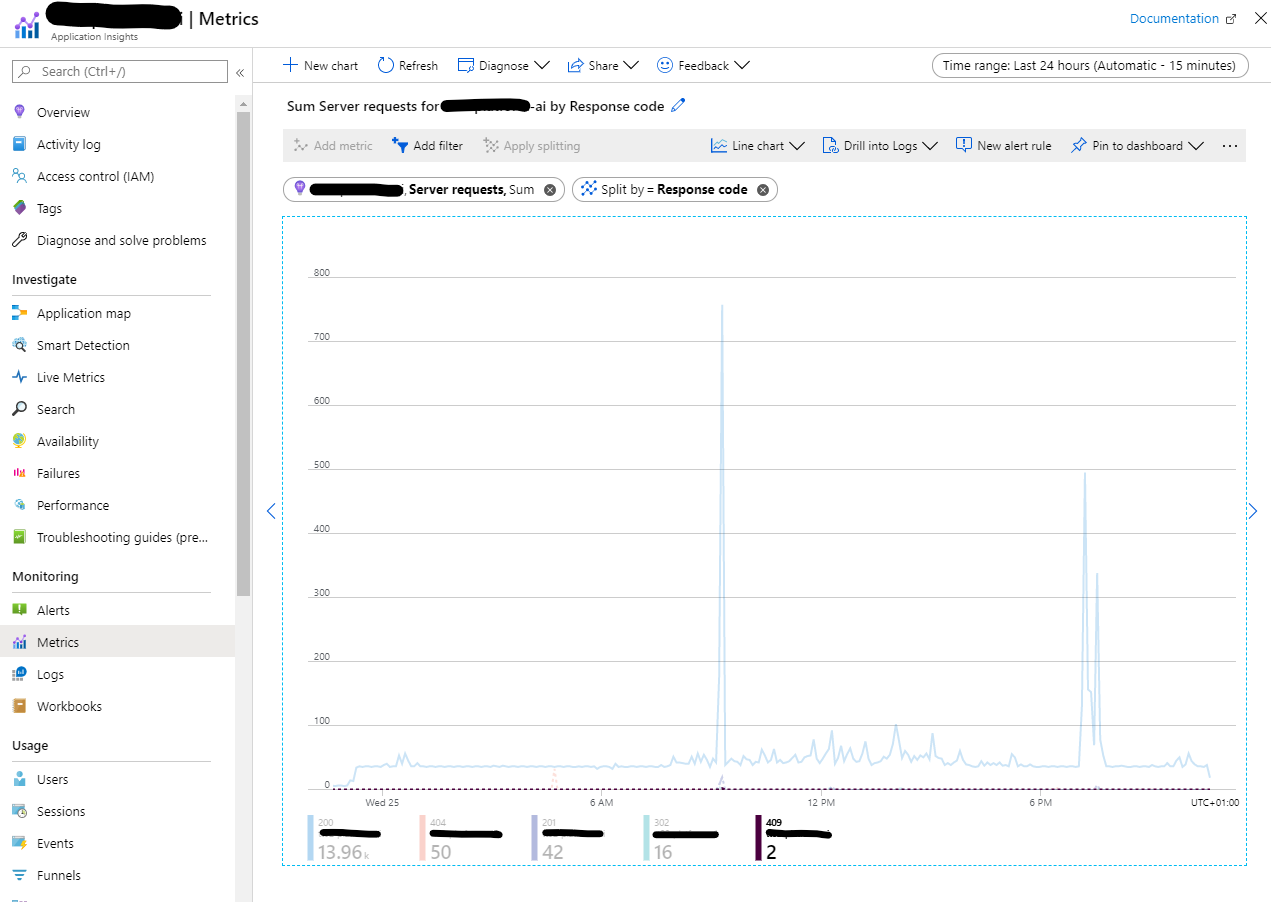
Basically not able to click the legend and get the color picker as described.
knuthalvor
on 25 Mar 2020
Hi @vgorbenko , I am able to repro this issue and not able to change chart color as indicated here.
Has this feature been removed?
femsulu
on 26 Mar 2020
Due to constraints of our release and publishing schedule, changing colors of the chart lines temporarily requires passing a special parameter ?feature.colorpicker=true when starting Azure portal https://portal.azure.com/?feature.colorpicker=true. This limitation will be removed soon.
The article is updated with this info.
 vgorbenko
on 27 Mar 2020
vgorbenko
on 27 Mar 2020
Thanks for the update, @vgorbenko .
@knuthalvor - hope this answers your question. Don't hesitate to reply if you have any follow-up questions.
femsulu
on 27 Mar 2020
We will now close this issue. If there are further questions regarding this matter, please reply and we will gladly continue the discussion.
femsulu
on 27 Mar 2020
I now see this is made available without the extra parameters - thanks!
knuthalvor
on 14 May 2020
Related issues
 bityob
·
3Comments
bityob
·
3Comments
 DeepPuddles
·
3Comments
DeepPuddles
·
3Comments
 varma31
·
3Comments
varma31
·
3Comments
 JeffLoo-ong
·
3Comments
JeffLoo-ong
·
3Comments
 mrdfuse
·
3Comments
mrdfuse
·
3Comments