Azure-docs: Infinite Scroll Issue
The resultList is null for the infinite scroll example when the Next function gets called, can be replicated by loading up the InfiniteScroll.sln, searching "a", and scrolling down
Document Details
⚠ Do not edit this section. It is required for docs.microsoft.com ➟ GitHub issue linking.
- ID: f8cde97a-8763-52e1-104c-8415f554c698
- Version Independent ID: 2d93d797-a7e4-6e61-10d7-202d77501924
- Content: C# tutorial on search results pagination - Azure Search
- Content Source: articles/search/tutorial-csharp-paging.md
- Service: search
- GitHub Login: @PeterTurcan
- Microsoft Alias: v-pettur
 MHarrison22
All 13 comments
Hi @MHarrison22, thanks for the feedback! We are currently investigating and will update you shortly.
 Grace-MacJones-MSFT
on 19 Sep 2019
Grace-MacJones-MSFT
on 19 Sep 2019
Also I'm seeing a similar issue with the typeahead solution, let me know and I can open an additional ticket
MHarrison22
on 19 Sep 2019
Upon further review we feel your feedback would be best received by the doc author to determine if an update to the current doc is necessary, or to create a new doc if they align with the feedback.
Grace-MacJones-MSFT
on 23 Sep 2019
Hi @MHarrison22
I wrote the tutorial. Can you give me a few more details - a screenshot of the error/exact steps to replicate/expect behavior? The hotel data set is for demo purposes only, and is small (50), so will run to the end in a few scrolls of infinite scrolling, so perhaps the issue is "by design" but happy to investigate if you have found an issue.
 PeterTurcan
on 23 Sep 2019
PeterTurcan
on 23 Sep 2019
Hey @PeterTurcan , thanks for reaching out, for example, looking at this solution:
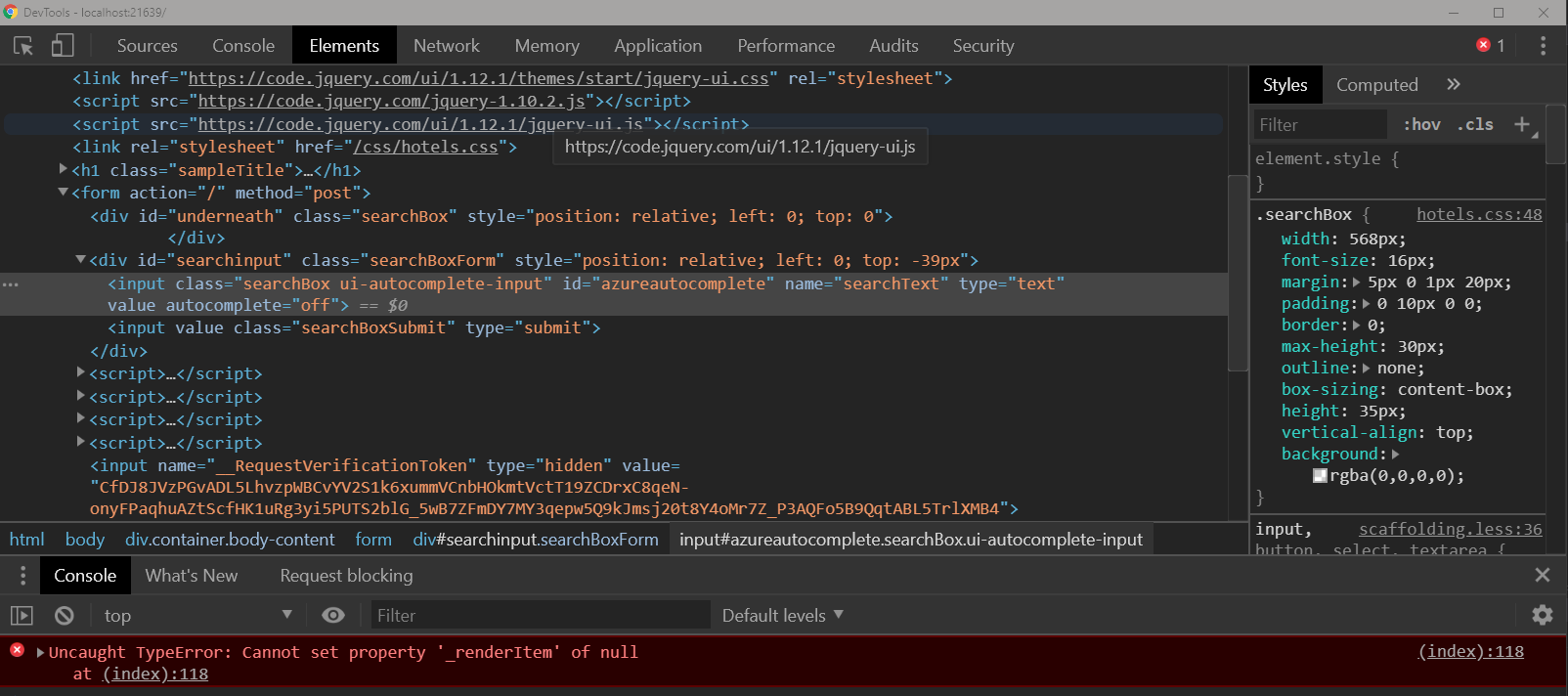
Once I run the app from VS 2019 Professional I'm seeing this front end error inside of a chrome incognito window:
MHarrison22
on 23 Sep 2019
@MHarrison22
OK, got it. Are you able to verify the apps work as expected if you use Microsoft Edge?
PeterTurcan
on 23 Sep 2019
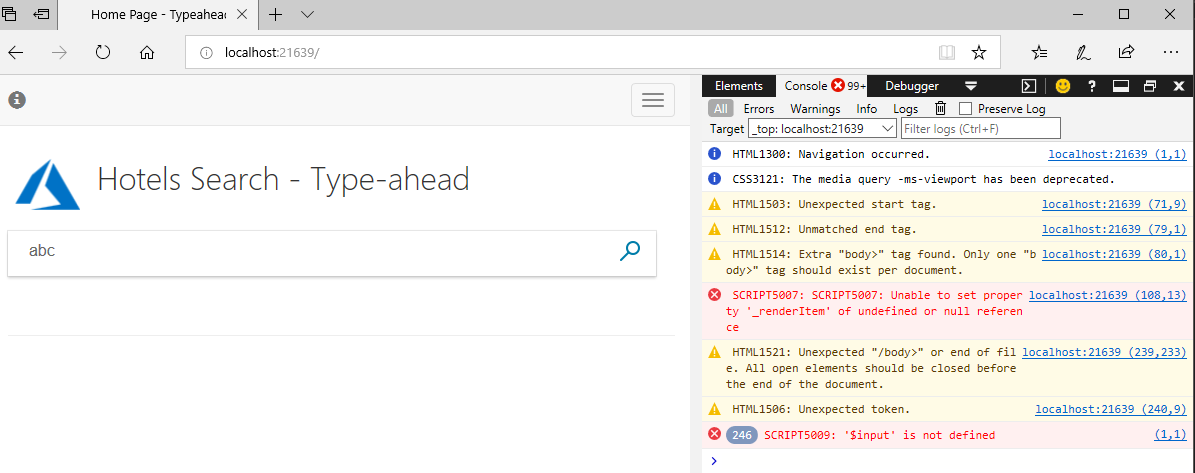
Same issue in Edge as well it looks like:
MHarrison22
on 23 Sep 2019
@MHarrison22
I am finding an issue with SessionState. If this is enabled, TempData works in the MVC code, but if it is not enabled TempData is not persisted, so the app fails. I am not savvy enough with this setting yet to be sure of how to be certain it is set. Not sure either if this is the issue you are seeing!
PeterTurcan
on 23 Sep 2019
Hmm, what steps did you take to enable SessionState?
MHarrison22
on 24 Sep 2019
@PeterTurcan @MHarrison22
TempData not being persisted is a known issue in .NET Core 2.x MVC apps. It is caused by an incorrect order of method calls in Startup.cs . This is a template issue; the tutorial does not touch Startup.cs .
The fix is to edit the Configure(..., ...) method in Startup.cs : move app.UseCookiePolicy() below app.UseMvc(...) .
More detailed instructions can be found here: https://stackoverflow.com/questions/41734039/tempdata-null-in-asp-net-core
By the way, .NET Core 3.0 MVC template uses a different (method) structure, which avoids the problem altogether.
 MichelSchols
on 26 Sep 2019
MichelSchols
on 26 Sep 2019
@MHarrison22 - thanks for finding the issue
@MichelSchols - thanks for pointing out the fix
I will suggest the tutorial is updated with a note mentioning the known issue, and pointing to the article suggested above, and then that this issue is marked as Closed.
- Peter
PeterTurcan
on 28 Sep 2019
@MHarrison22 I modified all of the Startup.cs files to use the reordered methods and then noted the change in the readme file. Please let me know if you find other issues.
All of the samples work for me although for the infinite scrolling sample, I found that a simple F5 was not enough. Instead, I had to select the program name instead of IIS Express to run it. No one else has reported that issue so for now, I'll assume it's not a problem.
 HeidiSteen
on 30 Sep 2019
HeidiSteen
on 30 Sep 2019
I'm going to mark this as closed but feel free to reopen if you think I missed something
please-close
HeidiSteen
on 30 Sep 2019
Related issues
 varma31
·
3Comments
varma31
·
3Comments
 bdcoder2
·
3Comments
bdcoder2
·
3Comments
 JeffLoo-ong
·
3Comments
JeffLoo-ong
·
3Comments
 Agazoth
·
3Comments
Agazoth
·
3Comments
 JamesDLD
·
3Comments
JamesDLD
·
3Comments