I have my solution correcly deployed in Azure, I have a local copy of the UI in my machine and I would like to redeploy the UI in order to reply the native. How can I achieve that?
Document Details
⚠ Do not edit this section. It is required for docs.microsoft.com ➟ GitHub issue linking.
- ID: d73ef5af-8f75-3124-8e6d-ac1bb3db2a3f
- Version Independent ID: 95dd52b3-84fd-3201-8983-97b4f53a89c3
- Content: Change and redeploy a microservice - Azure
- Content Source: articles/iot-accelerators/iot-accelerators-microservices-example.md
- Service: iot-accelerators
- GitHub Login: @dominicbetts
- Microsoft Alias: dobett
 Trinakriae
All 7 comments
@Trinakriae Thanks for the question! We are investigating and will update you shortly.
 CHEEKATLAPRADEEP-MSFT
on 25 Jul 2019
CHEEKATLAPRADEEP-MSFT
on 25 Jul 2019
@Trinakriae Thanks for reaching out. So it seems like you want to deploy that same solution to Azure more than once?
 Alberto-Vega
on 26 Jul 2019
Alberto-Vega
on 26 Jul 2019
Thanks for your reply! I successfully deployed the whole solution in my Azure subscription. I downloaded the webUI in my machine from GitHub and I was able to run it locally and use the services remotely. I modified in my machine the look and feel of the WebUI and added some functionality. Now I would like to deploy in my Azure subscription my new WebUI in order to replace the existing one. How can I achieve that?
Trinakriae
on 26 Jul 2019
Since this is a React Application have you look into deploying one to Azure? https://code.visualstudio.com/docs/azure/deployment
Alberto-Vega
on 30 Jul 2019
Thanks Alberto but before deploying the React App I need to know where the original WebUI is located in order to be replaced. When I originally deployed the solution to Azure I used the Deploy To Azure button located in the GitHub for IOT Monitoring solution.
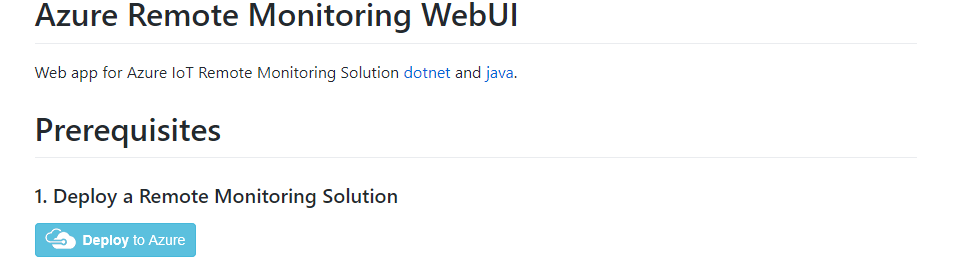
Once the deployment had completed, I went to my Azure solution and, among other resources, I found an App Service that allowed me to correctly browse the application.

As far as I understood the services are dockerized inside a virtual machine, while I am not able to find the webUI in my resource group. Through the Azure plugin of VSCode I inspected what was inside the App Service and I found just three files inside wwwroot.
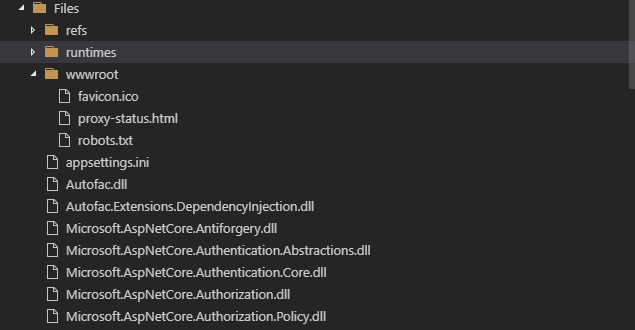
and many .NET libraries and a web.config enabling a reverse proxy
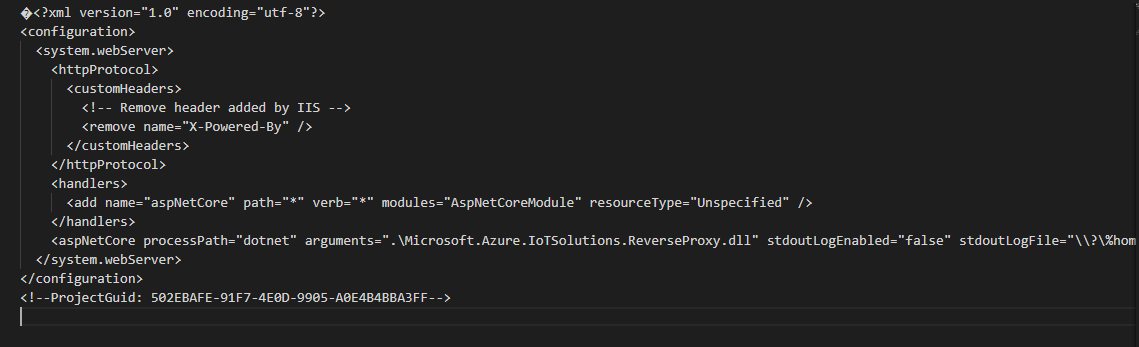 .
.
I guess the WebUI is also dockerized in the Virtual Machine but how can I replace it with my custom version? Thanks
Trinakriae
on 30 Jul 2019
Thanks @Trinakriae I understand the issue better now. This issue it is a duplicate of the one opened for the document https://docs.microsoft.com/en-us/azure/iot-accelerators/iot-accelerators-remote-monitoring-customize
If you haven't seen it please try the solution provided by the author of that document.
Alberto-Vega
on 1 Aug 2019
We will now proceed to close this thread. If there are further questions regarding this matter, please tag me in your reply. We will gladly continue the discussion and we will reopen the issue.
Alberto-Vega
on 1 Aug 2019
Related issues
 bityob
·
3Comments
bityob
·
3Comments
 JeffLoo-ong
·
3Comments
JeffLoo-ong
·
3Comments
 Agazoth
·
3Comments
Agazoth
·
3Comments
 spottedmahn
·
3Comments
spottedmahn
·
3Comments
 jebeld17
·
3Comments
jebeld17
·
3Comments