Azure-docs: Mobile App no longer in market place
This documentation is incorrect. There is no longer a Mobile App option.
Document Details
⚠ Do not edit this section. It is required for docs.microsoft.com ➟ GitHub issue linking.
- ID: 312c8a1a-d55e-26da-699b-6ae9bb4f6ca7
- Version Independent ID: 760ffd60-3f4b-77eb-cb66-4c13738d51b4
- Content: Create an iOS app on Azure App Service Mobile Apps
- Content Source: articles/app-service-mobile/app-service-mobile-ios-get-started.md
- Service: app-service-mobile
- GitHub Login: @conceptdev
- Microsoft Alias: crdun
 jsandersrocks
All 18 comments
@jsandersrocks, Thanks for the question! Yes, we are taking a look into this and will get back to you soon.
 AjayKumar-MSFT
on 19 Jun 2019
AjayKumar-MSFT
on 19 Jun 2019
Hello, i can't create a new mobile app in azure
 XamarinTounsi
on 19 Jun 2019
XamarinTounsi
on 19 Jun 2019
Same here, the option for Mobile Apps is gone. Is the service deprecated? Docs seem to have been updated only a month ago.
 LaloCo
on 19 Jun 2019
LaloCo
on 19 Jun 2019
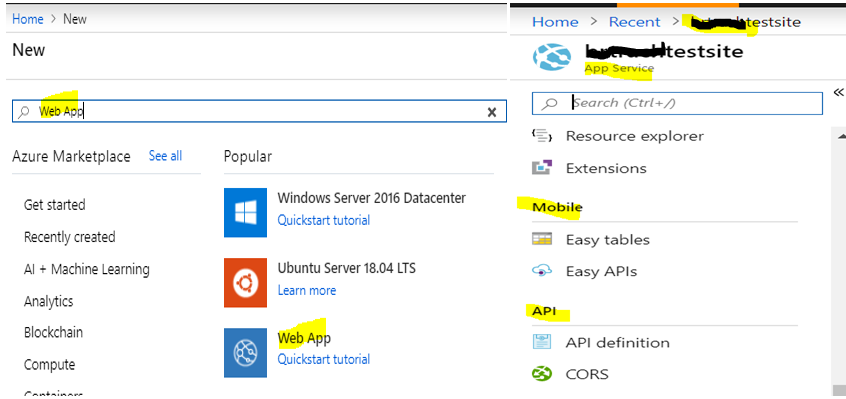
@XamarinTounsi, and @LaloCo, There have been some changes recently with how we present the App Services family in the Azure Portal. A Mobile App was a Web App with Easy Tables and Easy APIs added.
To simplify things, we have merged the API and Mobile Apps into the WebApp product. You should be able to search for ‘Web App’ and create that. As highlighted in the screenshot below, web apps have the Mobile App features that you’ll need to complete the doc.
Please let us know if you have any further issues. We're in the process of updating this in the document soon, but there is no ETA as of yet.
@jsandersrocks, Thanks again for raising this question.
AjayKumar-MSFT
on 20 Jun 2019
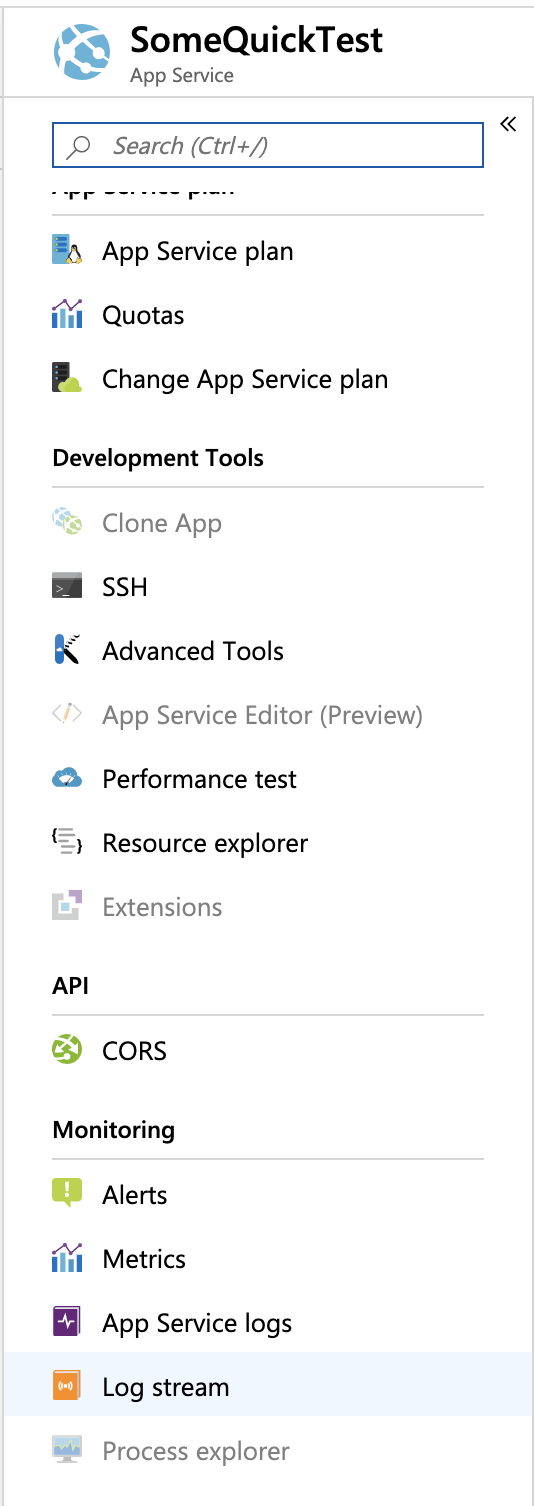
@AjayKumar-MSFT thanks for the quick response. Is there some additional step that we need to perform to enable Mobile? I just created a Web App and there is no Mobile section, as you can see in the screenshot below:
LaloCo
on 20 Jun 2019
Easy Tables is the Node.js version only. The ASP.Net version is not available in the current API and is what needs to be fixed. This was previously available through the quickstart
jsandersrocks
on 20 Jun 2019
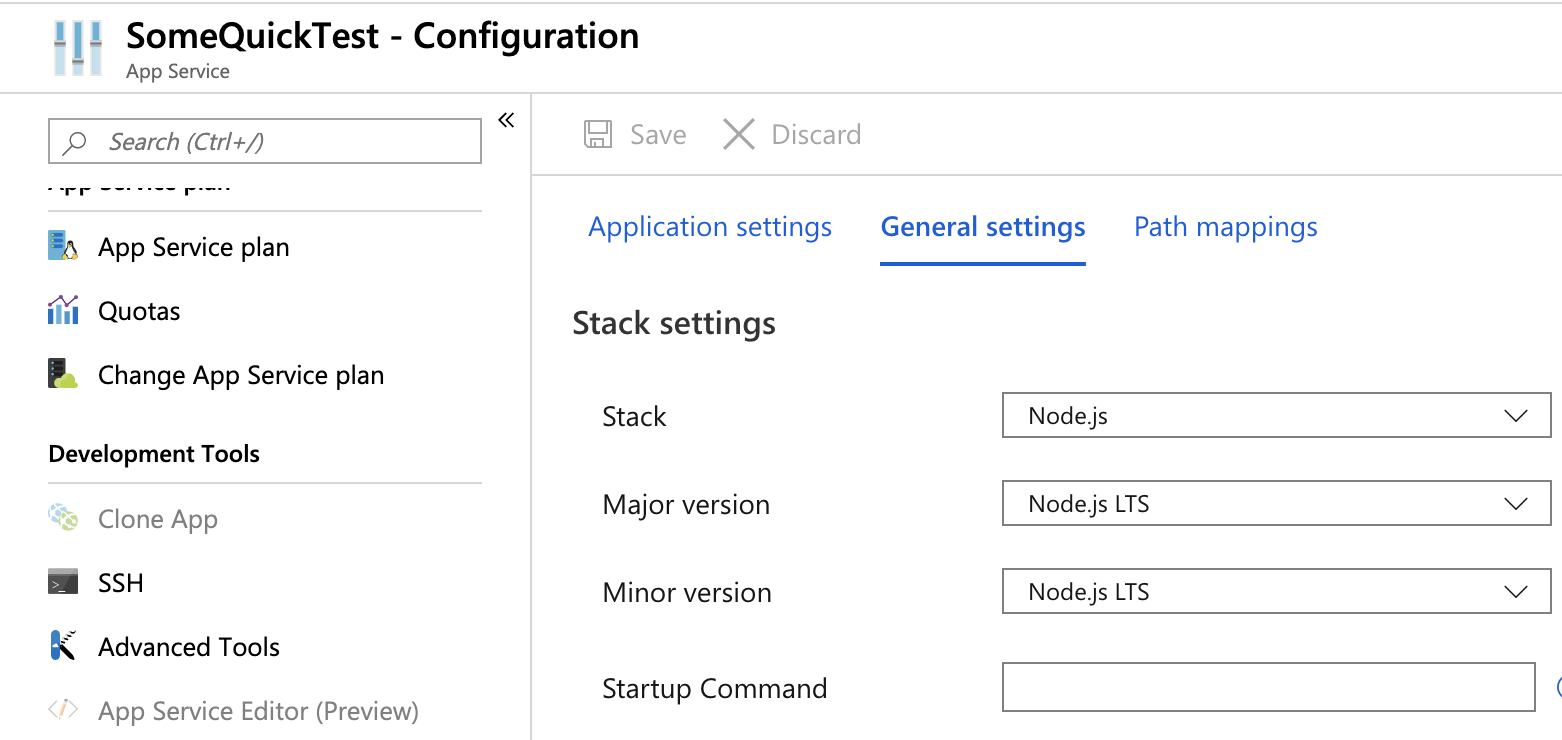
🤔 Still, I seem to be missing something here. I did select the Node.js version:
LaloCo
on 20 Jun 2019
Cool. Still need to fix the ASP.Net experience. EasyTables == Node.js
jsandersrocks
on 20 Jun 2019
Sorry, nevermind again, still same issue, I deleted the comment. I was comparing some settings with a previous Mobile App and got confused there for a sec.
My mobile app does have some Application Settings there by default, the Web App does not, but have no idea where they come from or if they have anything to do with this.

LaloCo
on 20 Jun 2019

Problem here !
XamarinTounsi
on 20 Jun 2019
Sorry for the inconvenience. We are aware of this issue and we will update the getting started instructions very soon.
AjayKumar-MSFT
on 21 Jun 2019
@XamarinTounsi, On which region have you hosted your Mobile App? It’s working fine on my existing Mobile App(s), if you haven’t tried this already so and feasible, kindly restart the app /re-login to the Portal and let us know.
AjayKumar-MSFT
on 21 Jun 2019
Further documentation updates were published today - basically you create an App Service Web App and use that for the back-end.
 conceptdev
on 22 Jun 2019
conceptdev
on 22 Jun 2019
Thank you, @conceptdev. Since the document is now updated, we will proceed to close this issue.
AjayKumar-MSFT
on 23 Jun 2019
After following the steps in the updated documentation, I still don’t see the Mobile section when creating the Web App. Even after adding the application setting and connection string.
LaloCo
on 27 Jun 2019
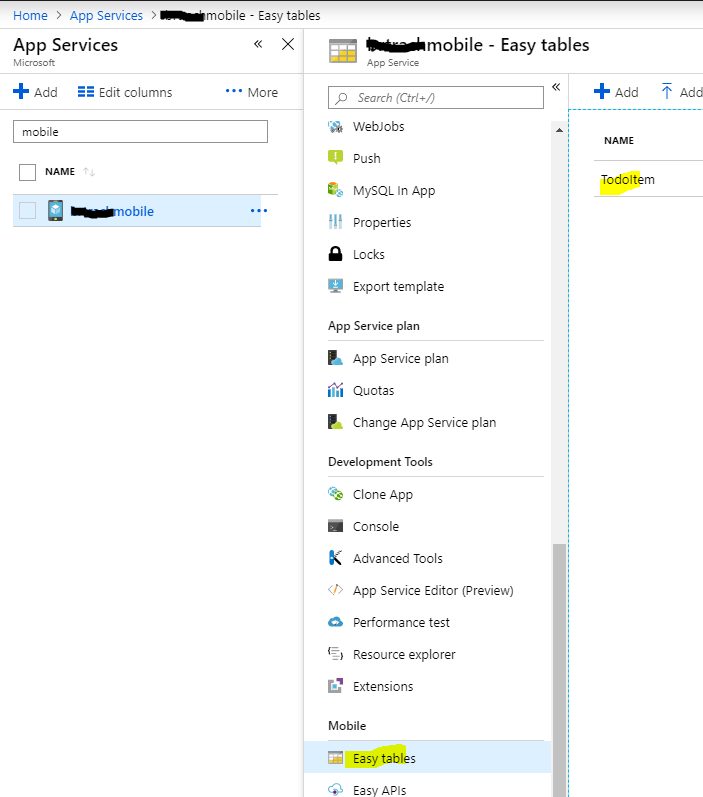
I just created a new App Service Web App from scratch, and after waiting for the service to be created, the Mobile section (with Easy tables and Easy APIs) appear - see below. I realize that isn't much help to you in resolving the issue, but at least you can be sure the feature does exist. If you continue to have issues, consider the Help + support feature in the Azure portal.

conceptdev
on 27 Jun 2019
Alright, I see it now but had to create the Web App with ASP.NET instead of Node. Contrary to what the docs say, Node doesn't seem to work.
LaloCo
on 27 Jun 2019
Thanks for the followup info.
conceptdev
on 27 Jun 2019
Related issues
 jlorek
·
46Comments
jlorek
·
46Comments
 tvperez76
·
55Comments
tvperez76
·
55Comments
 clangnerakq
·
46Comments
clangnerakq
·
46Comments
 ManuelMos
·
46Comments
ManuelMos
·
46Comments
 smcd253
·
44Comments
smcd253
·
44Comments