Azure-docs: Azure Functions Tools for Visual Studio 2019
This article starts by stating this is for VS2019, but the instructions are for VS2017 - I can find this extension - I have it installed for VS2017 but I can't install or find this extension for VS2019 - I'm using community for both VS2017 and VS2019 - is this a professional only extension for VS2019?
Document Details
⚠ Do not edit this section. It is required for docs.microsoft.com ➟ GitHub issue linking.
- ID: 369aefa6-74da-3001-f835-15abdfffd5d6
- Version Independent ID: 2cc2a2db-d059-3252-7a1a-4261b7d3c37c
- Content: Develop Azure Functions using Visual Studio
- Content Source: articles/azure-functions/functions-develop-vs.md
- Service: azure-functions
- GitHub Login: @ggailey777
- Microsoft Alias: glenga
 ChrisJWoodcock
All 9 comments
Hi @ChrisJWoodcock Thank you for your feedback! We will review and update as appropriate.
 mike-urnun-msft
on 29 May 2019
mike-urnun-msft
on 29 May 2019
Hey @ChrisJWoodcock Apologies for delay in response here. I've created a PR that removes the ".._for Visual Studio 2019_..." phrase to prevent further confusion as it might have been added in error.
Thank you for sharing your feedback and helping us drive improvement towards MS Docs! We will now proceed to close this thread. If there are further questions regarding this matter, please reopen it and we will gladly continue the discussion.
mike-urnun-msft
on 27 Jun 2019
Uh so what about us idiots using VS 2019? In VS 2019 there is no option to run from package in the publish dialog like there is in VS 2017. How do we get that enabled?
 ewahner
on 6 Sep 2019
ewahner
on 6 Sep 2019
@ewahner I assume then that this note wasn't particularly helpful?

I'll update it to be clear that you don't need this for 2019.
 ggailey777
on 6 Sep 2019
ggailey777
on 6 Sep 2019
Yes I understood that we don't need the extension in VS 2019. My question is in VS 2019 how do I indicate that I wish for the azure function app to run from package as there is no option for this in the Publish dialog.
ewahner
on 16 Sep 2019
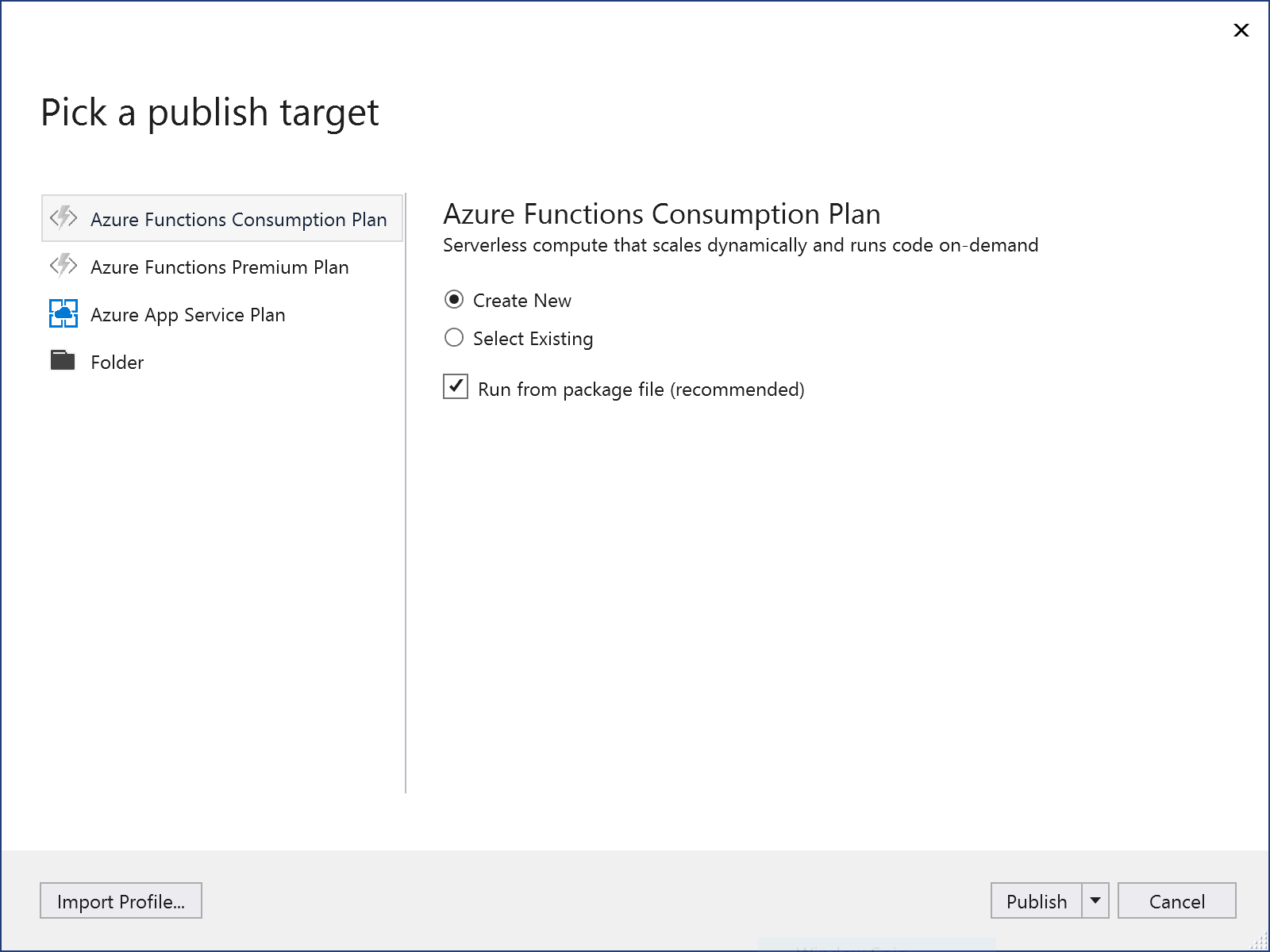
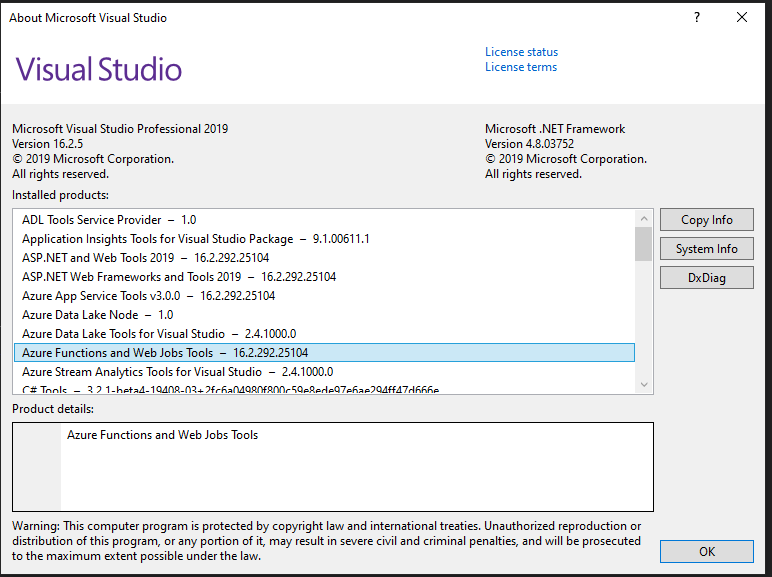
@ewahner interesting. What version of VS 2019 are you using. I still see the Run from package file option in the most recent update:
ggailey777
on 16 Sep 2019

ewahner
on 16 Sep 2019
OK, something weird is going on, but it's not a documentation issue. + @AngelosP for awareness.
@ewahner can you please report this by using the Report a Problem feature in Visual Studio?
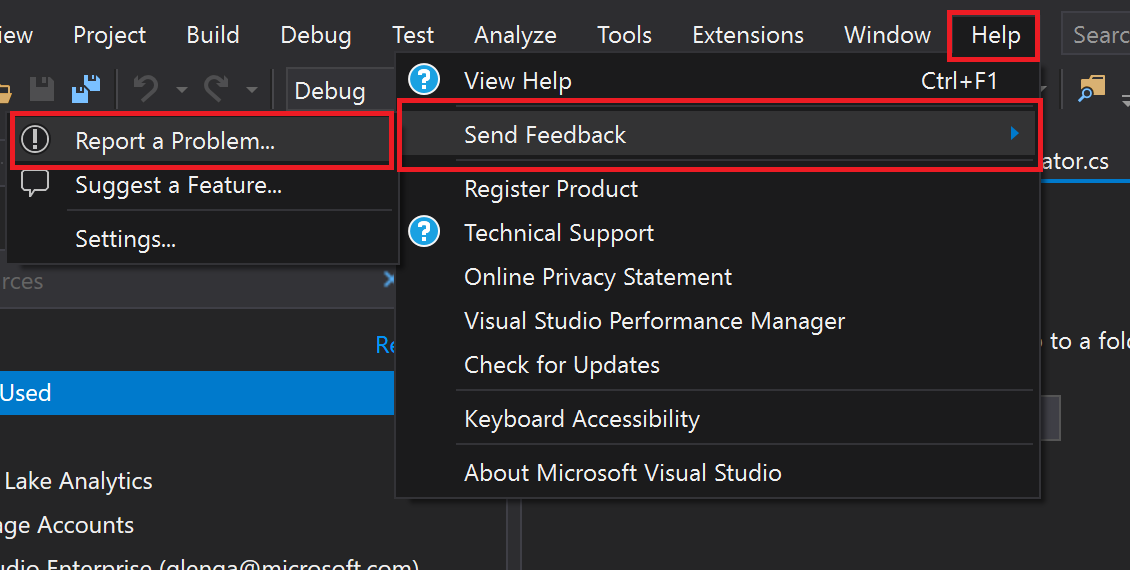
If you could then come back here and link the two issues, that would be helpful for me.
ggailey777
on 16 Sep 2019
Here is the link from that report:
ewahner
on 16 Sep 2019
Related issues
 bdcoder2
·
3Comments
bdcoder2
·
3Comments
 Favna
·
3Comments
Favna
·
3Comments
 JamesDLD
·
3Comments
JamesDLD
·
3Comments
 Ponant
·
3Comments
Ponant
·
3Comments
 jamesgallagher-ie
·
3Comments
jamesgallagher-ie
·
3Comments