Azure-docs: How to select all the available columns in the KQL
The documentation I am referencing: Get started with Azure Monitor Log Analytics#filter-the-results and Get started with Azure Monitor Log Analytics#select-columns-to-display
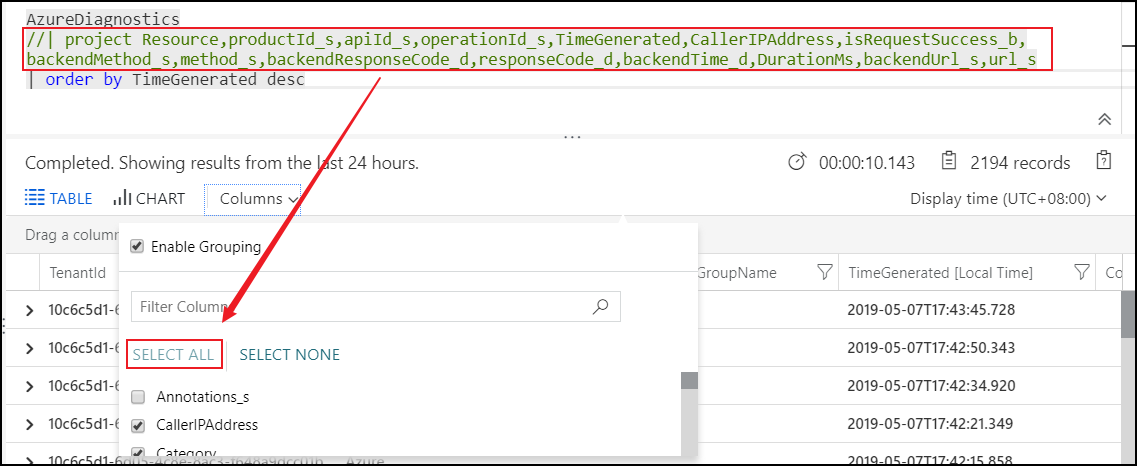
I am query the log of api management in Azure portal, however, I found the default columns (top-level-diagnostic-logs-schema) are not that much useful.
| TenantId | SourceSystem | MG | ManagementGroupName | TimeGenerated | Computer | RawData | identity_claim_http_schemas_xmlsoap_org_ws_2005_05_identity_claims_upn_s | Category | OperationName | ResultType | CallerIPAddress | identity_claim_http_schemas_microsoft_com_identity_claims_objectidentifier_g | identity_claim_appid_g | identity_claim_xms_mirid_s | id_s | clientInfo_s | subnetId_s | requestUri_s | ResourceId |
|---:| ---:| ---:| ---:| ---:| ---:| ---:| ---:| ---:| ---:| ---:| ---:| ---:| ---:| ---:| ---:| ---:| ---:| ---:| ---:|
What should I do to select all the available columns(could be found under the arrow to the left of each record) that are used for API Management Diagnostic Logs without typing one by one?
{
    "isRequestSuccess": "",
    "time": "",
    "operationName": "",
    "category": "",
    "durationMs": ,
    "callerIpAddress": "",
    "correlationId": "",
    "location": "",
    "httpStatusCodeCategory": "",
    "resourceId": "",
    "properties": {
        "method": "",
        "url": "",
        "clientProtocol": "",
        "responseCode": ,
        "backendMethod": "",
        "backendUrl": "",
        "backendResponseCode": ,
        "backendProtocol": "",
        "requestSize": ,
        "responseSize": ,
        "cache": "",
        "cacheTime": "",
        "backendTime": ,
        "clientTime": ,
        "apiId": "",
        "operationId": "",
        "productId": "",
        "userId": "",
        "apimSubscriptionId": "",
        "backendId": "",
        "lastError": {
            "elapsed": "",
            "source": "",
            "scope": "",
            "section": "",
            "reason": "",
            "message": ""
        }
    }
}
I also find SELECT ALL is disabled without project operator in the query, it's inconvenient
Document Details
⚠ Do not edit this section. It is required for docs.microsoft.com ➟ GitHub issue linking.
- ID: 773e07ff-6bd8-47b2-5b83-75c7246693e6
- Version Independent ID: 8723d5a6-ac93-0dba-b2b8-83905d807d67
- Content: Get started with Azure Monitor Log Analytics
- Content Source: articles/azure-monitor/log-query/get-started-portal.md
- Service: log-analytics
- GitHub Login: @bwren
- Microsoft Alias: bwren
 ToMakeSense
All 4 comments
@ToMakeSense Thanks for the Comment. We are actively investigating and will get back to you soon.
 femsulu
on 8 May 2019
femsulu
on 8 May 2019
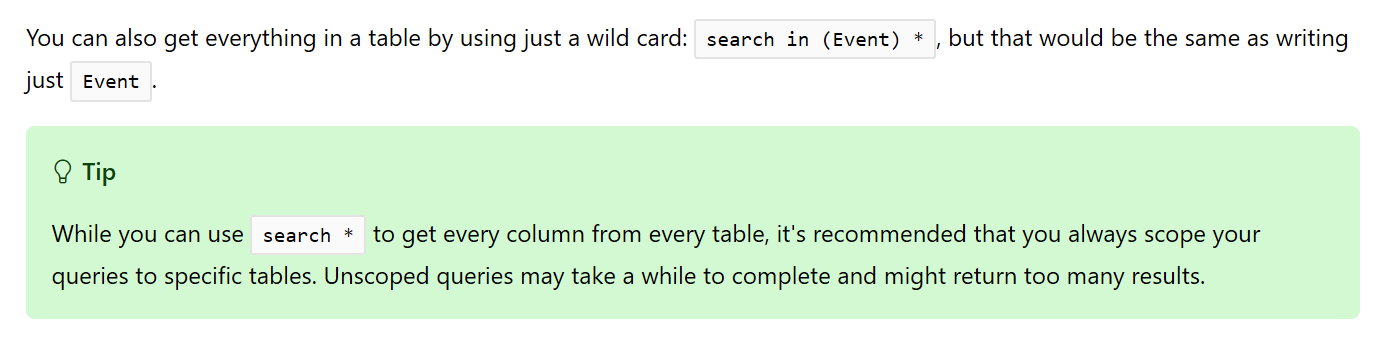
@ToMakeSense To get all available columns, you an use search * as detailed here.
Regarding the valuable feedback you shared about un-useful default columns, would be great if you can post this feedback directly in feedback.azure.com so the feature owner can review for future consideration.
femsulu
on 13 May 2019
We will now close this issue. If there are further questions regarding this matter, please reply and we will gladly continue the discussion.
femsulu
on 13 May 2019
@femsulu let's make it clear, I just want to find a way to use the Service-specific schemas template(in the case, it's apim), not use the Top-level diagnostic logs schema. I don't want to type each column property with project operator all the time. Is it possible?
ToMakeSense
on 29 May 2019
Related issues
 Favna
·
3Comments
Favna
·
3Comments
 JeffLoo-ong
·
3Comments
JeffLoo-ong
·
3Comments
 jharbieh
·
3Comments
jharbieh
·
3Comments
 Agazoth
·
3Comments
Agazoth
·
3Comments
 DeepPuddles
·
3Comments
DeepPuddles
·
3Comments
Most helpful comment
@femsulu let's make it clear, I just want to find a way to use the Service-specific schemas template(in the case, it's apim), not use the Top-level diagnostic logs schema. I don't want to type each column property with
project operatorall the time. Is it possible?