Azure-docs: Monitoring Functions on Consumption Plans?
What features are not supported for monitoring a Functions app running on a [Linux] Consumption Plan?
Many of the features described in this documentation do not appear to work or reveal any actual information with such a setup.
Document Details
⚠ Do not edit this section. It is required for docs.microsoft.com ➟ GitHub issue linking.
- ID: 13672b67-22ea-3dda-8b6b-3332c24e6030
- Version Independent ID: fdc60aeb-9971-1d9f-a6ba-b3ad818cf0d5
- Content: Monitor Azure Functions
- Content Source: articles/azure-functions/functions-monitoring.md
- Service: azure-functions
- GitHub Login: @ggailey777
- Microsoft Alias: glenga
 ericdrobinson
All 7 comments
Hi @ericdrobinson Thank you for your feedback! We will review and update as appropriate.
 mike-urnun-msft
on 12 Mar 2019
mike-urnun-msft
on 12 Mar 2019
@ericdrobinson Can you please confirm which particular feature you are referring in the doc ?
If you are using Application Insights Monitoring there should not be any differences as Monitoring is done by a Function App run time which is independent of platform.
Check out this thread for Built-in Logging.
Also check Application Insights for Azure Functions supported features here.
 KetanChawda-MSFT
on 13 Mar 2019
KetanChawda-MSFT
on 13 Mar 2019
@ericdrobinson Can you please confirm which particular feature you are referring in the doc ?
- The "Servers" image doesn't match what I see:
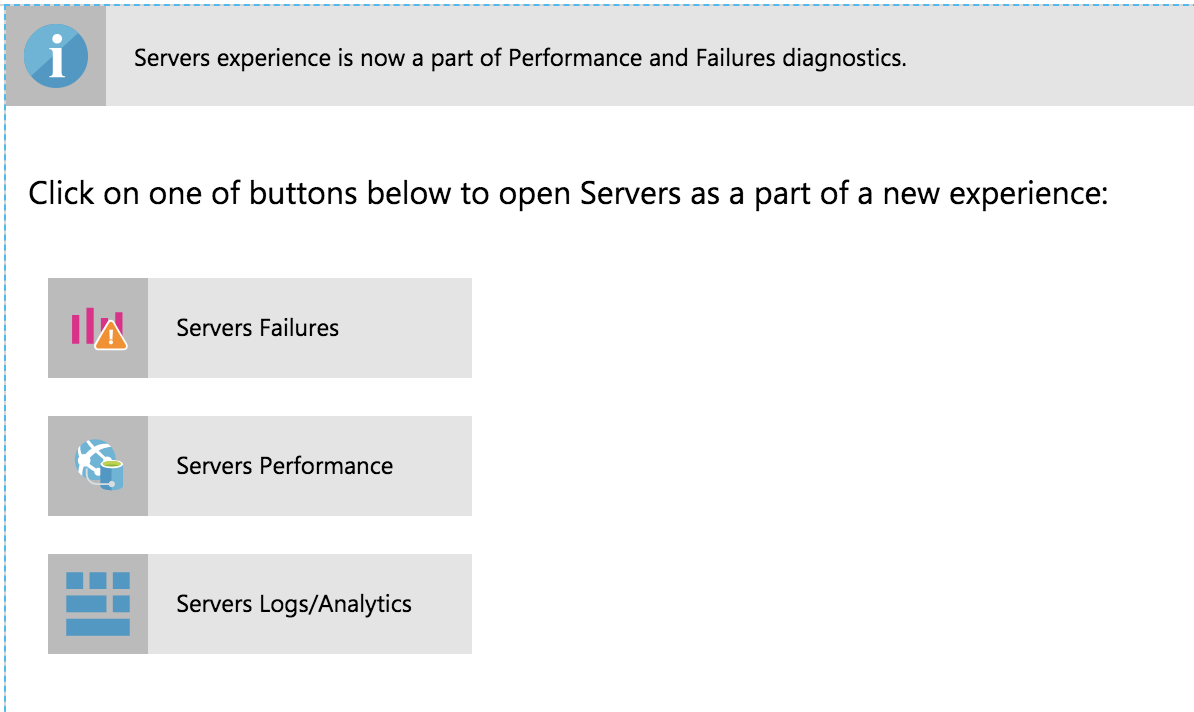
- The "Metrics Explorer" image seems to match what is now just "Metrics"?
- Many of the metrics listed in the "Metrics" page (e.g. Process CPU) show nothing.
Also check Application Insights for Azure Functions supported features here.
First off, is that information available on the docs site anywhere? If not, it should be. It's better than most of the "monitoring" documentation that I've seen while perusing through the main docs site...
Second, that documentation _also_ doesn't mention whether CPU/Memory metrics are expected to be collected or not.
ericdrobinson
on 13 Mar 2019
@ericdrobinson Thank you for providing the required information. I understand that the UI for Application Insights changed and the document is still showing the older images.
I am assigning this to content author for further review and take an appropriate action.
Also it is mentioned in the document which I shared in my last post that _"Automatic collection of Performance Counters only work Windows machines"_.
KetanChawda-MSFT
on 14 Mar 2019
Also it is mentioned in the document which I shared in my last post that "Automatic collection of Performance Counters only work Windows machines".
Some constructive feedback for you:
- The grammar of that sentence is broken. At the very least, it should read:
>Automatic collection of Performance Counters only works on Windows machines. - The usage of "Windows machines" is somewhat ambiguous. Do you mean Windows VMs? Windows WebApps? Please use terms that match the language used in the rest of the documentation.
- The use of the term "Automatic" implies that it may be possible to get the missing metrics by using a Manual approach. Please provide information on how this may be enabled. If it is not possible, explicitly say as much.
- Define "Performance Counters" more explicitly. Depending on what you're goal is, Network bandwidth or request rate may indicate performance. If you mean "hardware" performance (e.g. memory/CPU consumption, etc.), a clear definition of what you mean here would be helpful.
Addressing these concerns would go a long way to clarifying things and setting expectations for your customers.
Finally, an explicit question: Is it possible to get CPU and Memory utilization metrics on Azure Functions for Linux?
ericdrobinson
on 14 Mar 2019
@brettsam can you address the question about any limitations of Application Insights metrics on Linux versus Windows?
 ggailey777
on 8 Apr 2019
ggailey777
on 8 Apr 2019
@ericdrobinson I've confirmed that these Consumption plan log queries do run successfully now against a Linux Consumption plan function app. I'll make sure that these examples also get added to the monitoring articles.
ggailey777
on 10 Oct 2020
Related issues
 bityob
·
3Comments
bityob
·
3Comments
 Favna
·
3Comments
Favna
·
3Comments
 ianpowell2017
·
3Comments
ianpowell2017
·
3Comments
 varma31
·
3Comments
varma31
·
3Comments
 jamesgallagher-ie
·
3Comments
jamesgallagher-ie
·
3Comments
Most helpful comment
@ericdrobinson I've confirmed that these Consumption plan log queries do run successfully now against a Linux Consumption plan function app. I'll make sure that these examples also get added to the monitoring articles.