Azure-docs: please explain/add how to "Delete an Item" when a partition key is required
This error is thrown trying to delete a single document, since no "partition key" is provided:
{"code":"BadRequest","message":"Message: {\"Errors\":[\"The partition key supplied in x-ms-partitionkey header has fewer components than defined in the the collection.\"]}
Document Details
⚠ Do not edit this section. It is required for docs.microsoft.com ➟ GitHub issue linking.
- ID: 40462fee-eb9e-5874-35b8-26d4605e390f
- Version Independent ID: bccb7915-dca2-7f10-9ccc-33fdf26baf65
- Content: Node.js tutorial for the SQL API for Azure Cosmos DB
- Content Source: articles/cosmos-db/sql-api-nodejs-get-started.md
- Service: cosmos-db
- GitHub Login: @deborahc
- Microsoft Alias: dech
 SogoGolf
All 7 comments
@SogoGolf Thanks for the feedback. We are currently investigating into the issue and will update you shortly.
 ChiragMishra-MSFT
on 8 Feb 2019
ChiragMishra-MSFT
on 8 Feb 2019
Hello @SogoGolf
Please pass the partitionKey along with the itemid as shown below and the delete should work.
await client.database(databaseId).container(containerId).item(itemBody.id, _partitionKey_).delete(itemBody);
Please let me know if you need any further help on this.
 KalyanChanumolu-MSFT
on 8 Feb 2019
KalyanChanumolu-MSFT
on 8 Feb 2019
ok great thanks. you should add this to the docs
SogoGolf
on 10 Feb 2019
@KalyanChanumolu-MSFT, @ChiragMishra-MSFT - This does not appear to work, and still returns a 404.
const { body } = await client
.database("database-id")
.container("comments")
.item(itemBody.id, "/id")
.delete(itemBody);
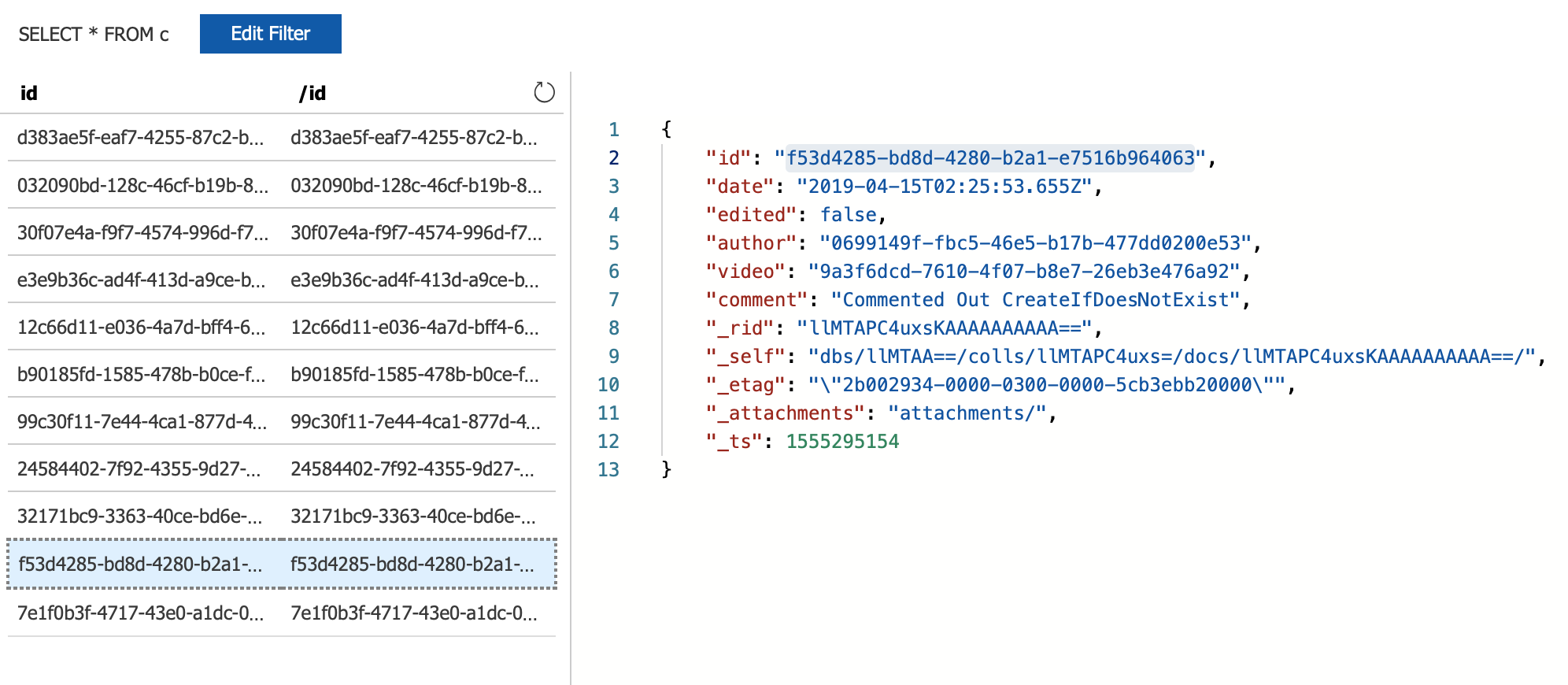
The ID is in the Database
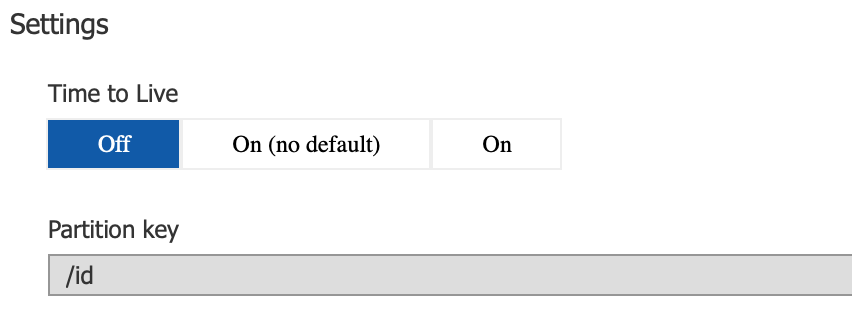
The Partition Key is Correct
Response
{ code: 404,
body: '{"code":"NotFound","message":"Entity with the specified id does not exist in the system., \\r\\nRequestStartTime: 2019-04-16T12:49:40.5348051Z, RequestEndTime: 2019-04-16T12:49:40.5447997Z, Number of regions attempted: 1\\r\\nResponseTime: 2019-04-16T12:49:40.5447997Z, StoreResult: StorePhysicalAddress: rntbd://10.0.0.125:14000/apps/6a319c73-c286-4cef-8a3d-8cccdec58ccc/services/ba134f6e-bf45-4e9c-ab26-1f3c8c6a729f/partitions/365c39b7-34c4-4c38-87bf-a1071ccde66a/replicas/131996751003532041p, LSN: 54, GlobalCommittedLsn: 54, PartitionKeyRangeId: 0, IsValid: True, StatusCode: 404, SubStatusCode: 0, RequestCharge: 1.24, ItemLSN: -1, SessionToken: -1#54, UsingLocalLSN: False, TransportException: null, ResourceType: Document, OperationType: Delete\\r\\n, Microsoft.Azure.Documents.Common/2.2.0.0"}',
headers:
{ 'transfer-encoding': 'chunked',
'content-type': 'application/json',
'content-location': 'https://culturescreen-1-centralus.documents.azure.com/dbs/culturescreen-01/colls/comments/docs/f53d4285-bd8d-4280-b2a1-e7516b964063',
server: 'Microsoft-HTTPAPI/2.0',
'x-ms-last-state-change-utc': 'Sun, 14 Apr 2019 00:25:06.490 GMT',
lsn: '54',
'x-ms-schemaversion': '1.7',
'x-ms-quorum-acked-lsn': '54',
'x-ms-current-write-quorum': '3',
'x-ms-current-replica-set-size': '4',
'x-ms-xp-role': '1',
'x-ms-global-committed-lsn': '54',
'x-ms-number-of-read-regions': '0',
'x-ms-transport-request-id': '144',
'x-ms-cosmos-llsn': '54',
'x-ms-cosmos-quorum-acked-llsn': '54',
'x-ms-session-token': '0:-1#54',
'x-ms-request-charge': '1.24',
'x-ms-serviceversion': 'version=2.2.0.0',
'x-ms-activity-id': 'dac83560-c988-44e6-b7f2-a5d0f0b52d40',
'strict-transport-security': 'max-age=31536000',
'x-ms-gatewayversion': 'version=2.2.0.0',
date: 'Tue, 16 Apr 2019 12:49:40 GMT',
'x-ms-throttle-retry-count': 0,
'x-ms-throttle-retry-wait-time-ms': 0 },
activityId: 'dac83560-c988-44e6-b7f2-a5d0f0b52d40' }
 khrome83
on 16 Apr 2019
khrome83
on 16 Apr 2019
@KalyanChanumolu-MSFT, @ChiragMishra-MSFT - the TypeScript definition for .delete() says it takes options, specifically a partionKey.
    const { body } = await client
      .database("database-id")
      .container("comments")
      .item(itemBody.id)
      .delete({ partitionKey: "/id" });
Has the same output as above.
khrome83
on 16 Apr 2019
@KalyanChanumolu-MSFT, @ChiragMishra-MSFT - the TypeScript definition for
.delete()says it takes options, specifically a partionKey.const { body } = await client .database("database-id") .container("comments") .item(itemBody.id) .delete({ partitionKey: "/id" });Has the same output as above.
I had this working but it's not anymore, but my understanding is that the partitionKey option is the value of the particular partitionKey.
await client
  .database(databaseId)
  .container(containerId)
  .item(itemBody.id)
  .delete({ partitionKey: "value" });
 jmo808
on 26 Apr 2019
jmo808
on 26 Apr 2019
This is still not working as per documentation.
However, this works:
      var deleted_item = await client
          .database(database_id)
          .container(lab_orders_container_id)
          .item(r.id, r.your_partition_key_value) // id + partitionKey value
          .delete()
 knutole
on 7 Dec 2019
knutole
on 7 Dec 2019
Related issues
 mrdfuse
·
3Comments
mrdfuse
·
3Comments
 bdcoder2
·
3Comments
bdcoder2
·
3Comments
 DeepPuddles
·
3Comments
DeepPuddles
·
3Comments
 Ponant
·
3Comments
Ponant
·
3Comments
 jamesgallagher-ie
·
3Comments
jamesgallagher-ie
·
3Comments
Most helpful comment
I had this working but it's not anymore, but my understanding is that the partitionKey option is the value of the particular partitionKey.