Azure-docs: Portal UI - EastUS
The Azure portal has the option to create VMs on AZ on EastUS, which is currently not available.
Is that a bug? Also, is there any roadmap to deploy AZs on EastUS?
B.
Document Details
⚠ Do not edit this section. It is required for docs.microsoft.com ➟ GitHub issue linking.
- ID: cca70845-100f-2cfd-aba3-34b7fa4a5264
- Version Independent ID: 475b26e5-9e23-f769-3bd5-cbc4a678dbf0
- Content: What are Azure Availability Zones?
- Content Source: articles/availability-zones/az-overview.md
- Service: azure
- GitHub Login: @cynthn
- Microsoft Alias: cynthn
 branstraub
All 12 comments
@branstraub Thank you for bringing this to our attention. The issue might be that the Virtual Machine size you have selected is not available in that specific availability zone. Can you try selecting a different VM size? The following documentation Create a Windows virtual machine in an availability zone with the Azure portal, in step 4 of the Create virtual machine steps, the instructions state:
Choose a size for the VM. Select a recommended size, or filter based on features.
Confirm the size is available in the zone you want to use.
As a Microsoft employee, you have some additional functionality available over non-employees and that is the ability to file portal related bugs.
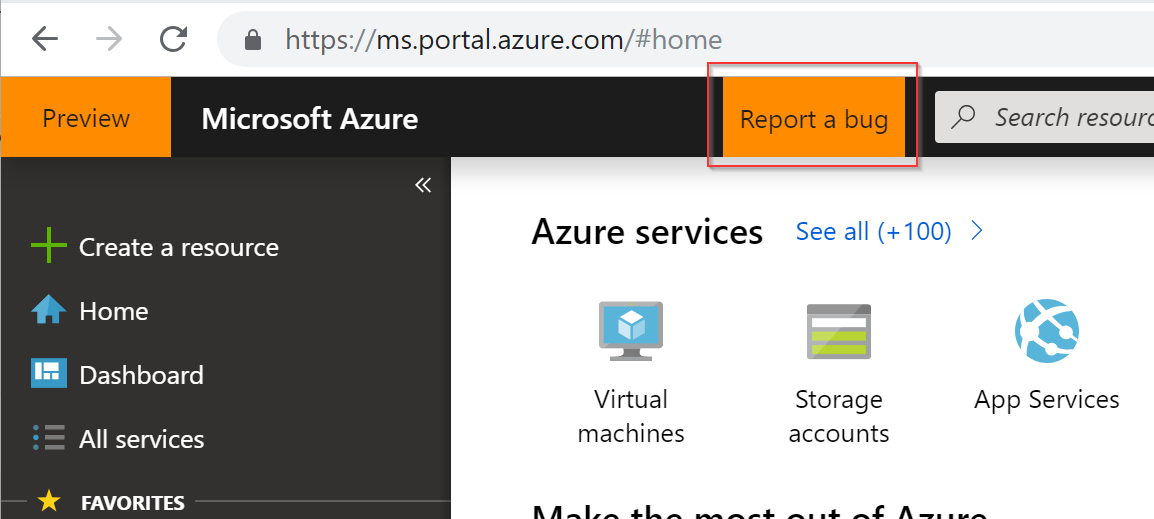
I suggest you use the filter functionality as outlined in step 4 in the above documentation to identify which VM sizes are available in East US. If there are no VMs appearing in the search results then this is likely a bug. If the desired VM size you are wanting to deploy, to this paired Availability Zone, is not listed then it is likely not available, and you will need to select a different VM size.
I hope this information is helpful.
 Mike-Ubezzi-MSFT
on 25 Jan 2019
Mike-Ubezzi-MSFT
on 25 Jan 2019
HI Mike,
I've tried this on a customer subscription, the issue doesnt seem to be related to the VM size:
The template deployment failed with error: 'The resource with id: '/subscriptions/xxxx-xxx-xxxx/resourceGroups/xxxx/providers/Microsoft.Compute/virtualMachines/vm' failed validation with message: 'The resource type 'virtualMachines' does not support availability zones at location 'eastus' and api-version '2017-05-10'.'.'. (Code: InvalidTemplateDeployment)
its seems that the portal lets you choose that but its actually not available yet.
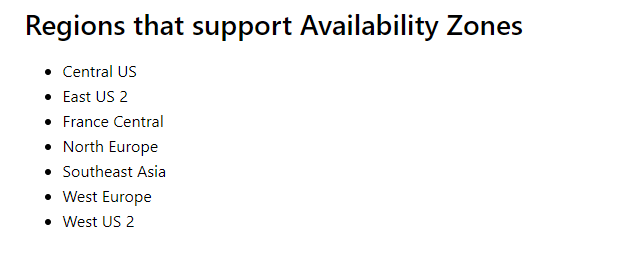
As stated on the AZs documentation, EastUS is not listed as supported. So i think its a portal bug.
Thanks!
branstraub
on 25 Jan 2019
@MicahMcKittrick-MSFT Can you provide some additional input on this issue? This is a product bug for Availability Zones, where VMs being deployed to EastUS as part of an AZ fail to deploy. The Portal is allowing the customer to select something that is not quite supported yet. Have you seen this?
Mike-Ubezzi-MSFT
on 25 Jan 2019
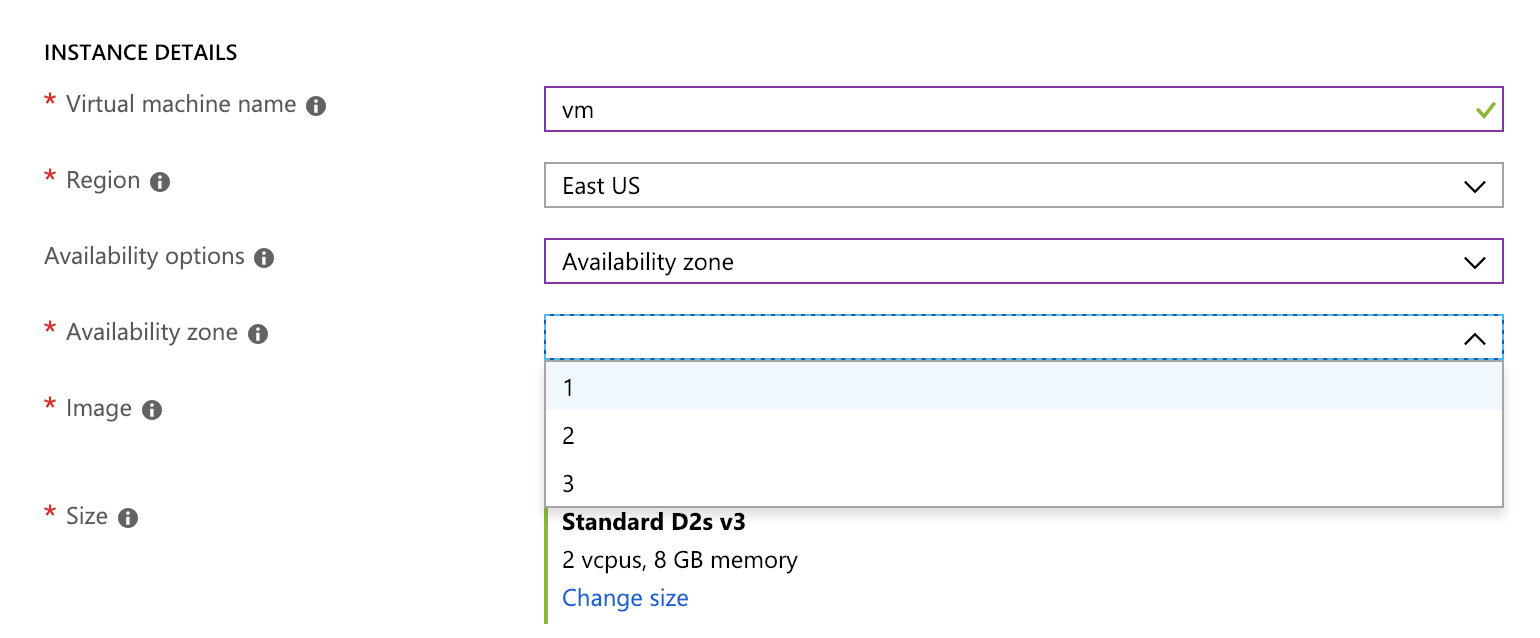
Portal UI on a 'supported region' :
UI on a not supported region:
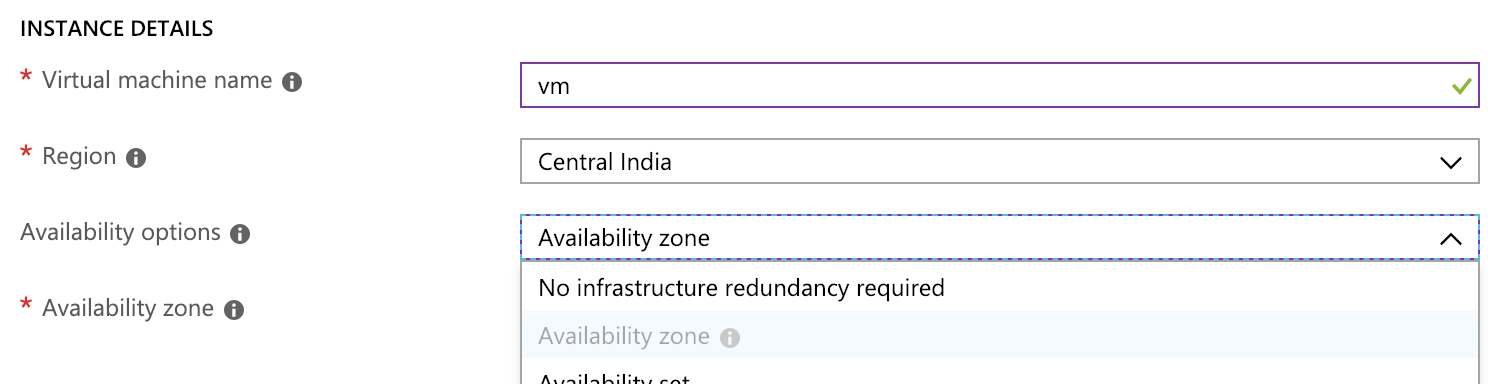
By the UI seems that EastUS its enabled, but when you try to do so this error its shown
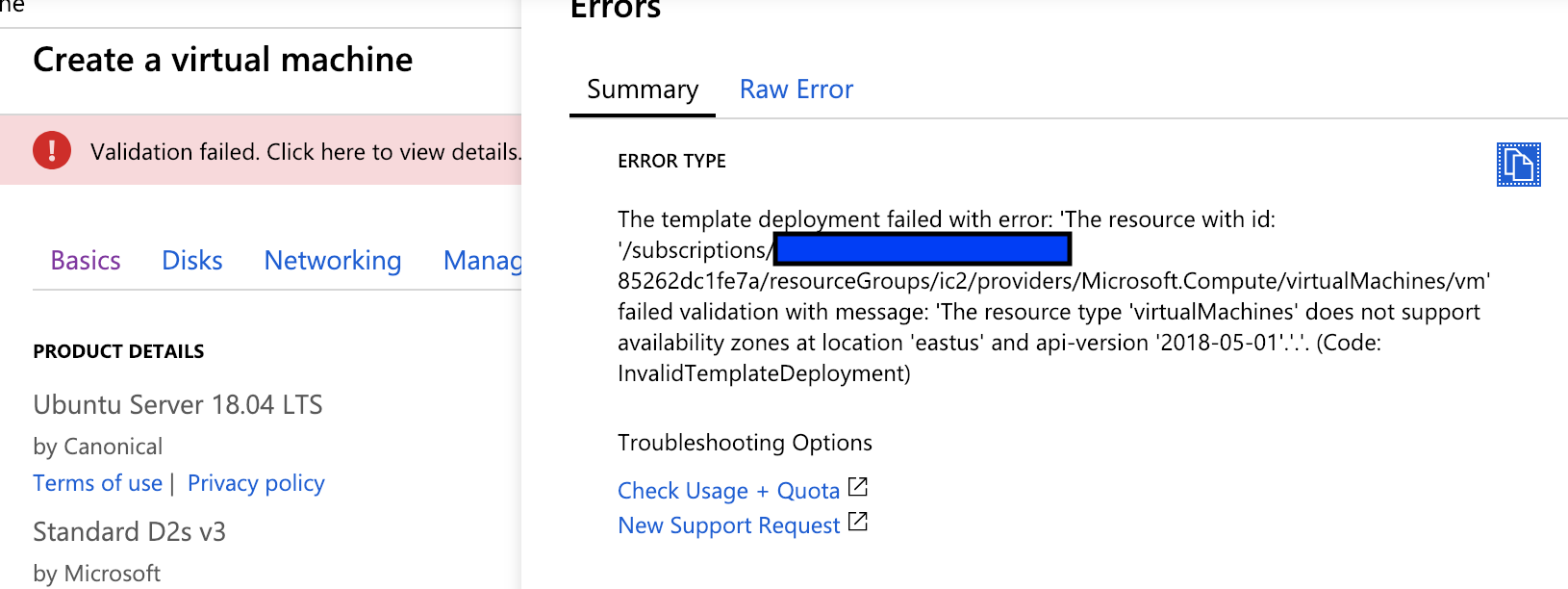
:
branstraub
on 25 Jan 2019
@mmccrory could you advise on this? I see that East US is not yet GA for AV zones so it should not be showing up in the portal. I can file a bug if there is not already one. Else, have we gone GA in East US? I have not heard anything as of yet.
https://docs.microsoft.com/en-us/azure/availability-zones/az-overview
Also, @branstraub @Mike-Ubezzi-MSFT if you ever see something in the portal that is not correct we actually allow you to file a bug directly :)
*EDIT I see @Mike-Ubezzi-MSFT you already mentioned the filing a bug part :)
CC @nibhat @cynthn
 mimckitt
on 25 Jan 2019
mimckitt
on 25 Jan 2019
@mmccrory could you advise on this? I see that East US is not yet GA for AV zones so it should not be showing up in the portal. I can file a bug if there is not already one. Else, have we gone GA in East US? I have not heard anything as of yet.
https://docs.microsoft.com/en-us/azure/availability-zones/az-overview
Also, @branstraub @Mike-Ubezzi-MSFT if you ever see something in the portal that is not correct we actually allow you to file a bug directly :)
*EDIT I see @Mike-Ubezzi-MSFT you already mentioned the filing a bug part :)
CC @nibhat @cynthn
Sure, next time i'll file the bug. But actually a CX of mine found it.
I repro on my sub and confirm it.
Also, btw. Will be great to know the ETA of the rollout of AZ for EastUS :)
B.
branstraub
on 25 Jan 2019
Thanks @branstraub. I just send an email offline on this issue and included you in the convo. I will close this for now and we will continue offline.
mimckitt
on 28 Jan 2019
Hello! Just want to add that this issue is still present. EastUS, I have the option to select availability zone. However, VM creation fails, with error: The resource type 'publicIPAddresses' does not support availability zones at location 'east's' and api-version '2018-08-01'.
 diannemg
on 20 Feb 2019
diannemg
on 20 Feb 2019
Thanks @diannemg
I am investigating. Will update shortly.
mimckitt
on 22 Feb 2019
Just FYI, I am working offline to address this. Will provide updates when I have them.
mimckitt
on 25 Feb 2019
FYI, I have confirmed this bug and work is being implemented to correct this. It should be deploying soon (Next week or so)
mimckitt
on 28 Feb 2019
Was this corrected? We are getting an AZ not supported when deploying to eastus
 celamb4
on 23 Aug 2019
celamb4
on 23 Aug 2019
Related issues
 mrdfuse
·
3Comments
mrdfuse
·
3Comments
 spottedmahn
·
3Comments
spottedmahn
·
3Comments
 Ponant
·
3Comments
spottedmahn
·
3Comments
Ponant
·
3Comments
spottedmahn
·
3Comments
 Favna
·
3Comments
Favna
·
3Comments
Most helpful comment
HI Mike,
I've tried this on a customer subscription, the issue doesnt seem to be related to the VM size:
The template deployment failed with error: 'The resource with id: '/subscriptions/xxxx-xxx-xxxx/resourceGroups/xxxx/providers/Microsoft.Compute/virtualMachines/vm' failed validation with message: 'The resource type 'virtualMachines' does not support availability zones at location 'eastus' and api-version '2017-05-10'.'.'. (Code: InvalidTemplateDeployment)
its seems that the portal lets you choose that but its actually not available yet.
As stated on the AZs documentation, EastUS is not listed as supported. So i think its a portal bug.
Thanks!