Azure-docs: Audit / SQLSecurityAuditEvents: Currently unavailable??
Hello!
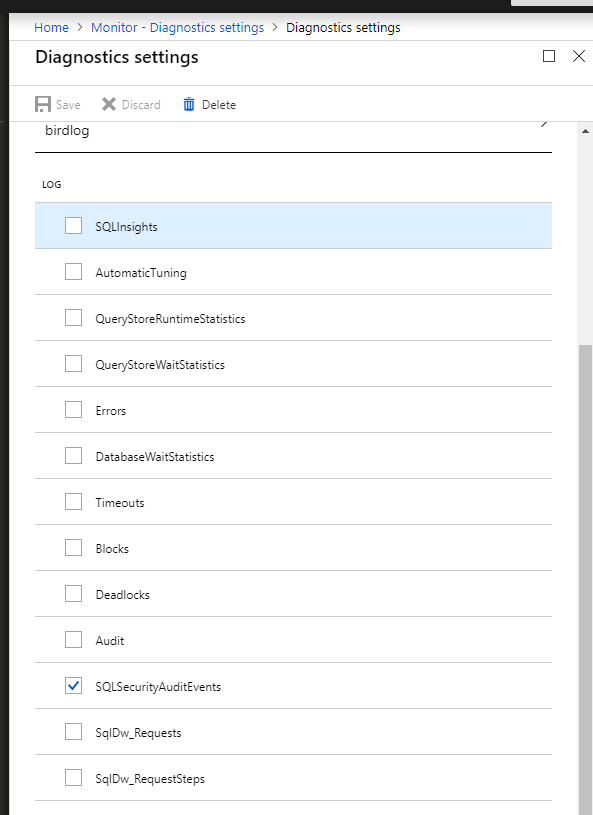
I'm now seeing Audit and SQLSecurityAuditEvents: as log options inside "Monitor - Diagnostics settings -> Diagnostics settings" in the Azure portal. Are these still unavailable even though the options are there?
Thanks!
Mikael
Document Details
⚠ Do not edit this section. It is required for docs.microsoft.com ➟ GitHub issue linking.
- ID: 57944e9d-0efa-3503-9fe8-46c91119ecc9
- Version Independent ID: 32caa5c0-aac4-75f8-42f8-b483d55a8392
- Content: Azure SQL database metrics and diagnostics logging
- Content Source: articles/sql-database/sql-database-metrics-diag-logging.md
- Service: sql-database
- GitHub Login: @danimir
- Microsoft Alias: v-daljep
 mikaelweave
All 11 comments
Here is a screenshot. 😄
mikaelweave
on 7 Sep 2018
@mikaelsnavy Thanks for the feedback. We are actively investigating and will get back to you soon.
 Mike-Ubezzi-MSFT
on 7 Sep 2018
Mike-Ubezzi-MSFT
on 7 Sep 2018
@mikaelsnavy
- For the Audit and SQLSecurityAuditEvents raw logs to flow to Log Analytics, you need to have the this enabled from the security features ATP and Auditing on the SQL Database menu.
- Please note that this raw telemetry can only be used for custom querying from Log Analytics using the Log Analytics Language.
- In terms of the graphical user interface (UI), please note that the intended UI for these two logs are solutions under the Security section of SQL Database in the Azure portal. These two logs are not supported in the UI of the Azure SQL Analytics monitoring solution.
 danimir
on 10 Sep 2018
danimir
on 10 Sep 2018
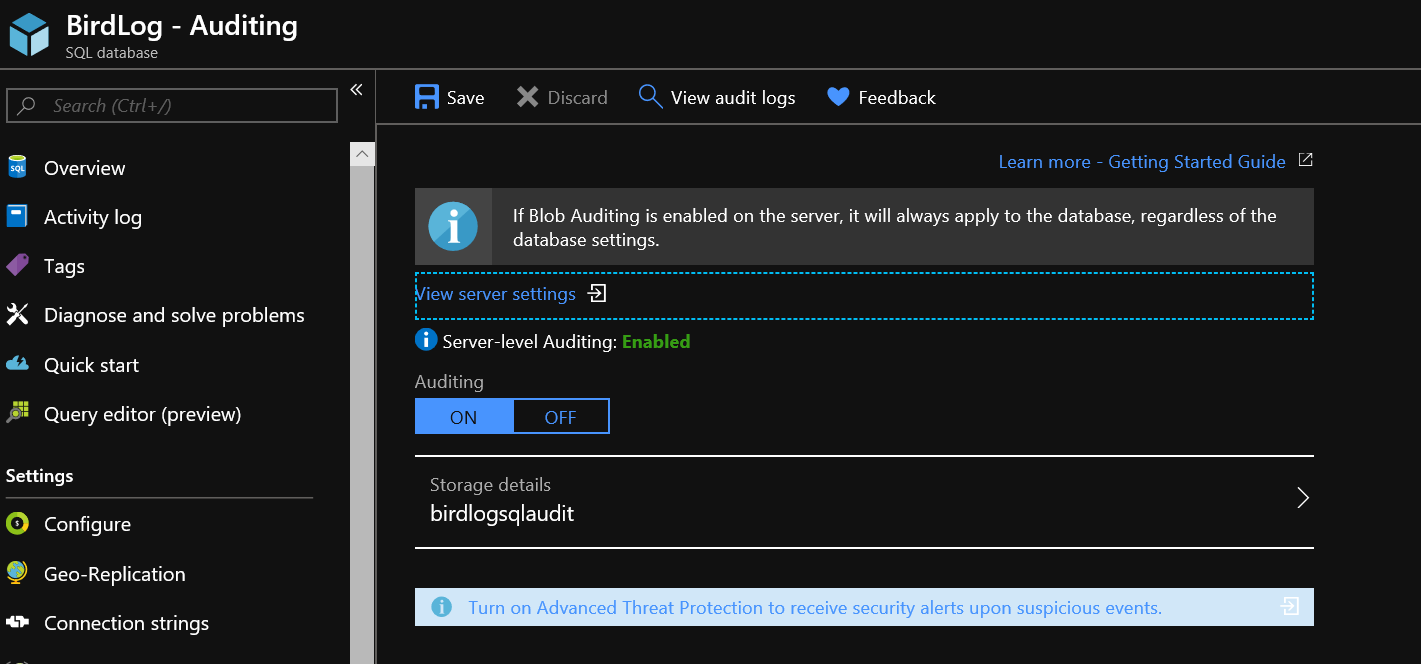
Thanks for the response @danimir! I've enabled Auditing on my Azure SQL database and server and I can see the audit events through the Azure SQL Database UI. I've also enabled "Send to Log Analytics" for "Audit" inside "Monitor - Diagnostics settings" for both my database and master for my Azure SQL database.
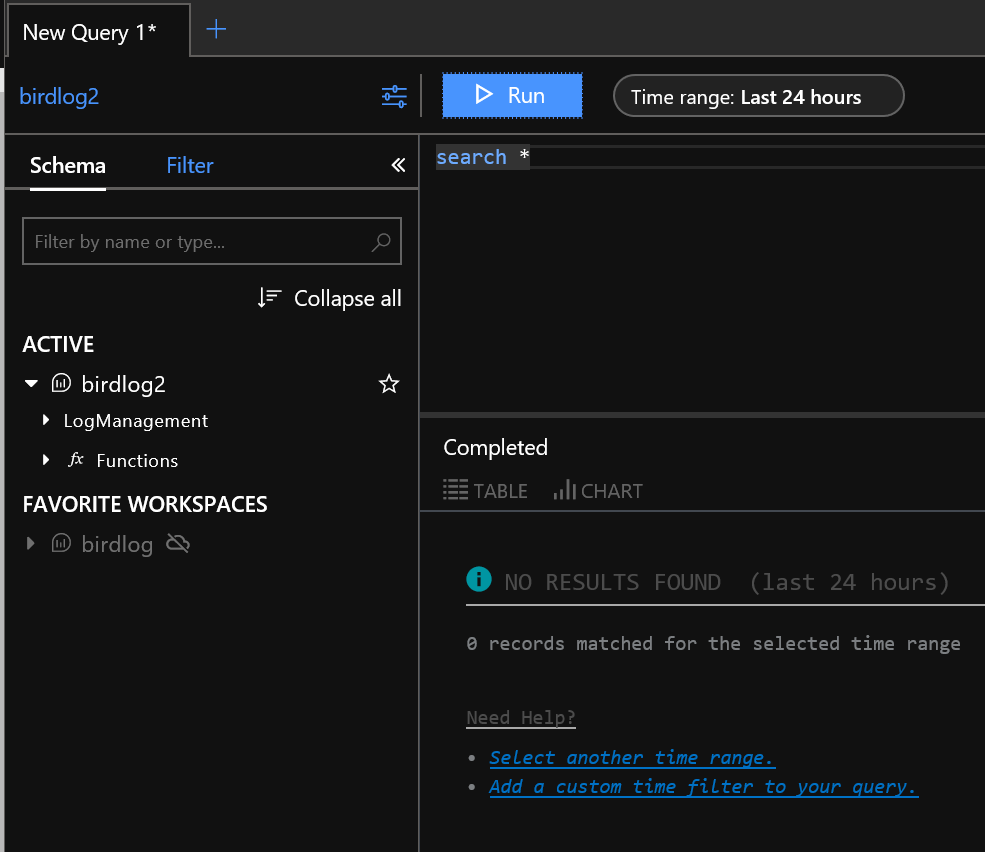
I'm still having trouble custom querying the telemetry out of Log Analytics. Running "search *" still returns zero records. Do you know what else I missed? 😄
Thanks
Mikael


mikaelweave
on 10 Sep 2018
@mikaelsnavy In order to verify and see all logs streaming to the solution, execute this query in Log Analytics:
AzureDiagnostics | distinct Category
This query should list out all log categories streaming into the solution. However, please note that in order for logs to flow, there needs to be data generated (no data - no logs). Depending on the log used, database needs to have some data\workload for diagnostics logs, and for security logs there need to exist security events.
danimir
on 10 Sep 2018
Thank you! I appreciate it. If I learn anything different than what the docs say, I'll bring the knowledge back to this space. 😀👍🏽
Thanks so much!
Mikael
mikaelweave
on 10 Sep 2018
@mikaelsnavy
Update: I've reached out to the security team owning the Audit log. The way to enable streaming of Audit low raw data into Log Analytics is not through the Diagnostics blade (although the switch is there). This can be enabled through the Auditing option (either at the SQL database or the logical server blade) inside the Azure portal. See here: https://docs.microsoft.com/en-us/azure/sql-database/sql-database-auditing
On this blade, below the switch for auditing, there is an option Audit log destination. In this destination, chose Log Analytics (Preview). The settings on the diagnostics blade will be created automatically once you save auditing settings with the new options. This is only to stream raw audit data into Log Analytics for your own custom implementations. The recommended way of use the security features is still through the portal UI.
Hope this helps.
danimir
on 14 Sep 2018
Just tested streaming to Log Analytics at the actual SQL level and it is working!! Thanks so much!
mikaelweave
on 16 Sep 2018
@danimir Sorry for asking about this closed thread. Does this apply to the Managed Instance SQL database as well? I'm looking for how to view SQLSecurityAuditEvents but I couldn't find it.
 kazshi
on 21 Dec 2018
kazshi
on 21 Dec 2018
@kazshi - Hi there, no problems, glad to help. As far as I know the Audit is not enabled for Managed Instance as of yet. The owners of the Audit feature are owning this page: https://docs.microsoft.com/en-us/azure/sql-database/sql-database-auditing, so I would advise to ask this question directly from the audit feature owners. Thanks! :)
danimir
on 21 Dec 2018
@danimir Thank you for the information.
kazshi
on 21 Dec 2018
Related issues
 varma31
·
3Comments
varma31
·
3Comments
 Ponant
·
3Comments
Ponant
·
3Comments
 paulmarshall
·
3Comments
paulmarshall
·
3Comments
 monteledwards
·
3Comments
monteledwards
·
3Comments
 bityob
·
3Comments
bityob
·
3Comments