Azure-devops-docs: Page is inaccurate; there is no "Delete Repository" action
I am a project administrator and the organization owner and I have every level of permission I can figure out how to get the Azure platform to grant me on this stuff I've created, and still I cannot delete this repository. This page telling me there's a button for it when there isn't, doesn't help. Is the button hidden because I'm somehow not authorized? Please disable it instead and explain why I, the supreme owner of everything to do with our Azure pipelines, am not authorized to delete the empty repository that was automatically created for our well-established existing project.
Document Details
⚠ Do not edit this section. It is required for docs.microsoft.com ➟ GitHub issue linking.
- ID: b03af1d9-4eeb-ac18-d517-a0a44a2478be
- Version Independent ID: 842691c8-8c41-facf-2cff-03542262f2e5
- Content: Delete a Git repo from your project - Azure Repos
- Content Source: docs/repos/git/delete-existing-repo.md
- Product: devops
- Technology: devops-code-git
- GitHub Login: @apawast
- Microsoft Alias: sdanie
 JoshDreamland
All 5 comments
@JoshDreamland -- Josh, thank you for your feedback. You may find answers here:
@apawast -- Apeksha, please look into this issue.
 WilliamAntonRohm
on 18 Mar 2020
WilliamAntonRohm
on 18 Mar 2020
The issue in my case was that this was, indeed, the only git repo in my project. But I didn't ask for that repo; we already have one. And instead of a grayed out box that says "This is your only repository. Please disable Git from the 'General' tab instead," I was met with a missing menu item that the documentation said should be there.
In this case, my journey was as follows:
- Create Project.
- Notice it has six different services attached to it, including a Git repository.
- Wonder if the Git repository may interfere with implementing CI for my existing reposity.
- Attempt to delete it.
- Find no way to delete it, check docs.
- Docs have an image showing a delete button, but the delete button isn't actually there.
Short-term, this could be solved by tweaking whatever logic hides the button from me so that it does something useful instead (see suggestion at beginning of this post).
Long-term, it would be nice if the button actually worked, and simply disabled the repository option for me, instead.
JoshDreamland
on 18 Mar 2020
Typical MS confusion. Get your documentation corrected!
 znelson32
on 14 Apr 2020
znelson32
on 14 Apr 2020
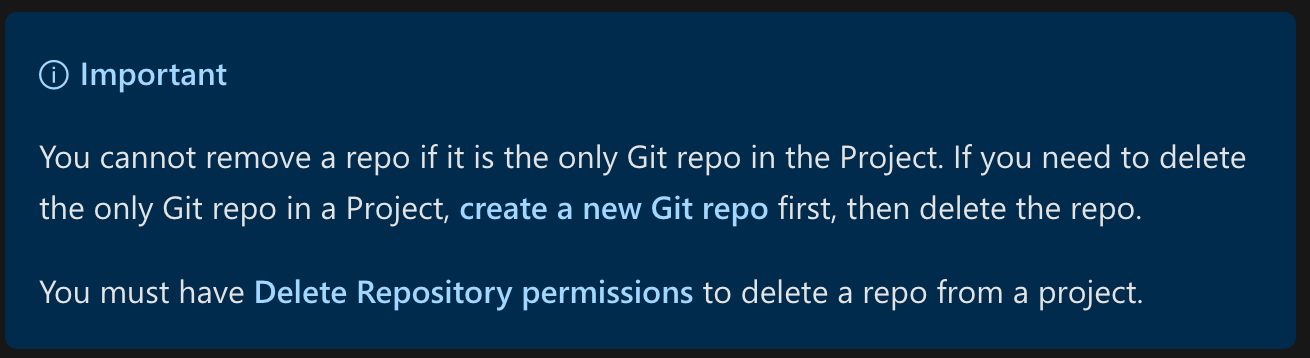
It's already documented in this article.
 vtbassmatt
on 24 Aug 2020
vtbassmatt
on 24 Aug 2020
Hi Mike.
The issue is more about discoverability. As a user, I can't identify why a button is missing, but if it is grayed out and has the above snippet as hovertext, I would not need to refer to the documentation at all (much less be shown an image of a button that isn't on the page I'm looking at).
JoshDreamland
on 24 Aug 2020
Related issues
 michhar
·
3Comments
michhar
·
3Comments
 Naphier
·
3Comments
Naphier
·
3Comments
 letmaik
·
3Comments
letmaik
·
3Comments
 anlatsko
·
3Comments
anlatsko
·
3Comments
 dtamai
·
3Comments
dtamai
·
3Comments
Most helpful comment
The issue in my case was that this was, indeed, the only git repo in my project. But I didn't ask for that repo; we already have one. And instead of a grayed out box that says "This is your only repository. Please disable Git from the 'General' tab instead," I was met with a missing menu item that the documentation said should be there.
In this case, my journey was as follows:
Short-term, this could be solved by tweaking whatever logic hides the button from me so that it does something useful instead (see suggestion at beginning of this post).
Long-term, it would be nice if the button actually worked, and simply disabled the repository option for me, instead.