Azure-devops-docs: Using Review App with AKS: Cannot create namespace
When using an AKS cluster with the Setup Review App functionality as described in this page, I'm getting an error saying "User "[service account for resource namespace]" cannot get resource "namespaces" in API group "" in the namespace "[the review app namespace]".
Is there something else I need to do with the AKS cluster to allow this functionality?
Document Details
⚠ Do not edit this section. It is required for docs.microsoft.com ➟ GitHub issue linking.
- ID: 7730ae4d-4101-9c83-1823-4ff43ff161ce
- Version Independent ID: 20a7e263-4819-783e-c984-c4f3b459e22f
- Content: Environment - Kubernetes resource - Azure Pipelines
- Content Source: docs/pipelines/process/environments-kubernetes.md
- Product: devops
- Technology: devops-cicd
- GitHub Login: @juliakm
- Microsoft Alias: jukullam
 geofflamrock
All 8 comments
@geofflamrock Thank you for the feedback, assigning this to the author for review.
In the meantime, please see if https://github.com/Azure/AKS/issues/954 or https://github.com/MicrosoftDocs/azure-docs/issues/41012 can resolve this issue.
Please note since this is the documentation forum, our support options are limited to the example provided.
For additional resources, you can refer to:
 msebolt
on 10 Jan 2020
msebolt
on 10 Jan 2020
are there any updates?
 Chelaris182
on 10 Mar 2020
Chelaris182
on 10 Mar 2020
This is an issue for me too.
Current workaround is to use the Azure ResourceManager connectionType and to force admin user (useClusterAmind: true) to avoid being scoped to namespace in the environment.
- task: Kubernetes@1
  displayName: 'Create a new namespace for the pull request'
  inputs:
    connectionType: 'Azure Resource Manager'
    azureSubscriptionEndpoint: '$(azureSubscription)'
    azureResourceGroup: '$(resourceGroup)'
    kubernetesCluster: '$(clusterName)'
    command: apply
    useClusterAdmin: true
    useConfigurationFile: true
    inline: |
      {
        "kind": "Namespace",
        "apiVersion": "v1",
        "metadata": {
          "name": "$(k8sNamespaceForPR)",
          "labels": {
            "azds.io/space": "true"
          }
        }
      }
Variables azureSubscription, resourceGroup and clusterName must be added as they cannot be inferred from the environment's resource.
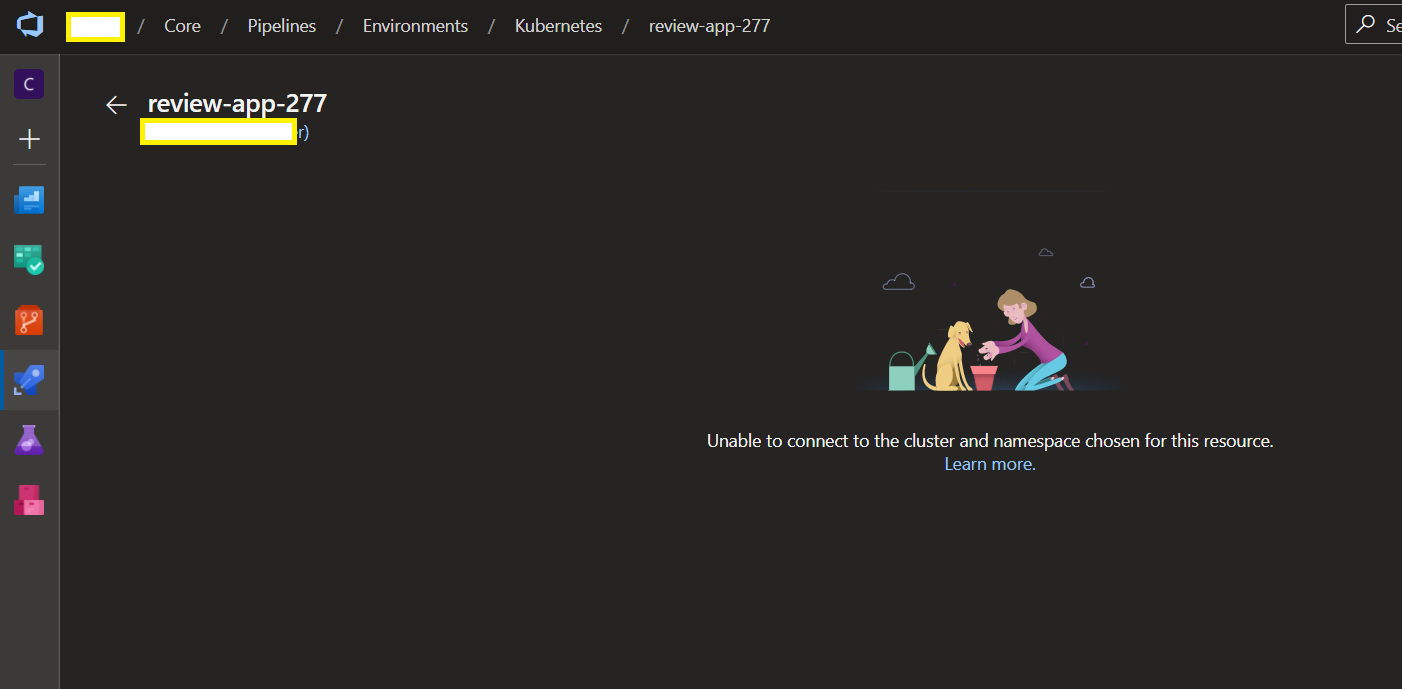
Unfortunately, the created reviewApp resource does not seem to be in a position to connect to the cluster.
 mburumaxwell
on 29 Sep 2020
mburumaxwell
on 29 Sep 2020
@geofflamrock , @Chelaris182 , @msebolt
After playing trying to get my head around for hours on this. I realized the problem is not AKS but really the docs on Azure DevOps. The docs state that you can update an existing pipeline to use review apps with AKS. Unfortunately, this is not possible. To get review apps to work, you must use the user interface (i.e. creating a new pipeline) to have the environment, resource, and connection to the AKS cluster. This is because admin credentials are required for the task to create a new namespace and also to deploy to a namespace that is not the current resource.
Here are the differences:
- The service connection created when adding a resource to an existing environment has the format
{environment name}-{namespace}-{timestamp}(e.g. kubernetes1.default.1607687352) whereas that created by the review app experience has the format{aks clustername}-{namespace}(e.g. testcluster.default) - The service connection created when adding the resource to an existing environment uses a Kubernetes service account with a role binding scoped to the namespace whereas the one created by the review app experience has the _Use Admin Credentials_ checkbox ticked giving it super rights.
Workaround:
- Use the UI experience to set up the connection with the super rights then use the created environment and resource.
- Grant service account in main K8S namespace rights (via RoleBinding) to the review app namespace. Tedious work every time there's a new reviewApp namespace.
Note:
The workaround in my previous post only works for the creation of namespace but not deployment.
Suggestion:
Please update the docs so that others can know it is not currently possible to create a reviewApp with a resource added to an environment, instead, the environment and resource must be created for you using the UI experience.
mburumaxwell
on 1 Oct 2020
Raised a fix for this. @msebolt We can close this issue.
 anraghun
on 3 Nov 2020
anraghun
on 3 Nov 2020
@anraghun thanks for update. I see the docs now guide one to update the connection to Use cluster admin credentials. However, once a Service Connection is created by adding a resource to an environment, you cannot change that flag in the Project Settings.
Is this functionality that is expected to come in the future?
mburumaxwell
on 25 Nov 2020
I was able to solve this. If you've manually linked a cluster into an environment, delete the resource. Then create a new service connection _manually_ and set the Use cluster admin credentials checkbox. Take note of the following pieces of information:
- Environment Id (numeric)
- Service Connection Resource Id (GUID)
Now, use the Azure DevOps API to re-create the resource within the environment using the new service connection. You'll need to fill in the JSON payload with some item names and the Service Connection's GUID; the Environment Id is part of the URL:
POST https://dev.azure.com/{Organization}/{Project}/_apis/distributedtask/environments/{EnvironmentId}/providers/kubernetes?api-version=5.0-preview.1

{
    "name":"name-of-the-resource",
    "namespace":"namespace-of-the-resource",
    "clusterName":"name-of-the-cluster",
    "serviceEndpointId":"GUID-of-service-connection"
}
The resource is added into the environment and is linked to the new service connection. However, the list of deployments/jobs on that environment/resource will disappear. The good new is that as soon as you deploy to it once, the history reappears in full. More importantly, the Review App resource can be created from within the job (as per the examples)
I'll note that I had a little bit of trouble because I kept overlooking one thing. The value passed to the reviewapp task should be the name of the REAL namespace and not the PR namespace (matching the non-PR job). The _resource name_ of the PR job should be the PR namespace:
jobs:
- deployment: Deploy
  environment: Environment.real-namespace
  condition: and(succeeded(), not(startsWith(variables['Build.SourceBranch'], 'refs/pull/')))
  # ELIDED

- deployment: Deploy-Review
  environment: Environment.pr-namespace
  condition: and(succeeded(), startsWith(variables['Build.SourceBranch'], 'refs/pull/'))
  strategy:
    runOnce:
      deploy:
        steps:
        - reviewApp: real-namespace  # <---- REAL NAMESPACE!
        - task: Kubernetes@1
          displayName: 'Create PR Namespace'
          inputs:
            command: apply
            useConfigurationFile: true
            inline: |
              apiVersion: v1
              kind: Namespace
              metadata:
                name: '$(Environment.ResourceName)'
 pinkfloydx33
on 2 Dec 2020
pinkfloydx33
on 2 Dec 2020
Thanks @pinkfloydx33 , the HTTP call works like a charm
mburumaxwell
on 29 Dec 2020
Related issues
 Naphier
·
3Comments
Naphier
·
3Comments
 sevaa
·
3Comments
sevaa
·
3Comments
 mikedouglasdev
·
3Comments
mikedouglasdev
·
3Comments
 adnanebrahimi
·
3Comments
adnanebrahimi
·
3Comments
 kieronlanning
·
3Comments
kieronlanning
·
3Comments