Azure-devops-docs: Capabilities Tab does not show system capabilities
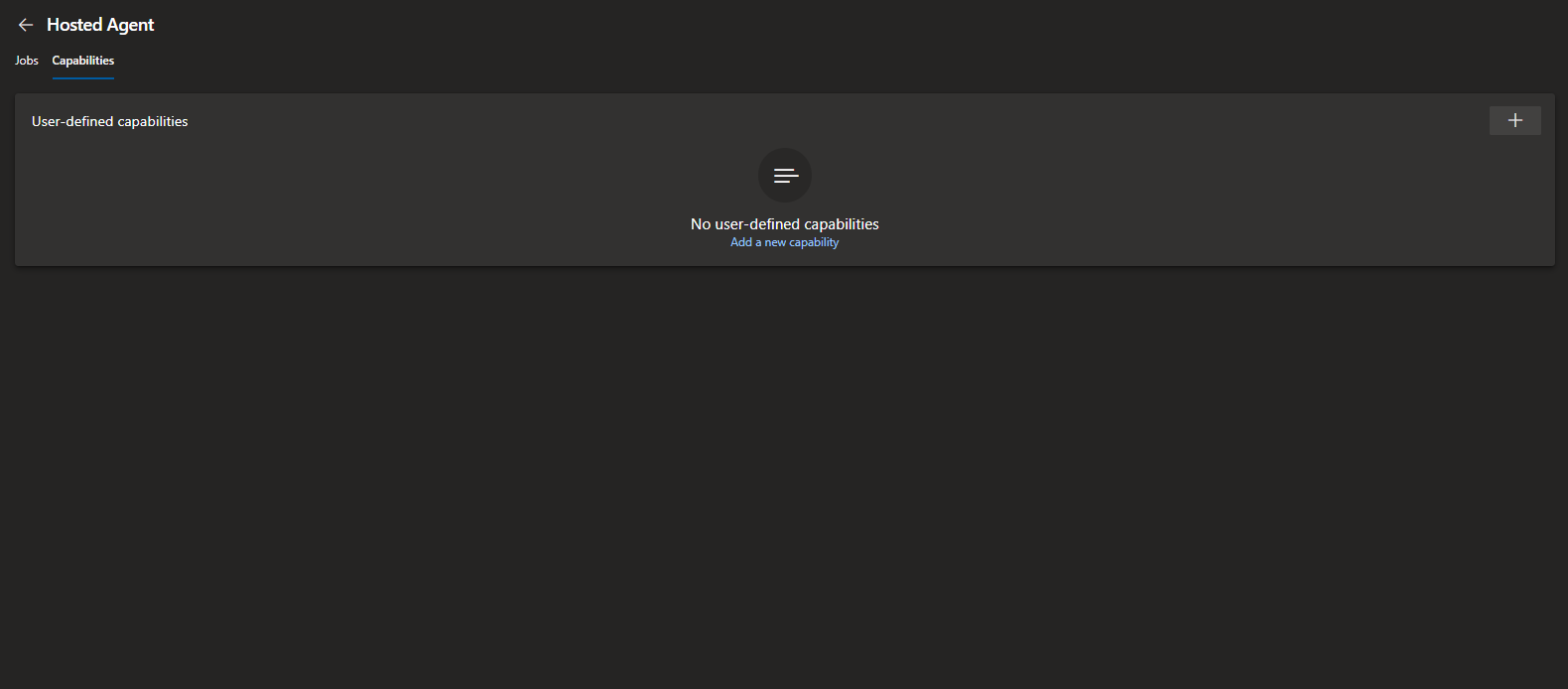
The capabilities tab no longer shows the system capabilities. Where can I see the capabilities of an agent that are not user capabilities? This doc is not accurate in this respect.
Document Details
⚠ Do not edit this section. It is required for docs.microsoft.com ➟ GitHub issue linking.
- ID: 47625b86-abd5-ee15-6d61-8bcf81861b96
- Version Independent ID: be9a6174-a69b-7aed-d584-5f602fcc5eb4
- Content: Azure Pipelines Agents - Azure Pipelines
- Content Source: docs/pipelines/agents/agents.md
- Product: devops
- Technology: devops-cicd
- GitHub Login: @steved0x
- Microsoft Alias: sdanie
 chrisevans9629
All 6 comments
chrisevans9629
on 12 Dec 2019
I'm taking a look, thank you for letting us know.
 steved0x
on 13 Dec 2019
steved0x
on 13 Dec 2019
@chrisevans9629 You can see all the software that is installed on the Microsoft-hosted agents here:
https://docs.microsoft.com/en-us/azure/devops/pipelines/agents/hosted?view=azure-devops#use-a-microsoft-hosted-agent
I am finding out why that info is removed from the Capabilites tab in the Agent settings (is it a glitch or is it gone, but maybe displayed elsewhere?)
I will report back as soon as I have more info. Thank you, Steve
steved0x
on 13 Dec 2019
The links to the included software seem to be broken, for example:
https://github.com/Microsoft/azure-pipelines-image-generation/blob/master/images/macos/macos-10.14-Readme.md
@steved0x
chrisevans9629
on 13 Dec 2019
Found them, will have the links updated shortly, here is the page for macos10.14
https://github.com/actions/virtual-environments/blob/master/images/macos/macos-10.14-Readme.md
steved0x
on 13 Dec 2019
OK found them all except for VS2015, will get that added shortly. On the Agent Pools page, system capabilities are displayed for Self-hosted agents, but system capabilities are not used for Hosted agents and so are not displayed. I have updated the documentation to cover this. As soon as I get the link for VS2015 I will get this published. Thank you for letting us know!
steved0x
on 13 Dec 2019
Related issues
 Naphier
·
3Comments
Naphier
·
3Comments
 robinmanuelthiel
·
3Comments
robinmanuelthiel
·
3Comments
 EM1L
·
3Comments
EM1L
·
3Comments
 csutorasr
·
3Comments
csutorasr
·
3Comments
 dtamai
·
3Comments
dtamai
·
3Comments