Azure-devops-docs: Linux is not supported by the task
You need at least one agent to run your build or release. Get an agent for Linux, macOS, or Windows.
That is not correct. The task works only on windows agents.
I tried to execute it on a ubuntu-latest and got: The current operating system is not capable of running this task. That typically means the task was written for Windows only. For example, written for Windows Desktop PowerShell.
Document Details
⚠ Do not edit this section. It is required for docs.microsoft.com ➟ GitHub issue linking.
- ID: 622daa35-c6a1-dac3-17ee-3f9308fc60cd
- Version Independent ID: 2c28a59b-8ef5-d7ab-46a6-58748ec552f5
- Content: Azure File Copy task - Azure Pipelines
- Content Source: docs/pipelines/tasks/deploy/azure-file-copy.md
- Product: devops
- Technology: devops-cicd
- GitHub Login: @RoopeshNair
- Microsoft Alias: ronai
 M0ns1gn0r
All 12 comments
@M0ns1gn0r Thank you for the feedback.
The documentation has been updated and is pending review.
 msebolt
on 21 Nov 2019
msebolt
on 21 Nov 2019
@msebolt the docs haven't been updated yet, wouldn't it be better to close this when the docs update is merged.
i.e. by adding Fixes #6434 to the PR description?
I just wasted time on this :(
 timja
on 16 Dec 2019
timja
on 16 Dec 2019
@timja We apologize for the confusion.
The change is available, see...
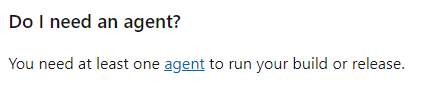
...has Linux removed from the description.
msebolt
on 18 Dec 2019
I would say it's still unclear. Why not directly write "you need at least one Windows agent..."
M0ns1gn0r
on 19 Dec 2019
Don't you need 2? Isn't it true the agent running the task as well as the destination machine must both be Windows?
 HughDevlin
on 19 Dec 2019
HughDevlin
on 19 Dec 2019
I have encountered the same problem today. Information about a Windows agent could be valuable.
 rmaziarka
on 24 Mar 2020
rmaziarka
on 24 Mar 2020
I would also add that the first half of the documentation states this task uses azcopy v10, and links to the azcopy docs which mention that azcopy works on Linux (it does).
But then the Q&A of this article mentions PowerShell and WinRM. Neither of those things are necessary to upload a blob from a Linux agent.
When will this task support Linux? Can that date be communicated in the article?
 bureado
on 27 Mar 2020
bureado
on 27 Mar 2020
It's not enough to say "Windows only"; needs to be updated to include a Linux version.
 jasonzio
on 27 Mar 2020
jasonzio
on 27 Mar 2020
@RoopeshNair -- please look into this issue.
 WilliamAntonRohm
on 27 Mar 2020
WilliamAntonRohm
on 27 Mar 2020
Here's my workaround replacement for this task that does the equivalent of the AzureFileCopy task on Linux to copy a folder to pre-existing blob container and return Sastoken that can be passed on to subsequent tasks in pipeline:
- task: AzurePowerShell@4
displayName: 'PoSh: Copy ARM templates to Blob'
inputs:
azureSubscription: ${{parameters.azureSubscription}}
ScriptType: 'FilePath'
ScriptPath: '$(Pipeline.Workspace)/DevOps/PoSh/Copy2Blob.ps1'
ScriptArguments: '-sourcePath $(Pipeline.Workspace)/DevOps/ARM/templates -resourceGroupName $(resourceGroupName) -storageAccountName $(storageAccountName) -containerName $(containerName) -outputContainerUri containerURI -outputContainerSasToken containerSasToken'
FailOnStandardError: true
azurePowerShellVersion: 'LatestVersion'
#
Copy2Blob.ps1
#
Copies file to Azure Blob Storage and generates Sas token to access
param (
[string]$sourcePath,
[string]$resourceGroupName,
[string]$storageAccountName,
[string]$containerName,
[string]$outputContainerUri,
[string]$outputContainerSasToken
)
$storageContext = New-AzStorageContext -StorageAccountName $storageAccountName
$tokenTimeOutInMinutes = 120
Write-Host "Generating SasToken for container: $containerName in storage: $storageAccountName with expiry time: $tokenTimeOutInMinutes minutes"
$START=$(date -u -d "-$tokenTimeOutInMinutes minutes" '+%Y-%m-%dT%H:%M:%SZ')
$EXPIRE=$(date -u -d "$tokenTimeOutInMinutes minutes" '+%Y-%m-%dT%H:%M:%SZ')
$KEY=(Get-AzStorageAccountKey -Name $storageAccountName -ResourceGroupName $resourceGroupName)[0].Value
$SAS=$(az storage account generate-sas --account-name "$storageAccountName" --account-key "$KEY" --start "$START" --expiry "$EXPIRE" --https-only --permissions acdlpruw --resource-types sco --services bfqt | sed 's/%3A/:/g;s/\"//g')
Copy files to Blob storage
azcopy cp "$sourcePath/*" "https://$storageAccountName.blob.core.windows.net/$($containerName)?$SAS" --recursive=true
Set output variables
if ($outputContainerUri) {
Write-Host "##vso[task.setvariable variable=$outputContainerUri;isSecret=false]$($storageContext.StorageAccount.BlobStorageUri.PrimaryUri.ToString())$containerName/"
}
if ($outputContainerSasToken) {
Write-Host "##vso[task.setvariable variable=$outputContainerSasToken;isSecret=true]?$SAS"
}
This works on Ubuntu 16 or 18, where AzCopy has been pre-installed via:
wget -q https://aka.ms/downloadazcopy-v10-linux -O azcopy_linux_amd64_10.tar.gz
tar xvzf azcopy_linux_amd64_10.tar.gz
cp ./azcopy_linux_amd64_10.3.4/azcopy /usr/bin
chmod +x /usr/bin/azcopy
azcopy --version
Hope that helps someone!
 MarkWTW
on 15 Apr 2020
MarkWTW
on 15 Apr 2020
This issue hasn't been updated in more than 180 days, so we've closed it. If you feel the issue is still relevant and needs fixed, please reopen it and we'll take another look. We appreciate your feedback and apologize for any inconvenience.
 cxwtool
on 25 Nov 2020
cxwtool
on 25 Nov 2020
Issue bankruptcy? Please reopen.
M0ns1gn0r
on 25 Nov 2020
Related issues
 EM1L
·
3Comments
EM1L
·
3Comments
 atrauzzi
·
3Comments
atrauzzi
·
3Comments
 anlatsko
·
3Comments
anlatsko
·
3Comments
 robinmanuelthiel
·
3Comments
robinmanuelthiel
·
3Comments
 KacperMucha
·
3Comments
KacperMucha
·
3Comments
Most helpful comment
Issue bankruptcy? Please reopen.