Azure-devops-docs: Build Triggers fail with path filters if no changes are detected
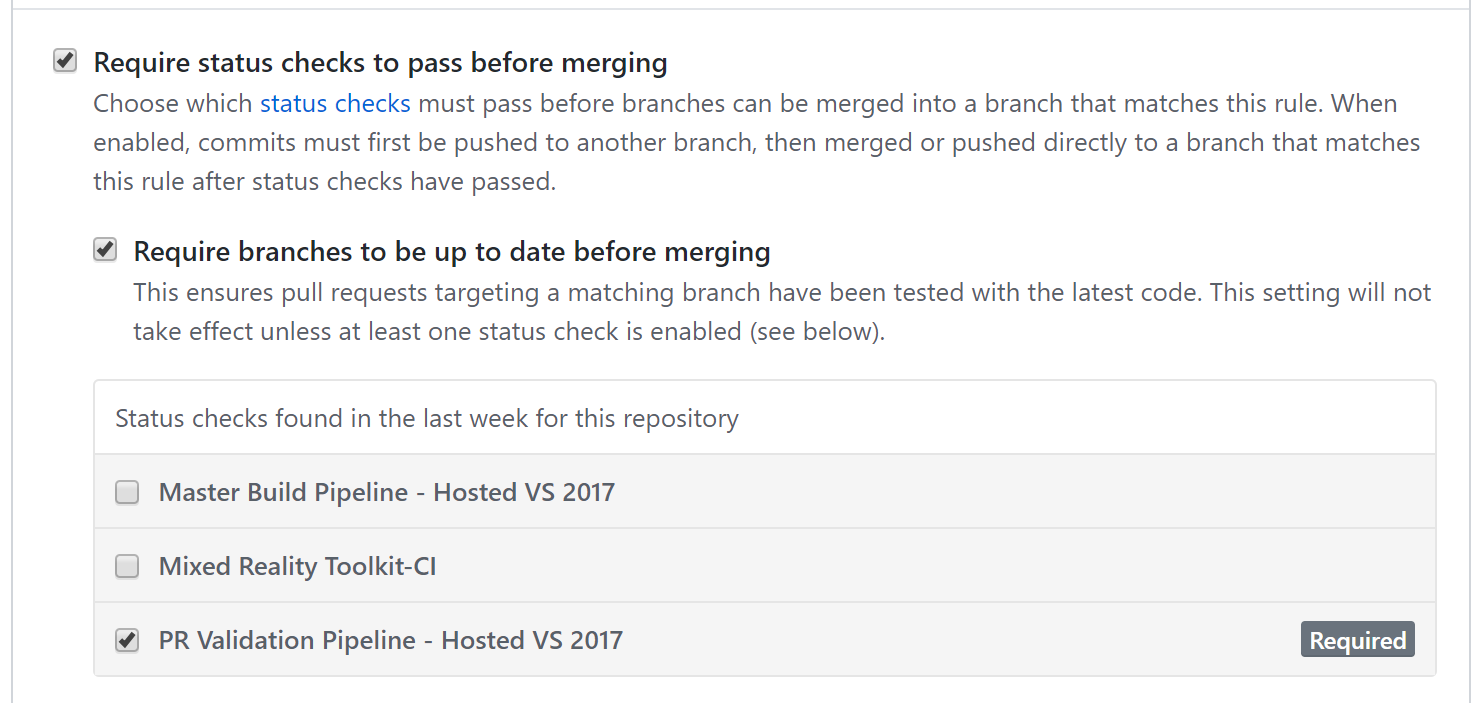
When integrating pull request triggers in GitHub with path filters, the build is never started, which prevents the required status check from passing.
If the branch policy includes a required pipeline status check, then it'll be impossible for the pull request to be completed because the build is never triggered and status is never updated.


Document Details
⚠ Do not edit this section. It is required for docs.microsoft.com ➟ GitHub issue linking.
- ID: bfba9a21-e0f9-4fc6-43fc-bfdc51af31d3
- Version Independent ID: d93c7852-ce63-a6d0-417a-45f8cf2fc522
- Content: Build GitHub repositories - Azure Pipelines
- Content Source: docs/pipelines/repos/github.md
- Product: devops
- GitHub Login: @DavidStaheli
- Microsoft Alias: dastahel
 StephenHodgson
All 10 comments
Hi @StephenHodgson. Thank you for reporting this and apologies for the trouble of it. We just began a new sprint in which we plan to address this by reporting a status of Neutral when the pipeline is skipped because of branch/path filters. However, GitHub only supports the Neutral status when your pipeline uses the Azure Pipelines GitHub App. If your pipeline is based on your identity's OAuth or a personal access token, the Neutral status isn't supported. Please let me know if we can help ensure you're set up to use the GitHub App. This improvement should be available once it reaches all rings of production in mid-April.
 davidstaheli
on 18 Feb 2019
davidstaheli
on 18 Feb 2019
@DavidStaheli any update on this?
StephenHodgson
on 25 Apr 2019
This work has been completed. Please reopen if there are any additional concerns.
davidstaheli
on 5 Jul 2019
How can you make an Azure DevOps pipeline publish a neutral status when it's not triggered because of path filter ? Actually my pipeline is just not only triggered and none status is published back to GitHub.
 ghost
on 12 Feb 2020
ghost
on 12 Feb 2020
Hi @davidstaheli
I am having the same issue, even worse - the builds configured as "Required" are not started at all and remain with "Expected — Waiting for status to be reported" status if there a PR path filter in the build YAML file.
I've double verified that the pipeline uses Azure Pipelines GitHub App connection.
Can you please advise?
 Koshak118
on 19 Apr 2020
Koshak118
on 19 Apr 2020
@davidstaheli
The Neutral status does not appear to be working for me. The project has a service connection using the Pipelines app. I have the following path filters on a PR validation trigger:
- exclude
.github/ - exclude
README.md
The pipeline is correctly not triggered, but the status remains Expected — Waiting for status to be reported in GitHub, blocking the merge.
 EvanMulawski
on 16 Jul 2020
EvanMulawski
on 16 Jul 2020
@davidstaheli I have a bunch of existing "classic" pipelines. I have just installed the DevOps app for GitHub. How do I hook up my existing pipelines to use the app so I can get the neutral status integration? Thanks in advance
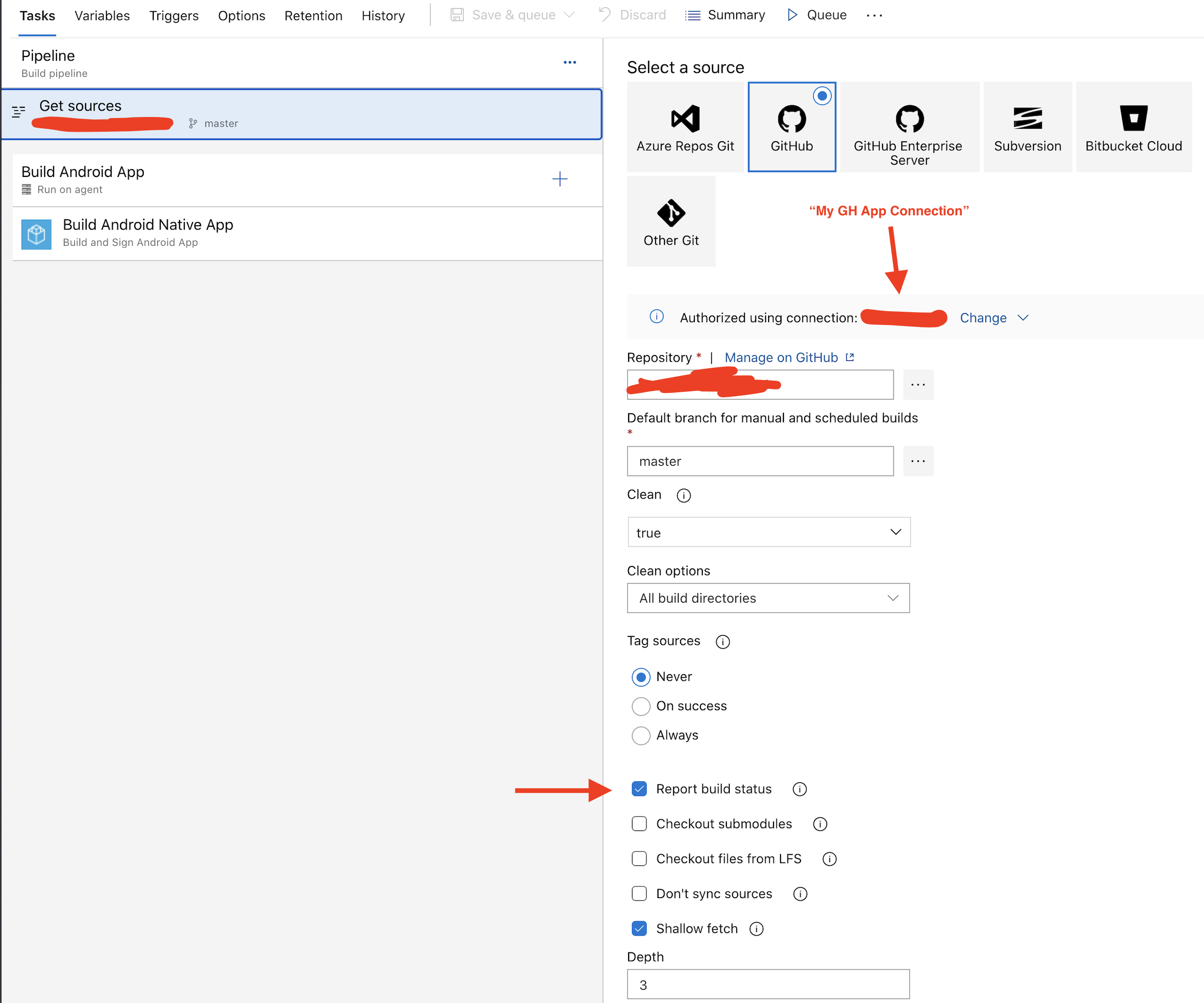
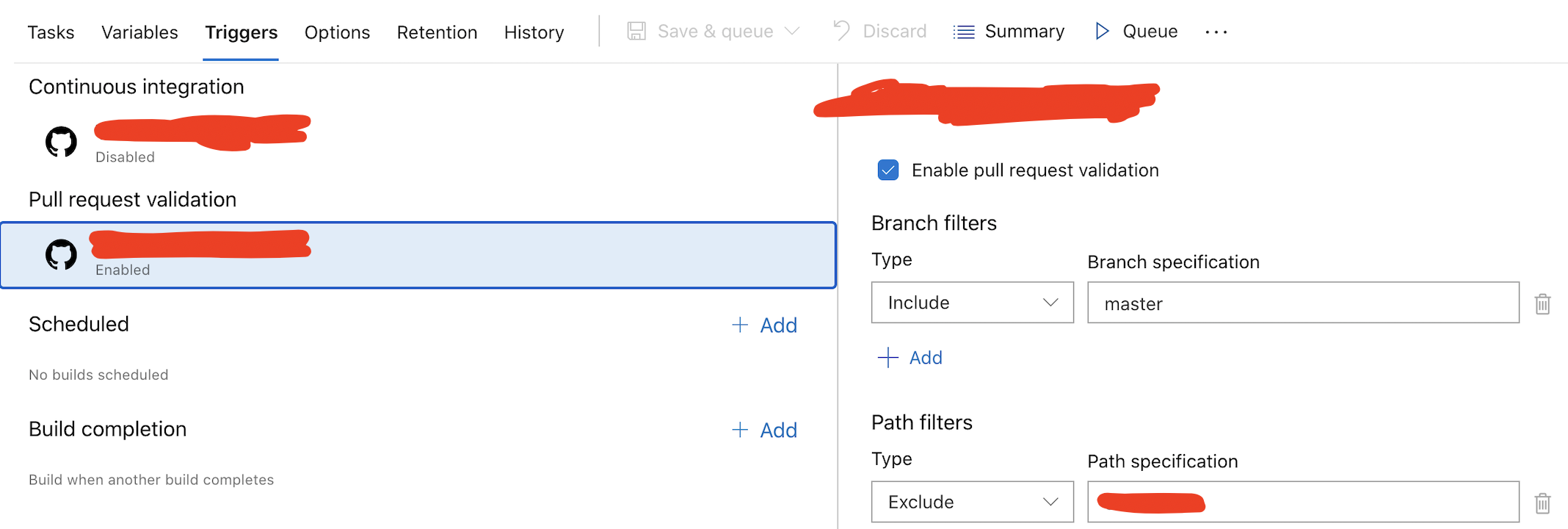
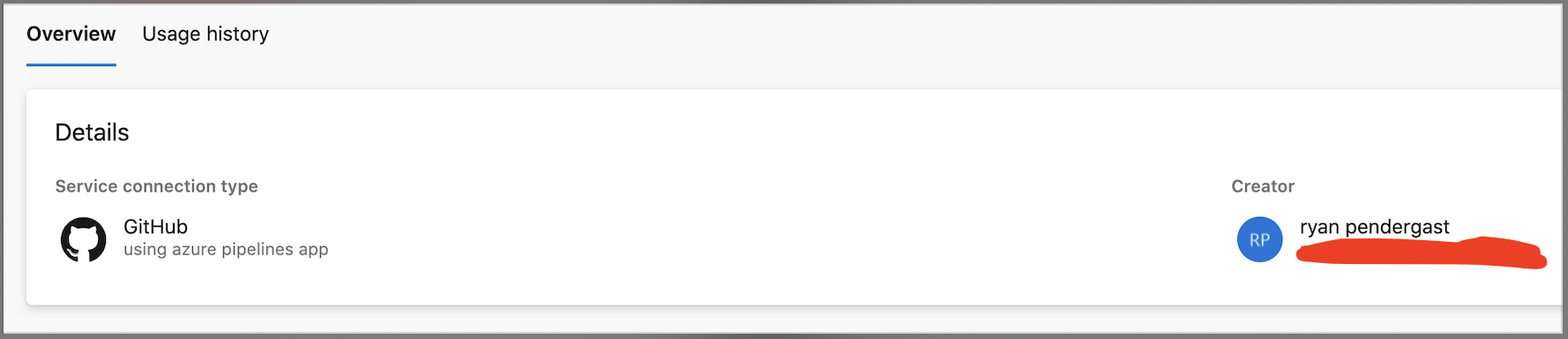
Update: I think I found how to convert existing classic pipelines to use the GH app, however it is still not working for me. When I push to my PR branch a change that gets filtered out (by my "Path Filters") it never reports back. Whats even more strange is in this scenario I see no activity under the "Usage history" tab of my "Azure pipelines app" service connection. its like somehow DevOps knows the pipeline should not run, but its not using my GH app connection and even worse its not reporting back a status of Neutral.
Note: If I manually kick off this pipeline from DevOps it uses the connection.
Here is my config (again I'm using classic)
Pipeline
Pipeline trigger:
Service connection ("MY GH App connection")
 rynop
on 4 Aug 2020
rynop
on 4 Aug 2020
This still doesn't work. Status remains as Expected — Waiting for status to be reported when PR pipeline is configured not to run on specified paths.
 pjivers-bom
on 27 Oct 2020
pjivers-bom
on 27 Oct 2020
Same problem here, using Azure Pipelines App and yml pipeline files. Whould be a useful feature though.
 bodnarkevin
on 15 Nov 2020
bodnarkevin
on 15 Nov 2020
@davidstaheli can you clarify what how I should need to configure things to make it send "neutral"? I'm using the app, but my PRs are showing "Expected - waiting for status to be reported" for the builds that don't run due to the PR not containing any changes to the paths the build is triggered on.
 jorupp
on 30 Dec 2020
jorupp
on 30 Dec 2020
Related issues
 KacperMucha
·
3Comments
KacperMucha
·
3Comments
 anlatsko
·
3Comments
anlatsko
·
3Comments
 atrauzzi
·
3Comments
atrauzzi
·
3Comments
 kieronlanning
·
3Comments
kieronlanning
·
3Comments
 letmaik
·
3Comments
letmaik
·
3Comments
Most helpful comment
Hi @StephenHodgson. Thank you for reporting this and apologies for the trouble of it. We just began a new sprint in which we plan to address this by reporting a status of
Neutralwhen the pipeline is skipped because of branch/path filters. However, GitHub only supports theNeutralstatus when your pipeline uses the Azure Pipelines GitHub App. If your pipeline is based on your identity's OAuth or a personal access token, theNeutralstatus isn't supported. Please let me know if we can help ensure you're set up to use the GitHub App. This improvement should be available once it reaches all rings of production in mid-April.