Azuracast: Help me code currentsong
I need to display the current song by playing on the radio, on my web site
http://stream.geracaoradios.com:8000/currentsong?sid=1
Does anyone have any code to share?
html code
 Rafaelrds2017
All 30 comments
Hi,
You can check the api documentation and look for /station/{station_id} : http://stream.geracaoradios.com/static/api/index.html
Then, with few line of javascript you can request the api with the station id and you'll get a response with the current song and much more info.
Finally you push this infos to your html code.
Best,
 oussamatn
on 27 Jun 2019
oussamatn
on 27 Jun 2019
OK thank you. But I'm not a programmer. I will try to research how I do this.
Oi,
Você pode verificar a documentação da API e procurar por / station / {station_id}: http://stream.geracaoradios.com/static/api/index.html
Então, com poucas linhas de javascript você pode solicitar a API com o id da estação e você receberá uma resposta com a música atual e muito mais informações.
Finalmente você empurra este infos para o seu código html.melhor,
OK thank you. But I'm not a programmer. I will try to research how I do this.
Rafaelrds2017
on 27 Jun 2019
Some tips on how to search for this on Google:
javascript ajax get request,
javascript set text to element
Try to use answers that come from the website StackOverflow as that is what most programmers use when they search for help.
You can also use a library called jQuery to do the AJAX part and the setting of the text to an element. Most websites use that library anyways and in general I found the syntax of jQuery functions are easier to understand for beginners.
 Vaalyn
on 27 Jun 2019
Vaalyn
on 27 Jun 2019
@Rafaelrds2017 If your server supports php, I could write up a quick script for you using the API. I do it for my station already. :)
 adwinter
on 9 Jul 2019
adwinter
on 9 Jul 2019
@ Rafaelrds2017 Se o seu servidor suporta php, eu poderia escrever um script rápido para você usando a API. Eu faço isso pela minha estação já. :)
Hello, thanks. I really need help.
Well my site is in digital ocean, and in CentOS Web Panel (CWP7)
I make changes to it in Wordpress via plugin Elementor Pro
Rafaelrds2017
on 9 Jul 2019
@Rafaelrds2017 Ok, so in your HTML code, where you want the currently playing song to appear, paste in the following code:
<?php
$json = file_get_contents('http://stream.geracaoradios.com/api/nowplaying/1');
$obj = json_decode($json, true);
$nowplaying = $obj["now_playing"]["song"]["artist"] . " - " . $obj["now_playing"]["song"]["title"];
echo $nowplaying;
?>
Hope this works for you. Enjoy.
adwinter
on 9 Jul 2019
@ Rafaelrds2017 Ok, então no seu código HTML, onde você quer que a música que está tocando seja exibida, cole o seguinte código:
<?php
$json = file_get_contents('http://stream.geracaoradios.com/api/nowplaying/1');
$obj = json_decode($json, true);
$nowplaying = $obj["now_playing"]["song"]["artist"] . " - " . $obj["now_playing"]["song"]["title"];
echo $nowplaying;
?>
Espero que funcione para voce. Apreciar.
Rafaelrds2017
on 9 Jul 2019
@ Rafaelrds2017 Ok, então no seu código HTML, onde você quer que a música que está tocando seja exibida, cole o seguinte código:
<?php
$json = file_get_contents('http://stream.geracaoradios.com/api/nowplaying/1');
$obj = json_decode($json, true);
$nowplaying = $obj["now_playing"]["song"]["artist"] . " - " . $obj["now_playing"]["song"]["title"];
echo $nowplaying;
?>
Espero que funcione para voce. Apreciar.
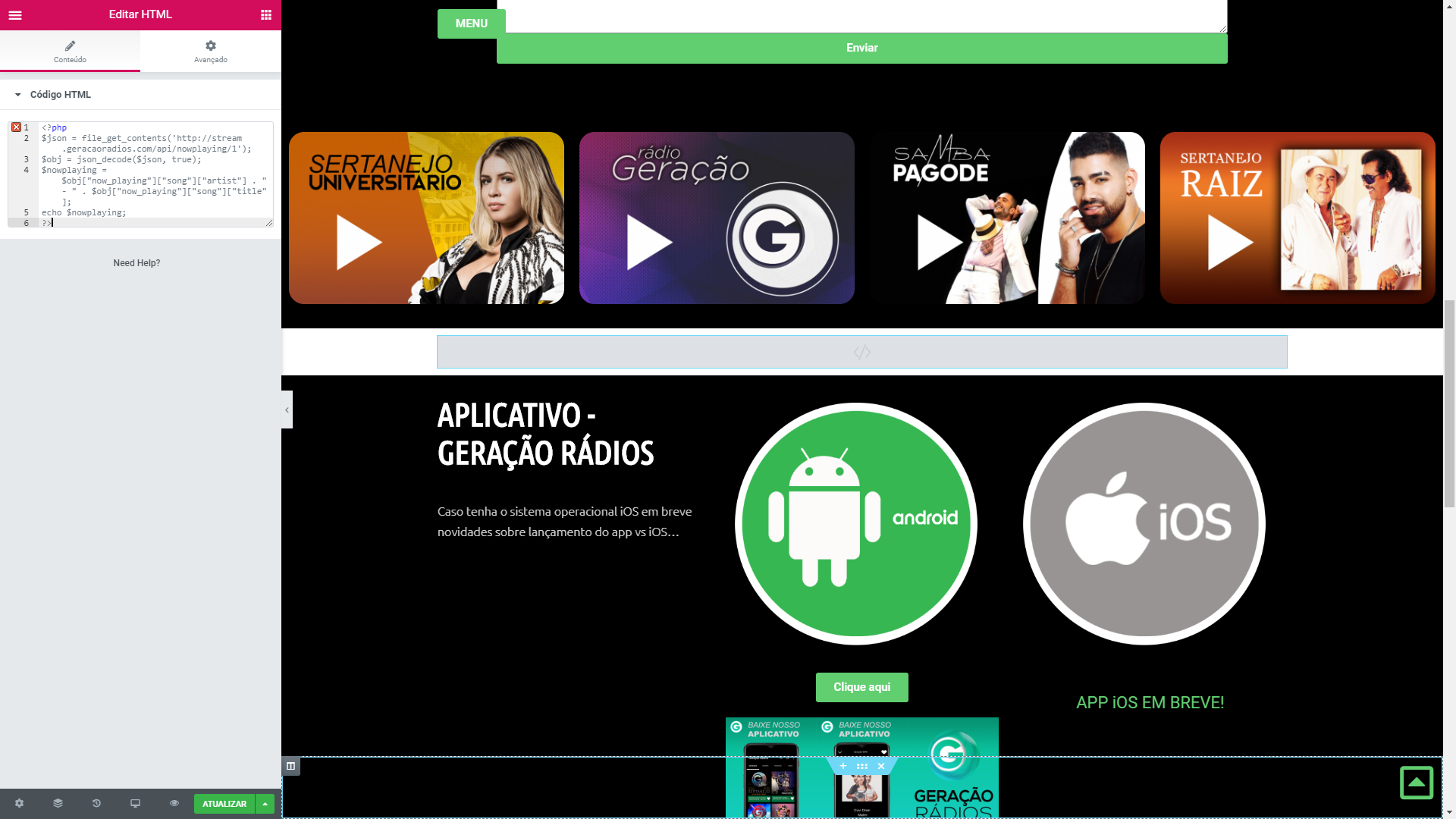
Does not display anything. see the attached image.
Did I do something wrong?
Rafaelrds2017
on 9 Jul 2019
Sorry I missed the first time that you are using Wordpress and Elementor Pro.
This really restricts what you can do because Elementor Pro does DOES NOT support PHP in their widgets citing its a security risk.
You can still do it, but you'll need additional Wordpress plugins to generate a shortcut code to the script.
Not sure how comfortable you are with plugins and shortcodes -- probably too much off-topic for this forum...
Briefly, if you use a plugin like https://wordpress.org/plugins/insert-php-code-snippet/
And insert the following code into that, then use the shortcode it gives you in Elementor Pro.
<?php
$widget_width = 200;
$json = file_get_contents('http://stream.geracaoradios.com/api/nowplaying/1');
$obj = json_decode($json, true);
echo "<img src=\"" . $obj["now_playing"]["song"]["art"] . "\" style=\"width:" . $widget_width . "px;\"><br /><div style=\"font-family:sans-serif;font-size:13px;width:" . $widget_width . "px;text-align:center;\">";
$nowplaying = $obj["now_playing"]["song"]["artist"] . "<br />" . $obj["now_playing"]["song"]["title"];
echo $nowplaying;
?>
Adjust the 200 in the script to whatever width you need, and it will display your album art too.
Good luck.
adwinter
on 9 Jul 2019
Sorry I missed the first time that you are using Wordpress and Elementor Pro.
This really restricts what you can do because Elementor Pro does DOES NOT support PHP in their widgets citing its a security risk.You can still do it, but you'll need additional Wordpress plugins to generate a shortcut code to the script.
Not sure how comfortable you are with plugins and shortcodes -- probably too much off-topic for this forum...Briefly, if you use a plugin like https://wordpress.org/plugins/insert-php-code-snippet/
And insert the following code into that, then use the shortcode it gives you in Elementor Pro.<?php $widget_width = 200; $json = file_get_contents('http://stream.geracaoradios.com/api/nowplaying/1'); $obj = json_decode($json, true); echo "<img src=\"" . $obj["now_playing"]["song"]["art"] . "\" style=\"width:" . $widget_width . "px;\"><br /><div style=\"font-family:sans-serif;font-size:13px;width:" . $widget_width . "px;text-align:center;\">"; $nowplaying = $obj["now_playing"]["song"]["artist"] . "<br />" . $obj["now_playing"]["song"]["title"]; echo $nowplaying; ?>Adjust the 200 in the script to whatever width you need, and it will display your album art too.
Good luck.
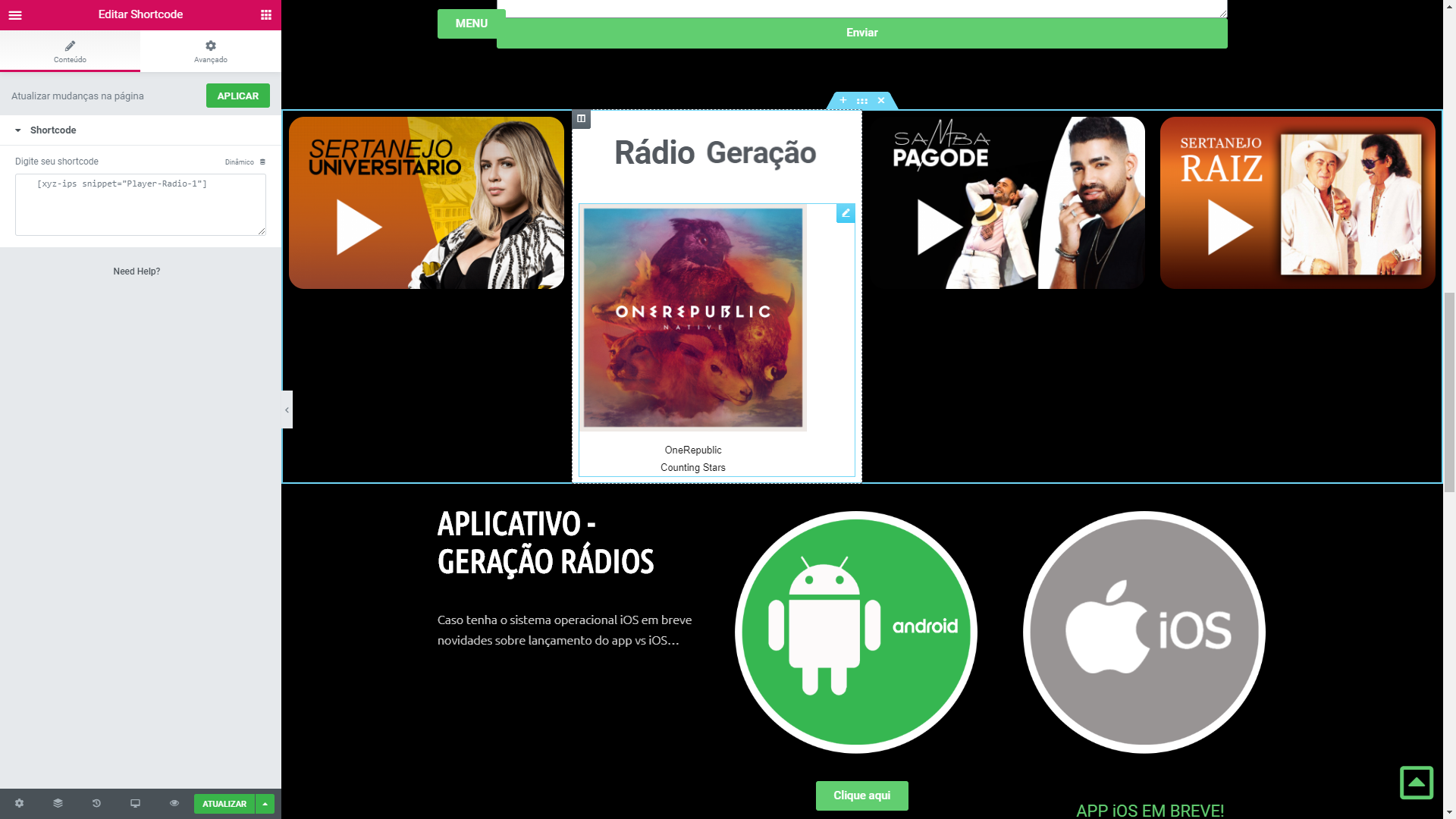
Thank you very much.
Is it possible to change the font color?
Yes this really worked
Rafaelrds2017
on 9 Jul 2019
Replace above with this.. and you can change the text color too. :)
<?php
$widget_width = 200;
$text_color = #000000;
$json = file_get_contents('http://stream.geracaoradios.com/api/nowplaying/1');
$obj = json_decode($json, true);
echo "<img src=\"" . $obj["now_playing"]["song"]["art"] . "\" style=\"width:" . $widget_width . "px;\"><br /><div style=\"color:" . $text_color . ";font-family:sans-serif;font-size:13px;width:" . $widget_width . "px;text-align:center;\">";
$nowplaying = $obj["now_playing"]["song"]["artist"] . "<br />" . $obj["now_playing"]["song"]["title"];
echo $nowplaying;
?>
the line "text-color" -- change it to the hex value you want #000000 being black.
adwinter
on 9 Jul 2019
$widget_width = 200;
$text_color = #000000;
$json = file_get_contents('http://stream.geracaoradios.com/api/nowplaying/1');
$obj = json_decode($json, true);
echo "";
$nowplaying = $obj["now_playing"]["song"]["artist"] . "
" . $obj["now_playing"]["song"]["title"];
echo $nowplaying;
?>Does not change color, but increases font size. But it helped a lot. I change the background color of my default theme.
In this code, is there any way to click on the cover, or name of the song and open another page from my own site?
$widget_width = 200;
$text_color = #FFFFFF;
$json = file_get_contents('http://stream.geracaoradios.com/api/nowplaying/1');
$obj = json_decode($json, true);
echo "";
$nowplaying = $obj["now_playing"]["song"]["artist"] . "
" . $obj["now_playing"]["song"]["title"];
echo $nowplaying;
?>
If you know how to say thank you.
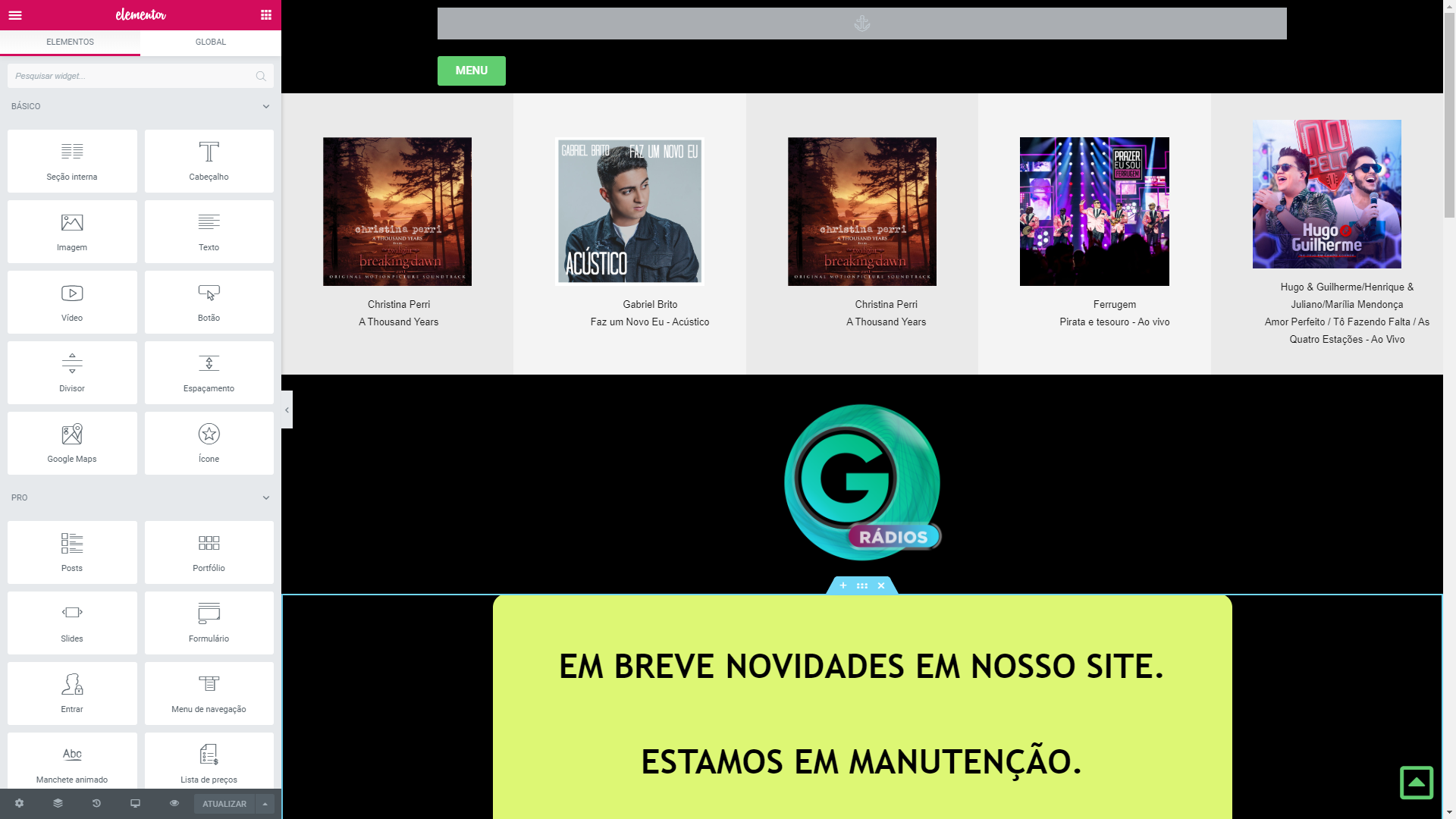
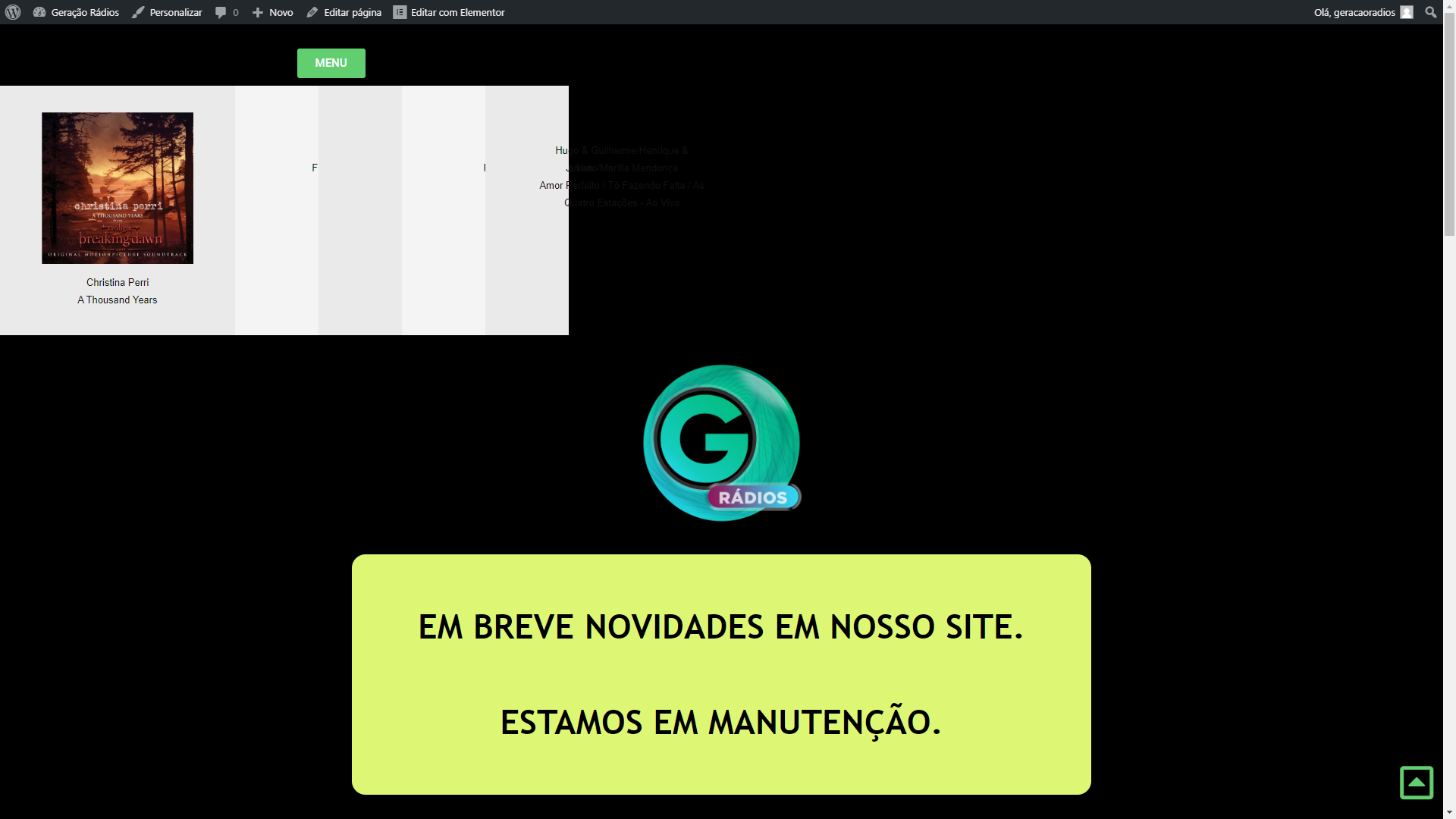
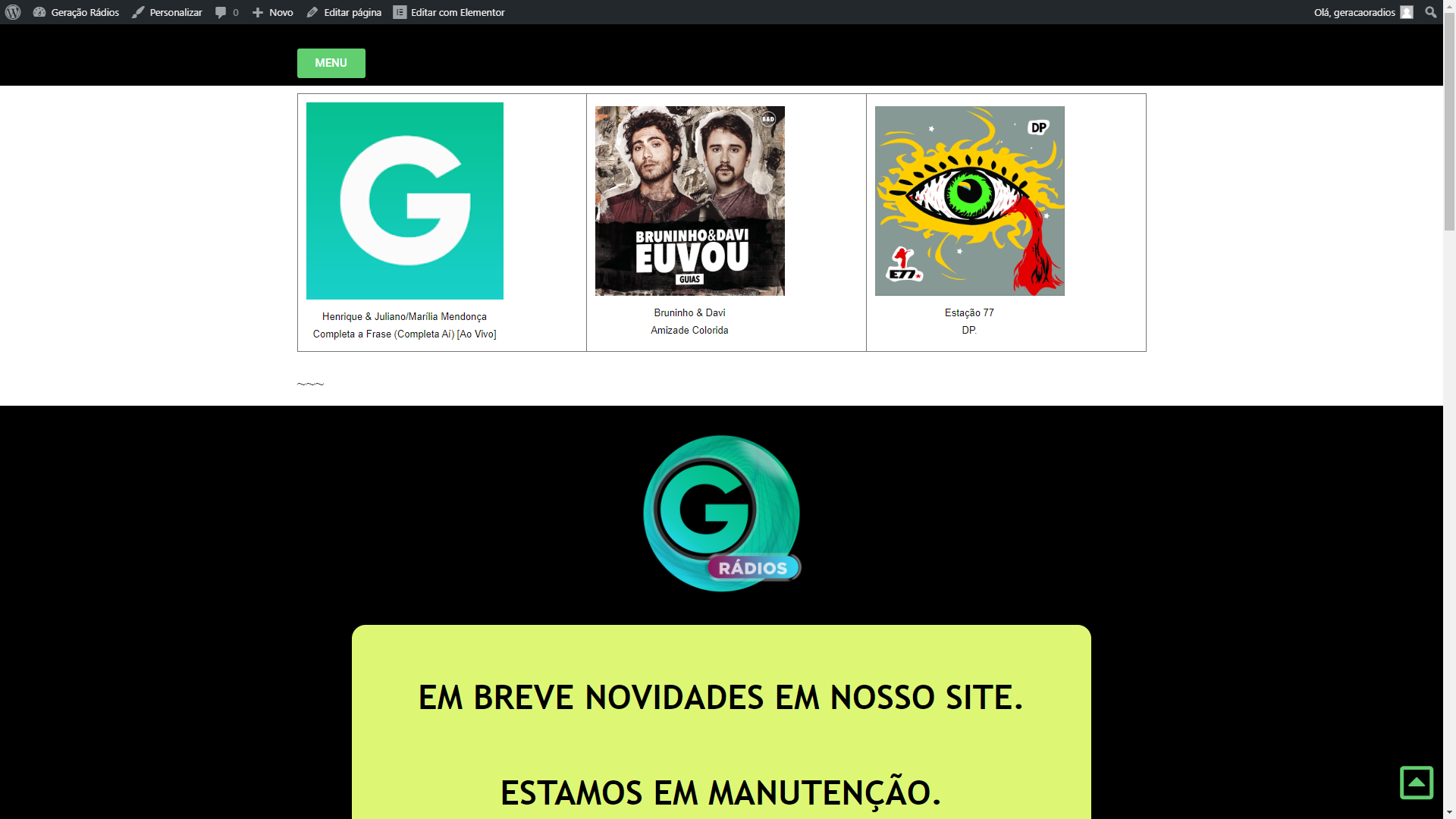
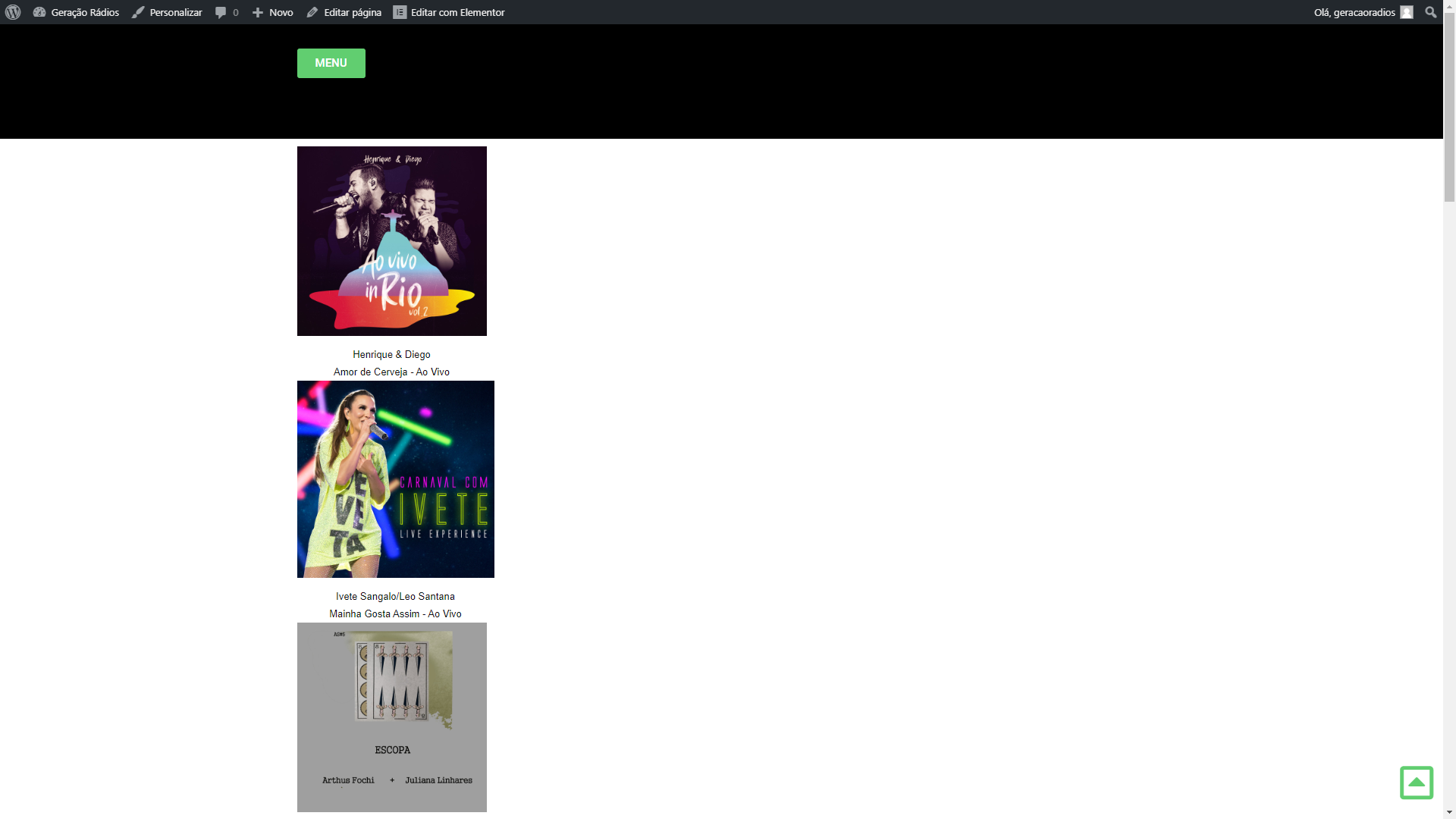
In the images above, the first one is normal when I display a side-by-side code.
But when I access the updated page in the browser, everything appears jumbled, as in the second image. In the elemental already I tried to configure almost everything, and it does not improve. I can only put one below the other. now side by side. I can not
Would it be a problem in the code, or in wordpress?
I don't know enough about Elementor Pro to really diagnose why that is... but you could try inserting it using "Insert HTML" all at once in a table? Create a separate shortcode for each of your stations, and them encase them in an HTML table.
<table>
<tr>
<td>
[radio_station_1_shortcode]
</td>
<td>
[radio_station_2_shortcode]
</td>
<td>
[radio_station_3_shortcode]
</td>
</tr>
</table>
Have that all in one "Insert HTML" element, which could force it horizontal.. Unfortunately its just a guess though because I don't use Elementor Pro. Good luck.
Ok I'll try to do this.
I do not understand about code. but you've helped enough. I'm gratefulObter o Outlook para iOShttps://aka.ms/o0ukef
De: Andrew Winter notifications@github.com
Enviado: Tuesday, July 9, 2019 1:02:49 AM
Para: AzuraCast/AzuraCast
Cc: Rafael Rodrigues; Mention
Assunto: Re: [AzuraCast/AzuraCast] Help me code currentsong (#1699)I don't know enough about Elementor Pro to really diagnose why that is... but you could try inserting it using "Insert HTML" all at once in a table? Create a separate shortcode for each of your stations, and them encase them in an HTML table.
[radio_station_1_shortcode] [radio_station_2_shortcode] [radio_station_3_shortcode] ~~~
Have that all in one "Insert HTML" element, which could force it horizontal.. Unfortunately its just a guess though because I don't use Elementor Pro. Good luck.
—
You are receiving this because you were mentioned.
Reply to this email directly, view it on GitHubhttps://github.com/AzuraCast/AzuraCast/issues/1699?email_source=notifications&email_token=AHS2JT32Z2QHZJZJ56E4SG3P6QEWTA5CNFSM4H3ARIS2YY3PNVWWK3TUL52HS4DFVREXG43VMVBW63LNMVXHJKTDN5WW2ZLOORPWSZGODZPAKBQ#issuecomment-509478150, or mute the threadhttps://github.com/notifications/unsubscribe-auth/AHS2JT76WXH43UF6GA6Q2ILP6QEWTANCNFSM4H3ARISQ.
I used this code that you suggested, it was super sure. I just need to improve on the mobile version. He is not responsive on the mobile.Do you have any rules there, so he can be responsive and adapt the screen of the cell phone?
I'm certainly not an expert at adaptive websites. I'm not sure what this would do without testing it, but maybe we could use
<div>tags instead of a<table>. Something like:<div style="float:left;width:200px;"> [radio_station_1_shortcode] </div> <div style="float:left;width:200px;"> [radio_station_2_shortcode] </div> <div style="float:left;width:200px;"> [radio_station_3_shortcode] </div>Honestly, this is just a guess -- but I think the theory is that if the "mobile" version is too narrow, it will put the next code on the next line. Not sure how you can keep them centered - I'm sure there is a way - but I'm definitely not that great at CSS coding. Hope this helps.
Andrew
On mobile it worked. but the web stays one below the other. BUT I WILL TRY TO APPLY VIA POPUP.I appreciate your help! THANK YOU VERY MUCH
Glad I could help. You are definitely close now -- just gotta play with the HTML/CSS settings to make it work right. Good Luck.
Andrew
Hello, I was able to customize the site. It was top. Thanks for your help.Coming back in this code below, were we able to update information faster? Is there any rule for this?
Information like current music and album cover, it takes time to update.
$widget_width = 200;
$json = file_get_contents('http://stream.geracaoradios.com/api/nowplaying/1');
$obj = json_decode($json, true);
echo "";
$nowplaying = $obj["now_playing"]["song"]["artist"] . "
" . $obj["now_playing"]["song"]["title"];
echo $nowplaying;
?>The code doesnt automatically update. It only will on a page refresh. To dynamically change the album art and now playing song is a lot more work and may not even be functional within your wordpress constraints.
Next song was removed from the API in the last update so you wont be able to get next song functionality unless you use an old version.
Song history can be done using the API too, but again if you want it to update automatically it's more work and I have doubts whether it would work in a wordpress widget like you have.
I use scripts to do this for my station.. but they will lot work in wordpress.
👍2O código não é atualizado automaticamente. Só vai em uma atualização de página. Mudar dinamicamente a arte do álbum e agora tocar música é muito mais trabalhoso e pode até não ser funcional dentro de suas restrições de wordpress.
A próxima música foi removida da API na última atualização para que você não consiga obter a próxima funcionalidade de música, a menos que você use uma versão antiga.
O histórico de músicas também pode ser feito usando a API, mas, novamente, se você quiser atualizá-lo automaticamente, é mais trabalhoso e tenho dúvidas se ele funcionaria em um widget de wordpress como o seu.
Eu uso scripts para fazer isso para a minha estação .. mas eles vão trabalhar muito no wordpress.
It's all right. Thank you for your attention.
Ive Tried Doing everything here but its not doing what i'm expecting it to do i have phpbb3 with phpbb site builder installed allowing me to build blocks kinda like a cms website Basically i want to build two blocks using raw html to show my two stations using the api url http://darkphystgaming.com:81/api/nowplaying or the http://darkphystgaming.com:81/api/nowplaying/1 as the api says it does show who is streaming if one of my authorized streamers are live kinda wanting to build and on air block shows if and whos online and if no one is streaming it shows the auto dj songs playing
gothicdude1044 on 10 Aug 2019
@gothicdude1044 If your site builder supports custom HTML and JS you should be able to get this working. In general you'll need to define your HTML so that it looks like how you expect it to look like. This can be done statically without having to call the API just so that your frontend is already ready to be populated with data from the API. Then you'll want to add some JS to regularly call the API and update the HTML with some values from the JSON response.
For querying the API we've added a page in the
For Developerssection on the website with some code snippets that could help you on the JS / API part.That's the part I don't understand I'm ok with regular html but json is foreign to me especially trying to take the response from the api to update that and I've never scripted in js and I tried running php inside the html headers before no love from it so I'm stumped and hours of Google searching and reading tutorials and watching them its like use Ajax to run this then create java objects and have it pull the info from the response and im like uuuuuhhhhhh it's a foreign language to me html ok and php I can muster thru but trying to write a custom js to incorporate the json objects in not that good.
Get Outlook for Androidhttps://aka.ms/ghei36
From: Vaalyn notifications@github.com
Sent: Saturday, August 10, 2019 6:10:05 AM
To: AzuraCast/AzuraCast AzuraCast@noreply.github.com
Cc: gothicdude1044 pendleton_37@hotmail.com; Mention mention@noreply.github.com
Subject: Re: [AzuraCast/AzuraCast] Help me code currentsong (#1699)@gothicdude1044https://github.com/gothicdude1044 If your site builder supports custom HTML and JS you should be able to get this working. In general you'll need to define your HTML so that it looks like how you expect it to look like. This can be done statically without having to call the API just so that your frontend is already ready to be populated with data from the API. Then you'll want to add some JS to regularly call the API and update the HTML with some values from the JSON response.
For querying the API we've added a page in the For Developershttps://www.azuracast.com/developers/nowplaying.html#standard-now-playing-api section on the website with some code snippets that could help you on the JS / API part.
—
You are receiving this because you were mentioned.
Reply to this email directly, view it on GitHubhttps://github.com/AzuraCast/AzuraCast/issues/1699?email_source=notifications&email_token=AAI6KBKD4CQ43CY7KT2YZWLQD2HX3A5CNFSM4H3ARIS2YY3PNVWWK3TUL52HS4DFVREXG43VMVBW63LNMVXHJKTDN5WW2ZLOORPWSZGOD4AKQTA#issuecomment-520136780, or mute the threadhttps://github.com/notifications/unsubscribe-auth/AAI6KBLD5UWURMHICX4D23TQD2HX3ANCNFSM4H3ARISQ.@gothicdude1044 I'm gonna write on issue #1830 now to help you figure that part out.
This issue has been automatically marked as stale because it has not had recent activity. It will be closed if no further activity occurs. Thank you for your contributions.
stale[bot] on 9 Oct 2019
Was this page helpful?0 / 5 - 0 ratings

Related issues
oussamatn
·
3Comments
 susl16c
·
3Comments
susl16c
·
3Comments
 TogarUshindi
·
3Comments
Rafaelrds2017
·
3Comments
TogarUshindi
·
3Comments
Rafaelrds2017
·
3Comments
 Tolarion
·
4Comments
Tolarion
·
4Comments
Most helpful comment
The code doesnt automatically update. It only will on a page refresh. To dynamically change the album art and now playing song is a lot more work and may not even be functional within your wordpress constraints.
Next song was removed from the API in the last update so you wont be able to get next song functionality unless you use an old version.
Song history can be done using the API too, but again if you want it to update automatically it's more work and I have doubts whether it would work in a wordpress widget like you have.
I use scripts to do this for my station.. but they will lot work in wordpress.