Azuracast: How does mount points work?
How does mount point work?
I add mount points with diferent quality 32bits, 64bits, 128bits
Now I would like to know how does it work, efter add this these points what do I have to do to these points work?
Do users have to select tht desire point or it is selected automatically?
 7miguelsilva7
All 8 comments
See this excerpt from the IceCast documentation:
Each Icecast server can house multiple broadcasts (or mountpoints) each containing a separate stream of content. A ‘mountpoint’ is a unique name on your server identifying a particular stream - it looks like a filename, such as ‘/stream.ogg’. A listener can only listen to a single mountpoint at a time. This means you can have a single Icecast server contain either multiple broadcasts with different content, or possibly the same broadcast but with streams of different bitrates or qualities. In this case each broadcast or stream is a separate mountpoint.
When using your own media player you'll have to decide which mountpoint to connect to. When using the included player on the public page of a station or the embed widget there is a dropdown where you can choose which mountpoint you want to listen.
 Vaalyn
on 3 Jun 2019
Vaalyn
on 3 Jun 2019
How does mount point work?
I add mount points with diferent quality 32bits, 64bits, 128bits
Now I would like to know how does it work, efter add this these points what do I have to do to these points work?
Do users have to select tht desire point or it is selected automatically?
As far as I know, you can play different sounds/music in each mount point.
ex. mount point 1 plays only the AutoDJ songs while mount point 2 can be a live broadcasting relay...
 ErnestPH
on 4 Jun 2019
ErnestPH
on 4 Jun 2019
When using your own media player you'll have to decide which mountpoint to connect to. When using the included player on the public page of a station or the embed widget there is a dropdown where you can choose which mountpoint you want to listen.
@Vaalyn Dropdown where you can choose which mountpoint you want to listen it isn't showed on the public page of a station
7miguelsilva7
on 5 Jun 2019
@7miguelsilva7 Yes it is:
Vaalyn
on 5 Jun 2019
No, in my public page it is not showed
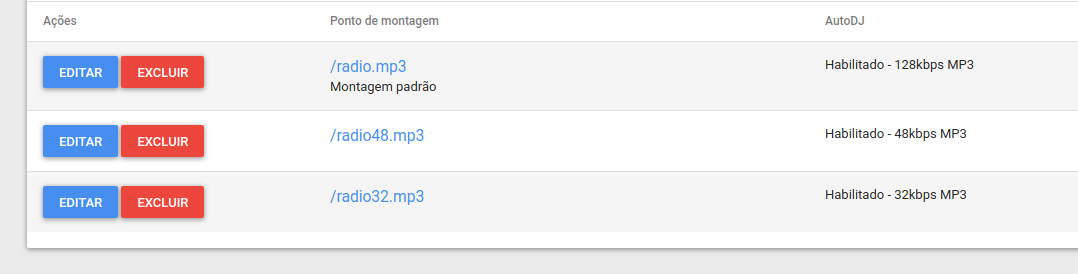
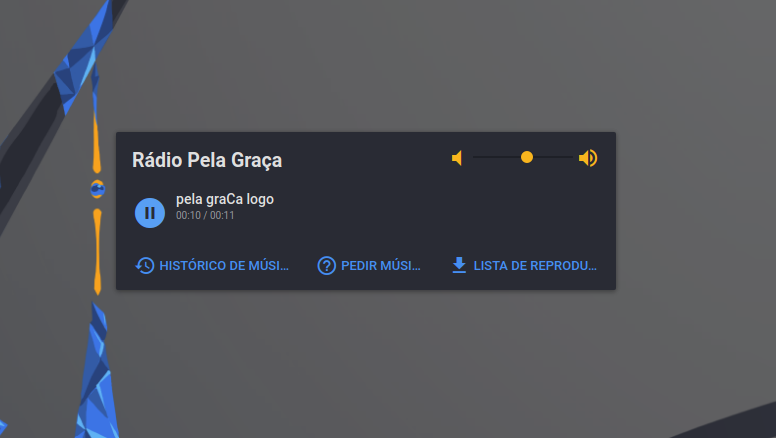
7miguelsilva7
on 6 Jun 2019
@7miguelsilva7 You are not using the newest rolling-release version of AzuraCast. Update your installation and the dropdown will be there.
Vaalyn
on 6 Jun 2019
Thanks!
7miguelsilva7
on 6 Jun 2019
Thanks!
👍 I'll close this issue now. If you have any further questions feel free to ask.
Vaalyn
on 6 Jun 2019
Related issues
Vaalyn
·
4Comments
 Yusadolat
·
3Comments
Yusadolat
·
3Comments
 hecgua
·
3Comments
hecgua
·
3Comments
 adamderann
·
4Comments
adamderann
·
4Comments
 verdantsquare
·
3Comments
verdantsquare
·
3Comments