Azuracast: To access MYSQL and the same hidden folder AzuraCast
Installation method
Docker
Host OS (for Docker installations)
Debian Stretch [9.0]
1.Hi I need to access to the MYSQL, can you give me a way to get the host, port, username and password please?
- No folders in the path /var/
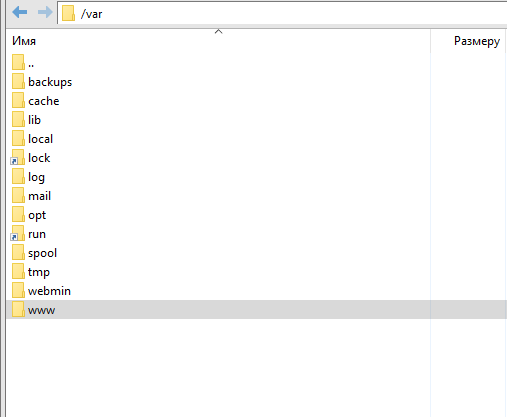
 Silence02
All 6 comments
@Silence02 I think this may help you: https://github.com/AzuraCast/AzuraCast/issues/266
 adwinter
on 16 Feb 2019
adwinter
on 16 Feb 2019
@adwinter No file docker-compose.debug.yml
Silence02
on 16 Feb 2019
@Silence02 By default you can't access the DB from outside of the docker network since no port is routed to the outside. You can create a file with the name docker-compose.override.yml in the same folder were the docker-compose.yml is located. In that file you can add additional parameters for the docker containers such as port forwarding.
Beware though that the default DB username and password are not secure if the database is accessible from the outside.
The details like port, pw, username can be found in the azuracast.env file.
When you make your DB available from the outside you need to change your password to keep your DB access secure. You'll need to change the password of the user in the DB and in the azuracast.env file.
Can you elaborate what you are searching for exactly in the /var directory?
 Vaalyn
on 16 Feb 2019
Vaalyn
on 16 Feb 2019
@Vaalyn Thanks.
In the /var directory should be owned by AzuraCast files Where are stored the log files of the site
Silence02
on 16 Feb 2019
@Silence02 The files of your AzuraCast instance will be located in the docker volumes directory. It can be found at /var/lib/docker/volumes. There you can find all azuracast_* directories. The azuracast_station_data will contain your stations data folders where you will find a config directory in each station. This directory contains the log files.
You can also view your stations logs via the web interface at Utilities -> Log Viewer and the applications logs can be found in the System Administration -> System Logs
Vaalyn
on 16 Feb 2019
Thanks
Silence02
on 17 Feb 2019
Related issues
Vaalyn
·
4Comments
 TogarUshindi
·
3Comments
TogarUshindi
·
3Comments
 susl16c
·
3Comments
susl16c
·
3Comments
 ErnestPH
·
3Comments
ErnestPH
·
3Comments
 adamderann
·
4Comments
adamderann
·
4Comments