Azuracast: ShoutCast "Now Playing" Problem
Traditional Installation
Ubuntu 18.04.1 LTS
Installation Time: Today
Describe the bug
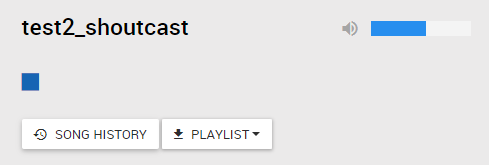
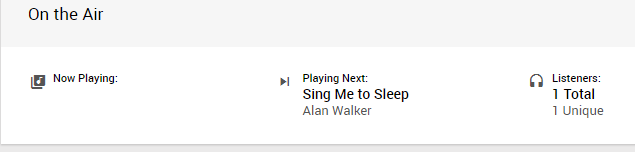
ShoutCast does not seem to be playing songs and past songs on the station.
 djmuratb
All 6 comments
@djmuratb The test account you set up doesn't have mount point configuration permissions, but it's possible that this is caused by your default mount point having an empty path ("/"), instead of something like "/radio.mp3" that would distinctly identify it.
 SlvrEagle23
on 14 Aug 2018
SlvrEagle23
on 14 Aug 2018
I set permissions for the test account. You can log in.
djmuratb
on 14 Aug 2018
Statistics do not appear in the report section. I think it is related to this problem.
djmuratb
on 15 Aug 2018
@djmuratb Something is wrong with your ShoutCast configuration; it's not writing the configuration correctly to shoutcast, so the mount point names don't match and thus it isn't aware of anything that's playing.
Are you on Docker or Traditional? You may need to e-mail me details to look into the server itself.
SlvrEagle23
on 15 Aug 2018
@SlvrEagle23 I experienced this problem on the server I had set up before. So I did a clean, a traditional install. But I had the same problem again and decided to write here.
I will send you an email for server information.
djmuratb
on 15 Aug 2018
@djmuratb Update on the research yielded by looking into this:
Shoutcast will automatically ignore any mount point names that contain "reserved" paths, which correspond to the paths that Shoutcast itself uses (/admin, /listen.pls, /7.html, /statistics, etc) and will instead just ignore the stream path entirely. Unfortunately, AzuraCast depends on Shoutcast _not_ ignoring the stream path in order to match up the default mount point in its system with the one returned in Shoutcast's data. In this station's case, the error was with the mount point being named /listen.mp3, which includes the /listen reserved path name.
I've updated the Shoutcast mount point editor to automatically check for the most popular "reserved" paths; it will now fail to validate those names and will only allow names that don't contain them.
SlvrEagle23
on 15 Aug 2018
Related issues
 Vaalyn
·
4Comments
Vaalyn
·
4Comments
 verdantsquare
·
3Comments
verdantsquare
·
3Comments
 Yusadolat
·
3Comments
Yusadolat
·
3Comments
 hecgua
·
3Comments
hecgua
·
3Comments
 oussamatn
·
3Comments
oussamatn
·
3Comments
Most helpful comment
@djmuratb Update on the research yielded by looking into this:
Shoutcast will automatically ignore any mount point names that contain "reserved" paths, which correspond to the paths that Shoutcast itself uses (
/admin,/listen.pls,/7.html,/statistics, etc) and will instead just ignore the stream path entirely. Unfortunately, AzuraCast depends on Shoutcast _not_ ignoring the stream path in order to match up the default mount point in its system with the one returned in Shoutcast's data. In this station's case, the error was with the mount point being named/listen.mp3, which includes the/listenreserved path name.I've updated the Shoutcast mount point editor to automatically check for the most popular "reserved" paths; it will now fail to validate those names and will only allow names that don't contain them.