Installation method
"Traditional" installation method.
Host OS
Ubuntu 16.04,
Describe the bug
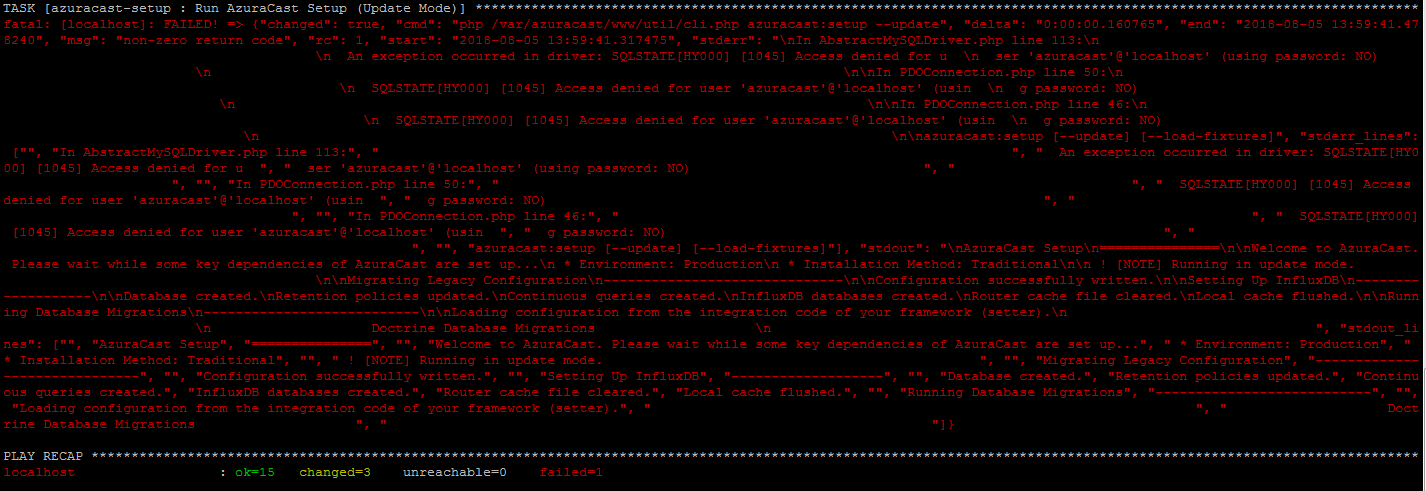
I updating my Traditional Installation method of my AzuraCast but I end up this error..
TASK [azuracast-setup : Run AzuraCast Setup (Update Mode)] **************************************
fatal: [localhost]: FAILED! => {"changed": true, "cmd": "php /var/azuracast/www/util/cli.php azuracast:setup --update", "delta": "0:00:00.160765", "end": "2018-08-05 13:59:41.478240", "msg": "non-zero return code", "rc": 1, "start": "2018-08-05 13:59:41.317475", "stderr": "\nIn AbstractMySQLDriver.php line 113:\n \n An exception occurred in driver: SQLSTATE[HY000] [1045] Access denied for u \n ser 'azuracast'@'localhost' (using password: NO) \n \n\nIn PDOConnection.php line 50:\n \n SQLSTATE[HY000] [1045] Access denied for user 'azuracast'@'localhost' (usin \n g password: NO) \n \n\nIn PDOConnection.php line 46:\n \n SQLSTATE[HY000] [1045] Access denied for user 'azuracast'@'localhost' (usin \n g password: NO) \n \n\nazuracast:setup [--update] [--load-fixtures]", "stderr_lines": ["", "In AbstractMySQLDriver.php line 113:", " ", " An exception occurred in driver: SQLSTATE[HY000] [1045] Access denied for u ", " ser 'azuracast'@'localhost' (using password: NO) ", " ", "", "In PDOConnection.php line 50:", " ", " SQLSTATE[HY000] [1045] Access denied for user 'azuracast'@'localhost' (usin ", " g password: NO) ", " ", "", "In PDOConnection.php line 46:", " ", " SQLSTATE[HY000] [1045] Access denied for user 'azuracast'@'localhost' (usin ", " g password: NO) ", " ", "", "azuracast:setup [--update] [--load-fixtures]"], "stdout": "\nAzuraCast Setup\n===============\n\nWelcome to AzuraCast. Please wait while some key dependencies of AzuraCast are set up...\n * Environment: Production\n * Installation Method: Traditional\n\n ! [NOTE] Running in update mode. \n\nMigrating Legacy Configuration\n------------------------------\n\nConfiguration successfully written.\n\nSetting Up InfluxDB\n-------------------\n\nDatabase created.\nRetention policies updated.\nContinuous queries created.\nInfluxDB databases created.\nRouter cache file cleared.\nLocal cache flushed.\n\nRunning Database Migrations\n---------------------------\n\nLoading configuration from the integration code of your framework (setter).\n \n Doctrine Database Migrations \n ", "stdout_lines": ["", "AzuraCast Setup", "===============", "", "Welcome to AzuraCast. Please wait while some key dependencies of AzuraCast are set up...", " * Environment: Production", " * Installation Method: Traditional", "", " ! [NOTE] Running in update mode. ", "", "Migrating Legacy Configuration", "------------------------------", "", "Configuration successfully written.", "", "Setting Up InfluxDB", "-------------------", "", "Database created.", "Retention policies updated.", "Continuous queries created.", "InfluxDB databases created.", "Router cache file cleared.", "Local cache flushed.", "", "Running Database Migrations", "---------------------------", "", "Loading configuration from the integration code of your framework (setter).", " ", " Doctrine Database Migrations ", " "]}
PLAY RECAP ******************************************************
localhost : ok=15 changed=3 unreachable=0 failed=1
==============================================================
could you please help me regarding this error?
 reans
reans
All 6 comments
Installation method
"Traditional" installation method.
Host OS
Ubuntu 18.04 LTS Bionic
I have the same problem.
 djmuratb
on 5 Aug 2018
djmuratb
on 5 Aug 2018
All have the same problem!
This error parse after the upgrade relased last night!
Please @SlvrEagle23 solve this problem!
 Ilario42
on 5 Aug 2018
Ilario42
on 5 Aug 2018
Maybe I say a nonsense so take it as very low priority...but seems new Mysql and maybe also Mariadb need a new “security” configuration https://www.digitalocean.com/community/tutorials/how-to-install-mysql-on-ubuntu-18-04
And you should run a command like “sudo mysql_secure_installation” after MySQL installation or upgrade.
I am not sure about this and I don’t take any responsibility about it. I’m on the train and I cannot verify the command.
 peppinoita
on 5 Aug 2018
peppinoita
on 5 Aug 2018
@peppinoita scusami, ma come fai a dire ad azuracast la nuova password che hai configurato in "Secure Configuration"?!
Ilario42
on 5 Aug 2018
@reans @djmuratb @peppinoita @Ilario42 I have pushed out a fix that should address upgrading issues on traditional installations. My apologies for the inconvenience; a fairly large-scale refactor of the application just wrapped up yesterday and some unexpected items came up as a result of that.
 SlvrEagle23
on 5 Aug 2018
SlvrEagle23
on 5 Aug 2018
Hello all; this issue should now be resolved if you update your installations. There were some files that didn't get picked up by the refactoring and were causing problems; those items have been resolved, and everything should be functioning as normal now.
If you're still running into issues, please feel free to let me know via the issues section here. Thanks for your patience.
SlvrEagle23
on 6 Aug 2018
Related issues
 Tolarion
·
4Comments
Tolarion
·
4Comments
 Vaalyn
·
4Comments
Vaalyn
·
4Comments
 Blazedallup
·
3Comments
Blazedallup
·
3Comments
 frozenplaya
·
4Comments
frozenplaya
·
4Comments
 susl16c
·
3Comments
susl16c
·
3Comments
Most helpful comment
@reans @djmuratb @peppinoita @Ilario42 I have pushed out a fix that should address upgrading issues on traditional installations. My apologies for the inconvenience; a fairly large-scale refactor of the application just wrapped up yesterday and some unexpected items came up as a result of that.