Azuracast: Station Not Working After Update
Docker
Ubuntu 16.04.4 LTS
After performing update, restart radio stations task didn't complete properly and unable to logon to GUI, after username and password entered and submit, receiving 502 Bad Gateway.
Attaching information and screenshots. Please advise if I can provide additional log information.
My Docker update script:
cd /opt/azuracast/
#docker-compose run --rm letsencrypt renew --force-renew --webroot -w /var/www/letsencrypt
./docker-update.sh
Output from update:
TASK [azuracast-update : Restart Radio Stations] **************************************************************************************************************************
fatal: [localhost]: FAILED! => {"changed": true, "cmd": "php /var/azuracast/www/util/cli.php azuracast:radio:restart", "delta": "0:00:04.786892", "end": "2018-03-20 23:15:40.811885", "failed": true, "msg": "non-zero return code", "rc": 255, "start": "2018-03-20 23:15:36.024993", "stderr": "", "stderr_lines": [], "stdout": "Restarting all radio stations...\nRestarting station #1: Baptist Music", "stdout_lines": ["Restarting all radio stations...", "Restarting station #1: Baptist Music"]}

PLAY RECAP ****************************************************************************************************************************************************************
localhost                  : ok=8    changed=6    unreachable=0    failed=1

2018/03/20 23:15:40 Command exited with error: exit status 2
Creating azuracast_cron ... done
azuracast_redis_1 is up-to-date
Creating azuracast_letsencrypt_1 ...
Creating azuracast_letsencrypt_1 ... done
azuracast_mariadb_1 is up-to-date
azuracast_web_1 is up-to-date
Creating azuracast_nginx_1       ... done
Creating azuracast_cli_1         ...
Creating azuracast_cli_1         ... done
Login Screen for my AzuraCast instance:
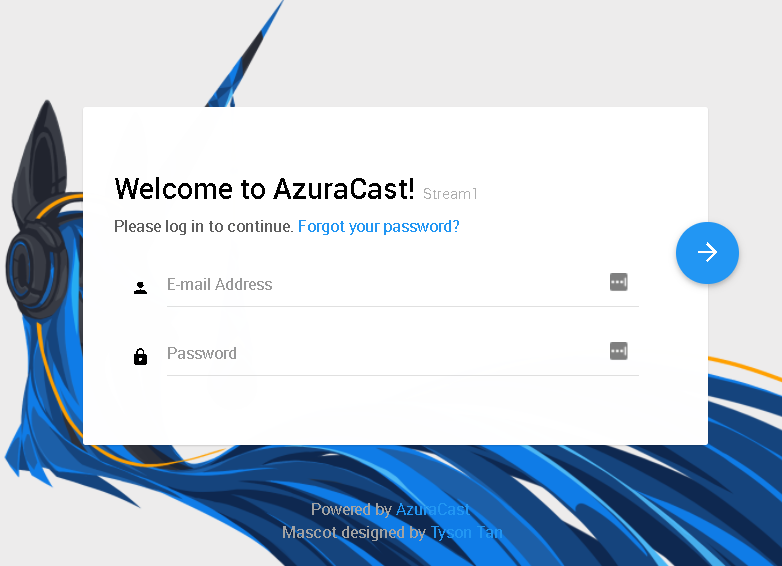
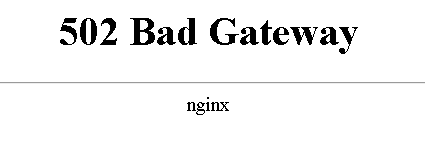
Entering a wrong password will give the wrong password message instead of the Bad Gateway message.
Trying to play the radio doesn't work and the IceCast page is down too.
 amavarick
All 20 comments
@amavarick Sorry to hear about that...I'm getting a number of sporadic reports of outages relating to the newest codebase, but I can't figure any of them out, as my local instances all upgraded without any issues at all. :/
If you run docker-compose logs -f stations, is there any prominent error message there? Try the same, except with nginx instead of stations, and the same with web instead. Need to get to the bottom of what the logs are saying about it.
 SlvrEagle23
on 21 Mar 2018
SlvrEagle23
on 21 Mar 2018
here is the web log, I'll email you the others as some have external IP information
root@stream1:/opt/azuracast# docker-compose logs -f web
Attaching to azuracast_web_1
web_1          | 2018/03/20 23:20:48 Waiting for: tcp://mariadb:3306
web_1          | 2018/03/20 23:20:48 Waiting for: tcp://influxdb:8086
web_1          | 2018/03/20 23:20:48 Connected to tcp://influxdb:8086
web_1          | 2018/03/20 23:20:48 Problem with dial: dial tcp 172.18.0.4:3306: getsockopt: connection refused. Sleeping 1s
web_1          | 2018/03/20 23:20:49 Connected to tcp://mariadb:3306
@amavarick Got your other log files. Thanks for sending those over.
Not sure what the problem is here, but you may need to fully re-cycle the Docker containers again:
- Run
docker-compose down - Run
docker-compose psand see that everything's exited correctly - Run
docker-compose up -dagain
SlvrEagle23
on 21 Mar 2018
@amavarick If you get errors trying to bring the containers back up, you may also need to run docker-compose rm -f to forcefully pull down the existing ones.
SlvrEagle23
on 21 Mar 2018
Partial good news. running the recommended commands, the radios are up and running but logging onto the webpage still gives the 502 Bad Gateway after login.
Here is the order of the commands and the actual output below:
rebooted server and tested
docker-compose down
docker-compose ps
docker-compose up -d
tested still website down so performed the following:
docker-compose rm -f
docker-compose down
docker-compose ps
docker-compose up -d
Output from the above commands:
root@stream1:/var/tmp# cd /opt/azuracast
root@stream1:/opt/azuracast# docker-compose down
Stopping azuracast_nginx_1    ... done
Stopping azuracast_cron       ... done
Stopping azuracast_web_1      ... done
Stopping azuracast_influxdb_1 ... done
Stopping azuracast_stations   ... done
Stopping azuracast_mariadb_1  ... done
Stopping azuracast_redis_1    ... done
Removing azuracast_nginx_1       ... done
Removing azuracast_cron          ... done
Removing azuracast_cli_1         ... done
Removing azuracast_letsencrypt_1 ... done
Removing azuracast_web_1         ... done
Removing azuracast_influxdb_1    ... done
Removing azuracast_stations      ... done
Removing azuracast_mariadb_1     ... done
Removing azuracast_redis_1       ... done
Removing network azuracast_default
root@stream1:/opt/azuracast#
root@stream1:/opt/azuracast# docker-compose ps
Creating azuracast_stations ... done
Creating azuracast_redis_1       ... done
Creating azuracast_influxdb_1    ... done
Creating azuracast_letsencrypt_1 ... done
Creating azuracast_cron ... done
Creating azuracast_letsencrypt_1 ...
Creating azuracast_web_1         ... done
Creating azuracast_mariadb_1     ...
Creating azuracast_redis_1       ...
Creating azuracast_web_1         ...
Creating azuracast_nginx_1       ... done
Creating azuracast_cli_1         ...
Creating azuracast_cli_1         ... done
root@stream1:/opt/azuracast# docker-compose rm -f
Going to remove azuracast_cli_1, azuracast_letsencrypt_1
Removing azuracast_cli_1         ... done
Removing azuracast_letsencrypt_1 ... done
root@stream1:/opt/azuracast# docker-compose down
Stopping azuracast_cron       ... done
Stopping azuracast_nginx_1    ... done
Stopping azuracast_web_1      ... done
Stopping azuracast_stations   ... done
Stopping azuracast_mariadb_1  ... done
Stopping azuracast_redis_1    ... done
Stopping azuracast_influxdb_1 ... done
Removing azuracast_cron       ... done
Removing azuracast_nginx_1    ... done
Removing azuracast_web_1      ... done
Removing azuracast_stations   ... done
Removing azuracast_mariadb_1  ... done
Removing azuracast_redis_1    ... done
Removing azuracast_influxdb_1 ... done
Removing network azuracast_default
root@stream1:/opt/azuracast# docker-compose ps
Creating azuracast_stations ... done
Creating azuracast_redis_1       ... done
Creating azuracast_influxdb_1    ... done
Creating azuracast_letsencrypt_1 ... done
Creating azuracast_cron ... done
Creating azuracast_letsencrypt_1 ...
Creating azuracast_web_1         ... done
Creating azuracast_redis_1       ...
Creating azuracast_mariadb_1     ...
Creating azuracast_web_1         ...
Creating azuracast_nginx_1       ... done
Creating azuracast_cli_1         ...
Creating azuracast_cli_1         ... done
@amavarick Sorry, should've clarified the order there, it should look like:
docker-compose down
docker-compose rm -f
docker-compose pull
docker-compose run --rm cli azuracast_update
docker-compose up -d
@amavarick If, after that, you're still getting the 502, then run docker-compose run --rm cli, and inside that terminal, run tail -f /var/azuracast/www_tmp/php_errors.log and report back on what it shows...it should be the same error all the way down the screen most likely.
SlvrEagle23
on 21 Mar 2018
root@stream1:/opt/azuracast# docker-compose run --rm cli
Starting azuracast_redis_1 ... done

Starting azuracast_influxdb_1 ... done
Starting azuracast_web_1 ... done
2018/03/21 08:45:08 Waiting for: tcp://mariadb:3306
2018/03/21 08:45:08 Waiting for: tcp://influxdb:8086
2018/03/21 08:45:08 Connected to tcp://influxdb:8086
2018/03/21 08:45:08 Connected to tcp://mariadb:3306
bash-4.4$ tail -f /var/azuracast/www_tmp/php_errors.log
[26-Feb-2018 02:52:33 UTC] PHP Fatal error:  Allowed memory size of 134217728 bytes exhausted (tried to allocate 102400 bytes) in /var/azuracast/www/vendor/doctrine/dbal/lib/Doctrine/DBAL/Driver/PDOStatement.php on line 122
[06-Mar-2018 13:36:54 UTC] PHP Fatal error:  Allowed memory size of 134217728 bytes exhausted (tried to allocate 102400 bytes) in /var/azuracast/www/vendor/doctrine/dbal/lib/Doctrine/DBAL/Driver/PDOStatement.php on line 122
[06-Mar-2018 13:38:23 UTC] PHP Fatal error:  Allowed memory size of 134217728 bytes exhausted (tried to allocate 57344 bytes) in /var/azuracast/www/vendor/doctrine/dbal/lib/Doctrine/DBAL/Driver/PDOStatement.php on line 122
[06-Mar-2018 13:44:46 UTC] PHP Fatal error:  Allowed memory size of 134217728 bytes exhausted (tried to allocate 245760 bytes) in /var/azuracast/www/vendor/doctrine/dbal/lib/Doctrine/DBAL/Driver/PDOStatement.php on line 122
[20-Mar-2018 02:28:10 UTC] PHP Fatal error:  Allowed memory size of 134217728 bytes exhausted (tried to allocate 45056 bytes) in /var/azuracast/www/vendor/doctrine/dbal/lib/Doctrine/DBAL/Driver/PDOStatement.php on line 122
[20-Mar-2018 02:29:46 UTC] PHP Fatal error:  Allowed memory size of 134217728 bytes exhausted (tried to allocate 45056 bytes) in /var/azuracast/www/vendor/doctrine/dbal/lib/Doctrine/DBAL/Driver/PDOStatement.php on line 122
[20-Mar-2018 17:37:57 UTC] PHP Fatal error:  Allowed memory size of 134217728 bytes exhausted (tried to allocate 45056 bytes) in /var/azuracast/www/vendor/doctrine/dbal/lib/Doctrine/DBAL/Driver/PDOStatement.php on line 157
[20-Mar-2018 23:15:40 UTC] PHP Fatal error:  Allowed memory size of 134217728 bytes exhausted (tried to allocate 45056 bytes) in /var/azuracast/www/vendor/doctrine/dbal/lib/Doctrine/DBAL/Driver/PDOStatement.php on line 157
[20-Mar-2018 23:21:04 UTC] PHP Fatal error:  Allowed memory size of 134217728 bytes exhausted (tried to allocate 45056 bytes) in /var/azuracast/www/vendor/doctrine/dbal/lib/Doctrine/DBAL/Driver/PDOStatement.php on line 157
[21-Mar-2018 02:03:07 UTC] PHP Fatal error:  Allowed memory size of 134217728 bytes exhausted (tried to allocate 45056 bytes) in /var/azuracast/www/vendor/doctrine/dbal/lib/Doctrine/DBAL/Driver/PDOStatement.php on line 157
bash-4.4$ df
Filesystem           1K-blocks      Used Available Use% Mounted on
overlay               36496992  26300420   8319580  76% /
tmpfs                    65536         0     65536   0% /dev
tmpfs                  2023080         0   2023080   0% /sys/fs/cgroup
shm                      65536         0     65536   0% /dev/shm
/dev/mapper/stream1--vg-root
                      36496992  26300424   8319576  76% /etc/resolv.conf
/dev/mapper/stream1--vg-root
                      36496992  26300424   8319576  76% /etc/hostname
/dev/mapper/stream1--vg-root
                      36496992  26300424   8319576  76% /etc/hosts
/dev/mapper/stream1--vg-root
                      36496992  26300424   8319576  76% /var/azuracast/www_tmp
/dev/mapper/stream1--vg-root
                      36496992  26300424   8319576  76% /var/azuracast/stations
/dev/mapper/stream1--vg-root
                      36496992  26300424   8319576  76% /var/azuracast/www
tmpfs                    65536         0     65536   0% /proc/kcore
tmpfs                    65536         0     65536   0% /proc/timer_list
tmpfs                    65536         0     65536   0% /proc/timer_stats
tmpfs                    65536         0     65536   0% /proc/sched_debug
tmpfs                  2023080         0   2023080   0% /proc/scsi
tmpfs                  2023080         0   2023080   0% /sys/firmware


md5-d12f40b9bdc58b434f0bea3c26721dd0


root@stream1:/opt/azuracast# df
Filesystem                   1K-blocks     Used Available Use% Mounted on
udev                           2004264        0   2004264   0% /dev
tmpfs                           404620    41400    363220  11% /run
/dev/mapper/stream1--vg-root  36496992 26282588   8337412  76% /
tmpfs                          2023080        0   2023080   0% /dev/shm
tmpfs                             5120        0      5120   0% /run/lock
tmpfs                          2023080        0   2023080   0% /sys/fs/cgroup
tmpfs                          2023080        0   2023080   0% /run/shm
/dev/vda1                       482922   148972    309016  33% /boot
overlay                       36496992 26282588   8337412  76% /var/lib/docker/overlay2/cf4e5e30c0560efe81006bf386bf01d75a46aaa3343f0b478ecce3488a5feb1c/merged
shm                              65536        0     65536   0% /var/lib/docker/containers/ebf6b4b3747bb838a6563461fba9d1ce1f603bdea9a6efa1271f79c2020867ba/mounts/shm
overlay                       36496992 26282588   8337412  76% /var/lib/docker/overlay2/d27b29dc36a8c7279573c81244aaa436b523319284d63f2aa25867d55bd3cd20/merged
overlay                       36496992 26282588   8337412  76% /var/lib/docker/overlay2/642921ff03f710f43d63ea9f55e31d63872b832b0c0495b7430b3449f0f6acfd/merged
overlay                       36496992 26282588   8337412  76% /var/lib/docker/overlay2/fe558b8dc2c6b7226a32edafe50b3e0d8c8f24437f576999bd9617d7cd582a8b/merged
shm                              65536        0     65536   0% /var/lib/docker/containers/49894fed77ce465d2aefa1d609e8472cc15845c619d5935259c2d366a3f237e5/mounts/shm
shm                              65536        0     65536   0% /var/lib/docker/containers/fe26b094b2cae53bee0d363294c3824e4c359430a64c9788b4545b6be5f5cdef/mounts/shm
shm                              65536        0     65536   0% /var/lib/docker/containers/d78b7d5cb2886eabf495c7e01628e4db54930ddf5c878bb9628f2dff0df082f3/mounts/shm
overlay                       36496992 26282588   8337412  76% /var/lib/docker/overlay2/a505ed4c44e936c2a525a23455d9f6469fab868e25292c89c64d87bf2506ac8e/merged
shm                              65536        0     65536   0% /var/lib/docker/containers/d1fdb6317d6cc5a5b640e8be247c52551b77fbc219e4a06d3ecff39ee104cff0/mounts/shm
overlay                       36496992 26282588   8337412  76% /var/lib/docker/overlay2/fe37c469544acc0f6ecf3db4fa11e5ad9857aa600346d23673923d89f3737c6f/merged
shm                              65536        0     65536   0% /var/lib/docker/containers/8edd62dbb5bccfdaa81bb637ccc39683e55710a66d162144b52cfc8a311ef840/mounts/shm
overlay                       36496992 26282588   8337412  76% /var/lib/docker/overlay2/13c07ad792c825678b3fe1198d731b233a4e57afbca76444e90cff5b46404c47/merged
shm                              65536        0     65536   0% /var/lib/docker/containers/90bfc73926c0fa23ecb4db798734d5fbc8280ba1ac6dd1f4d755d5a966153816/mounts/shm
@amavarick Memory errors are the absolute worst kind of issue, because they're all but impossible to diagnose without just trudging through the code manually, looking for possible problems line-by-line. To compound the issue, it appears the issue happens on your end, but not on mine in my instances.
One possible source of the problem could be a recent update I had to make to Doctrine's DBAL layer to add MariaDB 10.2 support (which they're heavily delaying rolling into the official release). I've reverted back to the absolute latest version that still offers this support, but isn't the cutting-edge "dev-master" branch.
Update the code and try again and let me know if the same error persists.
Also, as of the newest Docker images, you should now be able to just run docker-compose logs -f web and see the full output of error logs instead of having to log into the container directly and access it there.
SlvrEagle23
on 21 Mar 2018
tail -f /var/azuracast/www_tmp/php_errors.log
0 /var/azuracast/www/vendor/pimple/pimple/src/Pimple/Container.php(118): {closure}(Object(SlimContainer))
1 /var/azuracast/www/util/cli.php(11): PimpleContainer->offsetGet('Doctrine\ORM\En...')
2 {main}
thrown in /var/azuracast/www/app/bootstrap/services.php on line 133
[18-Mar-2018 15:33:30 UTC] PHP Fatal error: Uncaught AppExceptionBootstrap: Redis server went away in /var/azuracast/www/app/bootstrap/services.php:133
Stack trace:
0 /var/azuracast/www/vendor/pimple/pimple/src/Pimple/Container.php(118): {closure}(Object(SlimContainer))
1 /var/azuracast/www/util/cli.php(11): PimpleContainer->offsetGet('Doctrine\ORM\En...')
2 {main}
thrown in /var/azuracast/www/app/bootstrap/services.php on line 133
502 Bad Gateway
nginx
After authorization now writes this I just updated.
 susl16c
on 23 Mar 2018
susl16c
on 23 Mar 2018
I also get problem with a new install on docker with debian 9
Azuracast panel is not loading even now
root@vs:/opt/azuracast# docker-compose run --rm cli
Starting azuracast_redis_1 ... done
Starting azuracast_mariadb_1 ... done
Starting azuracast_stations ... done
Starting azuracast_influxdb_1 ... done
Starting azuracast_web_1 ... done
2018/03/23 15:13:46 Waiting for: tcp://mariadb:3306
2018/03/23 15:13:46 Waiting for: tcp://influxdb:8086
2018/03/23 15:13:47 Connected to tcp://mariadb:3306
2018/03/23 15:13:47 Connected to tcp://influxdb:8086
bash-4.4$ tail -f /var/azuracast/www_tmp/php_errors.log
[23-Mar-2018 15:12:57 UTC] PHP Fatal error: Uncaught InvalidArgumentException: Library theme_ not found! in /var/azuracast/www/app/src/AzuraCast/Assets.php:105
Stack trace:
0 /var/azuracast/www/app/templates/minimal.phtml(38): AzuraCastAssets->load('t heme_')
1 /var/azuracast/www/vendor/league/plates/src/Template/Template.php(153): inclu de('/var/azuracast/...')
2 /var/azuracast/www/vendor/league/plates/src/Template/Template.php(160): Leagu ePlatesTemplateTemplate->render(NULL)
3 /var/azuracast/www/vendor/league/plates/src/Engine.php(277): LeaguePlatesTe mplateTemplate->render(NULL)
4 /var/azuracast/www/app/src/App/Mvc/View.php(56): LeaguePlatesEngine->render ('system/error_ge...', Array)
5 /var/azuracast/www/app/src/App/Mvc/ErrorHandler.php(102): AppMvcView->rende rToResponse(Object(AppHttpResponse), 'system/error_ge...', Array)
6 [internal function]: AppMvcErrorHandler->__invoke(Object(AppHttpRequest), Object(AppHttpResponse), Object(InvalidArgumentException))
7 /var/azuracast/www/vendor/slim/slim/Slim/App.php(665): call_user_fun in /var/ azuracast/www/app/src/AzuraCast/Assets.php on line 105
[23-Mar-2018 15:15:25 UTC] PHP Fatal error: Uncaught InvalidArgumentException: Library theme_ not found! in /var/azuracast/www/app/src/AzuraCast/Assets.php:105
Stack trace:
0 /var/azuracast/www/app/templates/minimal.phtml(38): AzuraCastAssets->load('theme_')
1 /var/azuracast/www/vendor/league/plates/src/Template/Template.php(153): include('/var/azuracast/...')
2 /var/azuracast/www/vendor/league/plates/src/Template/Template.php(160): LeaguePlatesTemplateTemplate->render(NULL)
3 /var/azuracast/www/vendor/league/plates/src/Engine.php(277): LeaguePlatesTemplateTemplate->render(NULL)
4 /var/azuracast/www/app/src/App/Mvc/View.php(56): LeaguePlatesEngine->render('system/error_ge...', Array)
5 /var/azuracast/www/app/src/App/Mvc/ErrorHandler.php(102): AppMvcView->renderToResponse(Object(AppHttpResponse), 'system/error_ge...', Array)
6 [internal function]: AppMvcErrorHandler->__invoke(Object(AppHttpRequest), Object(AppHttpResponse), Object(InvalidArgumentException))
7 /var/azuracast/www/vendor/slim/slim/Slim/App.php(665): call_user_fun in /var/azuracast/www/app/src/AzuraCast/Assets.php on line 105
 surihost
on 23 Mar 2018
surihost
on 23 Mar 2018
@surihost @susl16c None of these issues appear to have anything to do with one another, or with the original issue that spawned this ticket.
You guys really confuse me when you respond to other people's issues with your own error dumps, because it severely interferes with my ability to resolve the original issue.
Please make new issues.
SlvrEagle23
on 23 Mar 2018
Ok creating a new issue of mine.
surihost
on 23 Mar 2018
@amavarick I've reverted one of the bigger Docker-specific changes in the recent updates, as it appears it was having significant unexpected side effects for a number of users. Please update your Docker install and let me know if the issues persist.
SlvrEagle23
on 23 Mar 2018
Great news, I updated and received no errors on restarting radios and no gateway errors logging into web GUI
amavarick
on 23 Mar 2018
@amavarick Yep...guess it was Alpine then. I was excited about being able to deploy smaller images for the Docker containers, but it seems it wasn't meant to be. :'(
SlvrEagle23
on 23 Mar 2018
I updated the software yesterday (June 23, 2019) using the commands on the website
./docker.sh update-self
./docker.sh update
Now when I go to my domain I simply get a File not found message. I can't stream up to the server, but when I go to the Shoutcast pages (:8000, :8010) the stations are playing the default playlists I set up.
Running tail -f /var/azuracast/www_tmp/php_errors.log outputs:
tail: cannot open '/var/azuracast/www_tmp/php_errors.log' for reading: No such file or directory
tail: no files remaining
Running docker-compose run --rm cli azuracast_update outputs:
ERROR: No such service: cli
Running docker-compose ps shows all services as up. I was particularly interested in the web service. It outputs:
azuracast_web_1 dockerize -wait tcp://mari ... Up 0.0.0.0:443->443/tcp, 0.0.0.0:80->80/tcp
If anyone has some advice on how to proceed I would greatly appreciate.
 oleoneto
on 23 Jun 2019
oleoneto
on 23 Jun 2019
@oleoneto While the docker.sh update-self and docker.sh update scripts are correct, the instructions you're using for the other items are outdated.
You should try running docker-compose logs -f web to check the web logs and look for immediate issues.
If you are still encountering issues, you should create a new GitHub issue rather than responding to this closed one.
SlvrEagle23
on 24 Jun 2019
Thanks for your reply, @SlvrEagle23!
Running docker-compose logs -f web outputs:
...
web_1       | Could not open input file: /var/azuracast/www/util/cli.php
web_1       | Could not open input file: /var/azuracast/www/util/cli.php
web_1       | 2019/06/23 23:46:33 [crit] 55#55: *273436 realpath() "/var/azuracast/www/web" failed (2: No such file or directory), client: 172.19.0.4, server: localhost, request: "POST /api/internal/1/nextsong HTTP/1.1", host: "web"
...
web_1       | 2019/06/23 23:47:20 [error] 55#55: *273802 FastCGI sent in stderr: "Primary script unknown" while reading response header from upstream, client: 172.19.0.4, server: localhost, request: "POST /api/internal/2/nextsong HTTP/1.1", upstream: "fastcgi://127.0.0.1:9000", host: "web"
web_1       | 172.19.0.4 - - [23/Jun/2019:23:47:20 +0000] "POST /api/internal/2/nextsong HTTP/1.1" 404 27 "-" "curl/7.58.0" "-"
web_1       | Could not open input file: /var/azuracast/www/util/cli.php
web_1       | Could not open input file: /var/azuracast/www/util/cli.php
web_1       | 2019/06/23 23:47:22 [crit] 55#55: *273804 realpath() "/var/azuracast/www/web" failed (2: No such file or directory), client: 172.19.0.4, server: localhost, request: "POST /api/internal/1/nextsong HTTP/1.1", host: "web"
...
And docker-compose ps still shows the web container as waiting.
azuracast_web_1 dockerize -wait tcp://mari ... Up 0.0.0.0:443->443/tcp, 0.0.0.0:80->80/tcp
I believe I messed up the update somehow. Just do not know where things went wrong.
oleoneto
on 24 Jun 2019
@oleoneto Like I said, please create a new issue if you continue to have problems. In this case, your problem may be solved by running the update script again.
SlvrEagle23
on 24 Jun 2019
Related issues
 Rafaelrds2017
·
3Comments
Rafaelrds2017
·
3Comments
 Blazedallup
·
3Comments
SlvrEagle23
·
3Comments
Blazedallup
·
3Comments
SlvrEagle23
·
3Comments
 ErnestPH
·
3Comments
ErnestPH
·
3Comments
 bo2008
·
3Comments
bo2008
·
3Comments