Awx: Scheduled jobs that end with timeouts do not trigger a failed notification
ISSUE TYPE
- Bug Report
SUMMARY
Scheduled jobs that end up with error because their running time is over the specified timeout threshold for said job are not triggering a "failed notification". This used to work in AWX 8.0.0.
ENVIRONMENT
- AWX version: 12.0.0
- AWX install method: docker on Linux
- Ansible version: 2.9.9
- Operating System: CentOS7
- Web Browser: N/A
STEPS TO REPRODUCE
Create some notifications in an AWX instance. I'm my case I'm trying with "email" and "Slack" notification types.
Create or modify an AWX job and set the following:
- An "On error" notification.
- A timeout. In order to reproduce the bug I recommend setting up an abnormally short timeout. In my case I'm trying with 5s.
Run the job and be sure to make it fail due to timeout.
Verify that no "failure notification" is triggered.
EXPECTED RESULTS
A "failure" notification should be triggered. This is the behavior that AWX 8.0.0 used to have.
ACTUAL RESULTS
No notification is triggered and the job fails silently.
ADDITIONAL INFORMATION
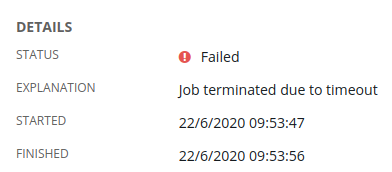
Screenshot of a failed job reporting a timeout error:
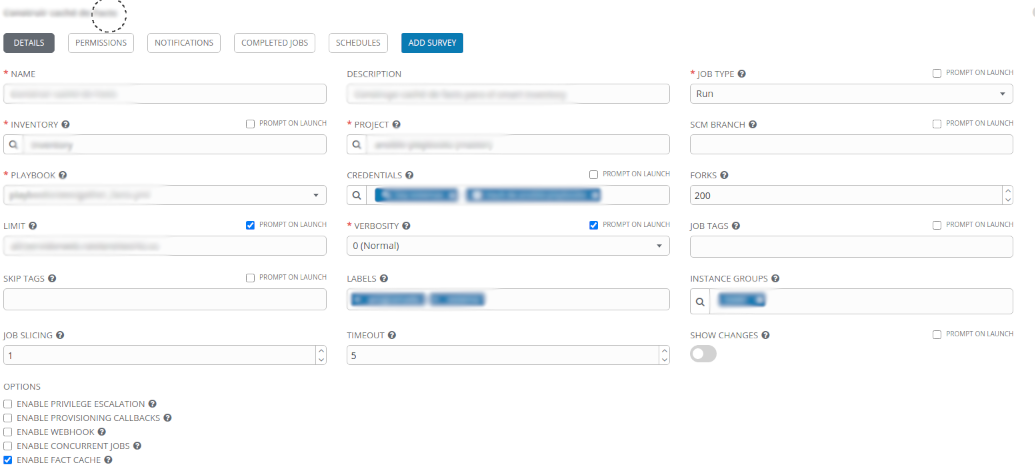
The notification configuration for the failed job:

The failing job configuration used to reproduce the issue. Please note that the low timeout is there just for demonstration purposes. The original failing job has a timeout of 3600s.
 hluaces
>All comments
1) Created slack notification
2) Created Job template with a playbook that takes 30 seconds and a time out of 5 seconds (so it would fail with timeout)
3) Created schedule to launch job every minute
4) Associated notification w/ job and enabled it for failures (to get notification when jobs failed)
5) Waited and observed that job did lauch, failed, and I got notification
 shebangbash
on 2 Oct 2020
shebangbash
on 2 Oct 2020
Related issues
 IMOKURI
·
3Comments
IMOKURI
·
3Comments
 IshwarKanse
·
3Comments
IshwarKanse
·
3Comments
 shortsteps
·
3Comments
shortsteps
·
3Comments
 icsm2017
·
4Comments
icsm2017
·
4Comments
 mwiora
·
3Comments
mwiora
·
3Comments
Most helpful comment
1) Created slack notification
2) Created Job template with a playbook that takes 30 seconds and a time out of 5 seconds (so it would fail with timeout)
3) Created schedule to launch job every minute
4) Associated notification w/ job and enabled it for failures (to get notification when jobs failed)
5) Waited and observed that job did lauch, failed, and I got notification