Awx: unable to log in to tower UI with dead external logging configuration
ISSUE TYPE
- Bug Report
SUMMARY
- Unable to log in to the Tower UI with dummy logging aggregate configuration.
- Unable to log in to tower UI with non-working external logging configuration.
ENVIRONMENT
- AWX version: 3.6.2-1
- AWX install method: linux
- Ansible version: 2.9.1
- Operating System: RHEL 7.7
- Web Browser: Chrome and Firefox
STEPS TO REPRODUCE
- Login to ansible tower with superuser/admin user
- Go to
Settings->System->LOGGING Add dummy configuration as follows:
- LOGGING AGGREGATOR - example.com
- LOGGING AGGREGATOR - 4000
- LOGGING AGGREGATOR TYPE - logstash
- LOGGING AGGREGATOR PROTOCOL - TCP
Save the settings (do not test as these are dummy configuration, the test will fail!)
- Tick
ENABLE EXTERNAL LOGGING - Save the settings again.
- Logout
- Try logging into ansible tower from another browser or incognito/private mode
EXPECTED RESULTS
Login to tower UI should work
ACTUAL RESULTS
Unable to log in to the ansible tower, noticed below error in /var/log/tower/tower.log
~
2020-02-05 09:53:21,096 INFO awx.api.generics User admin logged in from 125.16.200.50
2020-02-05 09:53:37,919 ERROR awx.main.utils.handlers Error sending message from TCPHandler: 110 Connection timed out
Traceback (most recent call last):
File "/var/lib/awx/venv/awx/lib64/python3.6/site-packages/awx/main/utils/handlers.py", line 228, in _send
sok.connect((self._get_host(hostname_only=True), self.port or 0))
TimeoutError: [Errno 110] Connection timed out
2020-02-05 09:53:37,924 WARNING awx.main.commands.run_callback_receiver scaling up worker pid:8566
2020-02-05 09:55:45,151 ERROR awx.main.utils.handlers Error sending message from TCPHandler: 110 Connection timed out
Traceback (most recent call last):
File "/var/lib/awx/venv/awx/lib64/python3.6/site-packages/awx/main/utils/handlers.py", line 228, in _send
sok.connect((self._get_host(hostname_only=True), self.port or 0))
TimeoutError: [Errno 110] Connection timed out
2020-02-05 09:55:45,155 WARNING awx.main.commands.run_callback_receiver scaling up worker pid:8697
~
We could not pass the login screen.
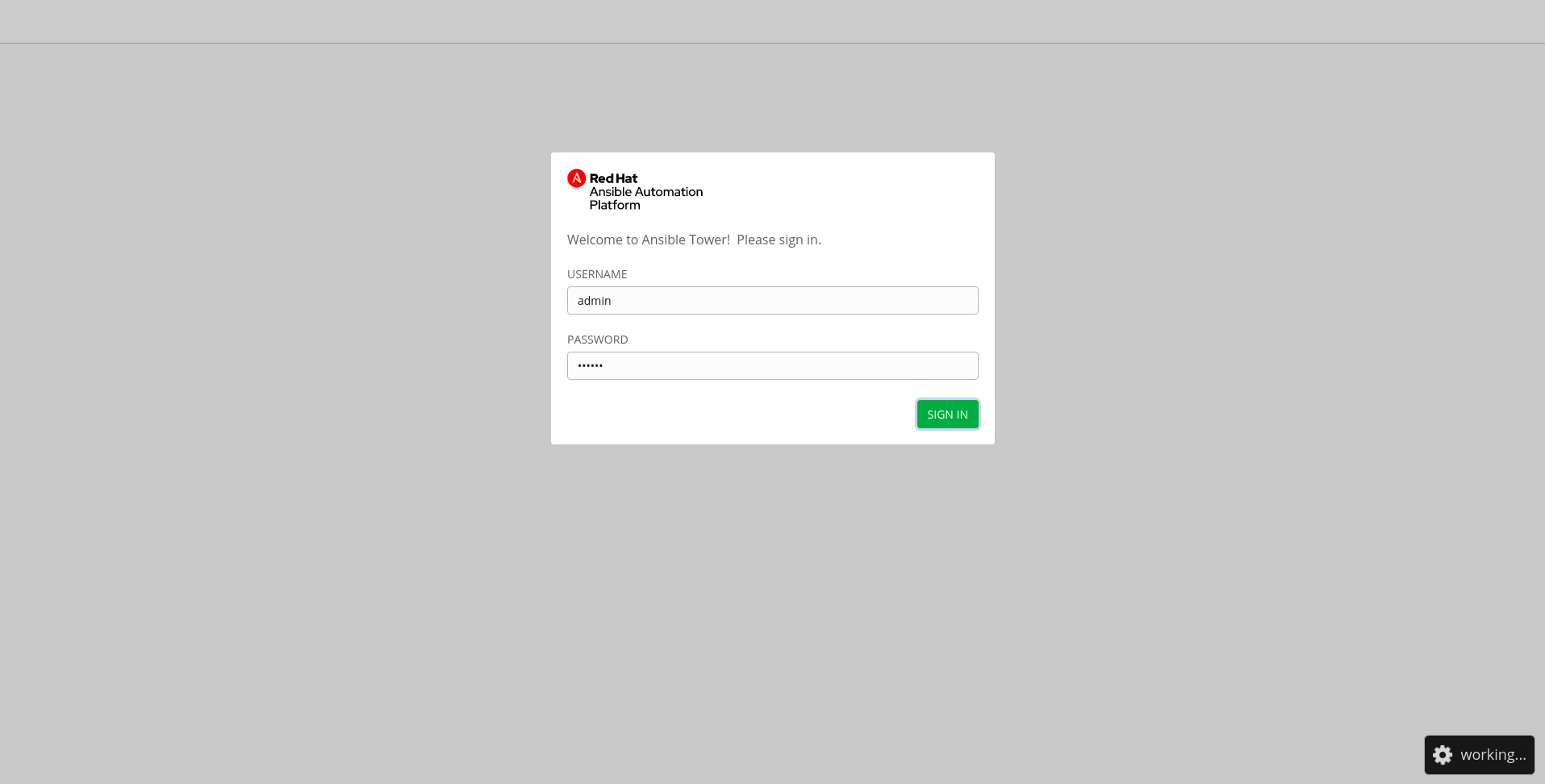
After 2-3mins, we see "Invalid username and/or password. Please try again." error even when the credentials are correct.
ADDITIONAL INFORMATION
Changing LOG_AGGREGATOR_ENABLED to False might solve the issue but we can't find a way to it, because the UI is not available and API calls are also not working.
I was using logstash for external logging and one day the logstash was down and came across this issue,
that is the reason I used dummy information to reproduce this issue.
 rchincholkar
All 12 comments
TCP loggers in AWX open sockets and call .send() synchronously (only the HTTP/S implementation uses a background threadpool), so I'm not surprised by this behavior.
This is just one symptom of our current logging implementation which we plan to address as part of our work in:
 ryanpetrello
on 5 Feb 2020
ryanpetrello
on 5 Feb 2020
Appreciate your response, Ryan.
Is there any way or workaround to disable the LOG AGGREGATOR so that we can access tower UI?
rchincholkar
on 7 Feb 2020
@rchincholkar something like this would probably work if you can exec into one of the containers:
$ echo "DELETE FROM conf_setting WHERE key='LOG_AGGREGATOR_ENABLED';" | awx-manage dbshell
ryanpetrello
on 7 Feb 2020
related #5155
 blomquisg
on 28 Feb 2020
blomquisg
on 28 Feb 2020
cc @elyezer this is something we could probably give a gut check once @rooftopcellist's work merges.
ryanpetrello
on 28 Feb 2020
This won't be fixed until https://github.com/ansible/awx/pull/6108 gets merged, so we have to validate in that branch
 kdelee
on 4 Mar 2020
kdelee
on 4 Mar 2020
@ryanpetrello and @blomquisg , can one of you update this issue to reflect what is the expected next step? My concern is that the state of this issue will not cause any attention to be paid to it, as is not really ready for testing at this time. If we're depending on other code to be merged, then let's set it to blocked pending that merge.
Let's follow up during scrub and figure a better way to manage this workflow.
 fpjrh
on 26 Mar 2020
fpjrh
on 26 Mar 2020
@fpjrh,
@kdelee's comment is accurate - we can't verify this until @rooftopcellist's logging work is completed:
https://github.com/ansible/awx/issues/5822#issuecomment-594602659
ryanpetrello
on 26 Mar 2020
@ryanpetrello thank you for the update!
fpjrh
on 26 Mar 2020
@elyezer is this ready to close now that the rsyslog work got merged?
kdelee
on 16 Apr 2020
@kdelee will be after I try to reproduce the issue and can confirm it is not there anymore
 elyezer
on 20 Apr 2020
elyezer
on 20 Apr 2020
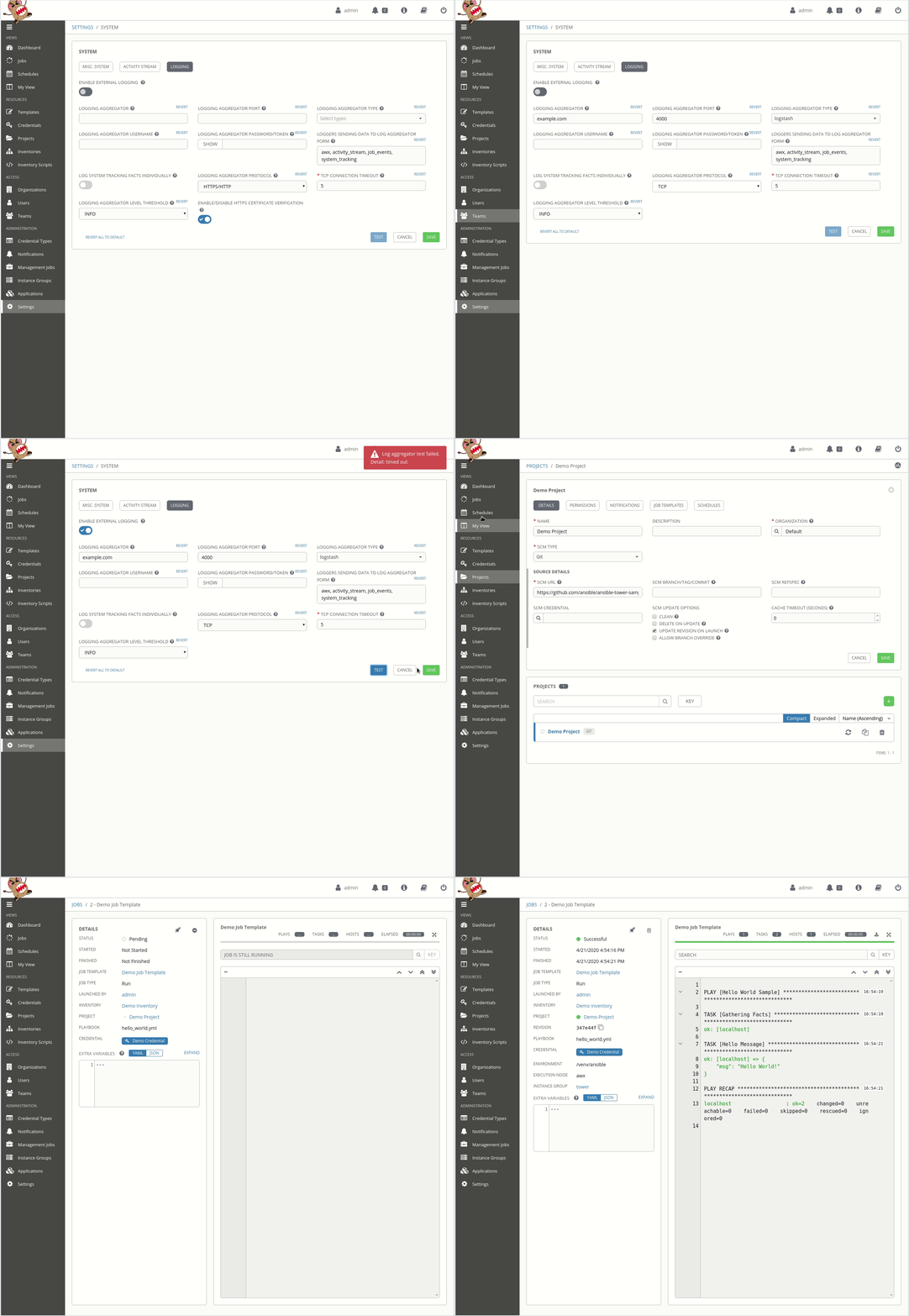
I am not able to reproduce it anymore on the current devel version. I tried the reproduction steps tried different browsers and anonymous sessions and in all of them I was able to log back in.
elyezer
on 21 Apr 2020
Related issues
 pebbledavec
·
3Comments
pebbledavec
·
3Comments
 mwiora
·
3Comments
mwiora
·
3Comments
 beenje
·
3Comments
beenje
·
3Comments
 artmakh
·
3Comments
artmakh
·
3Comments
 darkaxl
·
3Comments
darkaxl
·
3Comments