Awx: HashiCorp Vault Secret Lookup: Test requires Sysadmin permissions
ISSUE TYPE
- Bug Report
SUMMARY
The "HashiCorp Vault Secret Lookup" and "Hashicorp Vault Signed SSH" Credential Types provide both a test option which check if the parameters are working. In both cases the running the test case requires sysadmin permissions.
ENVIRONMENT
- AWX version: 7.0.0
- AWX install method: docker on linux
- Ansible version: 2.7.11
- Operating System: Debian 9
- Web Browser: Firefox 69
STEPS TO REPRODUCE
Login to AWX as non-sysadmin user. In the AWX Webinterface go to "Credentials" and create a new Credential of Type "HashiCorp Vault Secret Lookup". Fill in "Server Url", "token" and if necessary CA Certificate. Then open the "Test external credential" form by clicking the "Test" Buttion. Fill in "path to secret" and "key name" then click "run". The Test will fail.
If you run the same steps as sysadmin user, then the test will succeed.
EXPECTED RESULTS
A user which is allowed to create a credential of type "Hashicorp Vault Secret Lookup" should be allowed to run the test.
ACTUAL RESULTS
Non-sysadmin users are not allowed to test "HashiCorp Vault Secret Lookup" Credentials.
 anxstj
All 6 comments
 ryanpetrello
on 29 Oct 2019
ryanpetrello
on 29 Oct 2019
@nixocio assigned you because I remember you working on something related w/ credentials
 kdelee
on 10 Feb 2020
kdelee
on 10 Feb 2020
it was this https://github.com/ansible/tower/issues/3882
kdelee
on 10 Feb 2020
If I give a user "Credential Admin" I can created the Hashicorp Vault and test this. A user that is only a member can not make a credential to test. Is that the expected behaviour?
@ryanpetrello @jakemcdermott @AlanCoding can you confirm what user permission is supposed to be used here?
 nixocio
on 12 Feb 2020
nixocio
on 12 Feb 2020
@nixocio You need _use_ permissions or better on a credential to use its test button.
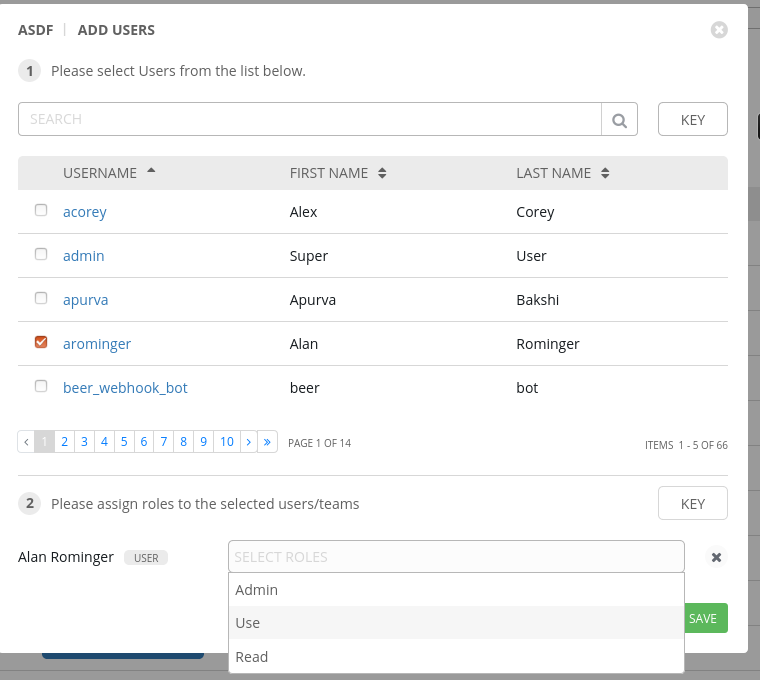
There is one exception - if you haven't _saved_ a credential (e.g: you're on the 'NEW CREDENTIAL' form of a hashivault credential and haven't clicked save yet), then only admins may use the test button.
 jakemcdermott
on 12 Feb 2020
nixocio
on 19 Feb 2020
jakemcdermott
on 12 Feb 2020
nixocio
on 19 Feb 2020
Related issues
 cs35-owncloud
·
3Comments
cs35-owncloud
·
3Comments
 agaffney
·
3Comments
agaffney
·
3Comments
 shortsteps
·
3Comments
shortsteps
·
3Comments
 beenje
·
3Comments
beenje
·
3Comments
 astraios
·
3Comments
astraios
·
3Comments