ISSUE TYPE
- Bug Report
COMPONENT NAME
- API
- UI
SUMMARY
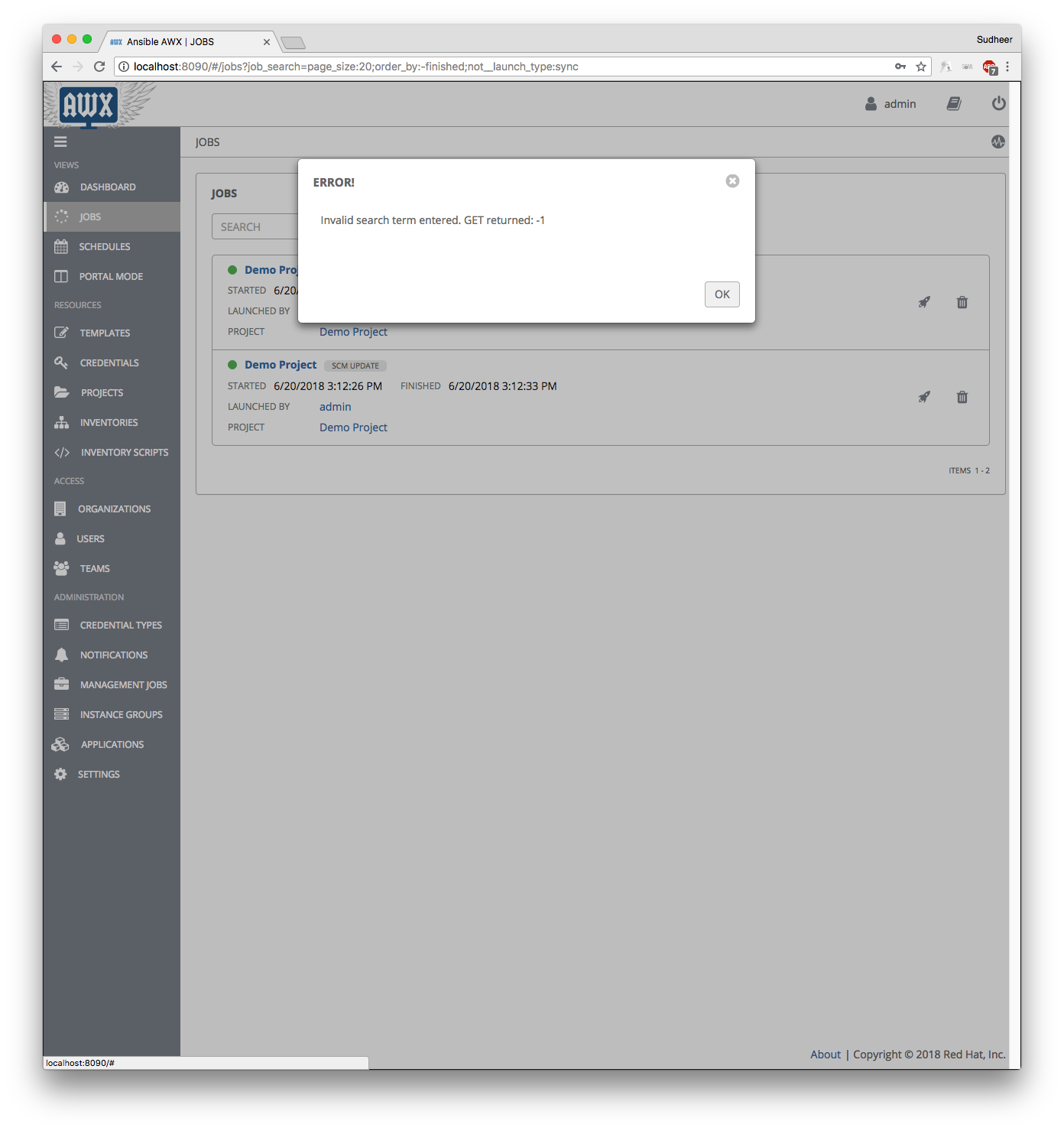
Unable to fetch job details on AWX. Getting
ERROR! Invalid search term entered. GET returned: -1
ENVIRONMENT
- AWX version: 1.0.6.16
- AWX install method: docker on linux, docker for mac
- Ansible version: 2.3.1.0, 2.4.0.0
- Operating System: Linux, Mac
- Web Browser: Chrome, Firefox
STEPS TO REPRODUCE
Launch any SCM job from UI and click on jobs. API call gets failed and error is shown on UI.
EXPECTED RESULTS
Jobs view should work
ACTUAL RESULTS
ADDITONAL INFORMATION
Please find the screen recording.
jobs_issue.zip
 sudheer6122
All 9 comments
I can confirm this, happens at least since 1.0.6.8 and is still present in 1.0.6.17. Happens only with project syncs.
In the API I can find the job output at /project_updates/:id/stdout so it's definitely being stored in the database, just that it's not accessible anymore from the UI.
 krepflap
on 21 Jun 2018
krepflap
on 21 Jun 2018
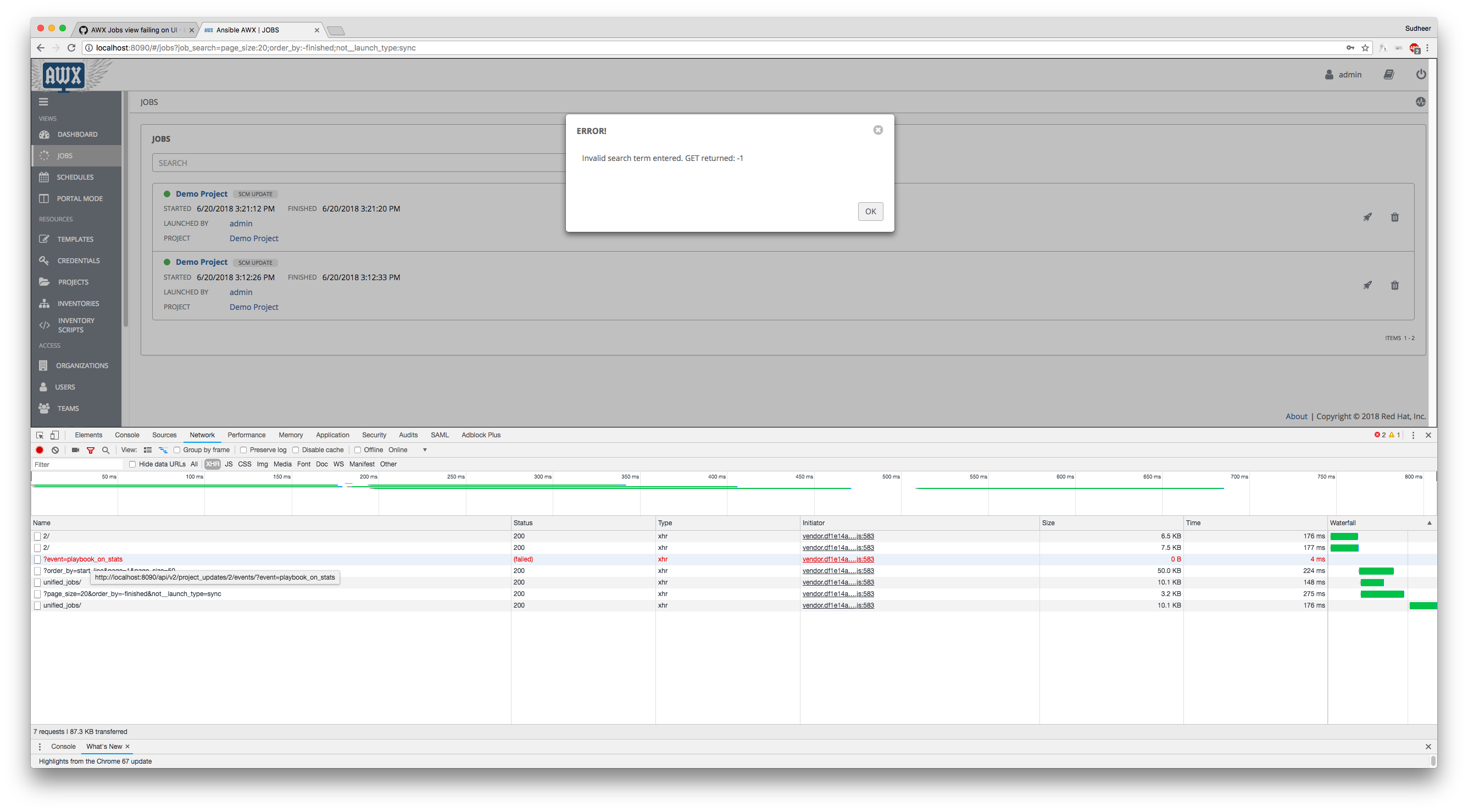
Are there any console errors you can find on the web console?
 jaredevantabor
on 21 Jun 2018
jaredevantabor
on 21 Jun 2018
@jaredevantabor Please find the screenshot. xhr calls are failing for playbook_on_stats event.
sudheer6122
on 21 Jun 2018
@jaredevantabor Any update on the issue ?
sudheer6122
on 25 Jun 2018
With a fresh, non-upgraded install of the latest devel container image I'm not seeing this bug:

At any rate, that specific api query has been removed downstream - This will be resolved when those code changes reach devel.
 jakemcdermott
on 25 Jun 2018
jakemcdermott
on 25 Jun 2018
@jakemcdermott I tried awx_web:latest container image. I'm still seeing the issue. Can you please suggest some fix?
sudheer6122
on 25 Jun 2018
I am also seeing the issue and just installed today.
 oniofchaos
on 3 Jul 2018
oniofchaos
on 3 Jul 2018
Disable your AdBlocker on AWX. Had this issue for a while too, but it's always been because of uBlock. If you check on that failed request, you'll see that it errors out with ERR_BLOCKED_BY_CLIENT.
 jValdron
on 3 Jul 2018
jValdron
on 3 Jul 2018
That solved the issue for me, thanks.
oniofchaos
on 3 Jul 2018
Related issues
 IshwarKanse
·
3Comments
IshwarKanse
·
3Comments
 pebbledavec
·
3Comments
pebbledavec
·
3Comments
 darkaxl
·
3Comments
darkaxl
·
3Comments
 cs35-owncloud
·
3Comments
cs35-owncloud
·
3Comments
 worsco
·
3Comments
worsco
·
3Comments
Most helpful comment
Disable your AdBlocker on AWX. Had this issue for a while too, but it's always been because of uBlock. If you check on that failed request, you'll see that it errors out with ERR_BLOCKED_BY_CLIENT.