Awx: 401 Authentication credentials were not provided.
ISSUE TYPE
- Bug Report
COMPONENT NAME
- UI
SUMMARY
After succesful login with default credentials, when browsing the UI we are getting this error:
_01 Authentication credentials were not provided._
It seems that some objects are getting 401:
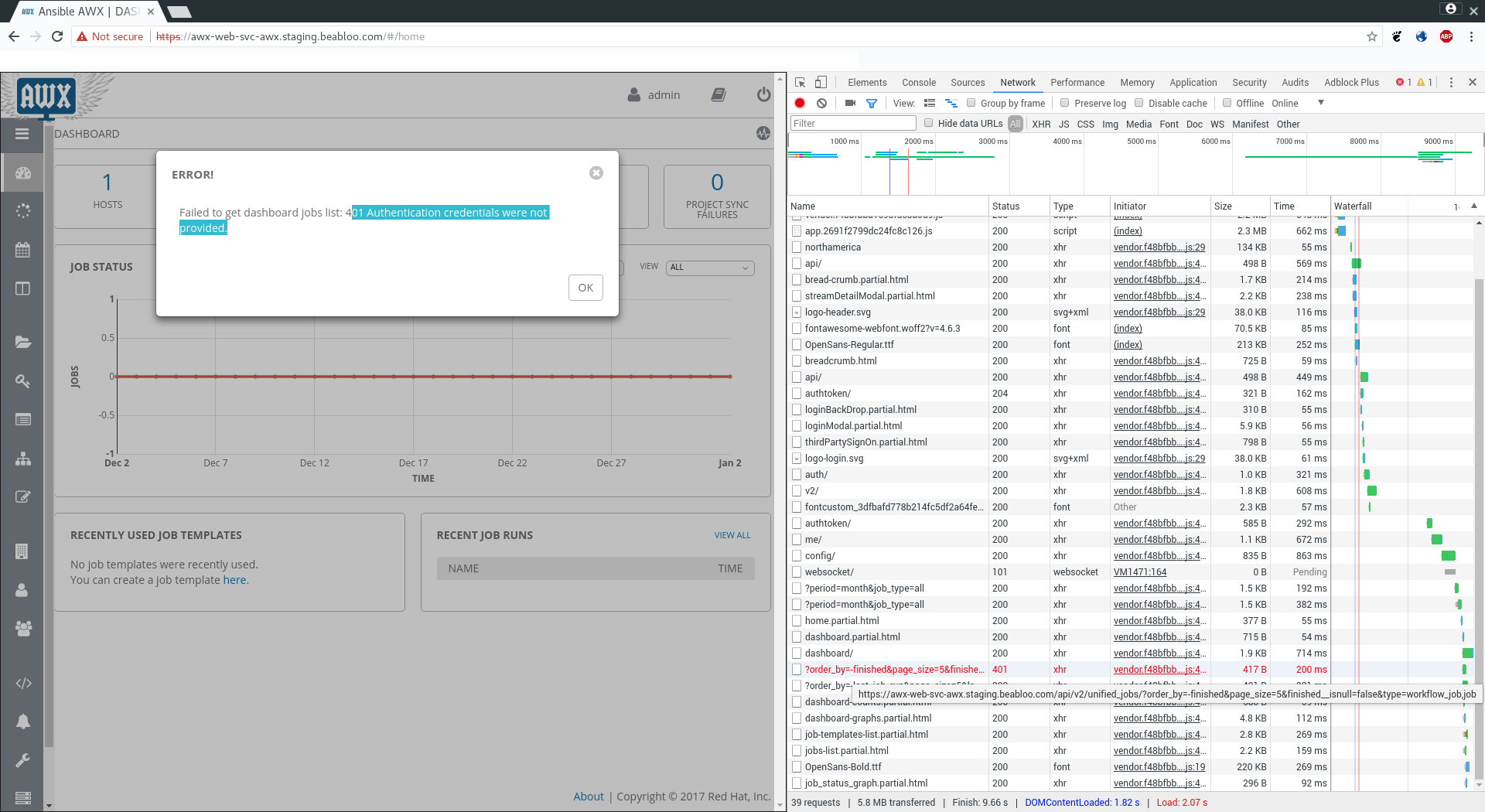
If the page is reloaded, objects getting 401 can change.
ENVIRONMENT
- AWX version: 1.0.2
- AWX install method: openshift
- Ansible version: 2.4.2
- Operating System: ubuntu
- Web Browser: Chrome
STEPS TO REPRODUCE
- Install AWX with ansible/openshift
- Login
- Browse the UI
EXPECTED RESULTS
Browse the application
ACTUAL RESULTS
Can't browse because of 401 errors
 blasrodriguez
All 5 comments
We have discovered something.
Our environment is:
Azure Load Balancer -> openshift router with 2 replicas
When router is scaled to 1 replica, AWX UI works without problem.
blasrodriguez
on 4 Jan 2018
Reducing to one replica of the router on openshift (3.6) worked for us as well.
 brhersh
on 4 Jan 2018
brhersh
on 4 Jan 2018
I have the same issue. Running awx on docker. I'm getting the same error 401. I'm not sure about replicas since I'm running it locally on my test machine. What is the underlying cause for the error?
Update: after some poking around and not finding anything, I spotted "power" button in the top right corner. I clicked it and was taken to the log in screen again. That solved it for me.
 luqmaanki
on 5 Jan 2018
luqmaanki
on 5 Jan 2018
This should fix that up for you: https://github.com/ansible/awx/pull/969
 matburt
on 16 Jan 2018
matburt
on 16 Jan 2018
@matburt I have the same issues as @luqmaanki running on stand alone docker host. Installed from master and 1.0.2.370 and have same issues. Docker host is behind ELB port 80
 wallnerryan
on 16 Jan 2018
wallnerryan
on 16 Jan 2018
Related issues
 shortsteps
·
3Comments
shortsteps
·
3Comments
 icsm2017
·
4Comments
icsm2017
·
4Comments
 worsco
·
3Comments
worsco
·
3Comments
 Gui13
·
3Comments
Gui13
·
3Comments
 gamuniz
·
3Comments
gamuniz
·
3Comments