Aws-toolkit-jetbrains: Unclear what AWS role permissions I need for AWS Cloud Debugging with WebStorm plugin?
** I'm not sure this is a bug, but it's not really a feature request either -- sorry if I'm posting in the wrong place *
I'm working on a Node app that has been uploaded as a Docker image to ECR and which runs as part of an ECS cluster and which connects to DynamoDB.
We can't debug the app locally -- we haven't been able to get the connection from Loopback to DynamoDB Local to work, but that's another story -- and so I thought perhaps I could use Cloud Debugging. I don't know much about Cloud Debugging, but I wanted to try it out to see if it would help with our use case.
I installed the AWS Toolkit for WebStorm (https://plugins.jetbrains.com/plugin/11349-aws-toolkit/) and have tried to start using Cloud Debugging. I have up-to-date credentials (shared credentials stored in ~/.aws/credentials), but it appears my role doesn't have the correct permissions. (see image)
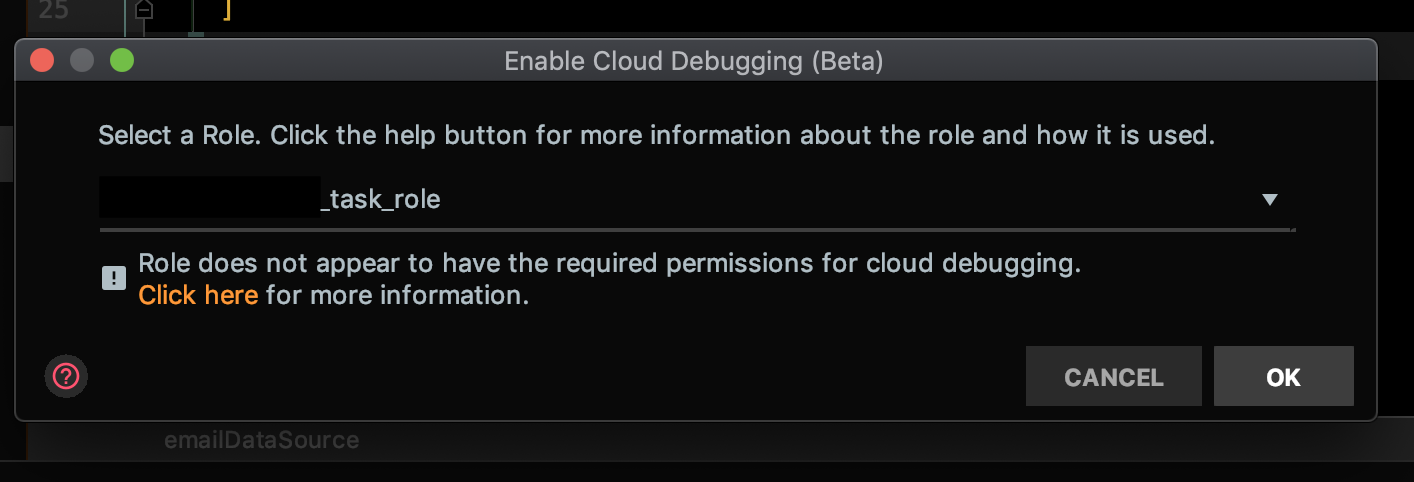
Our AWS administrator wants to know exactly what permissions I need. The only information I could find was here https://docs.aws.amazon.com/toolkit-for-jetbrains/latest/userguide/key-tasks.html#key-tasks-install, but our administrator said that that asks for me to have administrator permissions, which he won't give me.
 pulpopurpura
All 2 comments
Sorry, I think the help link is wired wrong. Here are the docs with the permissions.
https://docs.aws.amazon.com/toolkit-for-jetbrains/latest/userguide/ecs-debug.html
 abrooksv
on 20 Dec 2019
abrooksv
on 20 Dec 2019
Basically your ecs task role is your normal task role plus AmazonSSMManagedInstanceCore.
The role you use in the ide needs what is at the end of the page.
abrooksv
on 20 Dec 2019
Related issues
 G-Rath
·
6Comments
G-Rath
·
6Comments
 schapsl
·
5Comments
schapsl
·
5Comments
 mchassy
·
4Comments
mchassy
·
4Comments
 Ryan-fai
·
5Comments
Ryan-fai
·
5Comments
 katchi7
·
3Comments
katchi7
·
3Comments