Aws-mobile-appsync-sdk-js: Support for OpenID Connect auth type?
Hello!
I've noticed that OPENID_CONNECT doesn't appear to be a supported auth type within the appsync client:
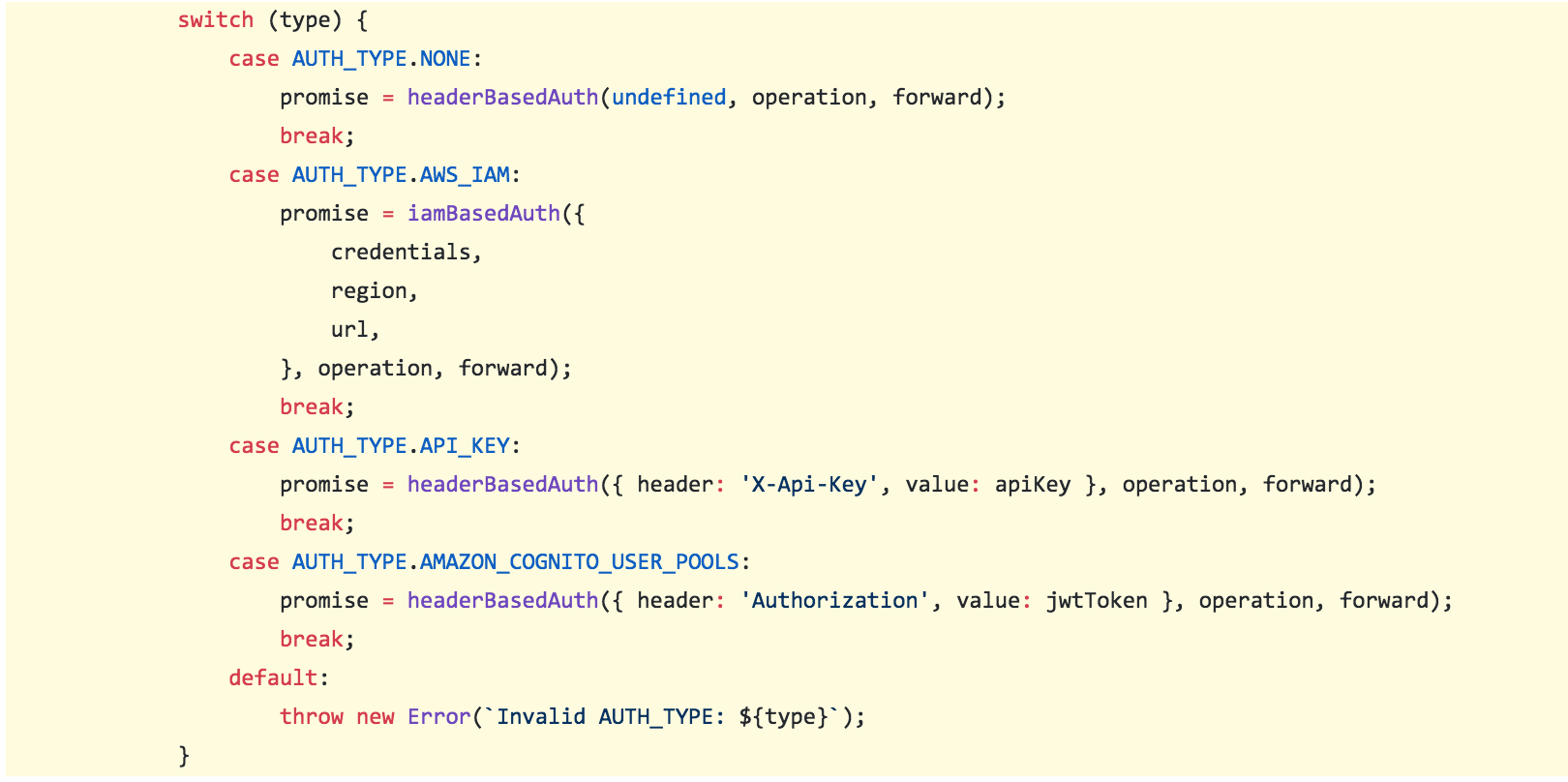
_(source: https://github.com/awslabs/aws-mobile-appsync-sdk-js/blob/master/packages/aws-appsync/src/link/auth-link.js#L111-L130)_
Though the docs show OPENID_CONNECT as an available auth option for appsync:
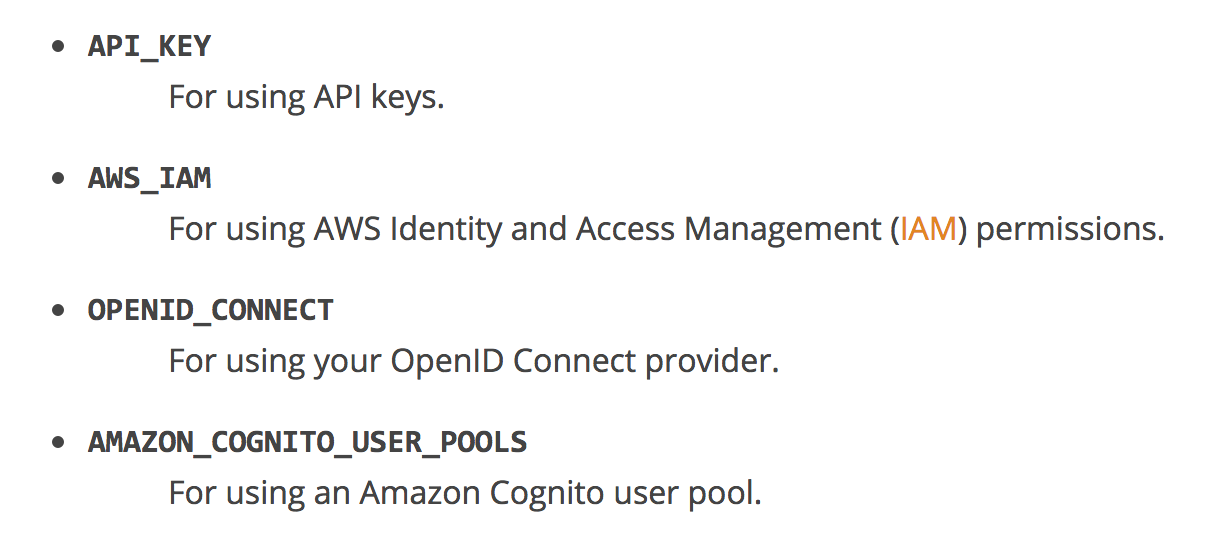
Are there any plans to support OPENID_CONNECT as an auth type? Also, is there a known workaround to this in the meantime?
Thanks!
 jimobrien
All 26 comments
Would love to know this as well...
In addition, I don’t see anywhere in the docs that specify how to access OpenID information in the request template context like you can with Cognito user or identity pools.
 justinwaite
on 16 May 2018
justinwaite
on 16 May 2018
Hi @jdeanwaite I am currently working on that feature. We should release this very soon.
 elorzafe
on 16 May 2018
elorzafe
on 16 May 2018
Hi @jdeanwaite on version 1.0.20 is live! I have tested with salesforce OIDC.
elorzafe
on 17 May 2018
@elorzafe Thanks for the replies! Does this add some additional context in the request or response mapping templates? For example, do we have access to the openid username so we can identify which resources belong to them?
justinwaite
on 17 May 2018
@jdeanwaite you will see the JWT information in $context.identity just like with Cognito User Pools. More information on this object can be seen here: https://docs.aws.amazon.com/appsync/latest/devguide/resolver-context-reference.html#aws-appsync-resolver-context-reference-identity
You can use this information in a similar way for Fine Grained Authorization: https://docs.aws.amazon.com/appsync/latest/devguide/security.html#fine-grained-access-control
 undefobj
on 17 May 2018
undefobj
on 17 May 2018
@undefobj Would you mind expounding upon which fields exactly are mapped? Looking at the documentation you linked, it simply states that for user pools the following are available in context.identity:
{
"sub" : "uuid",
"issuer" : "string",
"username" : "string"
"claims" : { ... },
"sourceIp" : ["x.x.x.x"],
"defaultAuthStrategy" : "string"
}
Where exactly can we access the OpenID JWT information? In face, OpenID is not mentioned once in that whole document. Will there be some updated documentation on that?
As a side note, is there any way to log the context as it comes through? It's hard working on a black box haha.
justinwaite
on 17 May 2018
@jdeanwaite there isn't much information we can actually document because we don't know what will be provided in the 3rd party provider JWT token. For example there is no way for us to know what claims are coming through as that's defined in a 3rd party system, but as I noted in that link it will be the same structure if claims are available so you'll be able to use $context.identity.claims.get().
As you note it's going to be in the context and you need to log this out. There are several ways to do this. You could use CloudWatch logs which will show everything in the transformed template. Another alternative would be to use Lambda and manipulate the context object like in the programming guide.
undefobj
on 17 May 2018
@undefobj Thank you, I much appreciate your prompt responses! I will be looking into this more very soon.
justinwaite
on 17 May 2018
Super excited to see OpenID support hit AppSync! I was actually finding myself wanting this feature just a few weeks back. Thanks for implementing it!
I'm trying to hook up an AppSync project with OpenID Connect, but I'm finding myself getting tripped up a bit. What is the best way to debug issues related to your Open ID configuration? I've supplied the Issuer URL (which I've confirmed has a openid-configurations well-known path on it) to AppSync, but anytime I make a GET request to the graphql endpoint with my JWT token, I just get:
{
  "errors": [
    {
      "errorType": "UnauthorizedException",
      "message": "Unauthorized"
    }
  ]
}
I've tried looking in the CloudWatch logs for more details related to why the endpoint is returning 401, but I haven't found any clues to what I might be doing wrong. Any ideas what I might be doing wrong?
 pbgodwin
on 21 May 2018
pbgodwin
on 21 May 2018
@pbgodwin can you paste a codesnippet?
You can initialize the client like this?
const client = new AWSAppSyncClient({
url: AppSyncConfig.graphqlEndpoint,
region: AppSyncConfig.region,
auth: {
type: AppSyncConfig.authType,
jwtToken: async () => token, // OpenID Connect token object is obtained previously
}
})
@elorzafe Happy to share. This is how I'm initializing the client:
// AppSync client instantiation
const client = new AWSAppSyncClient({
url: AppSync.graphqlEndpoint,
region: AppSync.region,
auth: {
type: AppSync.authenticationType,
apiKey: AppSync.apiKey,
jwtToken: async() => localStorage.getItem('jwt_token')
}
});
I've verified my JWT is on the Authorization header on the GraphQL request, and unpacking the JWT shows what I would expect.
It's also worth mentioning that I can reproduce this response using the GraphQL Queries UI in the AWS Console using a JWT created on the client, which suggests to me there is something funny with my OIDC configuration in the AppSync config rather than my AppSync Apollo client.
pbgodwin
on 21 May 2018
@pbgodwin What is your authenticationType set to? I'm seeing that you are including an apiKey field which might suggest to me that it is set to use an API Key, but you are wanting to use OIDC, correct? What does your configuration look like (obviously hide any sensitive info).
justinwaite
on 22 May 2018
@pbgodwin, so it should be related to the token you are using. Are you using access_token or id_token from your OIDC provider? I used id_token
elorzafe
on 22 May 2018
@jdeanwaite Happy to share my config, it's definitely set to OpenId Connect:
export default {
'graphqlEndpoint': 'https://MyCoolUSWest2AppId.appsync-api.us-west-2.amazonaws.com/graphql',
'region': 'us-west-2',
'authenticationType': 'OPENID_CONNECT',
'apiKey': 'SuperSecretKey'
};
The client is also adding the correct header to the Http request to AppSync, so I don't think the issue is in the SDK logic, but either in the service or my configuration.
@elorzafe I just went and double checked, and I'm indeed using id_token returned by the OIDC flow. I chose the wrong name (access_token) because of habit. Is there a log I can check anywhere to see why the service doesn't like the token I'm sending? I'm assuming it's related to the OIDC provider configuration I'm using, but I don't know where to start looking.
pbgodwin
on 22 May 2018
I did some more experimentation, and I managed to get OpenID Connect on AppSync to work with Auth0 without much effort. After looking at my other OpenID provider, Azure AD B2C, I think I see what happened:
- The Azure OpenID flow uses the following convention for Issuer: https://login.microsoftonline.com/{tenantId}/v2.0/
- However, the OpenID discovery endpoint uses this convention:
https://login.microsoftonline.com/{tenantId}/v2.0/.well-known/openid-configuration?p=some-config-name
Without the query string appended to the OpenId discovery url, the discovery service will return a configuration that is different than our local sign in flow. I suspect this is causing the token validation to fail on the AppSync service.
Which brings me to ask: Would it be possible to surface a setting in the AppSync console view that allows you to set the OpenID discovery endpoint separate from the issuer id? I think this would resolve the 401 failures I'm seeing.
pbgodwin
on 25 May 2018
I just wanted to circle back and see if anyone had ideas on how I could debug this?
I've managed to get a Issuer URL that generates a correct OpenID discovery endpoint, but I'm still seeing 401 failures calling into AppSync. I'm continuing to tweak the configuration of AppId's on the OpenID provider side, but without knowing what exactly the problem with my tokens is, I'm not sure where to focus my energy.
pbgodwin
on 1 Jun 2018
@pbgodwin how were you able to get Auth0 OIDC working with AppSync? I can't seem to figure it out to save my life.
I'm having the same issue where I don't know what aspect of the JWT it doesn't like- even if it's in the OpenID discovery or in the JWT itself. I've matched the issuer URL to match iss claim exactly, as AppSync says it appends the OpenID discovery piece (and something I read suggested it has to match exactly). I tried to tweak audience settings, to no avail so far. I saw what you said about using id_token instead of access_token, but none of the combinations I've tried have worked so far.
 Throttlebyte
on 15 Jun 2018
Throttlebyte
on 15 Jun 2018
@pbgodwin @Throttlebyte we're going to see if we can provide some sample blogs in the future with specific providers, but in the meantime can you open an official support request via the AWS console or your account team? That way we can look into your account requests and help you resolve the issue.
undefobj
on 15 Jun 2018
Fellas,
I'm trying to integrate Auth0 as OpenID Connect provider. I use "https://*.auth0.com/.well-known/openid-configuration" as "OpenID Connect provider domain (Issuer URL). "
When I send a request to AppSync URL with Authorization header (tried both id and access tokens) I get :
{
"errors": [
{
"errorType": "DependencyFailedException",
"message": "Invalid OIDC endpoint specified."
}
]
}
 DamageShadow
on 20 Jun 2018
DamageShadow
on 20 Jun 2018
@DamangeShadow make the provider domain just https://***.auth0.com without the /.well-known/openid-configuration part :)
This confused me as-well haha!
 dmitryyankowski
on 28 Jun 2018
dmitryyankowski
on 28 Jun 2018
@lolcoolkat Do you have Auth0 working with AppSync as OpenID provider? I have tried everything I can think of and I keep getting:
{
  "errors": [
    {
      "errorType": "UnauthorizedException",
      "message": "Unauthorized"
    }
  ]
}
In the queries console... I have a valid Auth0 domain, I have tried it with and without the clientId.. I just don't see why it would be failing even in the gui.
 coosamatt
on 31 Jul 2018
coosamatt
on 31 Jul 2018
FWIW, managed to have AppSync working with Okta OpenID, the trick is to use the correct issuer URL, in Okta case, it should be something like this:
https://<client>.oktapreview.com/oauth2/xxxxxxxxxx
 kenvunz
on 27 Aug 2018
kenvunz
on 27 Aug 2018
@kenvunz could you share how you make it with okta?
 castro2487
on 28 May 2019
castro2487
on 28 May 2019
@castro2487 I can't remember the details sorry, but it's all about putting the correct issuer URL as said above
kenvunz
on 30 May 2019
I managed to make Okta OpenID work by using https://<client>.oktapreview.com/oauth2/default
 ChenLi0830
on 24 Sep 2019
ChenLi0830
on 24 Sep 2019
As @justinwaite pointed out, check if you don't need to use id_token instead of access_token for AppSync OIDC auth. I'm also using Okta but my issuer url is different (according to the well known config) - it's just the org url (https://xyz.okta.com). So check your /.well-known/openid-configuration endpoint for that.
 filiphosko
on 20 Dec 2019
filiphosko
on 20 Dec 2019
Related issues
 e-yoshi
·
3Comments
e-yoshi
·
3Comments
 mwarger
·
3Comments
mwarger
·
3Comments
 ciocan
·
4Comments
ciocan
·
4Comments
 sfegsetsfe
·
4Comments
sfegsetsfe
·
4Comments
 AlexThomas90210
·
3Comments
AlexThomas90210
·
3Comments
Most helpful comment
@lolcoolkat Do you have Auth0 working with AppSync as OpenID provider? I have tried everything I can think of and I keep getting:
{
  "errors": [
    {
      "errorType": "UnauthorizedException",
      "message": "Unauthorized"
    }
  ]
}
In the queries console... I have a valid Auth0 domain, I have tried it with and without the clientId.. I just don't see why it would be failing even in the gui.