Aws-data-wrangler: wr.s3.store_parquet_metadata reading category dtype as null string
Hi - wr.s3.store_parquet_metadata is not correctly converting a category column to string.
The parquet files have this column ticker as a category:
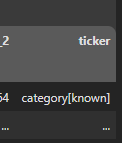
The Glue table that gets written using wr.s3.store_parquet_metadata writes correctly, but the 'ticker' field gets converted to string and is null.
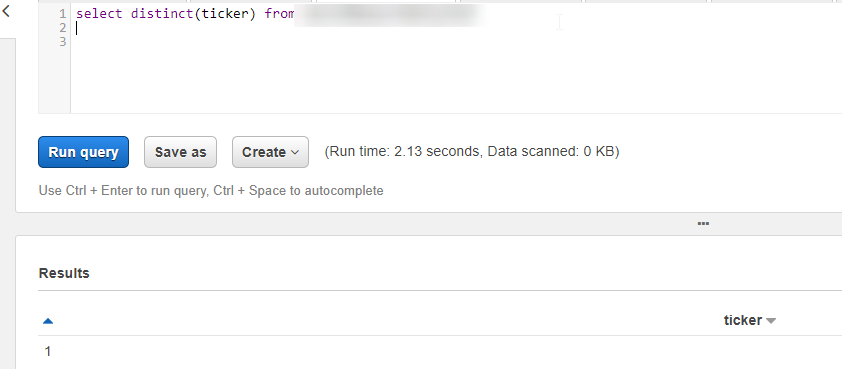
I tried setting dtype={'ticker':'string'} but still null. Any thoughts?
 eric-valente
All 18 comments
Hi @melvinev
How can you see that this column has this "category[know]" type in the parquet file? And how this parquet file was written?
 igorborgest
on 11 Nov 2020
igorborgest
on 11 Nov 2020
Hi @igorborgest I'm using dd.read_parquet() (Dask).
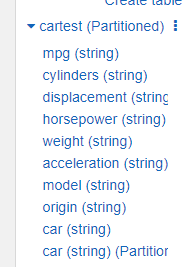
Here is a simpler example that shows wrangler having an issue with with duplicating a column that is the partition. This is related to the original bug I put in, but this is the real issue I am seeing.
Dummy example (change the S3 path):
import dask.dataframe as dd
import awswrangler as wr

dd.read_csv('https://perso.telecom-paristech.fr/eagan/class/igr204/data/cars.csv', delimiter=';')\
    .to_parquet(f"s3://bucket/cartest", engine="pyarrow", write_index=False, compression="snappy", partition_on=['Car'])

wr.s3.store_parquet_metadata(
    path='s3://bucket/cartest',
    database="database",
    table="cartest",
    dataset=True,
    mode="overwrite",
    compression="snappy",
    use_threads=True
)

eric-valente
on 11 Nov 2020
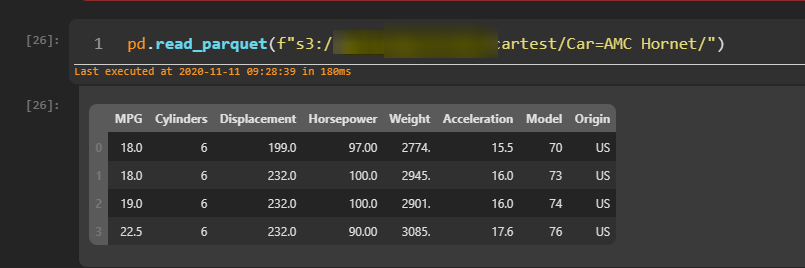
Confirmed that by looking at a single parquet file, the 'Car' column is not in there, yet wr is adding it as a second colum:
eric-valente
on 11 Nov 2020
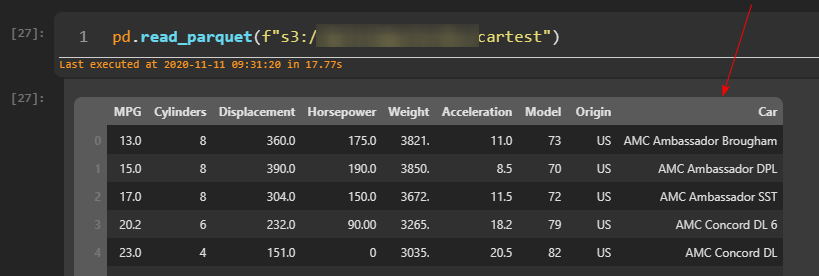
And when I read the full parquet folder, Pandas correctly creates a column for Car derived from the folder partitions:
eric-valente
on 11 Nov 2020
@melvinev thanks for more details, we will investigate it.
One last question, are you sure that you don't have this column materialized in some file?
You can run this snippet to check:
wr.s3.read_parquet(
    path="...",
    dataset=True,
    validate_schema=True
)
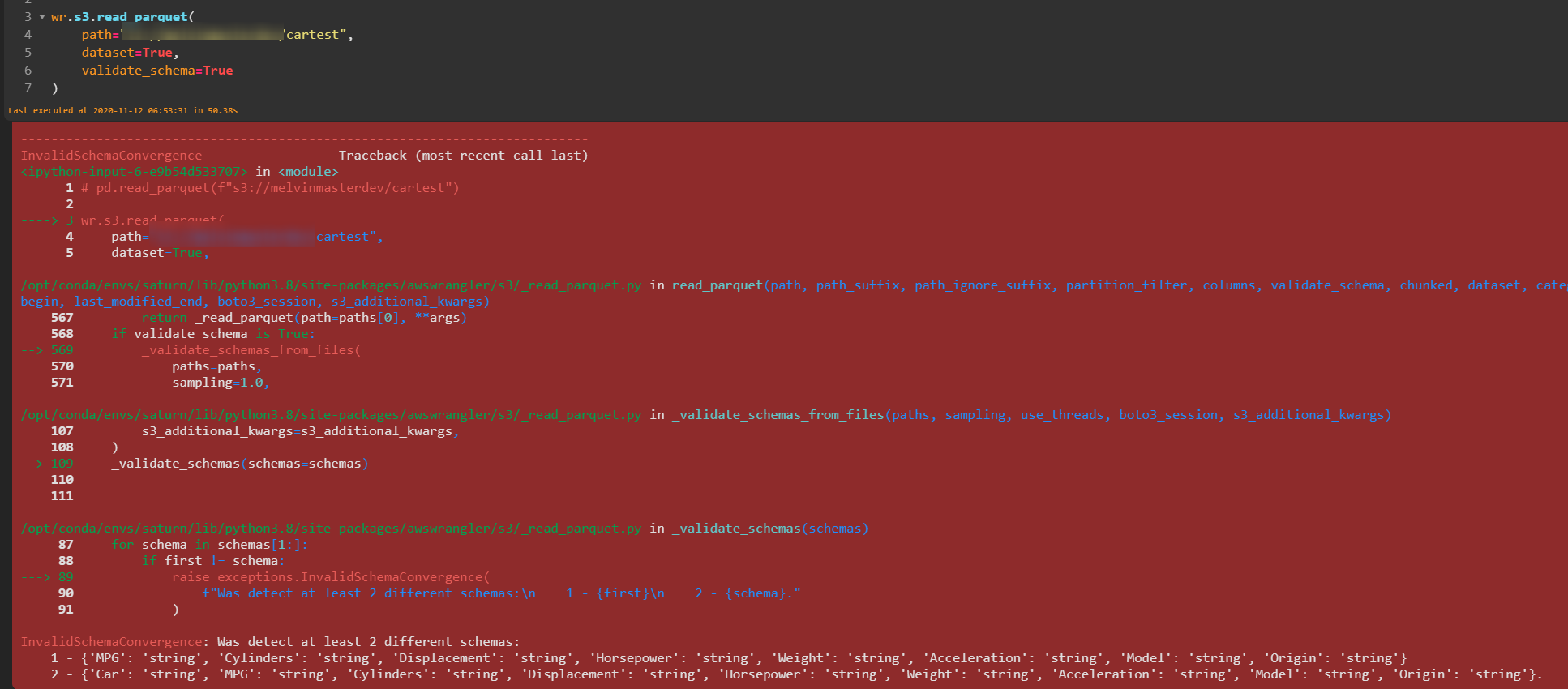
It will throw an exception if there is some mismatching schema in your files.
igorborgest
on 12 Nov 2020
Hi @igorborgest really appreciate you looking into this!
The schema does not pass - do you think it has to do w/ how Dask is writing the parquet partitions? Any thoughts here?
eric-valente
on 12 Nov 2020
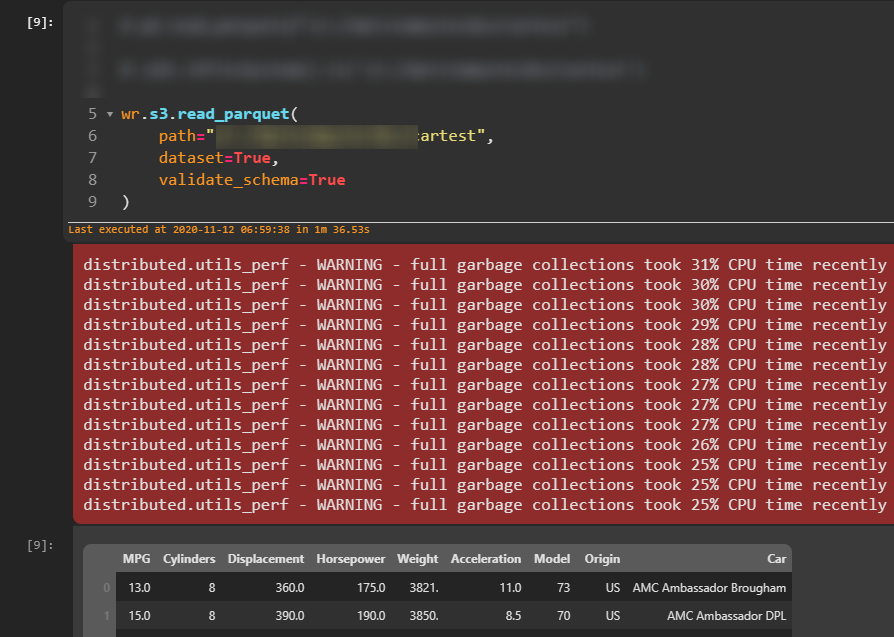
Okay so I tried deleting the _metadata file that Dask creates and it works now... I can tell Dask to not write the metadata file, but do you know why this is happening? Is the metadata not useful for AWS Wrangler?

eric-valente
on 12 Nov 2020
The wr.s3.store_parquet_metadata takes a very long time to run with not a ton of files - is the metadata file supposed to help speed this up given it knows the parquet structure?
eric-valente
on 12 Nov 2020
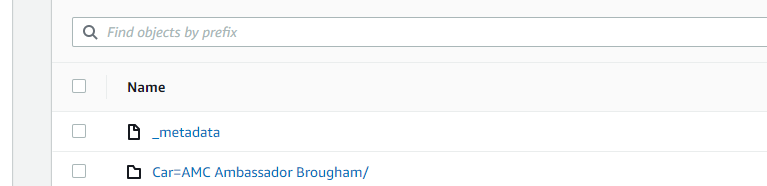
Also I deleted the "_common_metadata" file and reran and it was successful so maybe these 2 metadata files together are causing the problem?
eric-valente
on 12 Nov 2020
Wrangler will ignore this metadata file.
Are you sure this issue has some relation with this metadata file? It seems that you had files mixed from two different "writes" and with different schemas. Maybe just the clean up would solved it.
About the wr.s3.store_parquet_metadata() speed.
- How much files do you have?
- How much time it takes?
- Are you running from inside AWS?
By default this function will check the footer of all your files, so it is I/O intense. If you are running it from a high latency environment (e.g. distant s3 region) is expected that it will take some time.
In addition to that we also have the sampling argument. So if you have a uniform schema you can pass sampling=0.1 to scan only 10% of the files for example.
igorborgest
on 12 Nov 2020
@igorborgest yeah I tested the metadata a few times and deleting it makes it work... I'll try again.
re: speed:
- 400 partition folders with 1 partition file of about 10mb in each
- Never finishes, > 10 minutes and I cancel
- yes in AWS running in same region as the S3 bucket (us east 1)
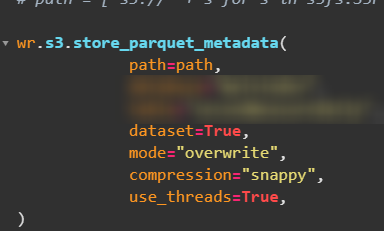
Does it help to prepopulate the names of the files like this?
path = ['s3://' + s for s in s3fs.S3FileSystem().glob('s3://bucket/partitions)]
I'm also using threads already and see the concurrency in htop:
eric-valente
on 12 Nov 2020
When I use s3.store_parquet_metadata with dataset=True on a folder of parquet files (non partitioned) its very quick.
eric-valente
on 12 Nov 2020
I think the original issue stands, if delete the "common_metadata" file it actually works properly and finishes in 1.5 minutes and does not have duplicates.

I get this I leave both meta data files in:
HIVE_INVALID_METADATA: Hive metadata for table cartest is invalid: Table descriptor contains duplicate columns
eric-valente
on 12 Nov 2020
Adding write_metadata_file=False, fixes it, so it's either something weird with how Dask writes metadata files or AWS Wrangler reads them:
.to_parquet(f"s3://bucket/cartest", engine="pyarrow", write_index=False, write_metadata_file=False, compression="snappy", partition_on=['Car']
eric-valente
on 12 Nov 2020
So if the problem is this metadata file, you can use the path_suffix=["parquet"] OR path_ignore_suffix=["_medadata"] arguments to ignore it.
This way you can keep using these files to read with Dask.
igorborgest
on 12 Nov 2020
Ah clever... thank you! Beats deleting the files.
eric-valente
on 12 Nov 2020
Thanks again @igorborgest
eric-valente
on 12 Nov 2020
Also, it is totally off-topic, but we are stating a _"Who uses AWS Data Wrangler?"_ section. So feel free to add yourself if you want.
igorborgest
on 12 Nov 2020
Related issues
 sujayramaiah
·
4Comments
sujayramaiah
·
4Comments
 chrispruitt
·
5Comments
chrispruitt
·
5Comments
 vfrank66
·
3Comments
vfrank66
·
3Comments
 radcheb
·
4Comments
radcheb
·
4Comments
 jasonamyers
·
4Comments
jasonamyers
·
4Comments