Awesome: Suggestion for new naughty actions design
I wanted to change the design of actions in naughty notifications to a for me more pleasant looking design;
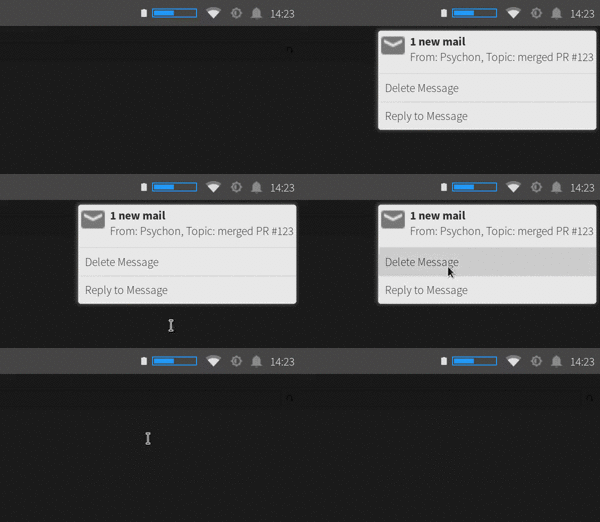
Using the default theme without any modifications it might look like:
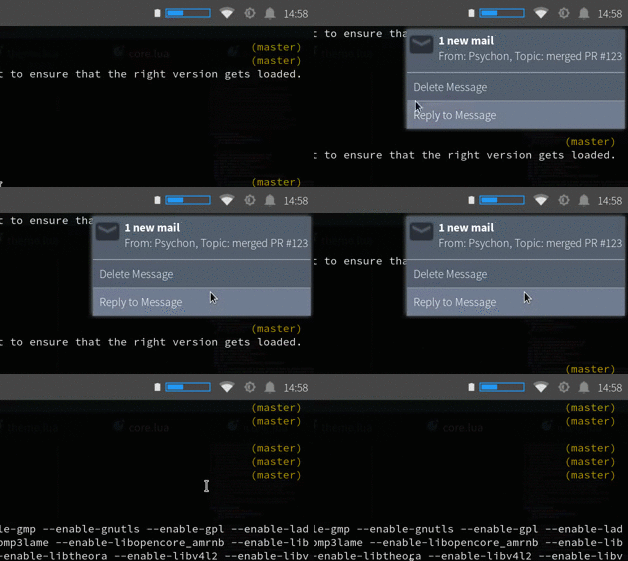
Unfortunately naughty doesn't provide a hook to create own wiboxes and let naughty take care of the rest.
That's why I needed to copy over naughty completely to my config and modify the config. Since I would really like not to copy core config over to my config, I wanted to ask for your opinion on the design, and whether you think this could be part of the core config? In that case I would create a pull request for it.
If this couldn't make it in the core config, do you alternatively think a hook to create the wiboxes might be a good idea? That hook could get the preprocessed args and need to return the wibox for that notification. That way the user would have full control over the look, but still get the placement, timeouting, etc. from the naughty core.
 timroes
All 7 comments
Ok, I can port the notifications to behave like the wibar and titlebar and have their own section in rc.lua. For 4.x, I can't break the API, so it would have to remain somewhat compatible, limiting the degrees of freedom, but that will be enough to implement the above. I don't have a timeframe yet, don't expect this to be done overnight.
Also, please post one of the gif to #1395, it's pretty!
 Elv13
on 27 Jun 2017
Elv13
on 27 Jun 2017
Since the design suggestion got quite some thumbs up, I would open a pull request for it implementing it.
Also I would open another issue for more customizable notifications, since I think this is a huge change, that may require some further discussion, so we can split it in its own issue.
timroes
on 27 Jun 2017
Can you give me a couple days to prototype some APIs referred by #1873 (comments)?
Elv13
on 27 Jun 2017
I am done doing the naughty rewrite. This was a PITA to make sure everything is compatible with the current API, but I think I made it.
https://elv13.github.io/classes/naughty.notification.html#
https://elv13.github.io/classes/naughty.widget.legacy.html
https://elv13.github.io/libraries/naughty.html
I still have to write the new flexible widget on top of the new "model/view" API, but this is a good milestone. IT NEEDS EXTRA CAREFUL TESTING!!!!. This is a very large and very scary patchset that has the potential to break a lot of things. While I think with proper testing it could be merged in v4.3, it wont happen overnight. It's located (along with many other WIP patches) in my doc_tests_and_notif branch.
Suggestions for the new (model) API are welsome.
Elv13
on 6 Aug 2017
New update. I refactored awful.widget.common to allow external customization (finally! no more silly new options). Here are a new examples for the tasklist:
https://elv13.github.io/classes/awful.widget.tasklist.html
Here's the windows10 and alttab popup examples correctly rendered (I am working on fixing the shims)
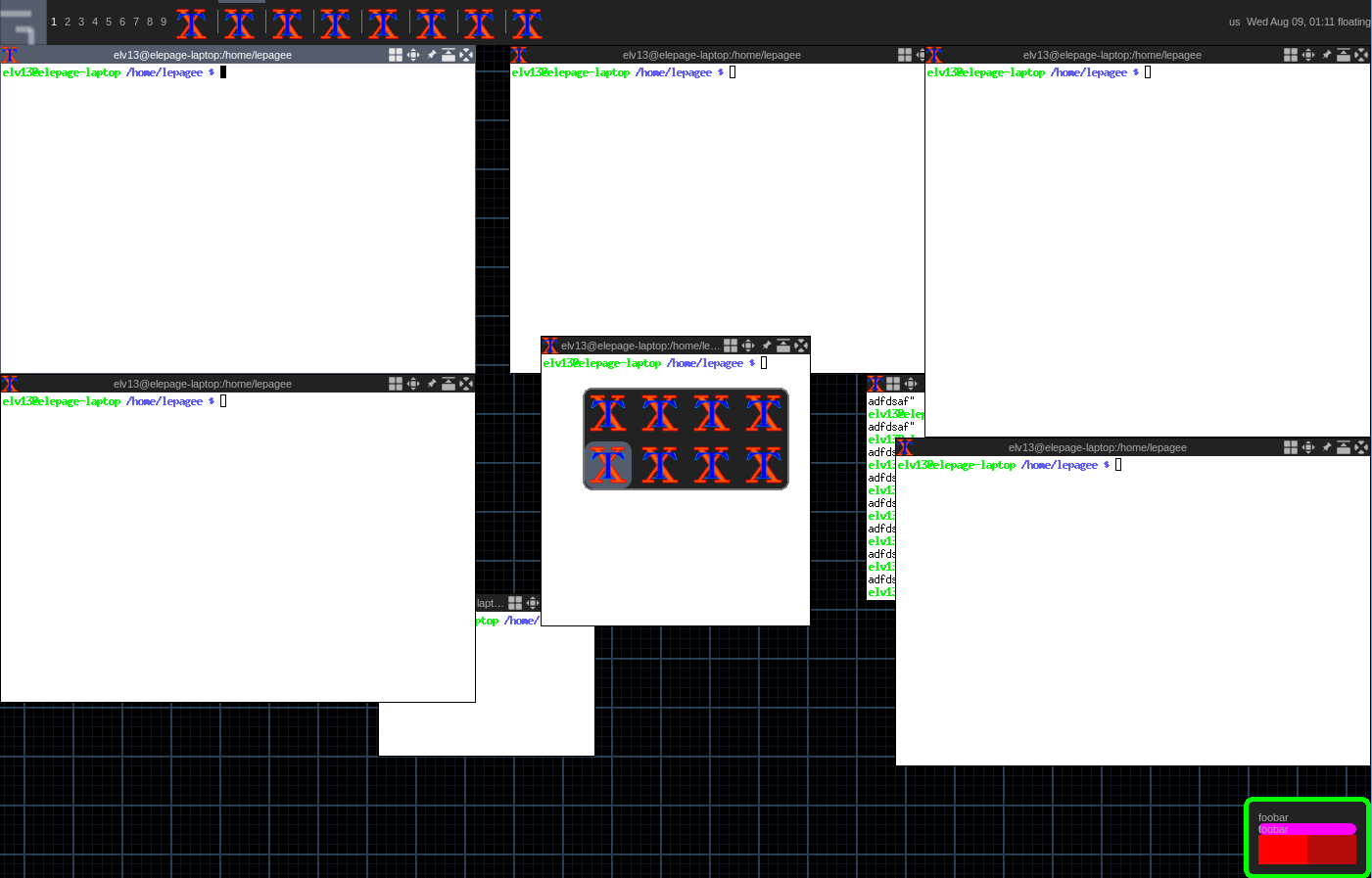
You can also see the "new" awful.popup widget I imported from Radical, it will be used for the new notifications. The awful.widget.common will be used for the new naughty.widget.actionlist and the new naughty.widget.panel widgets.
Also notice the new wibox.widget.separator widget used to replicate the line between this actions in the first post screenshot.
Elv13
on 9 Aug 2017
More progress. On the left is the new widget and the right the old one (for the same notifications)
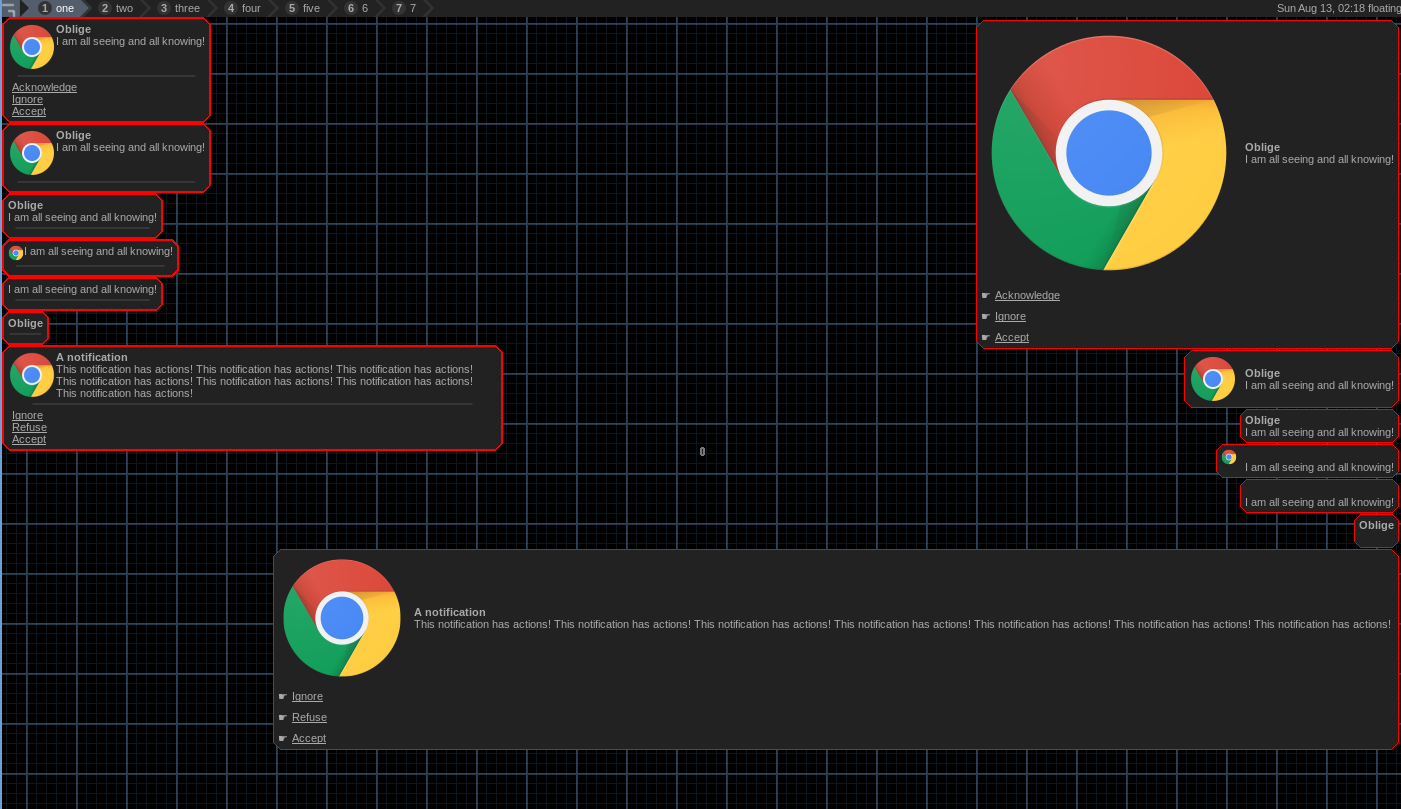
This corresponds to this code in rc.lua (or the theme):
naughty.connect_signal("request::display", function(n)
    naughty.widget.box {
        notification    = n,
        widget_template = {
             {
                {
                    naughty.widget.icon {notification = n},
                    {
                        naughty.widget.title   {notification = n},
                        naughty.widget.message {notification = n},
                        layout = wibox.layout.fixed.vertical
                    },
                    fill_space = true,
                    layout     = wibox.layout.fixed.horizontal
                },
                naughty.widget.actionlist {notification = n},
                spacing_widget = {
                    forced_height = 10,
                    opacity       = 0.3,
                    span_ratio    = 0.9,
                    widget        = wibox.widget.separator
                },
                spacing = 10,
                layout  = wibox.layout.fixed.vertical
            },
            margins = beautiful.notification_margin or 4,
            widget  = wibox.container.margin
        },
   }
end)
As you can see, in the example, I took the liberty to add a spacer line and implement size constraints to both the icons and notification width. For the issue where the spacer is visible even without actions, this will be fixed soon. Otherwise its mostly done. I am preparing to submit the first 3 pull request (out of 4).
The advantage of this new way to create notification is that it's similar to how the titlebar and wibars are currently implemented. It's no longer a black box. I will try to further reduce the number of lines from the code above as it's still a bit too big to put in (edit: done).rc.lua
I also need to better handle when dbus notifications are updated by the remote client, support the preset and support custom buttons (like the taglist and tasklist).
Elv13
on 13 Aug 2017
This is the explosion of Awesomeness with the slowest velocity of all time. The first commits in the series that led to this being fixed are now over 2 years old. This issue itself almost is.
The notification API has been replaced along with the addition of templates to many other widgets such as the taglist/tasklist. Notification layouts can now be done by themes.
Elv13
on 9 Jun 2019
Related issues
 deb75
·
4Comments
deb75
·
4Comments
 doronbehar
·
5Comments
doronbehar
·
5Comments
 jestark
·
4Comments
jestark
·
4Comments
 elyoas
·
5Comments
elyoas
·
5Comments
 philer
·
3Comments
philer
·
3Comments
Most helpful comment
More progress. On the left is the new widget and the right the old one (for the same notifications)
This corresponds to this code in
rc.lua(or the theme):As you can see, in the example, I took the liberty to add a spacer line and implement size constraints to both the icons and notification width. For the issue where the spacer is visible even without actions, this will be fixed soon. Otherwise its mostly done. I am preparing to submit the first 3 pull request (out of 4).
The advantage of this new way to create notification is that it's similar to how the titlebar and wibars are currently implemented. It's no longer a black box.
I will try to further reduce the number of lines from the code above as it's still a bit too big to put in(edit: done).rc.luaI also need to better handle when dbus notifications are updated by the remote client, support the preset and support custom buttons (like the taglist and tasklist).