Avideo: Cannot connect and watch live streams
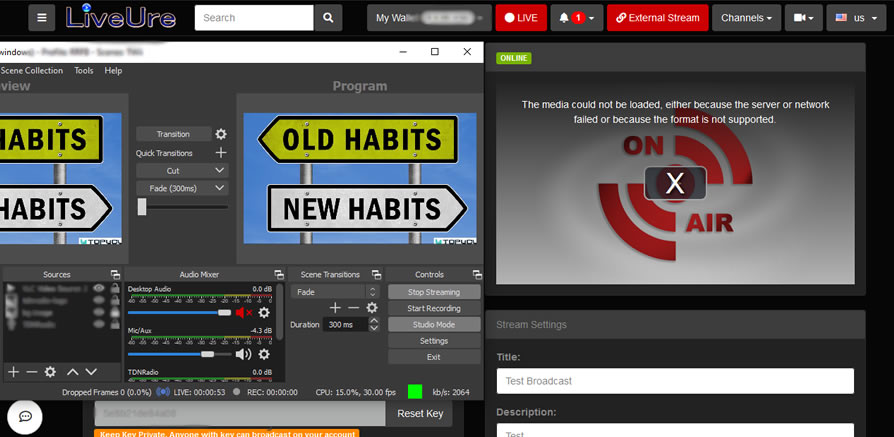
Unable to watch any live stream. OBS can connect, it says online but won't stream
 ganddser
All 25 comments
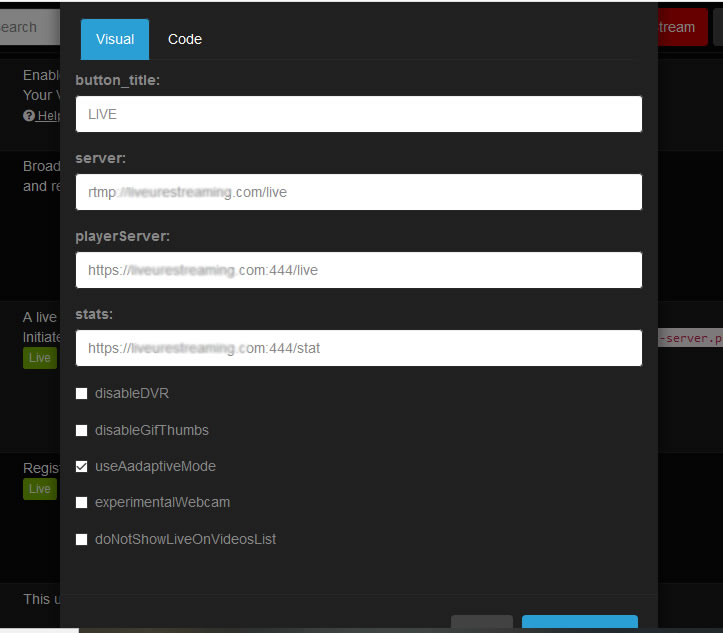
How is your live plugin parameters?
Please screenshot and post it here
 DanielnetoDotCom
on 26 May 2020
DanielnetoDotCom
on 26 May 2020
ganddser
on 26 May 2020
@ganddser Ok , start by disabling "useAdaptiveMode"
If you have not set the ffmpeg parameters on nginx.conf , disable this option and should work .
 akhilleusuggo
on 27 May 2020
akhilleusuggo
on 27 May 2020
That worked thanks, Daniel Nato installed and configured our Avideo I'll have to check and see what he enabled.
ganddser
on 27 May 2020
Yes , could be a mistake of Daniel , but I recommend you to take a look at https://github.com/WWBN/AVideo/wiki to have a better understanding of the functions
akhilleusuggo
on 27 May 2020
Thanks. BTW any eta o the webcam feature?
ganddser
on 27 May 2020
Hi,
By default, I do not configure adaptative mode
If you want, you must follow this: https://github.com/WWBN/AVideo/wiki/Adaptive-Bitrates-on-Livestream
be aware it will consume more your CPU
DanielnetoDotCom
on 27 May 2020
Thanks Daniel appreciate your intervention
ganddser
on 27 May 2020
The issue mentioned above seems to have somehow returned, I haven't changed anything since disabling useAdaptiveMode. But I'm back to not being able to play live steams
ganddser
on 7 Jul 2020
please check your log and console.log
DanielnetoDotCom
on 8 Jul 2020
Do you need the whole log?
ganddser
on 9 Jul 2020
No, just the last logs right after you transmit and fail.
JS Console log and avideo.log
DanielnetoDotCom
on 9 Jul 2020
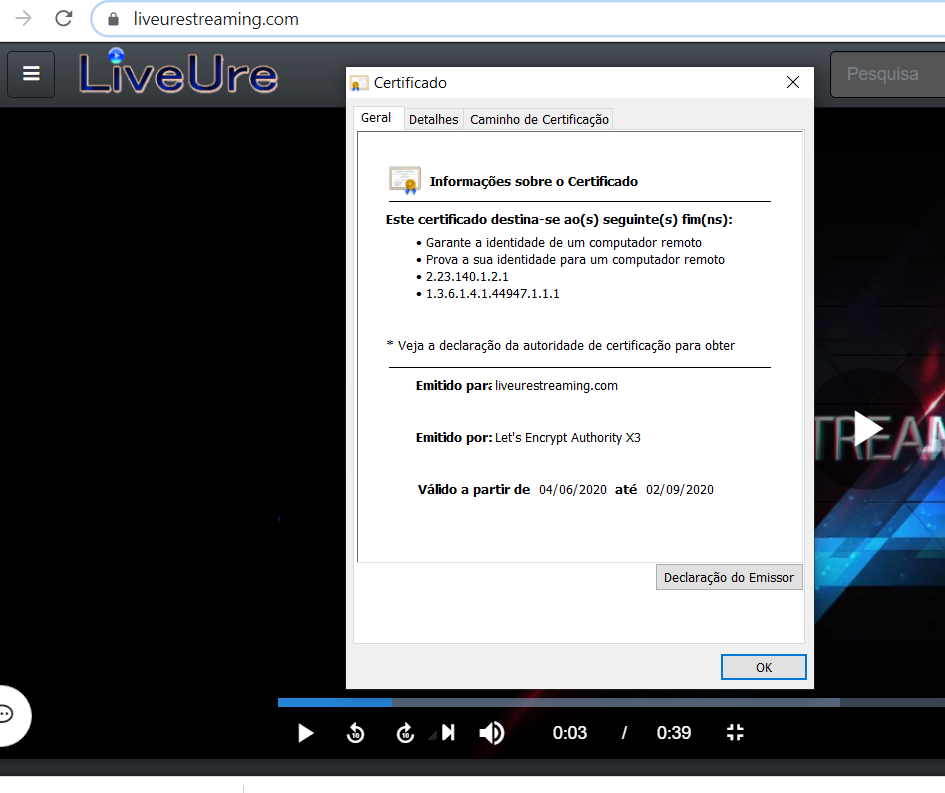
I just checked the SSL status say SSL expired 7/4/2020. How to renew, or change certificate provider?
ganddser
on 9 Jul 2020
Did daniel installed the server for you or by your own ?
akhilleusuggo
on 9 Jul 2020
Daniel installed it
ganddser
on 9 Jul 2020
Note after updated the LiveUsers plugin, I can connect and play the live stream but the status says it's offline. 0 live streams
ganddser
on 9 Jul 2020
@ganddser what is your site URL?
About the LiveUsers plugin, please update it. you need the version 2.0 for the new Live plugin (version 4.0)
DanielnetoDotCom
on 9 Jul 2020
https://liveurestream.com. The SSL seems fine now I don't know what that earlier error was about. I have Live 3.0 and Liveusers 2.0 I don't find an update for live.
ganddser
on 9 Jul 2020
 DanielnetoDotCom
on 9 Jul 2020
DanielnetoDotCom
on 9 Jul 2020
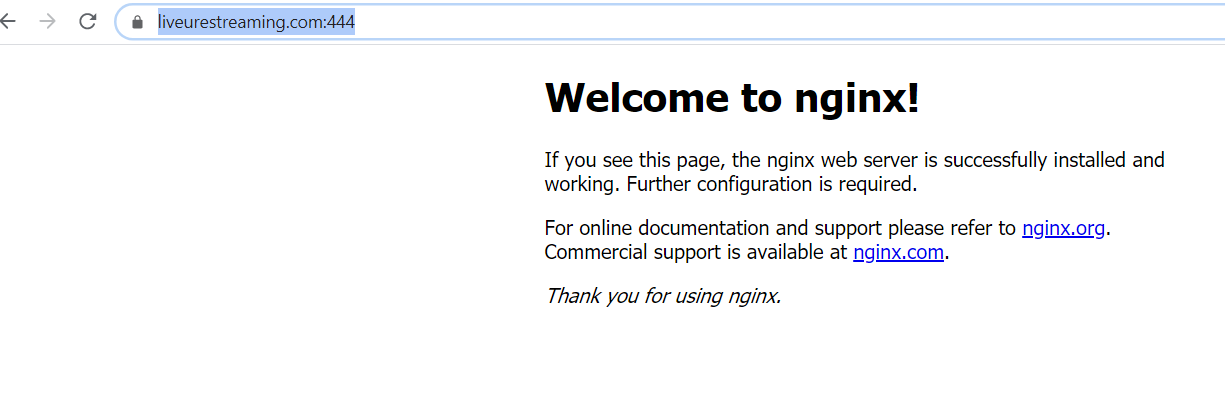
But your nginx is not

Did you update something on Nginx?
DanielnetoDotCom
on 9 Jul 2020
no didn't update anything
ganddser
on 9 Jul 2020
 DanielnetoDotCom
on 9 Jul 2020
DanielnetoDotCom
on 9 Jul 2020
Yeah. Still can't says 0 live streams. Any ideas on that? I know for sure there's at least 1 live stream
ganddser
on 9 Jul 2020
FYI, you were running version 8.6, we are in version 9.1
I just update everything for you. try now
DanielnetoDotCom
on 9 Jul 2020
Thanks Daniel, it's working now.
ganddser
on 9 Jul 2020
Related issues
 wetubeclub
·
3Comments
wetubeclub
·
3Comments
 shebanet
·
4Comments
wetubeclub
·
3Comments
shebanet
·
4Comments
wetubeclub
·
3Comments
 matthall1998
·
4Comments
ganddser
·
3Comments
matthall1998
·
4Comments
ganddser
·
3Comments