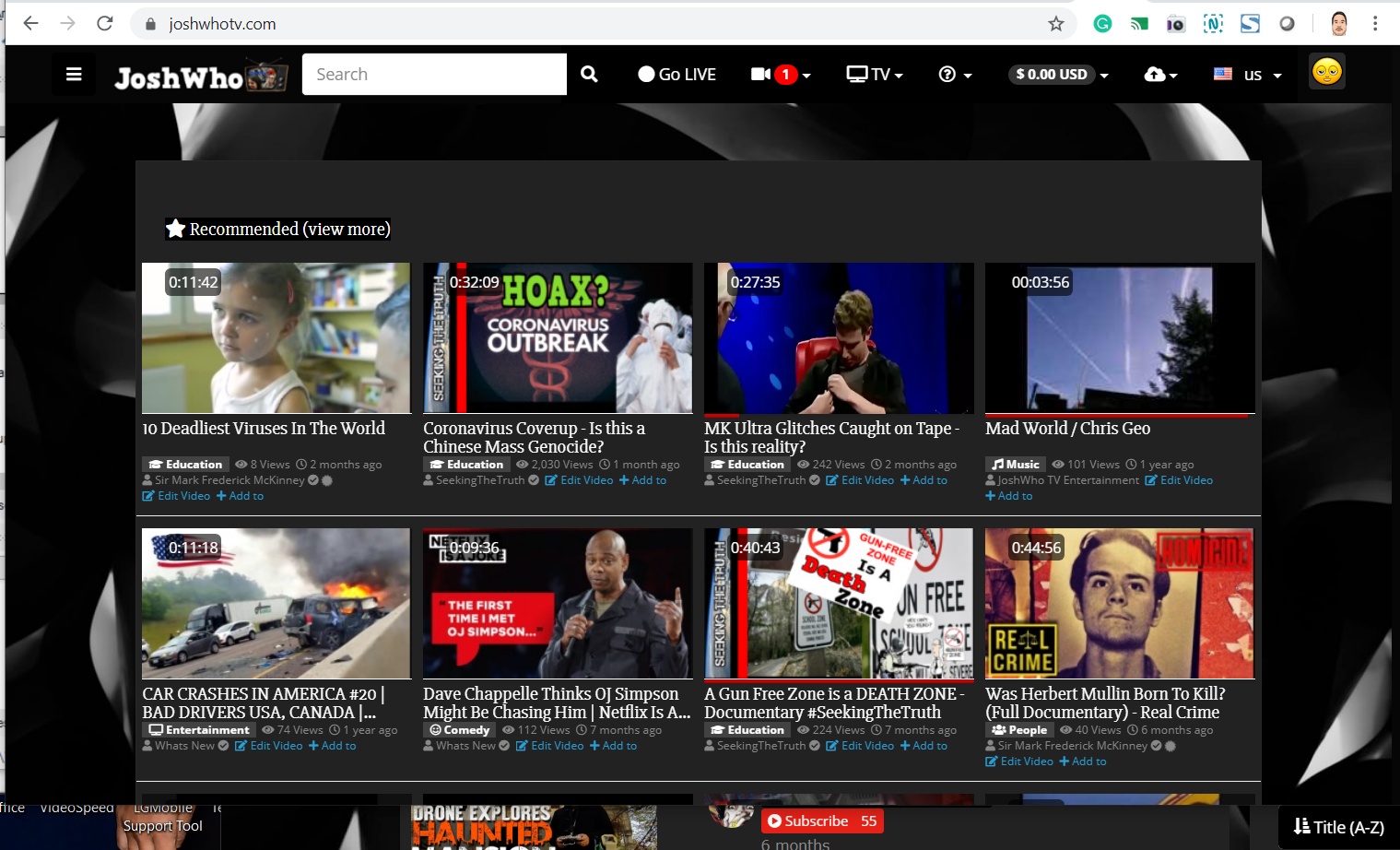
Avideo: Search Magnifier is hiding the Go Live Button kinda

Full desktop view
 JoshWho
All 29 comments
Hi, you probably have too many buttons and a small resolution.
we made it to avoid break lines
but maybe you need to clear your browser cache.
here is a screenshot of 1200px wide
 DanielnetoDotCom
on 24 Apr 2020
DanielnetoDotCom
on 24 Apr 2020
I can see this using a different computer. it is not in the CACHE. I even removed a item from the top menu and it is still covered.
JoshWho
on 25 Apr 2020
What browser are you using? And what resolution?
DanielnetoDotCom
on 25 Apr 2020
Chrome 1280
JoshWho
on 25 Apr 2020
I just added 3 spaces to the text Go Live Now I can see it
JoshWho
on 25 Apr 2020
I am also using chrome , and I could not reproduce. The last thing I Chan check is the browser version. I am away from pc now so I cannot check my version
DanielnetoDotCom
on 25 Apr 2020
MY Linux one is Version 71.0.3578.98 (Official Build) (64-bit)
My windows one is Version 80.1.3902.163 (Official Build) (64-bit)
JoshWho
on 25 Apr 2020
The Magnify glass cuts off the Logo on Mobile View with Android
JoshWho
on 25 Apr 2020
works fine for me too
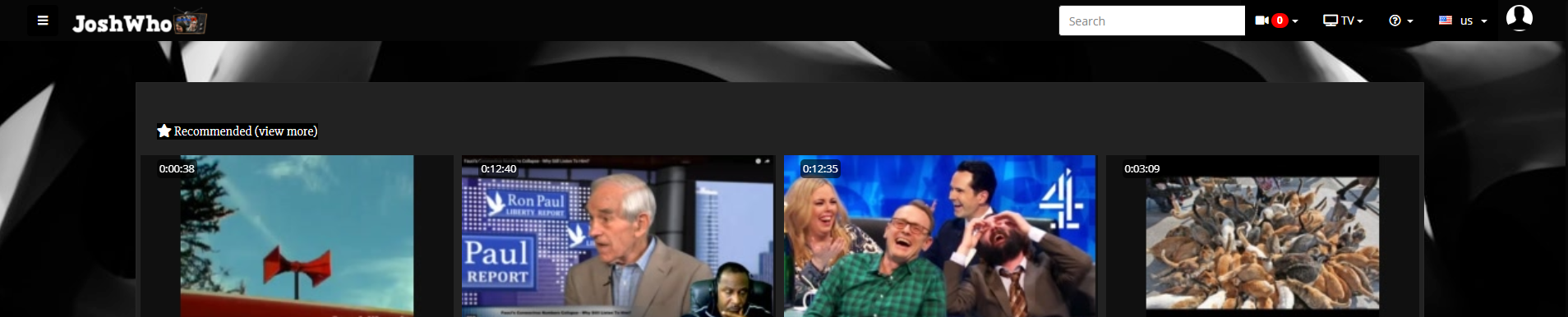
You can always use ctrl + wheel button mouse scroll up and down to zoom

 akhilleusuggo
on 25 Apr 2020
akhilleusuggo
on 25 Apr 2020
Of course it looks fine on a desktop. You r not logged in. There is a Go Live Button being cut off on Desktop.

I am literally using ---- In front of Go Live so Go is visible.
JoshWho
on 25 Apr 2020
I just got an email from a user on there that says he doesn't see the Live button at all. I think he uses safari.
JoshWho
on 25 Apr 2020
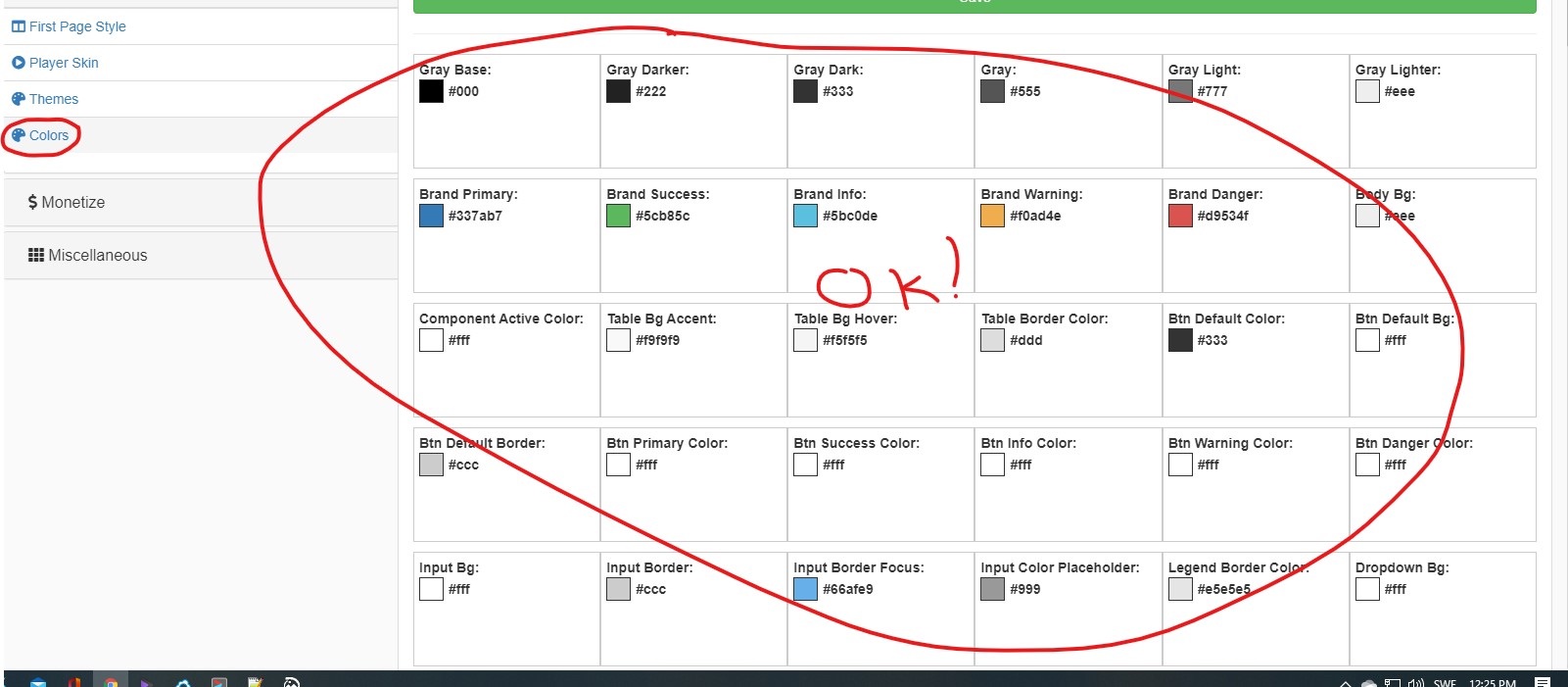
@JoshWho I've noticed that when using different themes . Daniel added some new feature ( that is not working for me ) and this things happened .
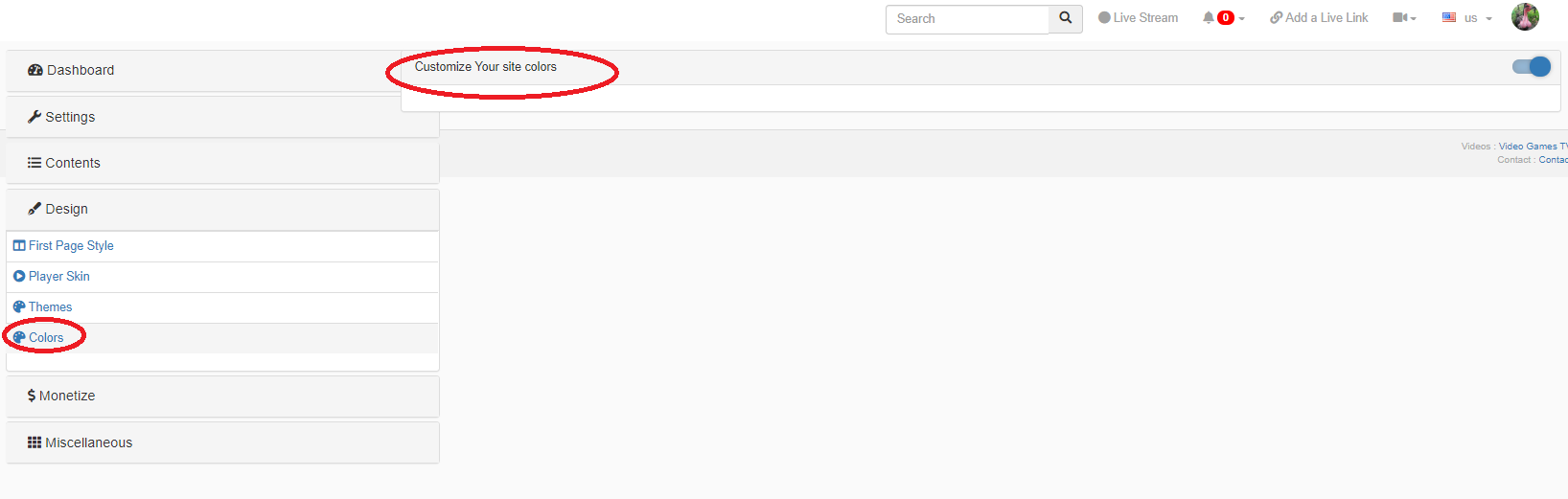
I don't know if also for others can't see what this feature provides .
akhilleusuggo
on 25 Apr 2020
Hello,
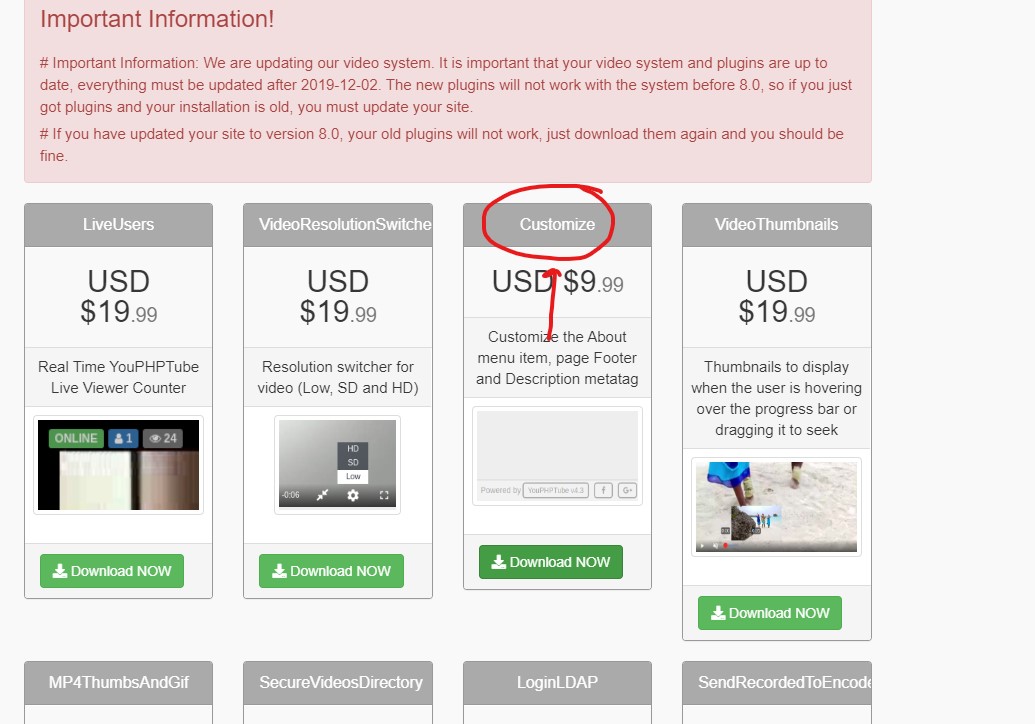
download the new version of the plugin customize upload and you're ready I had the same problem and it was solved
 wetubeclub
on 25 Apr 2020
wetubeclub
on 25 Apr 2020
@wetubeclub what plugin ? customize upload ?
I see no plugin with such name .
https://youphp.tube/plugins/ ?
akhilleusuggo
on 25 Apr 2020
Ok , I see what you're talking about , that's why the branding AVideo was back to bottom of the page.
Thanks for the info
akhilleusuggo
on 25 Apr 2020
I mean This plugin, if you have purchased
wetubeclub
on 25 Apr 2020
you are welcome!
I saw the same thing this morning and was wondering what happened
then i realized i had to upgrade the plugin!!
wetubeclub
on 25 Apr 2020
@JoshWho I do not have a Linux to test it now. but the same is happening on Windows?
DanielnetoDotCom
on 25 Apr 2020
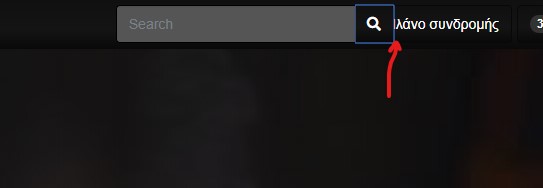
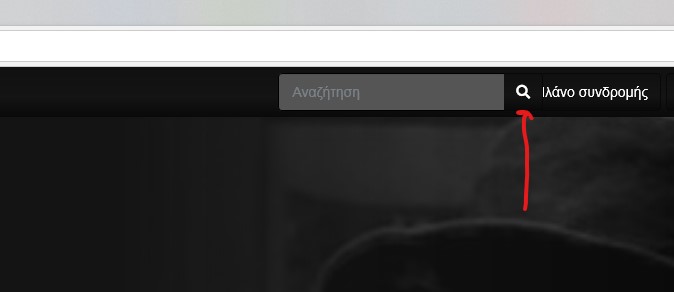
yes daniel i have the same problem too
on google and microsoft edge
is covered by the search
google
microsoft edge
wetubeclub
on 25 Apr 2020
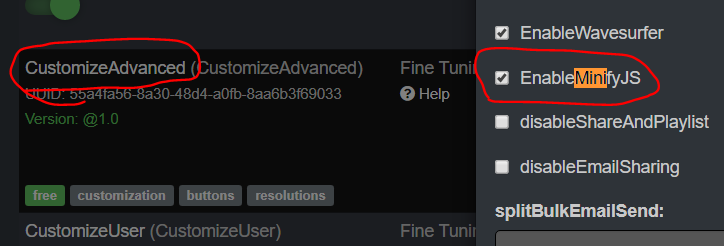
The problem was I was trying to minify the css, and it was messing up things.
I disable it for now (Need to update the code and clear the cache)
all looks fine now
DanielnetoDotCom
on 25 Apr 2020
I ran the update and it says I am already up to date
JoshWho
on 25 Apr 2020
I see u already updated it. Works good now :) Thank you
JoshWho
on 25 Apr 2020
@JoshWho I updated for you, the message is for others that may also have this issue
DanielnetoDotCom
on 25 Apr 2020
nothing happened to me it's the same!!
wetubeclub
on 25 Apr 2020
make sure after the update, you clear your cache directory
DanielnetoDotCom
on 25 Apr 2020
i did it many times,
to you it appears normally or not? i mean my site!
wetubeclub
on 25 Apr 2020
I am looking into your site @wetubeclub
DanielnetoDotCom
on 25 Apr 2020
@wetubeclub
You had this enabled. that was also the reason for @JoshWho . but before the update, I was minimizing all CSSs (even if you do not check this). but I recommend disable it until we fix this bug.
DanielnetoDotCom
on 25 Apr 2020
working now!! Thank you very much Daniel for your time
Being always well
Ilias
wetubeclub
on 25 Apr 2020
Related issues
 gujarraju
·
4Comments
gujarraju
·
4Comments
 matthall1998
·
4Comments
wetubeclub
·
3Comments
matthall1998
·
4Comments
wetubeclub
·
3Comments
 alejandrolidon
·
3Comments
alejandrolidon
·
3Comments
 CorpCaleCloud
·
4Comments
CorpCaleCloud
·
4Comments