Avideo: Resolution switcher and cast button not visible on mobile devices
The player is not responsive at all . I mean when i watch something on my laptop or desktop it is showing all its button even chrome cast as well but when me or my customers watch it on mobile they are complaining that no buttons are showing except play , volume and speed up button . but it must show resolution switcher and chrome cast button at least . how to make them show on mobile devices ?
on destop

and mobile devices ..
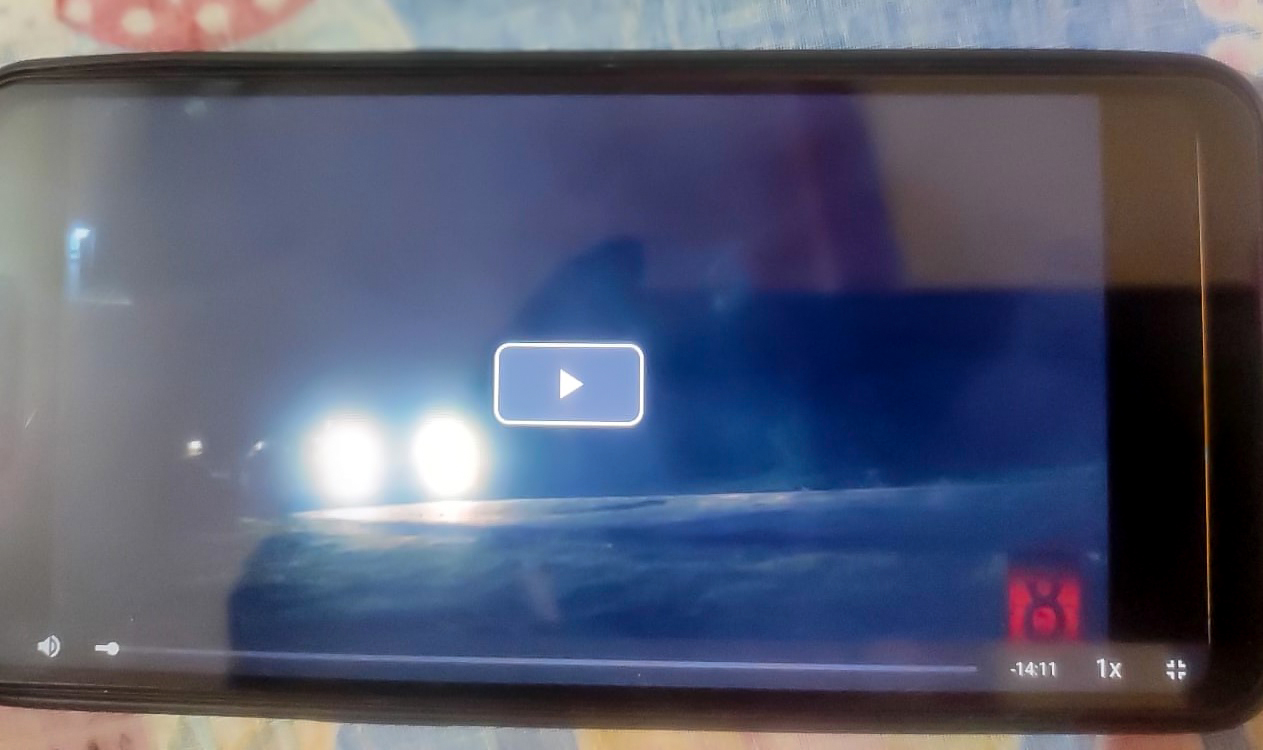
Please help to solve this issue .. resolution switcher and chrome cast button must be visible on mobile devices .
 RajdipRoy
All 18 comments
I went to your site and I could not test any video.
can you please provide a video link so I can test from here?
 DanielnetoDotCom
on 15 Apr 2020
DanielnetoDotCom
on 15 Apr 2020
https://eightshots.xyz/video/9/youphptube?page=1&channelName=EightShots
test this above link
On Wed, Apr 15, 2020 at 10:41 PM Daniel Neto notifications@github.com
wrote:
I went to your site and I could not test any video.
can you please provide a video link so I can test from here?—
You are receiving this because you authored the thread.
Reply to this email directly, view it on GitHub
https://github.com/WWBN/AVideo/issues/2874#issuecomment-614165219, or
unsubscribe
https://github.com/notifications/unsubscribe-auth/AO7ZAK7YGDZ3ZRLJYOGHZMLRMXTF3ANCNFSM4MIXCWWA
.
--
Glam Heart Entertainment
RajdipRoy
on 15 Apr 2020
Ok, now I see what you mean.
you are using HLS format, the quality switch is automatic. it is really not necessary.
also, you enabled the VideoResolutionSwitcher (this is for MP4 only).
so it is useless for HLS videos. and mobile devices do not support this feature for HLS videos. but the quality will be automatically changed depends on the available bandwidth.
DanielnetoDotCom
on 15 Apr 2020
And chrome cast button ?? It showing only on desktop and laptop .. chrome
cast should working on mobile devices .
On Wed, 15 Apr 2020, 10:59 pm Daniel Neto, notifications@github.com wrote:
Ok, now I see what you mean.
you are using HLS format, the quality switch is automatic. it is really
not necessary.
also, you enabled the VideoResolutionSwitcher (this is for MP4 only).
so it is useless for HLS videos. and mobile devices do not support this
feature for HLS videos. but the quality will be automatically changed
depends on the available bandwidth.—
You are receiving this because you authored the thread.
Reply to this email directly, view it on GitHub
https://github.com/WWBN/AVideo/issues/2874#issuecomment-614174626, or
unsubscribe
https://github.com/notifications/unsubscribe-auth/AO7ZAK7ALNWSAJP34VQXGSLRMXVG5ANCNFSM4MIXCWWA
.
RajdipRoy
on 15 Apr 2020
I guess Chromecast is a browser feature and only works on Chrome browsers, pretty sure on chrome mobile as well. but not as a button on the progress bar.
DanielnetoDotCom
on 15 Apr 2020
Okay thanks for letting me know
On Wed, 15 Apr 2020, 11:06 pm Daniel Neto, notifications@github.com wrote:
I guess Chromecast is a browser feature and only works on Chrome browsers,
pretty sure on chrome mobile as well. but not as a button on the progress
bar.—
You are receiving this because you authored the thread.
Reply to this email directly, view it on GitHub
https://github.com/WWBN/AVideo/issues/2874#issuecomment-614178508, or
unsubscribe
https://github.com/notifications/unsubscribe-auth/AO7ZAK54MFJ5XUYZH3YLTJLRMXWCZANCNFSM4MIXCWWA
.
RajdipRoy
on 15 Apr 2020
@DanielnetoDotCom the hls does work on chrome mobiles with the switch bottom ( at the least for me yes it works [ android ] )
 akhilleusuggo
on 16 Apr 2020
akhilleusuggo
on 16 Apr 2020
How did you do that ?? Can you guide me brother ?
On Thu, 16 Apr 2020, 5:47 pm akhilleusuggo, notifications@github.com
wrote:
@DanielnetoDotCom https://github.com/DanielnetoDotCom the hls does work
on chrome mobiles with the switch bottom ( at the least for me yes it works
[ android ] )—
You are receiving this because you modified the open/close state.
Reply to this email directly, view it on GitHub
https://github.com/WWBN/AVideo/issues/2874#issuecomment-614616197, or
unsubscribe
https://github.com/notifications/unsubscribe-auth/AO7ZAK5VWHMFVIQHPTWP3DLRM3ZNDANCNFSM4MIXCWWA
.
RajdipRoy
on 16 Apr 2020
@RajdipRoy just thinking. if you disable the download protection will the switch appear?
DanielnetoDotCom
on 16 Apr 2020
I won't do that and didn't try . Thanks for your help .
On Thu, 16 Apr 2020, 6:33 pm Daniel Neto, notifications@github.com wrote:
@RajdipRoy https://github.com/RajdipRoy just thinking. if you disable
the download protection will the switch appear?—
You are receiving this because you were mentioned.
Reply to this email directly, view it on GitHub
https://github.com/WWBN/AVideo/issues/2874#issuecomment-614639049, or
unsubscribe
https://github.com/notifications/unsubscribe-auth/AO7ZAK46U6BMYSJ5IX63L6TRM363TANCNFSM4MIXCWWA
.
RajdipRoy
on 16 Apr 2020
@DanielnetoDotCom what happens if I enable videoresswitcher AND HLS?
if I switch from auto to hd - it does not really switch?
 SaliC-re
on 13 May 2020
SaliC-re
on 13 May 2020
Videoresolutionswitcher plugin is only for non HLS.
 ronaldod
on 13 May 2020
ronaldod
on 13 May 2020
Videoresolutionswitcher plugin is only for non HLS.
Do I have [AUTO], [LOW], [SD], [HD] on HLS, too?
SaliC-re
on 13 May 2020
With HLS you get it in on the desktop automatic to resolution,
 .
.
ronaldod
on 13 May 2020
With HLS you get it in on the desktop automatic to resolution,
are those 240p, 560p and 720p included in the HLS plugin or do they come from videoresswitch?
SaliC-re
on 13 May 2020
Those are standard settings based on the files produced with hls plugin.
Standard there are 3 resolutions set in de ffmpeg command. You can edit the whole command to your needs. Or you can remove the command and the script will build till the resolution that the to be converted video has.
ronaldod
on 13 May 2020
@SaliC-re check this https://github.com/WWBN/AVideo/wiki/VideoHLS-Plugin#automatic-encoding-process-hls-only
DanielnetoDotCom
on 13 May 2020
thanks @ronaldod @DanielnetoDotCom
SaliC-re
on 14 May 2020
Related issues
 shebanet
·
4Comments
shebanet
·
4Comments
 gamersalpha
·
3Comments
akhilleusuggo
·
3Comments
gamersalpha
·
3Comments
akhilleusuggo
·
3Comments
 willpower68
·
3Comments
willpower68
·
3Comments
 KazeroG
·
4Comments
KazeroG
·
4Comments