Avideo: [5.6 - 5.8] Comment encoding problem (below a video)

In connection with #616 , maybe ?
 ChrisSlS
All 36 comments
Can you type here what characters did you enter?
I will try to simulate it here
 DanielnetoDotCom
on 22 Aug 2018
DanielnetoDotCom
on 22 Aug 2018
l'été il était préférable
éèçàûàôî
' (apostrophe)
ChrisSlS
on 22 Aug 2018
thanks, I will test it
DanielnetoDotCom
on 22 Aug 2018
Update and try again please
DanielnetoDotCom
on 22 Aug 2018
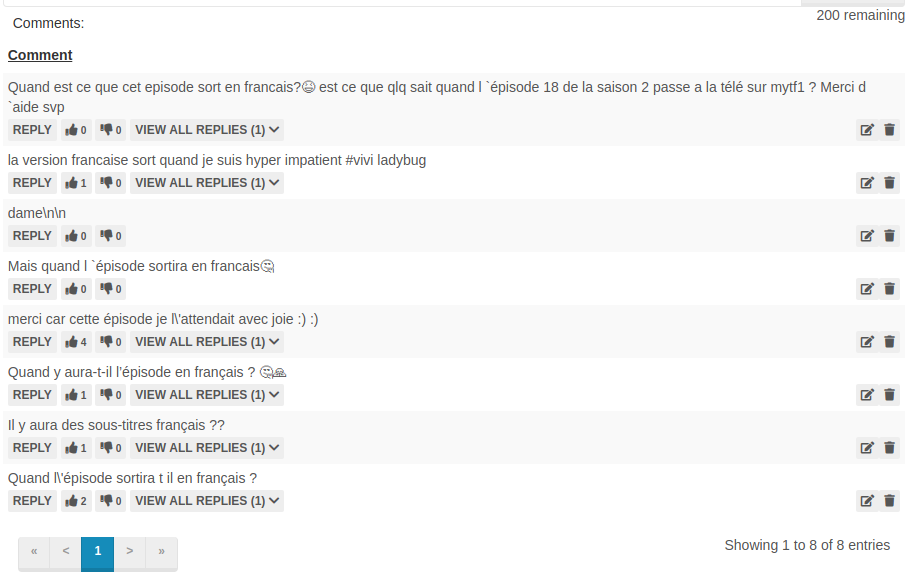
Hey, it works, thanks !
But now there are no more user images, nor the date of publication :
ChrisSlS
on 23 Aug 2018
Sorry you right, I miss that
DanielnetoDotCom
on 23 Aug 2018
Try again
DanielnetoDotCom
on 23 Aug 2018
Thank you again, it works :)
ChrisSlS
on 23 Aug 2018
Hi @DanielnetoDotCom , the problem seems to be here too : (when typing category name)
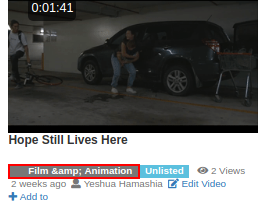
When accents, and '' &' '' its present this happens.
Take your time, it's not disturbing
Ps: It worked well before, I do not know when it happened
ChrisSlS
on 3 Sep 2018
Please I sent a fix, try now
DanielnetoDotCom
on 4 Sep 2018
BTW, I guess for now is not possible to add the & char, we may find a solution in the future
DanielnetoDotCom
on 4 Sep 2018
Thank you all the same. It did not work on my side, either for "&" or an apostrophe.
ChrisSlS
on 4 Sep 2018
I just test it here and it is working fine
DanielnetoDotCom
on 4 Sep 2018
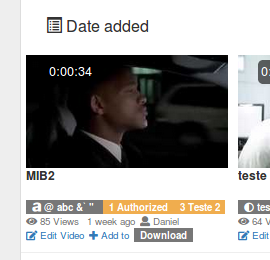
It's strange, if I put an apostrophe, it adds "&" and ""(not an apostrophe, normaly is ' not).
As I said, it's not annoying for me, but it's strange because it worked well before ^^
ChrisSlS
on 5 Sep 2018
The image I am showing above I have ' and " .
Are you sure you update all your files?
DanielnetoDotCom
on 6 Sep 2018
Yes of course, I even checked at the moment on the demo site, the problem is the same if we add an apostrophe
Look, I put "série d'animation" and this turns into "Série d&`animation"
ChrisSlS
on 6 Sep 2018
Please try again
DanielnetoDotCom
on 6 Sep 2018
It works, thanks :+1:
ChrisSlS
on 6 Sep 2018
Hello @DanielnetoDotCom
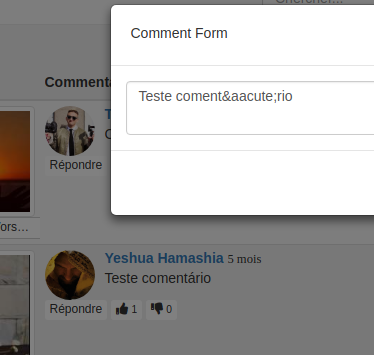
When editing a comment, the problem and the same as at the beginning. Can not save it as is.
EDIT : In the same genre, there is also this :

Only apostrophe causes this problem, and return to the line (/n, line feed)
ChrisSlS
on 25 Sep 2018
thanks for noticing it, please try now
DanielnetoDotCom
on 25 Sep 2018
100% functional, thanks to you !
ChrisSlS
on 25 Sep 2018
Hi, it's me again :dancer:
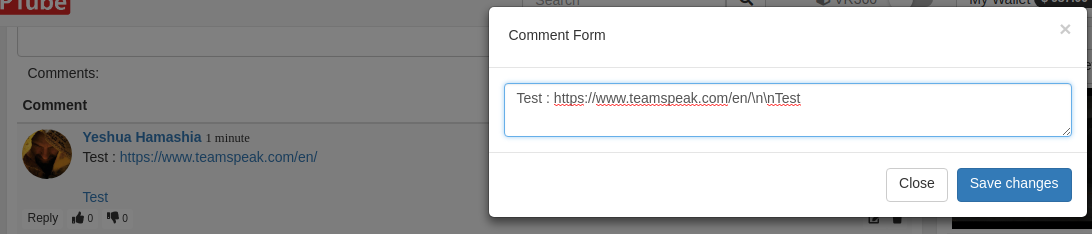
How to correct this please ? @DanielnetoDotCom
ChrisSlS
on 8 Oct 2018
Detected and fixed, thanks
DanielnetoDotCom
on 8 Oct 2018
@DanielnetoDotCom With version 6.0 (on the demo site in 5.9 it works), there is the same problem as before, when editing:

Also, how to make sure that the true apostrophe is correctly treated ? Because ` is not '.
ChrisSlS
on 8 Oct 2018
Sorry you right.
Try now
DanielnetoDotCom
on 8 Oct 2018
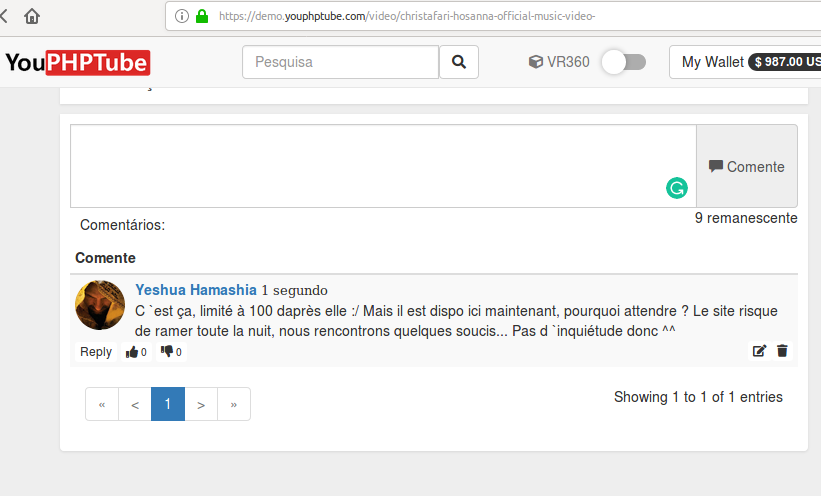
@DanielnetoDotCom Strangely with version 6.1, some comments can not be posted.
For example, this does not work :
C'est ça, limité à 100 daprès elle :/ Mais il est dispo ici maintenant, pourquoi attendre ? Le site risque de ramer toute la nuit, nous rencontrons quelques soucis... Pas d'inquiétude donc ^^
I do not know where exactly the problem comes from, but by removing some accents, it works. Like this :
Cest
ça, limité à 100 daprès elle :/ Mais il est dispo ici maintenant, pourquoi attendre ?
Le site risque de ramer toute la nuit, nous rencontrons quelques soucis... Pas
dinquiétude donc ^^
ChrisSlS
on 15 Oct 2018
@ChrisSlS I just test it and it does work for me
DanielnetoDotCom
on 15 Oct 2018
@DanielnetoDotCom On version 6.1 ?
ChrisSlS
on 15 Oct 2018
Yes, I also just try it on demo site
DanielnetoDotCom
on 16 Oct 2018
It's really strange, it does not work on my site. I'll try to see what's wrong, and I'll come back here.
ChrisSlS
on 16 Oct 2018
@DanielnetoDotCom
ChrisSlS
on 19 Oct 2018
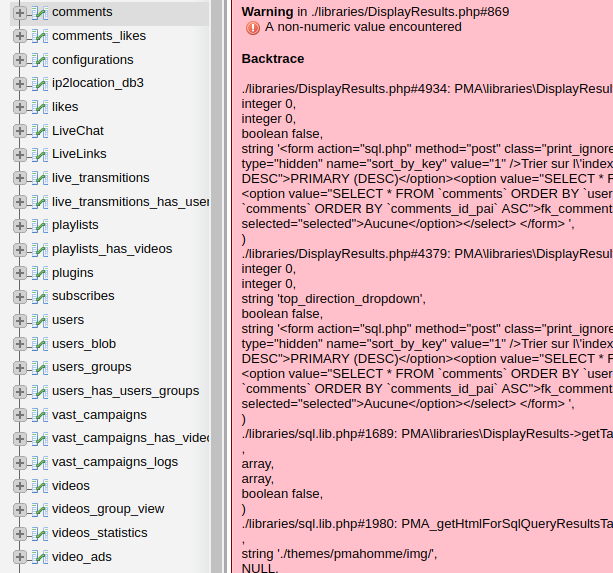
Sorry, I don't understand this error on phpmyadmin
is it related to youphptube?
I have never seen this before
DanielnetoDotCom
on 19 Oct 2018
@DanielnetoDotCom I do not know at all. I realized when I installed the encoder (repaired thanks
to that), errors have appeared but the site works very well. The error is displayed on several tables, but it works well, so it's not a problem in itself.
Maybe the comments do not work well because of that, but I do not know, hence my question.
ChrisSlS
on 19 Oct 2018
try to repair the tables.
I am not sure how, but I know that there is a command line to do that.
maybe you have that function on phpmyadmin
DanielnetoDotCom
on 19 Oct 2018
Okay.
I will investigate and try any viable solution.
ChrisSlS
on 19 Oct 2018
Please let me know if there is any progress
DanielnetoDotCom
on 19 Oct 2018
Related issues
 wetubeclub
·
3Comments
wetubeclub
·
3Comments
 CorpCaleCloud
·
4Comments
CorpCaleCloud
·
4Comments
 mikweb2017
·
4Comments
mikweb2017
·
4Comments
 Powerbock
·
3Comments
Powerbock
·
3Comments
 hrt644
·
3Comments
hrt644
·
3Comments
Most helpful comment
Try again