Avideo: Erreur connexion serveur for live stream with OBS
Hello,
now i finish my install of my encoder and my principal youPHPTUBE,
now i really want to make a streaming, so i m using OBS :
on my youPhpTUBE i have this information :
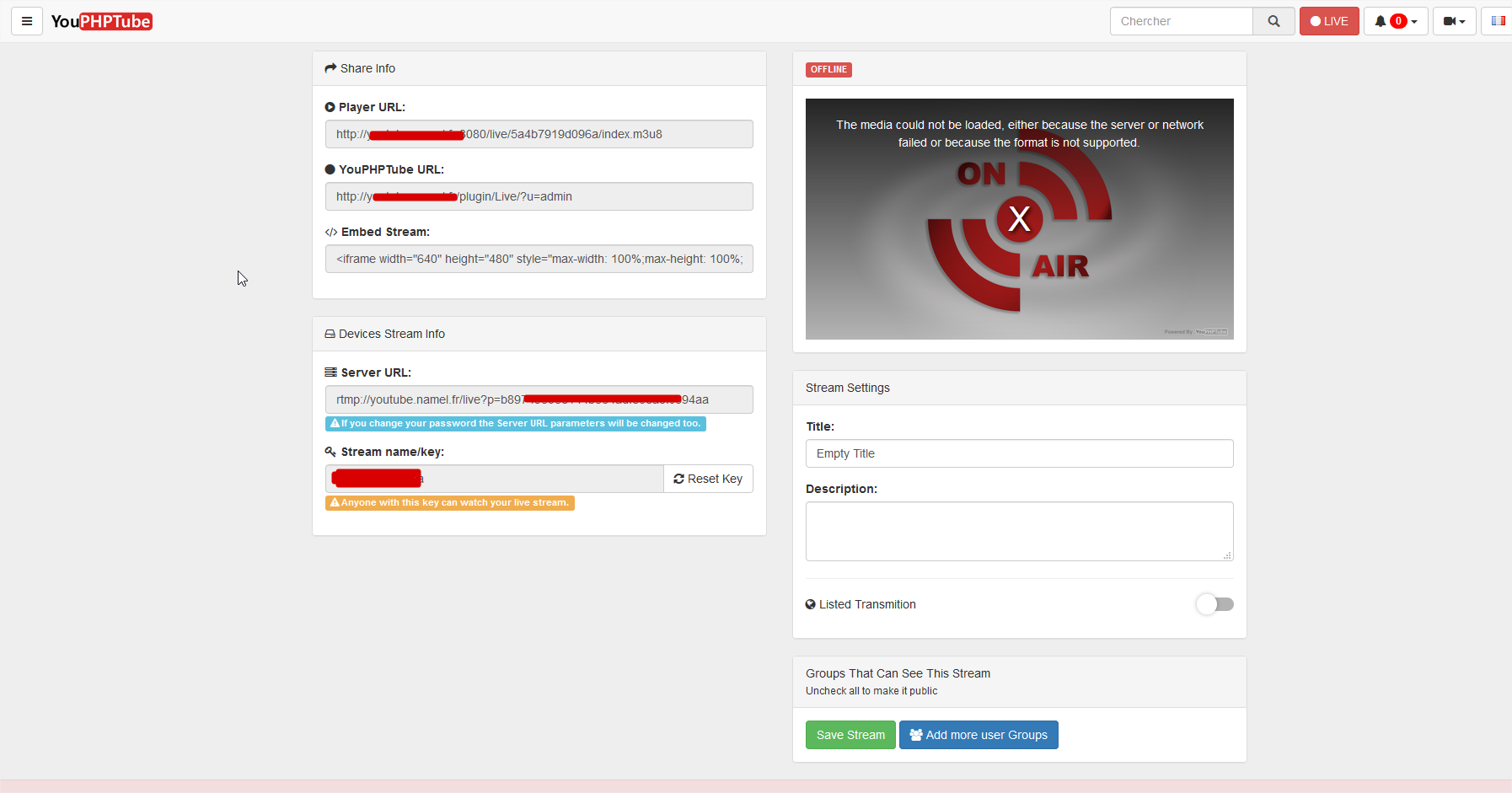
so i put this info on my OBS :
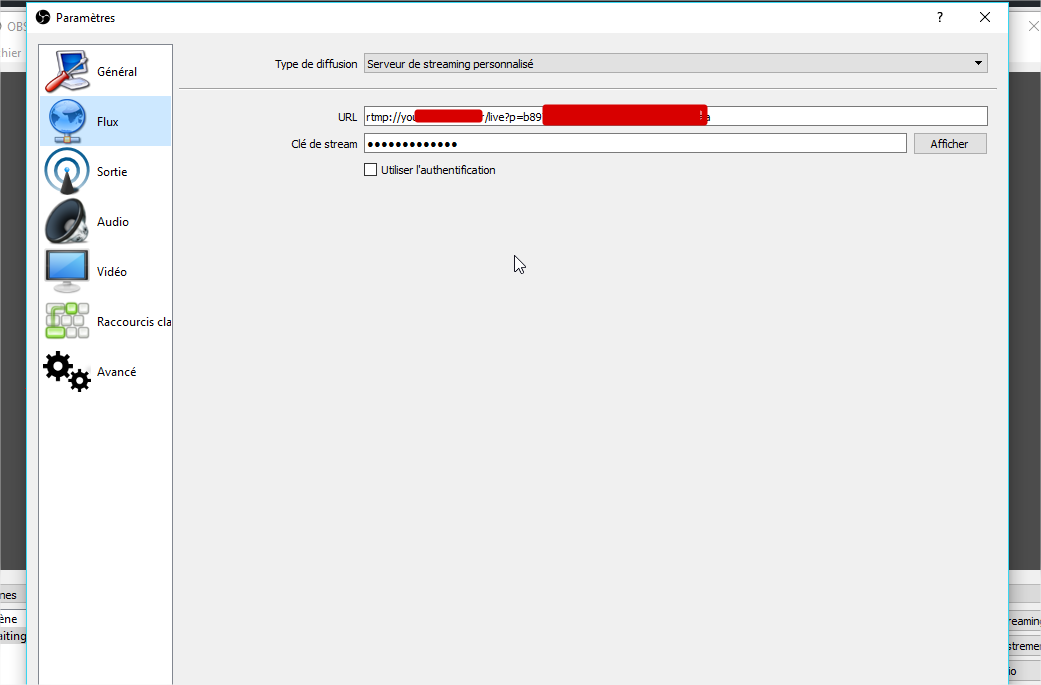
but when i start to stream i have an error message :
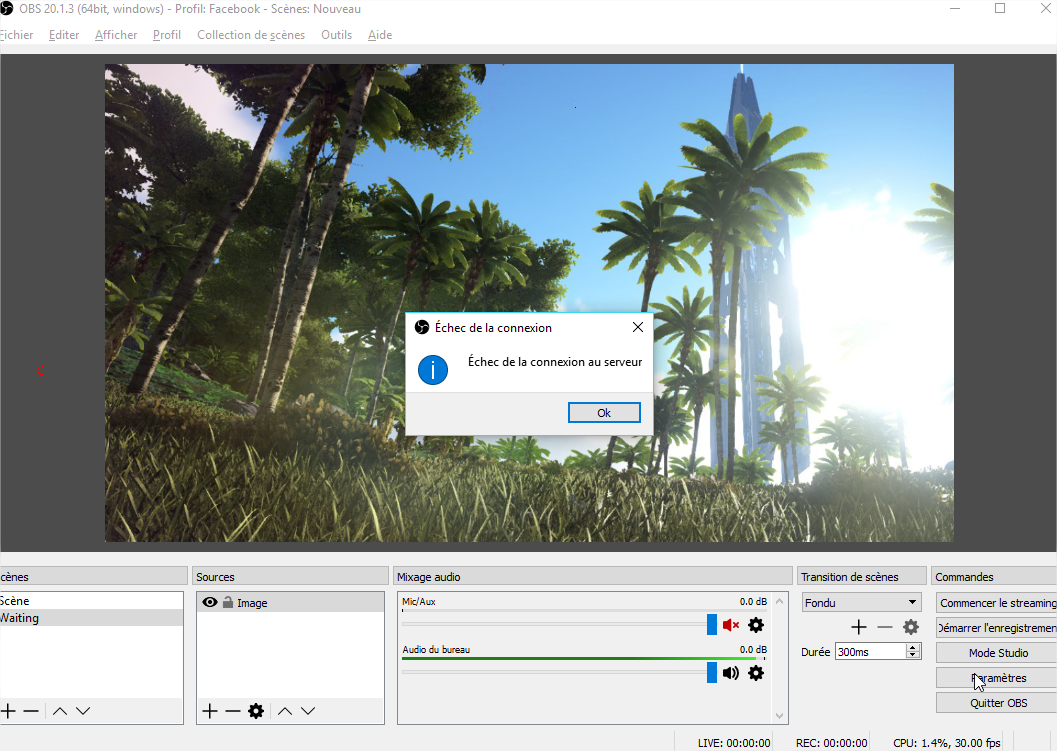
what do u think please ?
 gamersalpha
All 43 comments
try nginx to start sudo /usr/local/nginx/sbin/nginx
 mikweb2017
on 2 Jan 2018
mikweb2017
on 2 Jan 2018
i have this :
sudo: /usr/local/nginx/sbin/nginx: command not found
i don't remember nginx on the install procedure ?
gamersalpha
on 2 Jan 2018
ok u have this how to to make stream :
https://github.com/DanielnetoDotCom/YouPHPTube/wiki/Set-up-my-own-Stream-Server
can we used apache and nginx on the same server ?
i try and i said u :)
thanks
gamersalpha
on 2 Jan 2018
i have a news error :
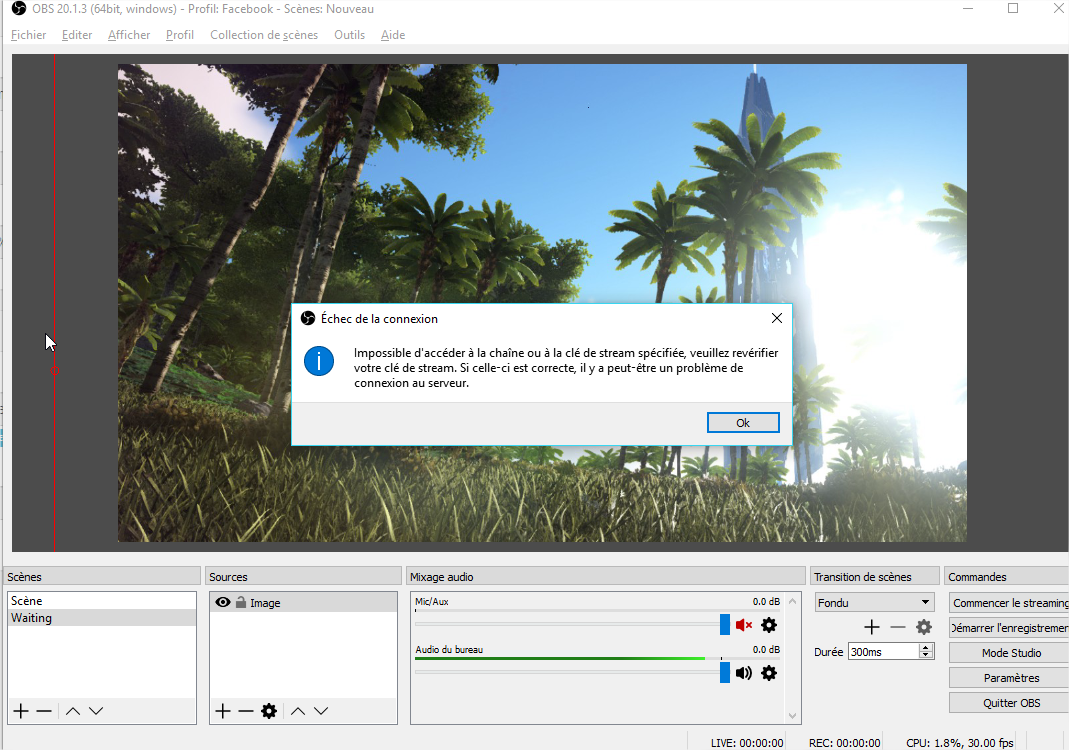
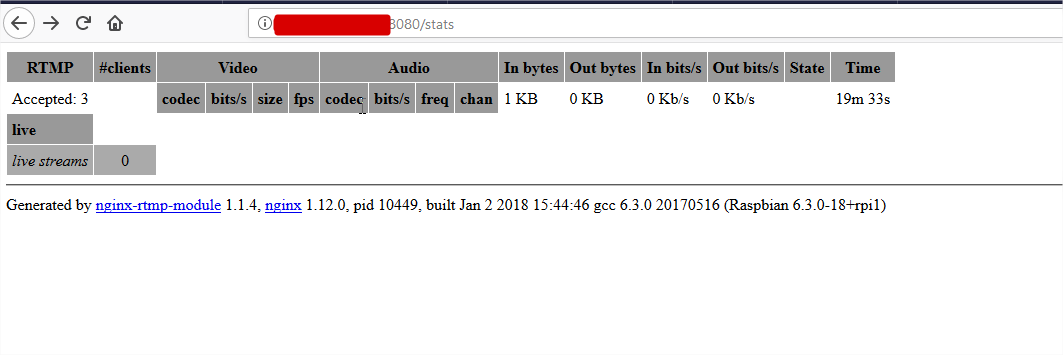
but i can connect on this page :
gamersalpha
on 2 Jan 2018
check your nginx.conf file
check your on_publish directive
it must be pointing to your Live plugin
on_publish http://[Your.YouPHPTube.url]/plugin/Live/on_publish.php;
 DanielnetoDotCom
on 2 Jan 2018
DanielnetoDotCom
on 2 Jan 2018
i have this on acces.log of nginx :
192.168.50.21 - - [02/Jan/2018:16:57:18 +0100] "\x03\x01\x02\x90\xBA\x00\x00\x00\x00)#\xBE\x84\xE1l\xD6\xAER\x90I\xF1\xF1\xBB\xE9\xEB\xB3\xA6\xDB<\x87\x0C>\x99$^" 400 173 "-" "-"
nothing on error.log
and the nginx.conf looks good for the config :
    worker_processes  1;
    error_log  logs/error.log debug;
    events {
            worker_connections  1024;
    }
    rtmp {
            server {
                    listen 1935;
                    allow play all;
                    #creates our "live" full-resolution HLS videostream from our incoming encoder stream and tells w$
                    application live {
                            allow play all;
                            live on;
                            #record all;
                            #record_path /video_recordings;
                            #record_unique on;
                            hls on;
                            hls_nested on;
                            hls_path /HLS/live;
                            #hls_playlist_length 4s;
                            #hls_fragment 1s;
                            hls_fragment 10s;
                            on_publish http://youtube.domaine.fr/plugin/Live/on_publish.php;
                            on_play http://youtube.domaine.fr/plugin/Live/on_play.php;
                            on_record_done http://youtube.domaine.fr/plugin/Live/on_record_done.php;
                    }
            }
    }
    http {
            include       mime.types;
            default_type  application/octet-stream;
            server {
                    listen 8080;
                    server_name localhost;
i don't unsderstand what is wrong ?
gamersalpha
on 2 Jan 2018
youtube.domaine.fr does not exists here
change it
http://youtube.domaine.fr/plugin/Live/on_publish.php;
to your youphptube URL location
DanielnetoDotCom
on 2 Jan 2018
sorry but how restart nginx, we don't have service with the guide installation ?
gamersalpha
on 2 Jan 2018
sudo /usr/local/nginx/sbin/nginx -s stop
sudo /usr/local/nginx/sbin/nginx
not working same things :/
i try with ip, but still not working
i don"t understand
gamersalpha
on 2 Jan 2018
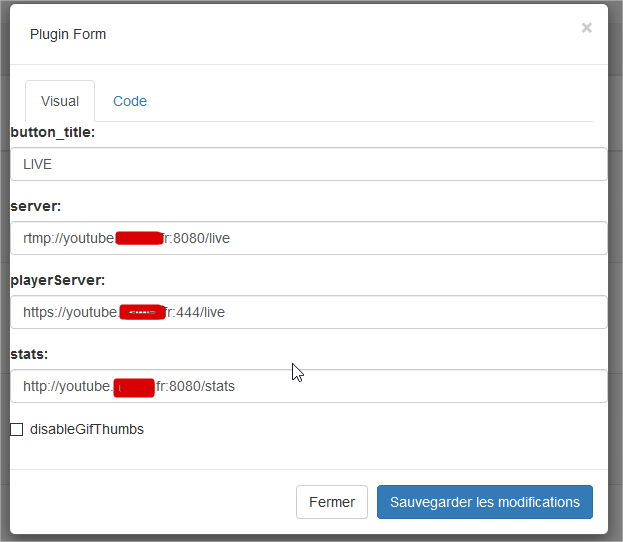
what have you in live plugin settinngs?
mikweb2017
on 2 Jan 2018
i have my domain :
gamersalpha
on 2 Jan 2018

mikweb2017
on 2 Jan 2018
you mix http und https
set you playerr http
{"button_title":"LIVE","server":"rtmp://youdoamin/live","playerServer":"http://lyoudomain:80/live","stats":"http://youdomain:81/stats","disableGifThumbs":false}
mikweb2017
on 2 Jan 2018
i found log in OBS :
18:09:23.180: [rtmp stream: 'simple_stream'] Connecting to RTMP URL rtmp://youtube.domaine.fr:8080/live?p=561f66a38324d844e76860f7853ce6d5...
18:09:23.180: [rtmp stream: 'simple_stream'] Interface: Realtek PCIe GBE Family Controller (ethernet, 1000 mbps)
18:09:23.182: HandShake: Type mismatch: client sent 3, server answered 72
18:09:23.183: RTMPSockBuf_Fill, remote host closed connection
18:09:23.183: RTMP_Connect1, handshake failed.
18:09:23.183: [rtmp stream: 'simple_stream'] Connection to rtmp://youtube.domaine.fr:8080/live?p=561f66a38324d844e76860f7853ce6d5 failed: -2
18:09:23.189: ==== Streaming Stop ================================================
i changed the https to http and i have this error in OBS :
18:12:03.283: Settings changed (stream 1)
18:12:03.283: ------------------------------------------------
18:12:04.578: [rtmp stream: 'simple_stream'] Connecting to RTMP URL rtmp://youtube.domaine.fr:8080/live?p=561f66a38324d844e76860f7853ce6d5...
18:12:04.579: [rtmp stream: 'simple_stream'] Interface: Realtek PCIe GBE Family Controller (ethernet, 1000 mbps)
18:12:04.581: HandShake: Type mismatch: client sent 3, server answered 72
18:12:04.581: RTMPSockBuf_Fill, remote host closed connection
18:12:04.581: RTMP_Connect1, handshake failed.
18:12:04.581: [rtmp stream: 'simple_stream'] Connection to rtmp://youtube.domaine.fr:8080/live?p=561f66a38324d844e76860f7853ce6d5 failed: -2
18:12:04.587: ==== Streaming Stop ================================================
gamersalpha
on 2 Jan 2018
check
https://github.com/DanielnetoDotCom/YouPHPTube/issues/115
https://github.com/DanielnetoDotCom/YouPHPTube/issues/138
mikweb2017
on 2 Jan 2018
i have no success :/
gamersalpha
on 2 Jan 2018
check pleas your settings in plugin manager

mikweb2017
on 2 Jan 2018
i have this :
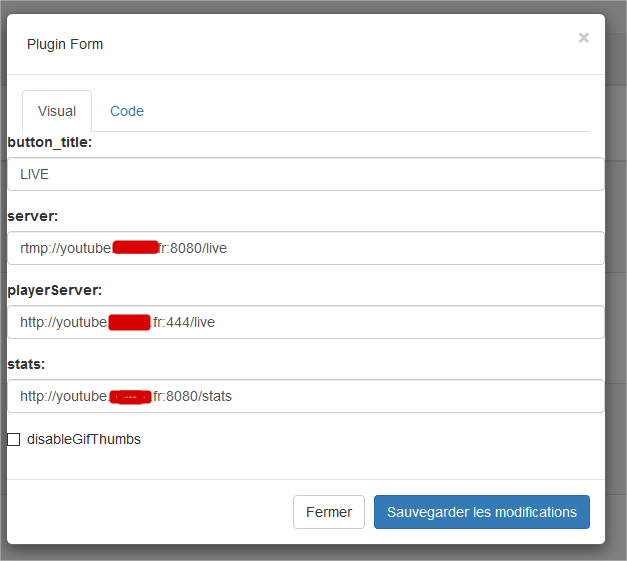
i can't see what is wrong i remove the https
and this is my nginx conf :
   worker_processes  1;
    error_log  logs/error.log debug;
    events {
            worker_connections  1024;
    }
    rtmp {
            server {
                    listen 1935;
                    allow play all;
                    #creates our "live" full-resolution HLS videostream from our incoming encoder stream and tells where to put the HLS video manifest and video fragments
                    application live {
                            allow play all;
                            live on;
                            #record all;
                            #record_path /video_recordings;
                            #record_unique on;
                            hls on;
                            hls_nested on;
                            hls_path /HLS/live;
                            #hls_playlist_length 4s;
                            #hls_fragment 1s;
                            hls_fragment 10s;
                            on_publish http://youtube.domaine.fr/plugin/Live/on_publish.php;
                            on_play http://youtube.domaine.fr/plugin/Live/on_play.php;
                            on_record_done http://youtube.domaine.fr/plugin/Live/on_record_done.php;
                    }
            }
    }
    http {
            include       mime.types;
            default_type  application/octet-stream;
            server {
                    listen 8080;
                    server_name youtube.domaine.fr live.youtube.domaine.fr;
                    #creates the http-location for our full-resolution (desktop) HLS stream - "http://my-ip/live/my-stream-key/index.m3u8"
                    location /live {
                            # Disable cache
                            add_header 'Cache-Control' 'no-cache';

                            # CORS setup
                            add_header 'Access-Control-Allow-Origin' '*' always;
                            add_header 'Access-Control-Expose-Headers' 'Content-Length';

                            # allow CORS preflight requests
                            if ($request_method = 'OPTIONS') {
                                    add_header 'Access-Control-Allow-Origin' '*';
                                    add_header 'Access-Control-Max-Age' 1728000;
                                    add_header 'Content-Type' 'text/plain charset=UTF-8';
                                    add_header 'Content-Length' 0;
                                    return 204;
                            }
                            types {
                                    application/vnd.apple.mpegurl m3u8;
                            }
                            alias /HLS/live;
                    }
                    #allows us to see how stats on viewers on our Nginx site using a URL like: "http://my-ip/stats"
                    #location /stats {
                    #        stub_status;
                    #}
                    location /stat {
                            rtmp_stat all;
                            rtmp_stat_stylesheet stat.xsl;
                    }
                    location /stat.xsl {
                            root html;
                    }
                    location /control {
                            rtmp_control all;
                    }
                    #allows us to host some webpages which can show our videos: "http://my-ip/my-page.html"
                    location / {
                            root   html;
                            index  index.html index.htm;
                    }
            }
    }
change port for player
mikweb2017
on 2 Jan 2018
still this error :
18:57:21.939: ------------------------------------------------
18:57:26.937: [rtmp stream: 'simple_stream'] Connecting to RTMP URL rtmp://youtube.domaine.fr:8080/live?p=561f66a38324d844e76860f7853ce6d5...
18:57:26.938: [rtmp stream: 'simple_stream'] Interface: Realtek PCIe GBE Family Controller (ethernet, 1000 mbps)
18:57:26.939: HandShake: Type mismatch: client sent 3, server answered 72
18:57:26.940: RTMPSockBuf_Fill, remote host closed connection
18:57:26.940: RTMP_Connect1, handshake failed.
18:57:26.940: [rtmp stream: 'simple_stream'] Connection to rtmp://youtube.domaine.fr:8080/live?p=561f66a38324d844e76860f7853ce6d5 failed: -2
18:57:26.945: ==== Streaming Stop ================================================
gamersalpha
on 2 Jan 2018
player:444 it suppose to be https, try to use player:8080
and remove the 8080 port from server
DanielnetoDotCom
on 2 Jan 2018
Server: rtmp://youtube.domaine.fr/live
PlayerServer: http://youtube.domaine.fr:8080/live
Stats: http://youtube.domaine.fr:8080/stats
DanielnetoDotCom
on 2 Jan 2018
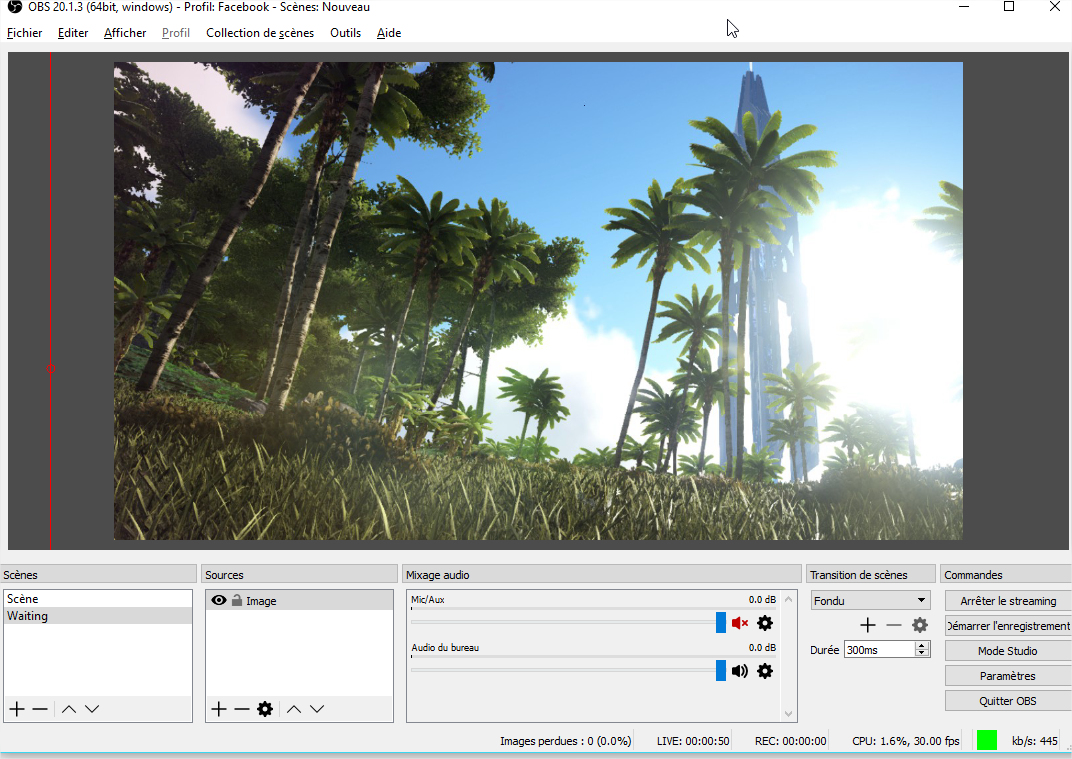
i remove 8080 from OBS :
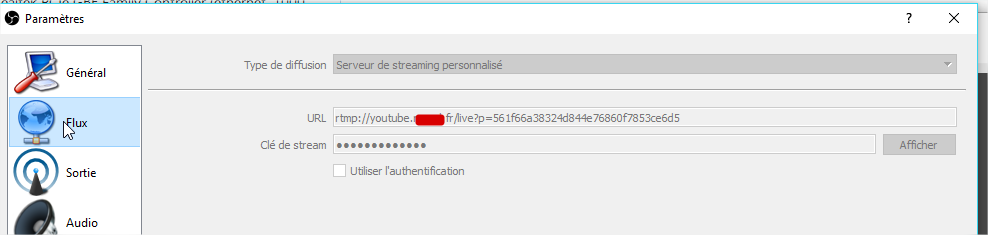
and looks working on obs : (something is sending)
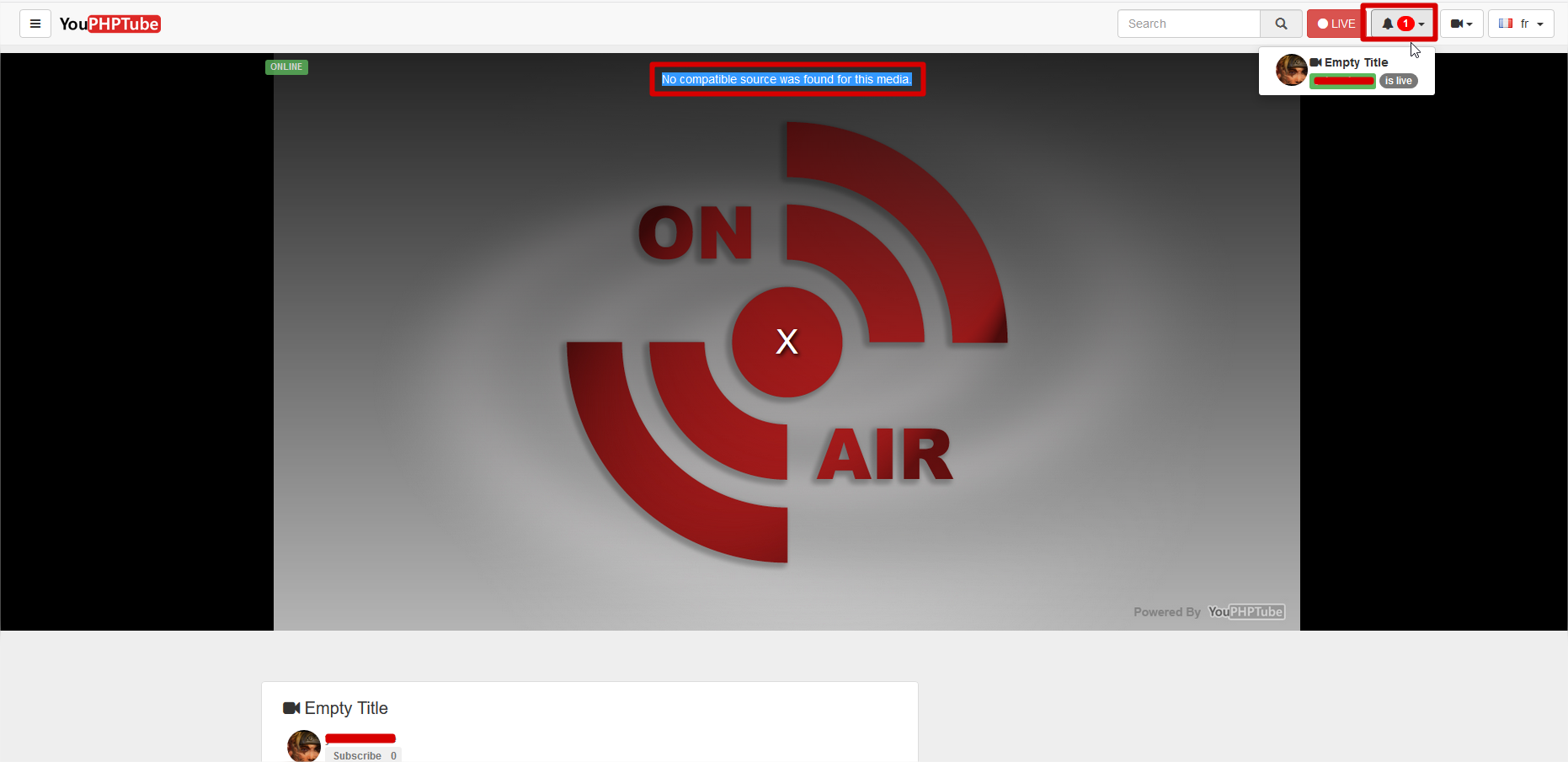
but on youphptube nothing comes :
gamersalpha
on 2 Jan 2018
Definitely is sending.
Now you have to check your PlayerServer
Are u using https? or just http?
DanielnetoDotCom
on 2 Jan 2018
only http for now, i m working on local network so no https
gamersalpha
on 2 Jan 2018
FYI, HLS there is some latency, you may need to wait a minute to be able to see something
just wait a minute of stream and refresh the page
DanielnetoDotCom
on 2 Jan 2018
u right he is look like 1 min of delay (why so long i m on the same network ? )
other things, my video is on the screen, but youphptube, say's i m offline, what i missing again ?
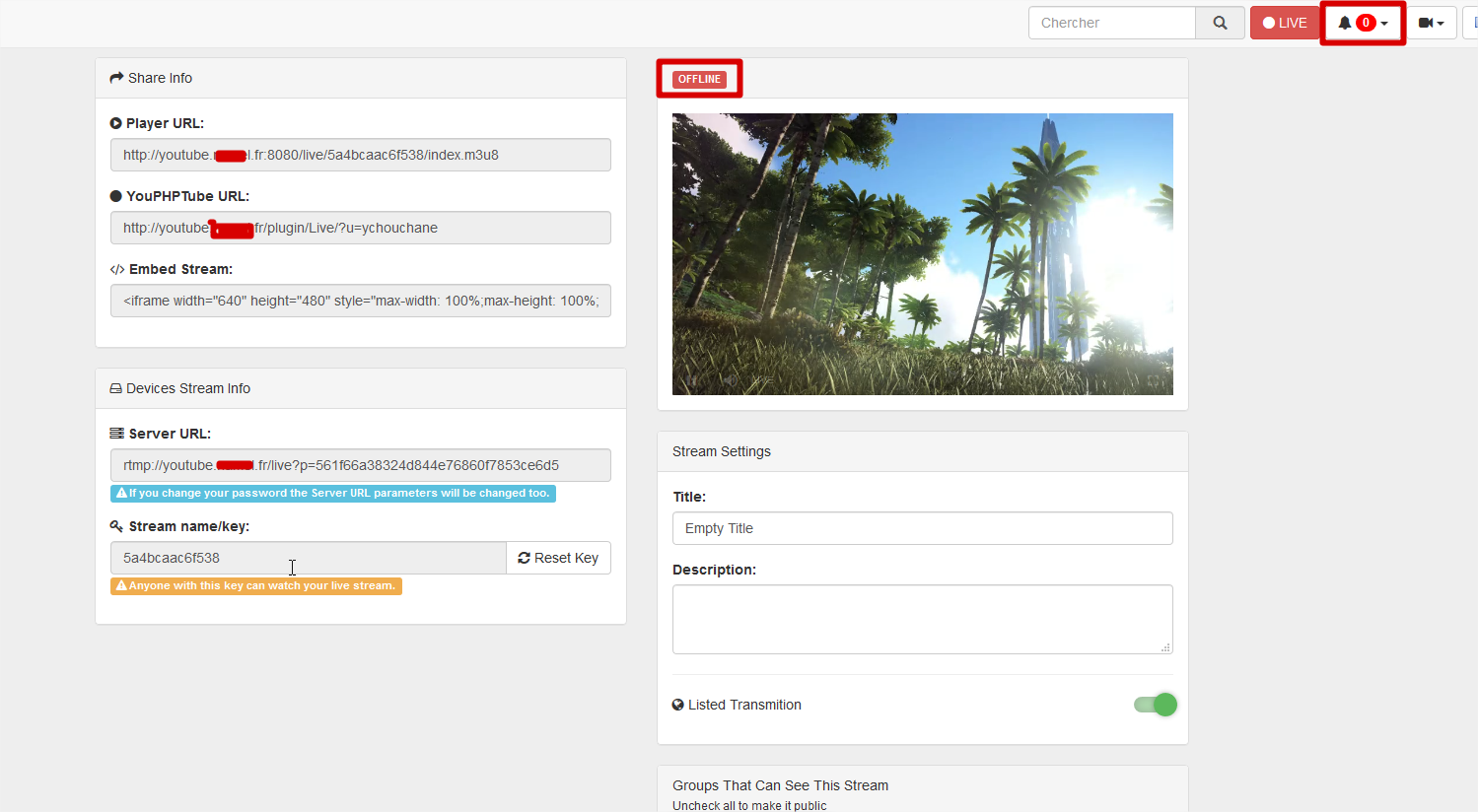
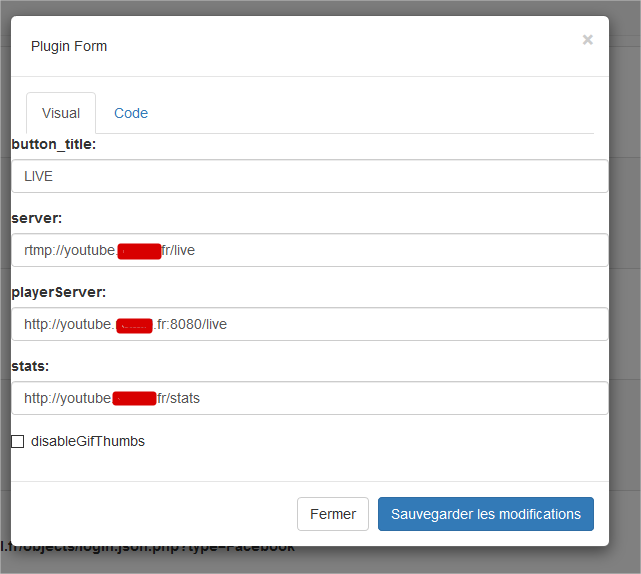
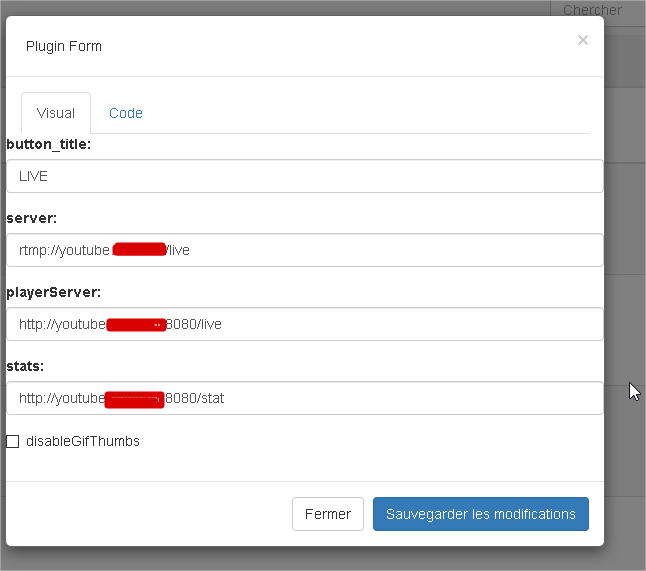
this my plugin live conf :
and on the player dedicated page,
say's i m not online :
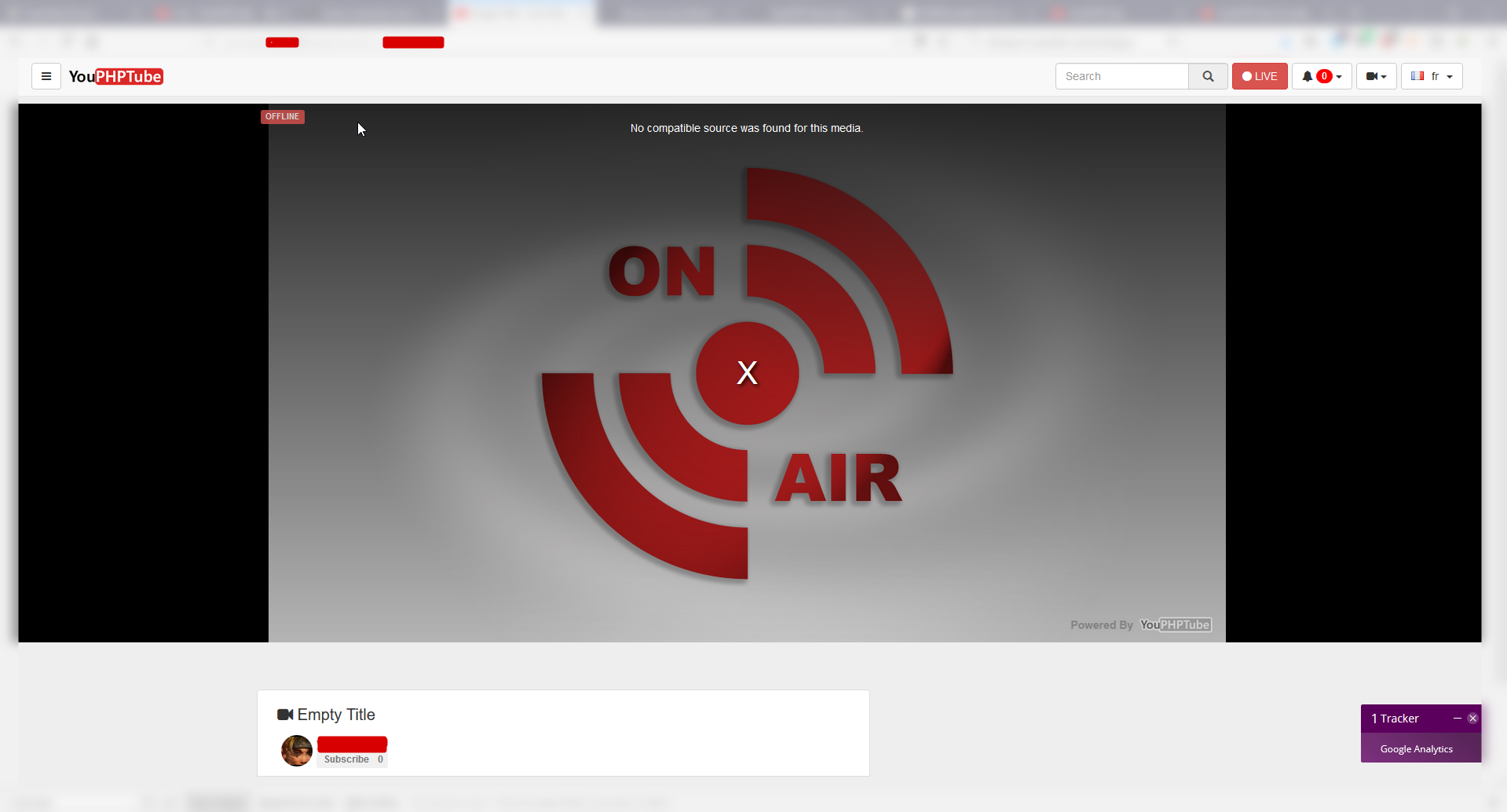
what's is wrong, how reset live configuration please ?
gamersalpha
on 2 Jan 2018
ok now working, we have to wait befre the stream start :
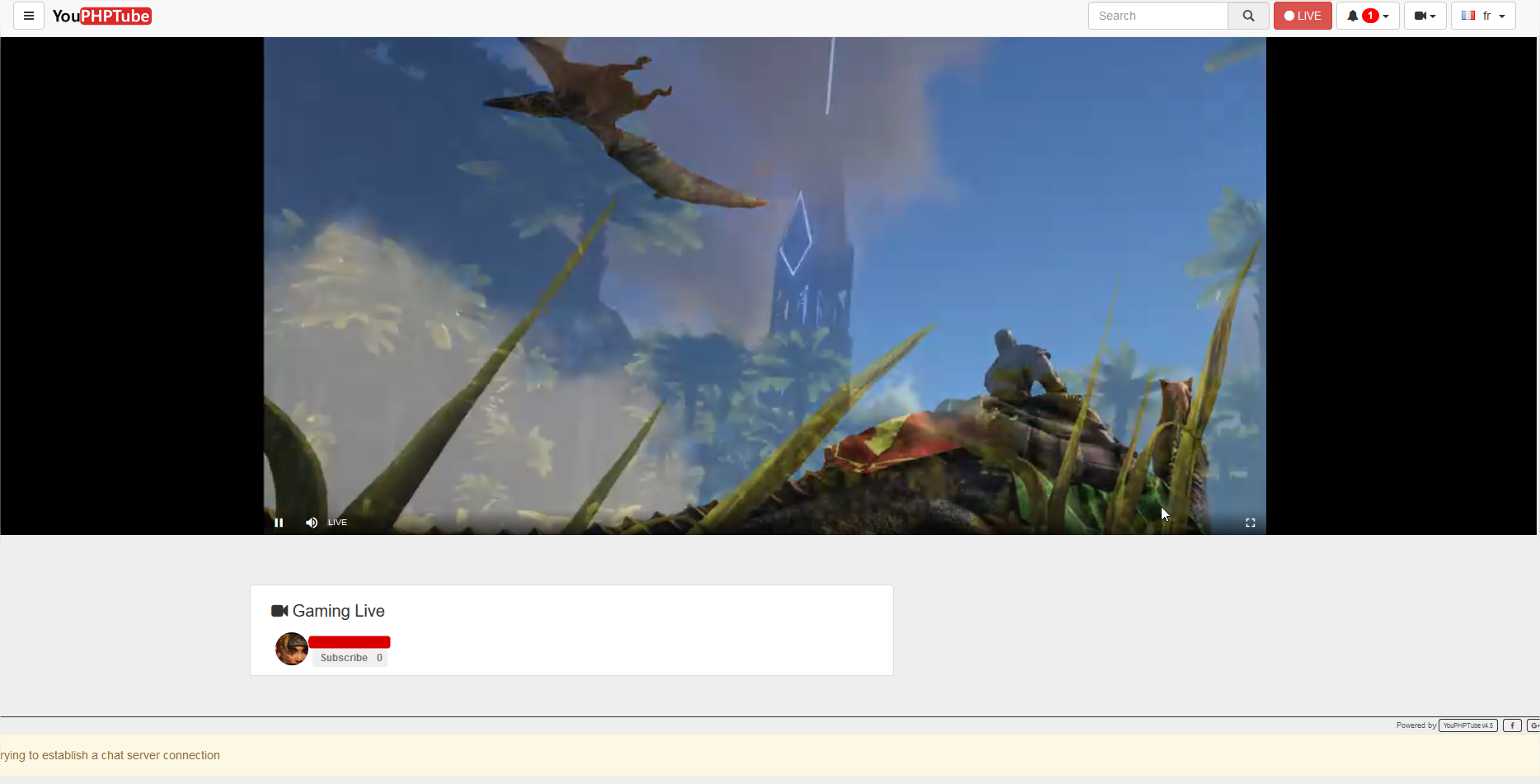
ok now two other problem :
first : why the stream is not recorded by default :'(
i see we need a plugin : SendRecordedToEncoder
but i can't found it : https://github.com/DanielnetoDotCom/YouPHPTube/wiki/Record-Live-Stream
and the chat is not working to i have an error :
Trying to establish a chat server connection
Well, i m so happy to see this apps
thanks
gamersalpha
on 2 Jan 2018
Open an terminal from your webserver and type this command:
nohup php /[path-to-YouPHPTube]/plugin/LiveChat/chat-server.php &
and press Ctrl+C
mikweb2017
on 2 Jan 2018
mikweb2017
on 2 Jan 2018
@gamersalpha
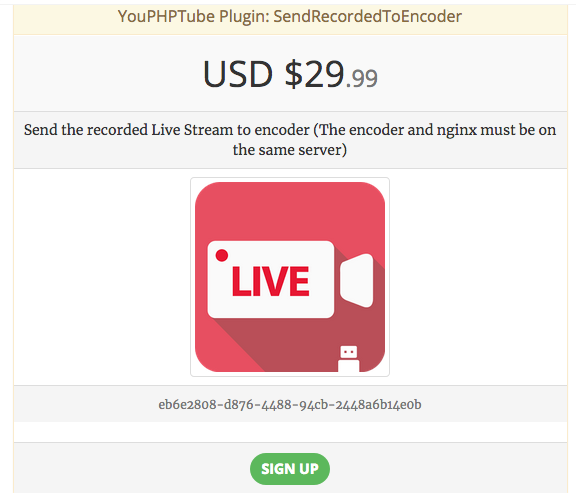
the plugin SendRecordedToEncoder is almost out of the oven.
It is not on the market yet, but maybe will be release by tomorrow and will be a paid plugin.
Take a look on the plugins and features that we have in mind https://easytube.club/#funding
Think about to make a bid on our funding system and you can have this plugin with a discount
DanielnetoDotCom
on 2 Jan 2018
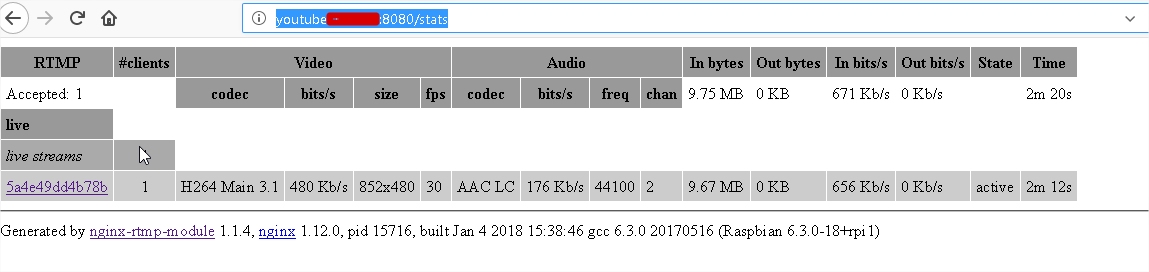
about your offline status check it this URL is working http://youtube.domaine.fr:8080/stats
DanielnetoDotCom
on 2 Jan 2018
Hello there,
so i make a reinstall compete, without HTTPS (beaucause to many error) .
so now my youphptube.domaine.fr is full in HTTP and only on my home network.
so in live page :
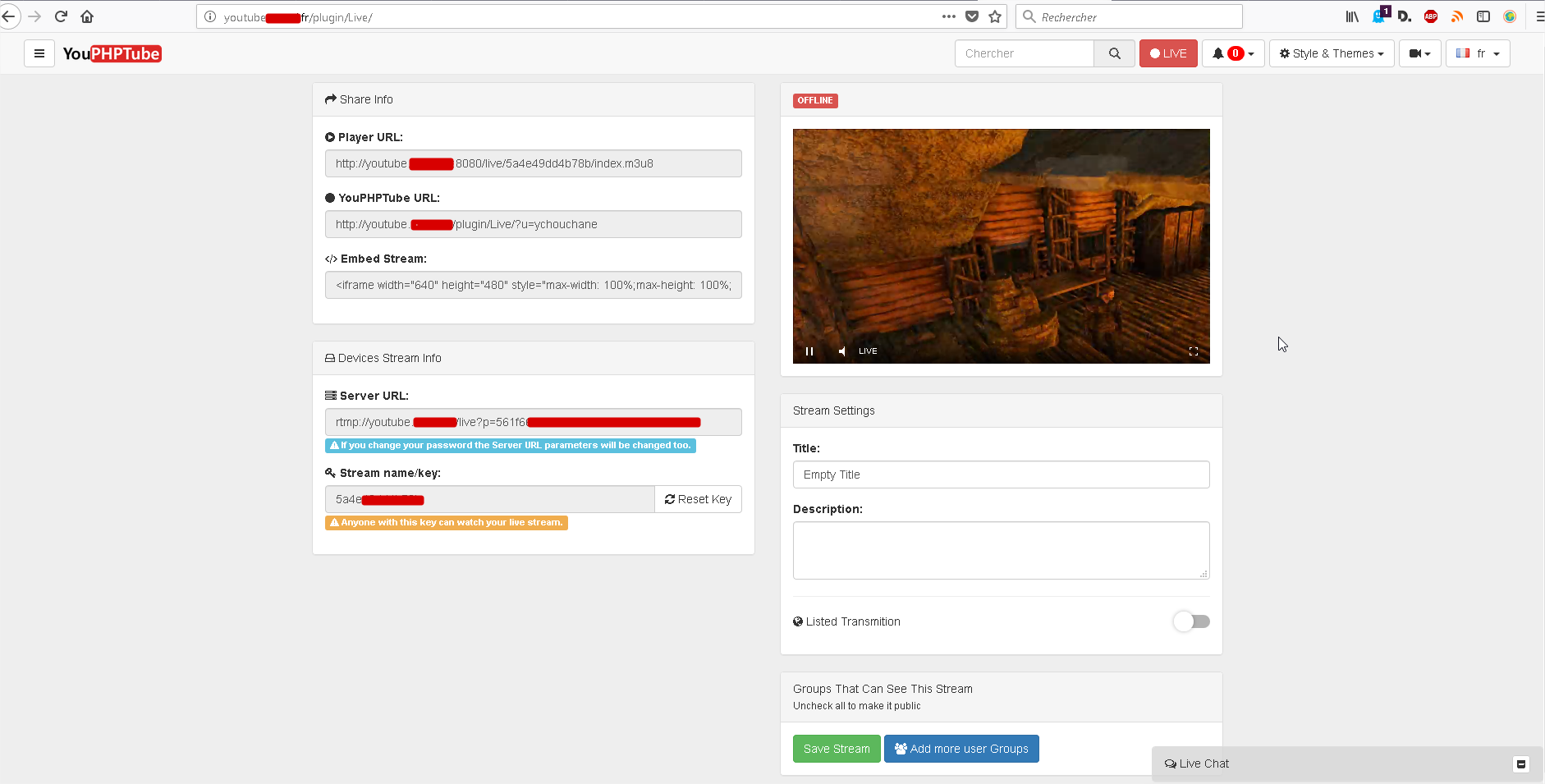
i have the live started but the website continu tu say's i m offline ?
and when i m going to :
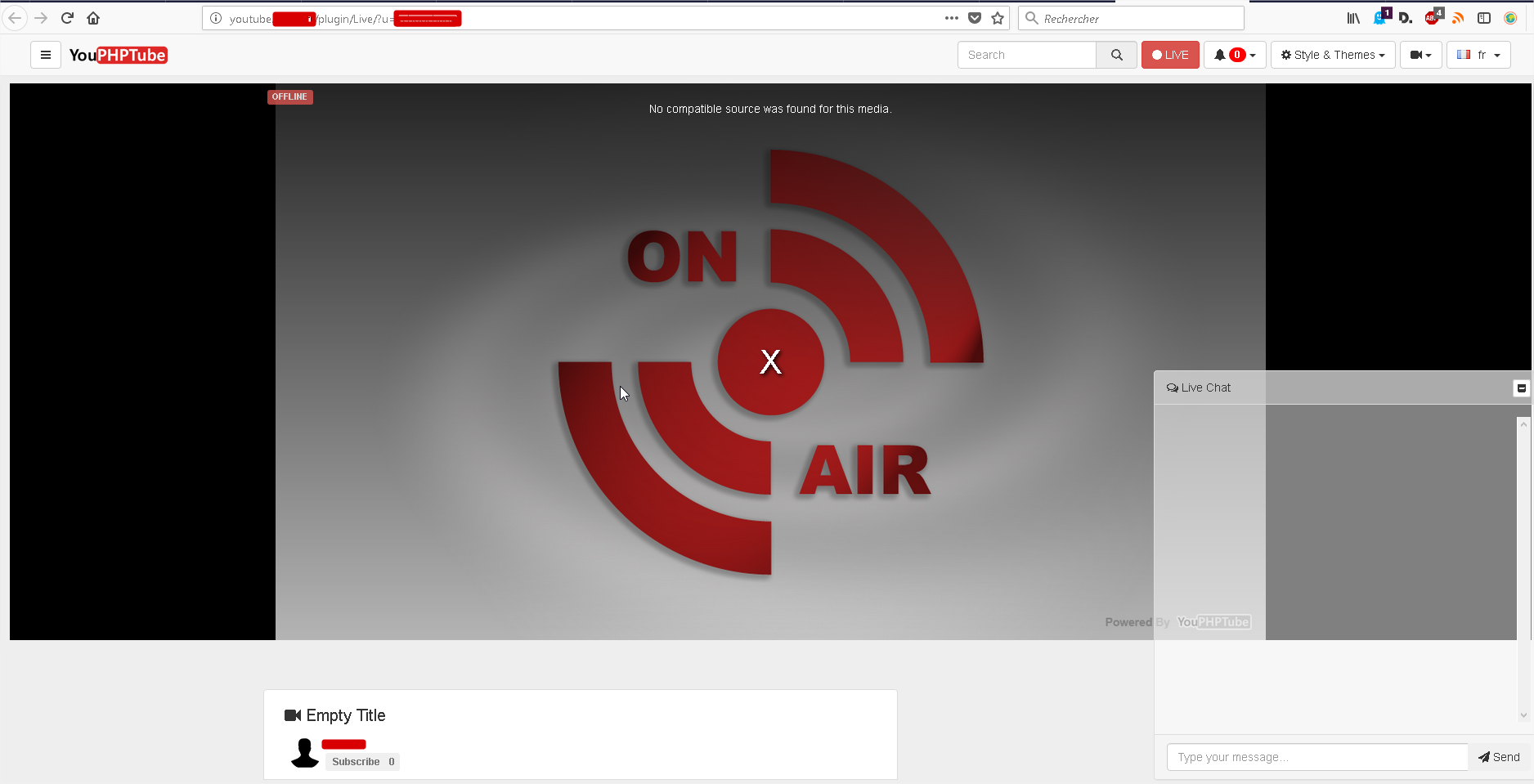
i m offline,
this my config plugin :
i can access to : http://youtube.domaine.fr:8080/stats
just about the CHAT popup, i can send message but if i refrech the page, evrymessage is deleted ?
so i still have a problem for streaming
on youphptube log i have this :
[04-Jan-2018 15:39:16 UTC] {"status":"error", "msg":"getDurationFromFile ERROR, File () Not Found"}
[04-Jan-2018 15:39:16 UTC] YouPHPTube-Encoder sending file to http://youtube.namel.fr/youPHPTubeEncoder.json
[04-Jan-2018 15:39:16 UTC] YouPHPTube-Encoder reading file from
[04-Jan-2018 15:39:16 UTC] YouPHPTube-Streamer answer
so i don"t know what is wrong, i follow the guide
gamersalpha
on 4 Jan 2018
let's continue,
so now i can have the word onlinein green, to have this we have the streamer need to activate the difusion to other people with this checkBox ;
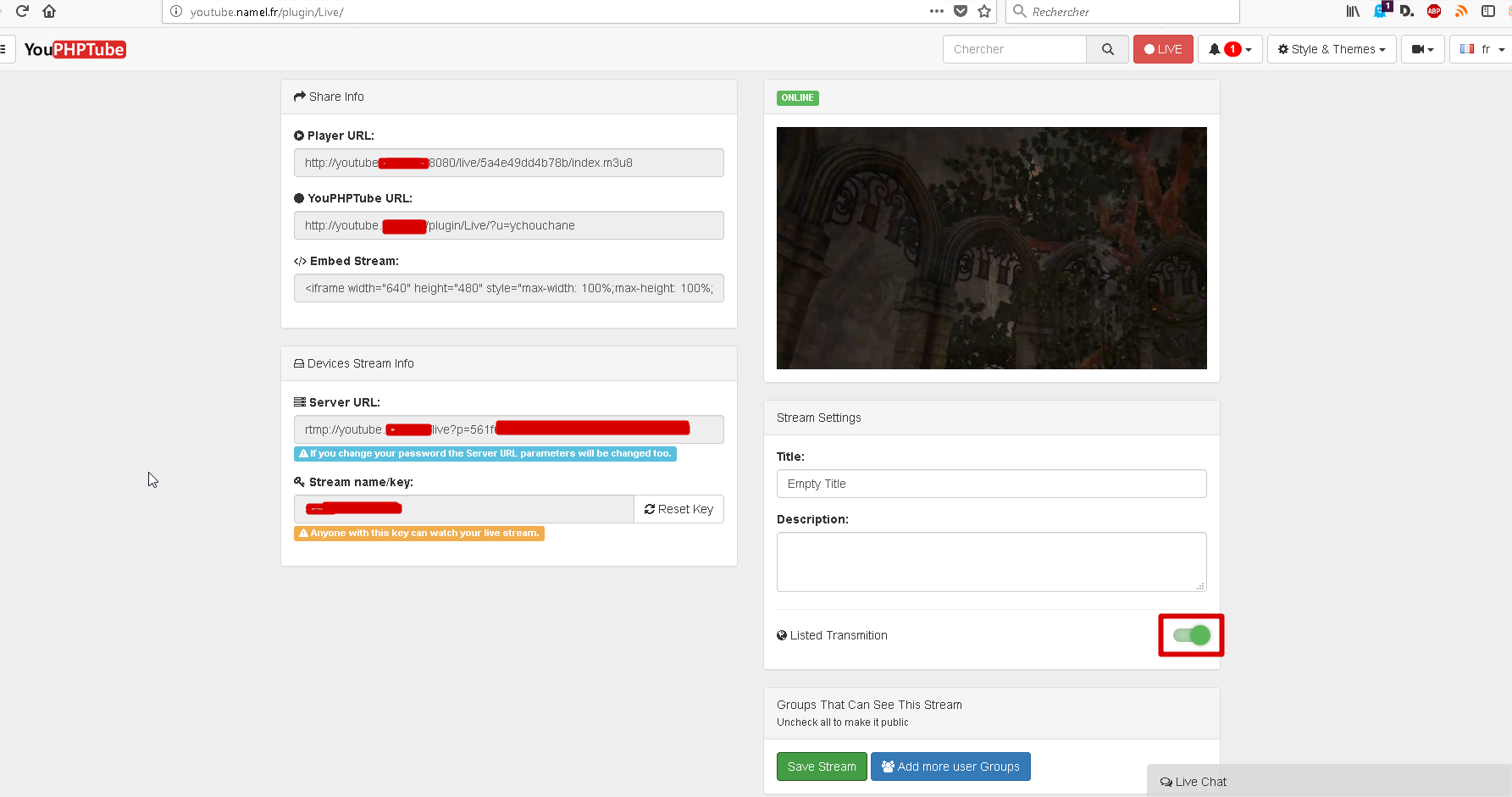
don't forget to click the save stream box :

ok so now i m here :
people can see i monline but i have the message :
No compatible source was found for this media.
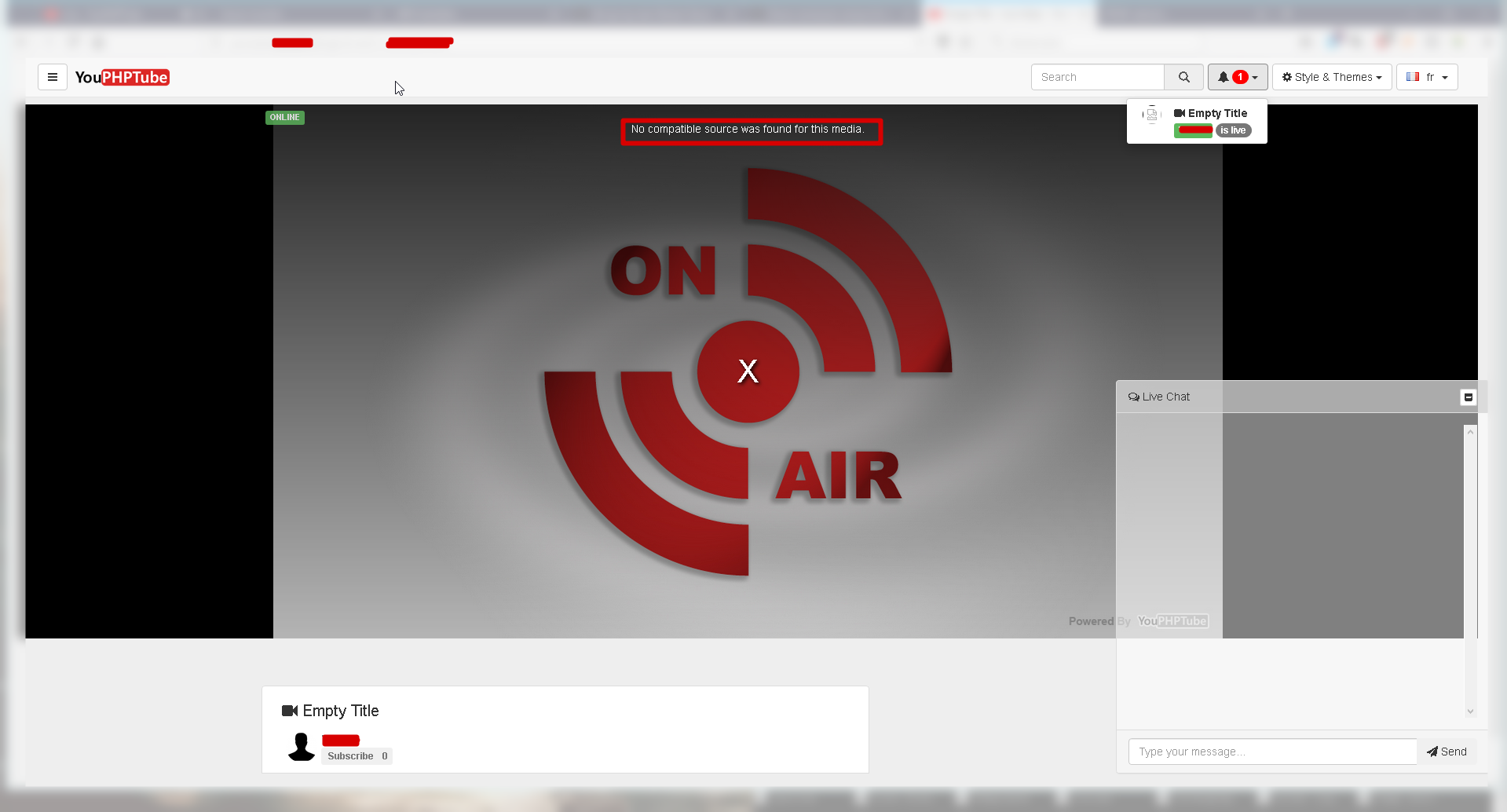
i m close to make it works
gamersalpha
on 4 Jan 2018
Hi,
try to wait a minute before try to see your stream.
Also do you have a proxy?
for example in some companies the block this kind of stream
DanielnetoDotCom
on 5 Jan 2018
Hello still stuck with this streaming things, i m interesting, with stream and record
and it's not easy to make it work
Streaming with OBS works :
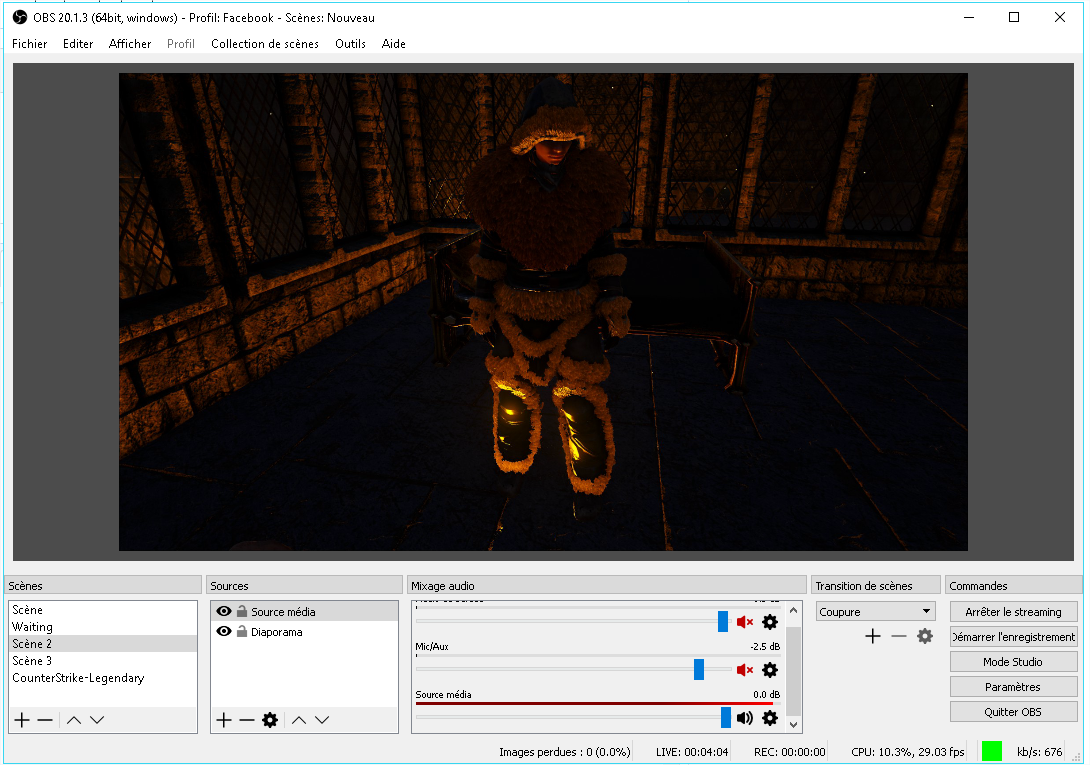
Stream (sounds an video works in admin mode )
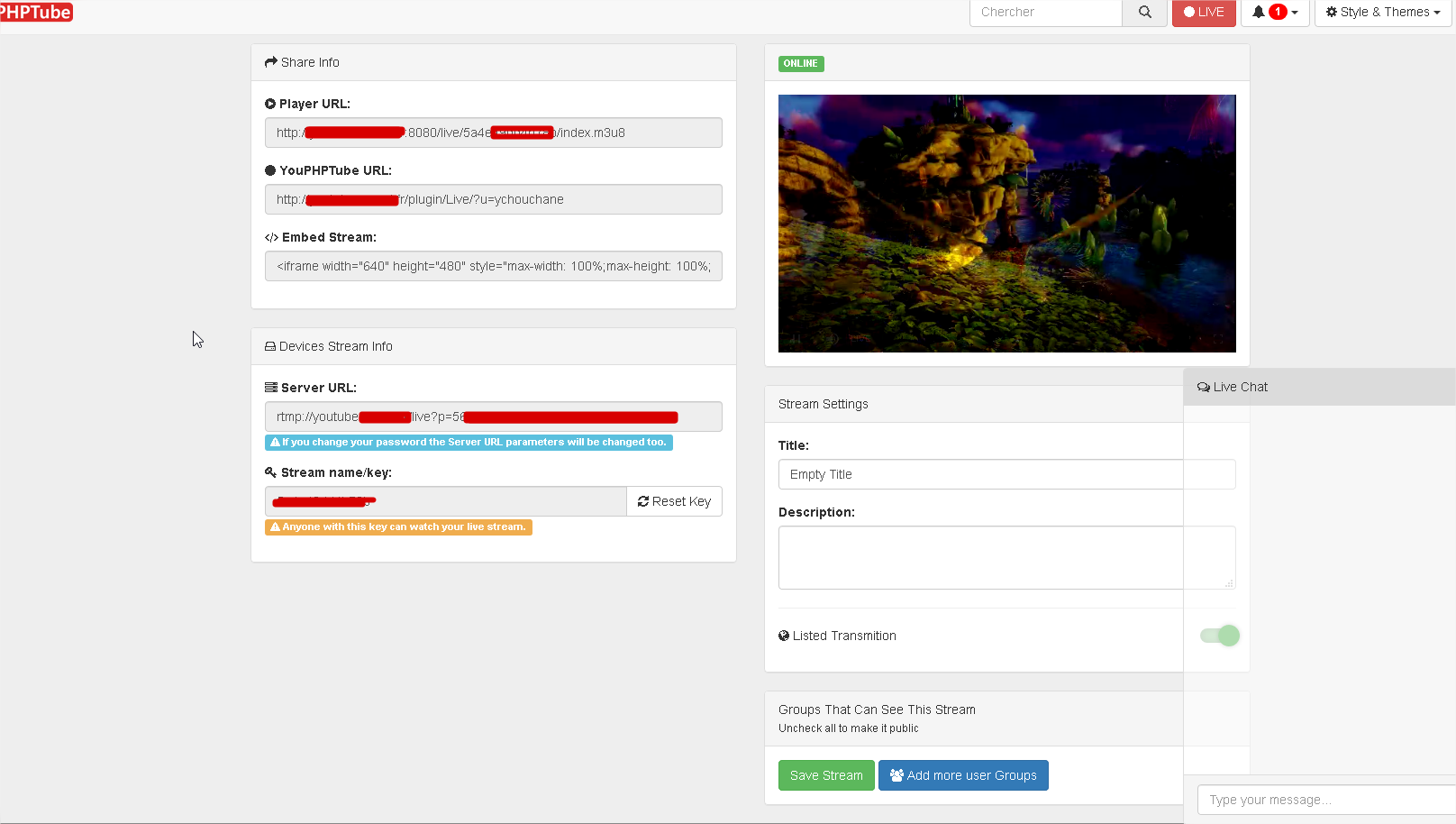
but i have nothing with player :
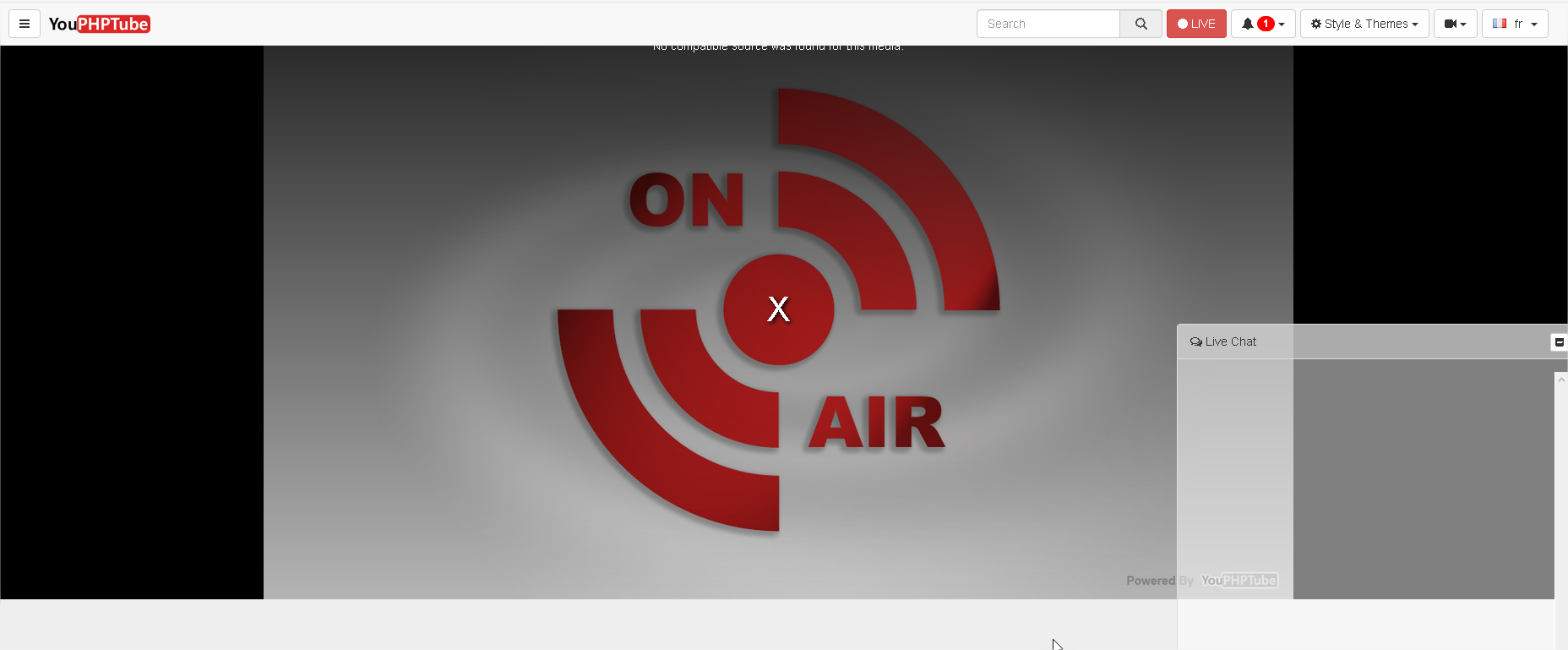
please help to found what is wrong
can u please make a better place for this features, for me he is the best think on youPHPtube
the way to stream and backup directly with youPHPEncoder
so please
gamersalpha
on 13 Jan 2018
 mikweb2017
on 13 Jan 2018
mikweb2017
on 13 Jan 2018
why is paid, please make it free
i have the same problem on the demo website
so on this page the stream works :
https://demo.youphptube.com/plugin/Live/
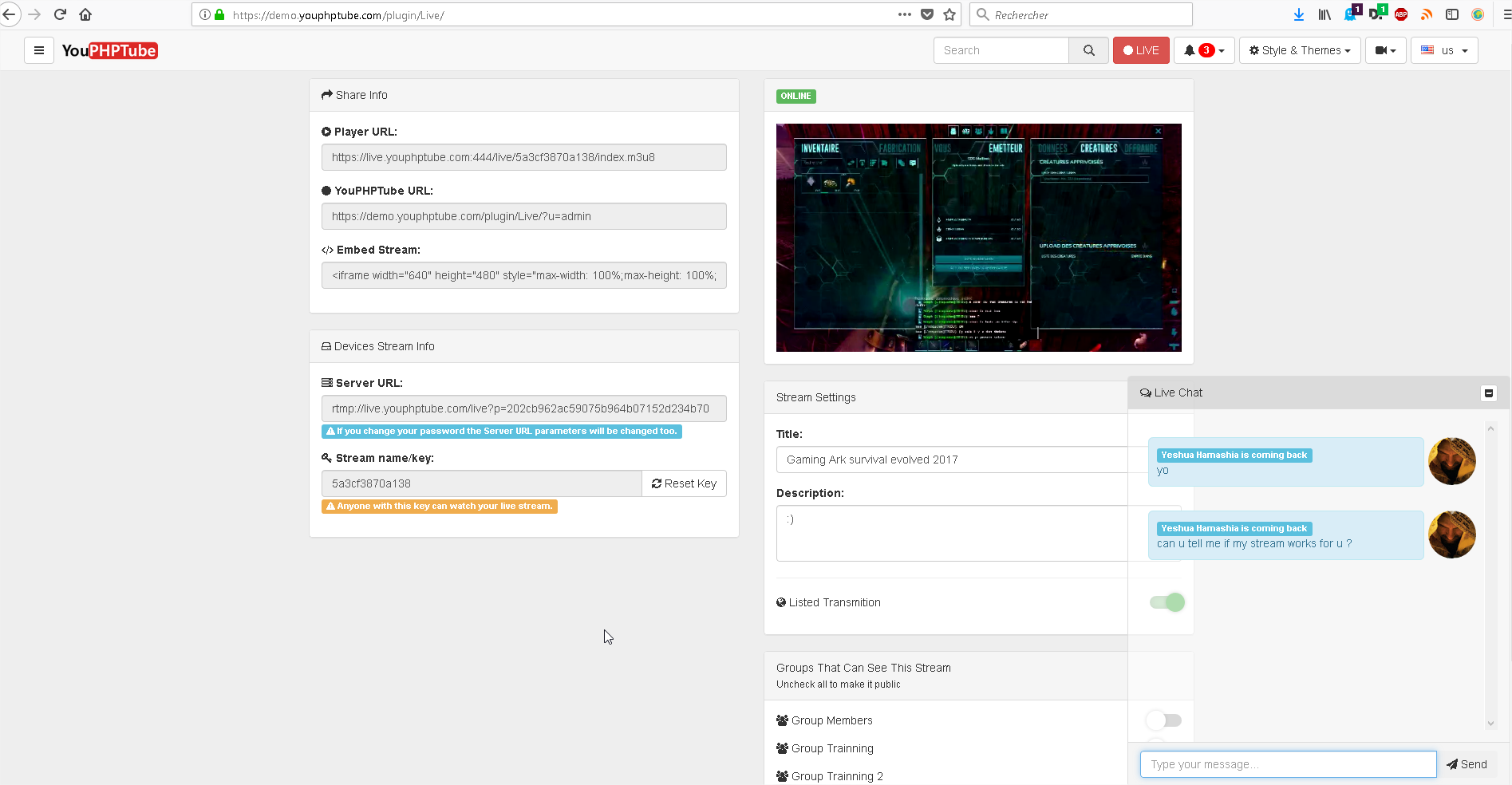
but on this nothing comes :
https://demo.youphptube.com/plugin/Live/?u=admin
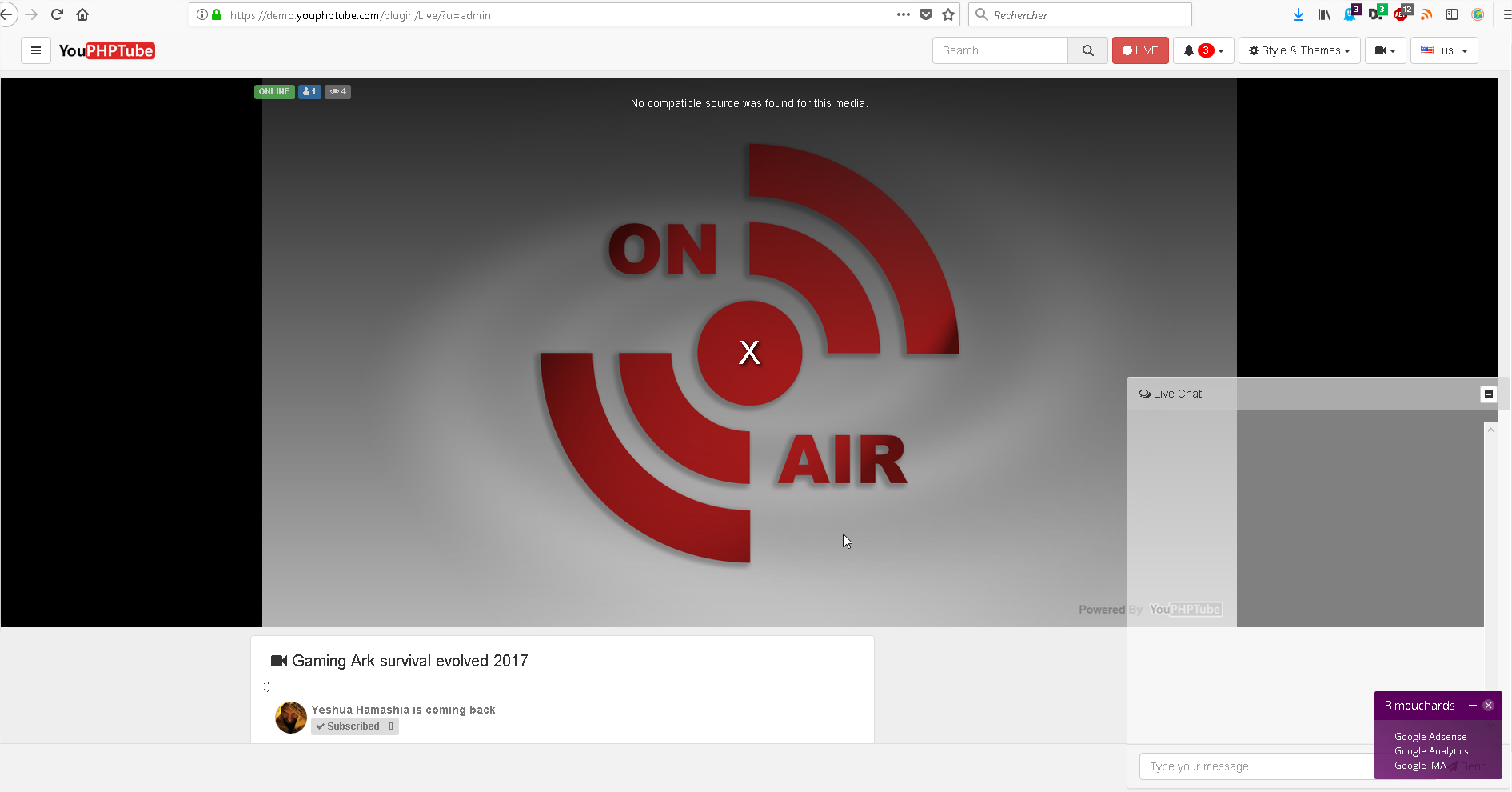
what do u think please ?
gamersalpha
on 22 Jan 2018
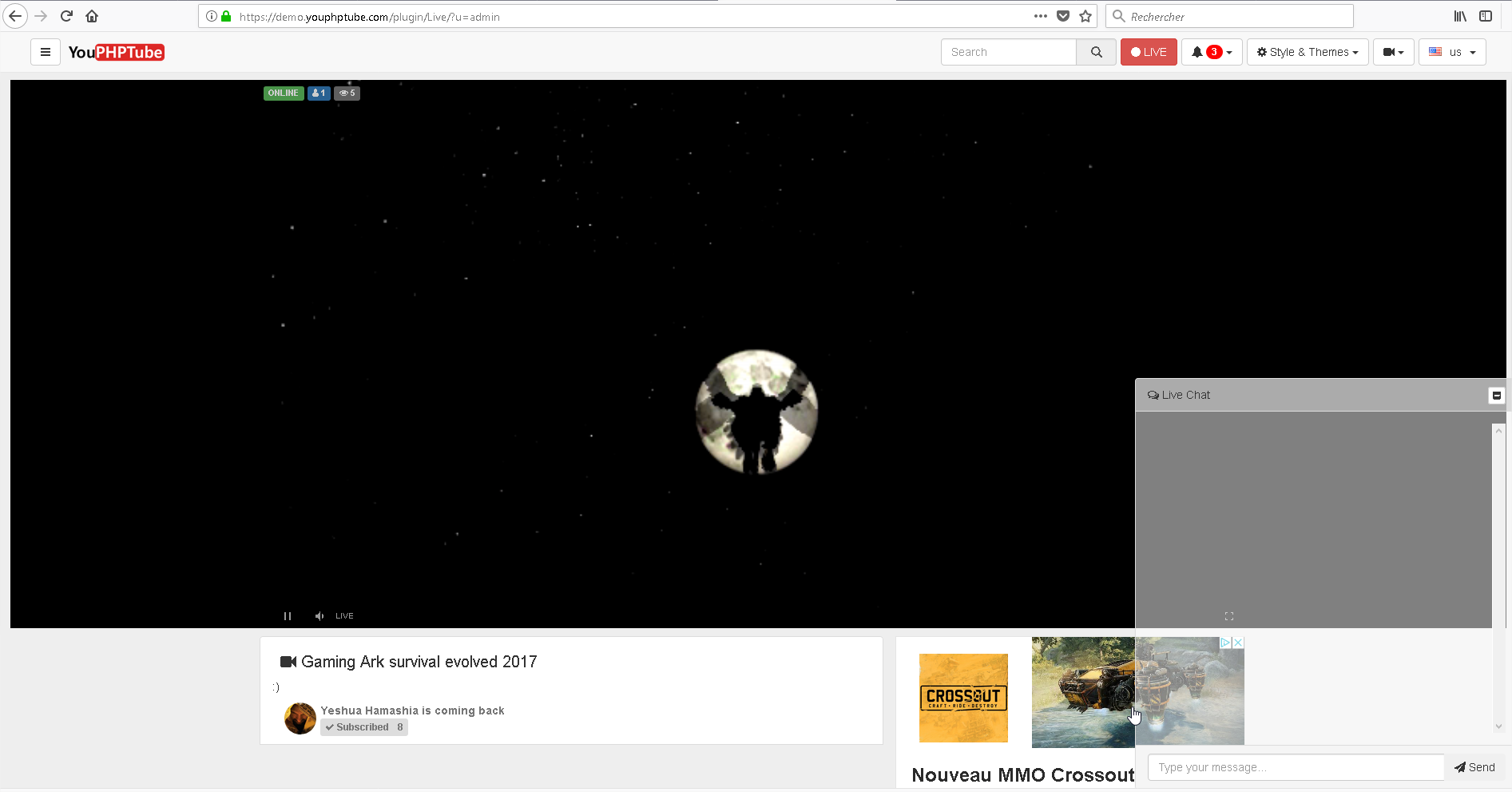
ok works now the problem is on of my firefox plugins who refused to execute the video.
when i restart firefox with no plugin
streams works
gamersalpha
on 22 Jan 2018
Hello there,
so now i m using a reverse proxy to have the https acess.
so in my config nginx files i change the http://youtube.domaine.fr by https://youtube.domaine.fr
and when i try to restart nginx i have this error
can help please :
pi@raspberrypi:~ $ sudo /usr/local/nginx/sbin/nginx -s stop
nginx: [emerg] invalid port in url "https://youtube.domaine.fr/plugin/Live/on_publish.php" in /usr/local/nginx/conf/nginx.conf:23
you can not use https for on_publish parameter, must be http
DanielnetoDotCom
on 30 Jan 2018
This issue was closed due to inactivity. Feel free to reopen if you have more feedback or are interested it working on it
DanielnetoDotCom
on 15 Feb 2018
Related issues
 matthall1998
·
4Comments
matthall1998
·
4Comments
 akhilleusuggo
·
3Comments
akhilleusuggo
·
3Comments
 wetubeclub
·
3Comments
wetubeclub
·
3Comments
 Powerbock
·
3Comments
mikweb2017
·
4Comments
Powerbock
·
3Comments
mikweb2017
·
4Comments
Most helpful comment
try nginx to start sudo /usr/local/nginx/sbin/nginx