Avalonia: Images Black blocks render bug
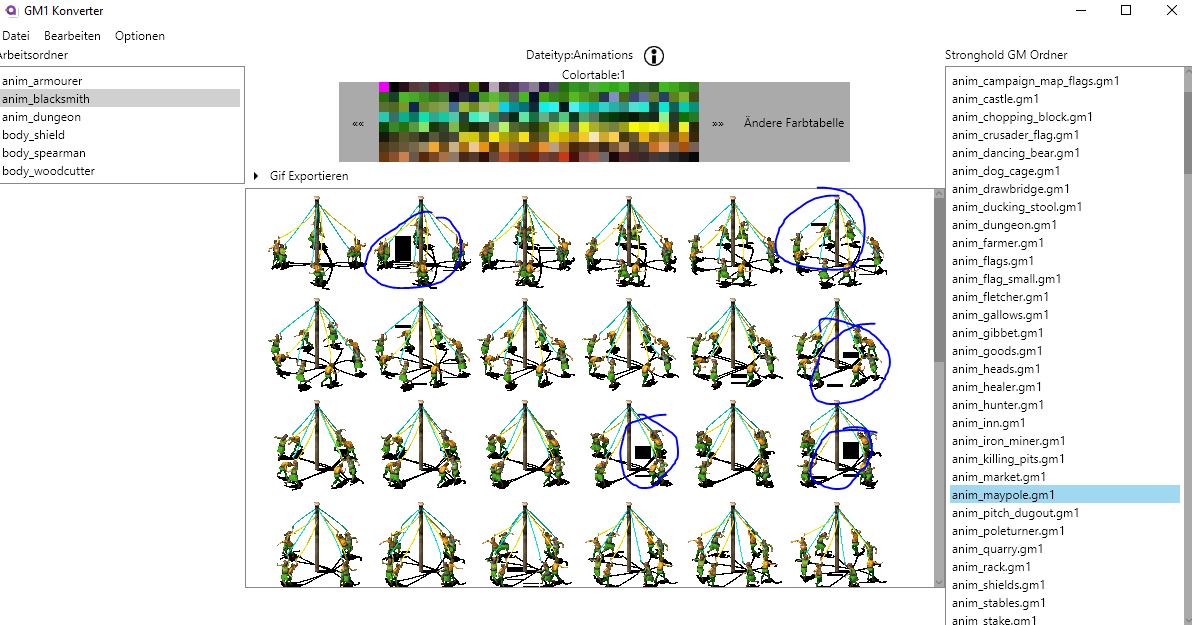
I have some Render issues when i add in code writeable bitmaps to an Avalonia.Controls.Image as Source, i get black blocks in the images but the Images have no Black blocks in it(look in the Images at the blue circles). Im using Windows 10 and the Framework net461. If you need a example i can create one for you.
 PodeCaradox
All 13 comments
Pleas, try calling WriteableBitmap.Save after unlocking the bits to check if image contents were properly written to the bitmap.
 kekekeks
on 1 Jun 2019
kekekeks
on 1 Jun 2019
I tried your sugesstions but it doesnt change the outcomme:
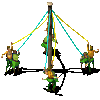
Second Image with black bar saved:
My code i add the Writeablebitmap:

ViewModel

XAML:

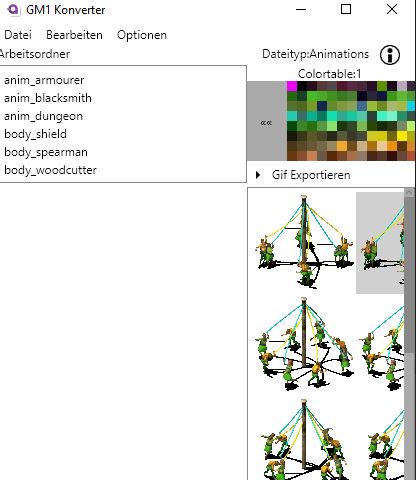
The Black bars also dissapear or comme back when i resize the window(no max width
PodeCaradox
on 1 Jun 2019
Don't see what might be wrong here, please, create a small repro project.
kekekeks
on 1 Jun 2019
I created this sample Project, you can see the Blackbars dissapear or commeback if you change the Windowsize. I saved my Images as Colors in the text files
RenderBug.zip
PodeCaradox
on 1 Jun 2019
Can you tell me if you reproduced the bug, or did i anything wrong?
PodeCaradox
on 3 Jun 2019
The bug is still in the night version 0.8.999-cibuild0003548-beta. Is there maybe a fix in the future?
PodeCaradox
on 19 Aug 2019
I think there is something odd in the alpha values in your text files - this gets rid of the blocks
using (var buf = bmp.Lock())
            {
                for (int y = 0; y < 100; y++)
                {
                    for (int x = 0; x < 100; x++)
                    {
                        var colorByte = UInt32.Parse(colors[100 * y + x]);
                        var ptr = (uint*)buf.Address;
                        ptr += (uint)((buf.RowBytes/4 * y) + x);
                        *ptr = colorByte | 0xff000000;
                    }
                }

            }
I've also used RowBytes (because you should)
 ahopper
on 19 Aug 2019
ahopper
on 19 Aug 2019
Or there is rendering bug related to alpha
ahopper
on 19 Aug 2019
I will improve WritableBitmap soon. It will be possible to construct a DrawingContext for a WritableBitmap. In addition to that I will add helper methods to manipulate a locked frame buffer. Something like void SetPixel(int x, int y, uint value) or uint GetPixel(int x, int y) also Span<byte> GetPixels() etc. Maybe we can brainstorm a bit to find useful additions.
 Gillibald
on 19 Aug 2019
Gillibald
on 19 Aug 2019
Or there is rendering bug related to alpha
NB: Skia required premultiplied alpha in images.
kekekeks
on 19 Aug 2019
@kekekeks is spot on here, your text files have the value 16777215 where ever the black blocks are shown, replacing this with 0 (pre multiplied alpha) gets rid of the black blocks and maintains transparency.
ahopper
on 20 Aug 2019
@ahopper its my programm, i will test it. But why do the blocks dissapear if i resize the Programm?
PodeCaradox
on 20 Aug 2019
My guess is luck in the bitmap scaling code either missing the affected pixels or combining pixels in such a way that that they disappear. It will be undefined behaviour using non premultiplied alpha where premultiplied is expected so overflow and all sorts could be happening. Just guessing though.
ahopper
on 20 Aug 2019
Related issues
 MarchingCube
·
4Comments
MarchingCube
·
4Comments
 stdcall
·
4Comments
stdcall
·
4Comments
 x2bool
·
4Comments
x2bool
·
4Comments
 akunchev
·
3Comments
akunchev
·
3Comments
 khoshroomahdi
·
4Comments
khoshroomahdi
·
4Comments
Most helpful comment
I will improve WritableBitmap soon. It will be possible to construct a DrawingContext for a WritableBitmap. In addition to that I will add helper methods to manipulate a locked frame buffer. Something like
void SetPixel(int x, int y, uint value)oruint GetPixel(int x, int y)alsoSpan<byte> GetPixels()etc. Maybe we can brainstorm a bit to find useful additions.