Auth0-spa-js: checkSession should not create an i-frame if there is no relevant cookie/refresh token
I have included a 'checkSession' during initial load of my application to decide whether the user has a valid session or not. The problem is that even if the user lands on the page for the first time e.g. assume user is using incognito, calling 'checkSession' still creates an i-frame and tries to make a silent login.
The problem is that this unnecessarily loads about 300kb of data on the landing page, mainly because of https://cdn.auth0.com/styleguide/latest/index.min.css.
Expected behavior
If there are no relevant cookies or refresh tokens available, checkSession should not create an i-frame.
Since checkSession internally calls getTokenSilently, it applies to that to be precise.
Note: Looking at the code, it seems if an audience is specified, there's always an i-frame created even if user refresh token is set to true. I can't remember if the docs clarify that.
I also don't know why index.min.css has to 260kb in size and why it is loaded in the first place.
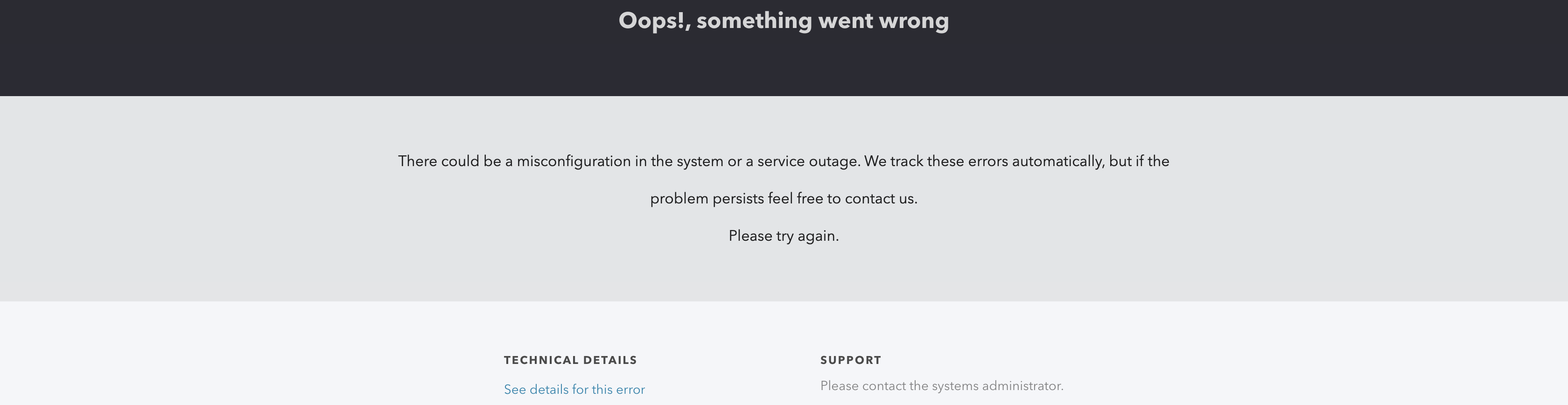
Edit: K, I think that file is loaded because checkSession tries to make a malformed validation and it results in the following page being loaded in the i-frame:
 HunderlineK
All 10 comments
Hi @HunderlineK - thanks for raising this issue
Edit: K, I think that file is loaded because checkSession tries to make a malformed validation and it results in the following page being loaded in the i-frame:
If you've configured the SDK correctly, the iframe should load the web_message "Authorization Response" page, which is a little under 1kb. We can't load the web_message "Authorization Response" page when the SDK has been misconfigured for security reasons, that's why you were seeing the "Oops" UI page with all its CSS.
If there are no relevant cookies or refresh tokens available, checkSession should not create an i-frame.
I assume you're setting cacheLocation to localstorage? If you're storing your tokens in localStorage and you don't want to speculatively check if your user has an active SSO session the first time they're visiting your site, then don't call checkSession just use the Auth0Client constructor on its own.
 adamjmcgrath
on 6 Jul 2020
adamjmcgrath
on 6 Jul 2020
@adamjmcgrath Thanks for the response. I assume SDK is configured correctly since normal operations have no problem; invoking 'checkSession' after 'loginWithRedirect' and then 'handleRedirectCallback' works perfectly fine, it neither causes an error nor loads that page.
I assume you're setting cacheLocation to localstorage?
Yes indeed.
then don't call checkSession just use the Auth0Client constructor on its own.
Okay, I'm probably confused; how can I check if the user has a session without calling checkSession? My specific use case is that I need to know whether to display 'login' button or 'my profile' button once the user lands; I won't be fetching any actual user data/token unless the user clicks on 'my profile'.
This process works fine if the user already has a session; checkSession responds immediately.
Edit: I haven't checked the code fully, but I assume the authorization URL that's been created somehow users information from cacheLocation but it doesn't check if that information exist or not; at least I didn't see any check once I looked into the code.
HunderlineK
on 6 Jul 2020
I assume SDK is configured correctly since normal operations have no problem; invoking 'checkSession' after 'loginWithRedirect' and then 'handleRedirectCallback' works perfectly fine, it neither causes an error nor loads that page.
Is your issue just that checkSession is loading the heavy "Oops, something went wrong" UI page with the CSS? If so - can you send me a link to the running application and steps for how I can reproduce it?
adamjmcgrath
on 6 Jul 2020
@adamjmcgrath That is one issue. Here's a link to get you a reproduction. You can check console.log:
https://045cv.csb.app/
Upon load, getTokenSilently is executed, but it fails. Then if you actually log in (you can try creating a user), it'll be just fine if you refresh the page.
The other issue is that if there was a check for the scenario where there is no cached info, the result would be returned instantaneously, but now it has to wait for the response for no reason and be indeterminate while so.
Edit: also, if you check the error result for getTokenSilently, it says it is a timeout, which is not the case.
HunderlineK
on 7 Jul 2020
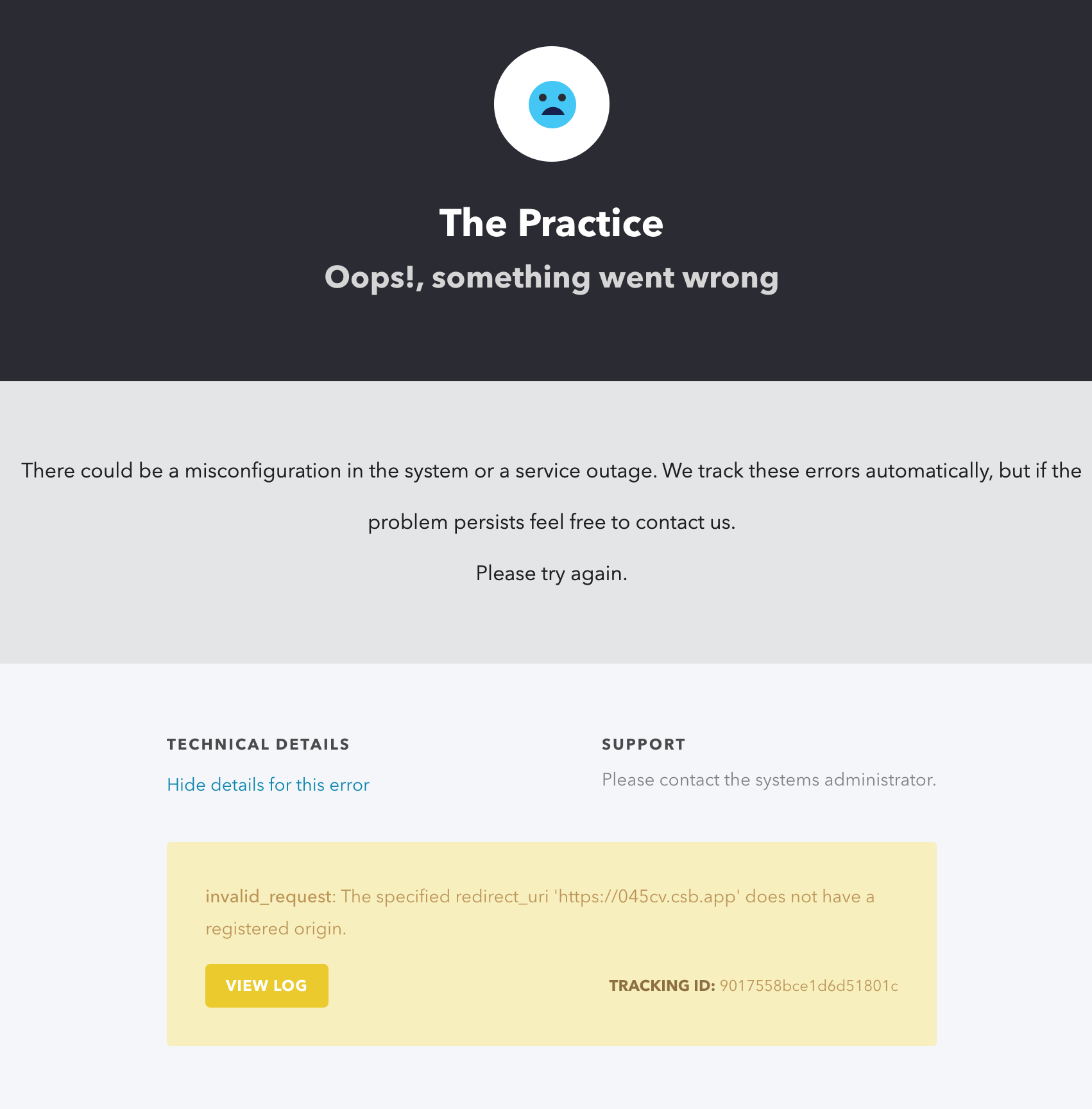
@HunderlineK - I'm seeing the error "The specified redirect_uri 'https://045cv.csb.app' does not have a registered origin." on your iframed authorize page, which tells me you need to add 'https://045cv.csb.app' to the 'Allowed Web Origins' field in 'Application Settings' in your dashboard.
adamjmcgrath
on 7 Jul 2020
Thanks for debugging it @adamjmcgrath ! I couldn't see that yellow box, so thanks a lot for that!
However, still it doesn't solve the other issue though: "if there was a check for the scenario where there is no cached info, the result would be returned instantaneously"
Also, just out of curiosity, do you know what I wouldn't get that error during a normal login or when trying to check session with a valid token, even though I hadn't set the origin?
Edit: looking at the docs, it seems it's trying to issue a cross origin authentication, which shouldn't be the case? It makes me wonder if I should be setting the origin parameter at all if I'm not using this flow?
HunderlineK
on 7 Jul 2020
However, still it doesn't solve the other issue though: "if there was a check for the scenario where there is no cached info, the result would be returned instantaneously"
isAuthenticated will check if there are credentials in the cache
Also, just out of curiosity, do you know what I wouldn't get that error during a normal login or when trying to check session with a valid token, even though I hadn't set the origin?
The "Allowed Web Origins" property is used for silent login with an iframe which uses the web_message response mode, it tells the authorization server that's it's ok to post a web message to the specified origin. You don't use silent login during a normal login, therefore misconfiguring "Allowed Web Origins" wont effect normal login.
Edit: looking at the docs, it seems it's trying to issue a cross origin authentication, which shouldn't be the case? It makes me wonder if I should be setting the origin parameter at all if I'm not using this flow?
If you're using cacheLocation=localstorage and useRefreshTokens=true and you don't want to check if a user has an active SSO session with the iframe silent login (even if they've never visited your site before, they may still be logged your auth0 tenant from another app using the same SSO). Then you can just use regular login and isAuthenticated to check the cache then you could avoid setting the "Allowed Web Origins" (although I wouldn't recommend this). Just be aware that there are some cases where getTokenSilently will fallback to the iframe method even when using refresh tokens (if you specify a new audience in getTokenSilently for example)
adamjmcgrath
on 8 Jul 2020
@adamjmcgrath Perfect. Thanks. So I will manually:
- call isAuthenticated, which will check if there's cached user info or not
- only if isAuthenticated is successful, it makes sense to call getTokenSilently;
Also, I assume if step 1. fails, 2. then should fail as long as I make sure the same audience is used for both calls?
Looking at the code, isAuthenticated calls getUser:
GetUserOptions = {
      audience: this.options.audience || 'default',
      scope: this.scope || this.defaultScope
    }
Which itself uses the cache:
const cache = this.cache.get({
      client_id: this.options.client_id,
      ...options
    });
One final question regarding:
even if they've never visited your site before, they may still be logged your auth0 tenant from another app using the same SSO. Then you can just use regular login and isAuthenticated
Does it mean that the cache is not shared among different tenants even if all of them are using localStorage? And if not, how can the session possibly be shared among my multiple apps? I wonder if I am missing a scenario where isAuthenticated fails but getTokenSilently succeeds.
I'm also closing the issue; isAuthenticated works for my current scenario at least. Thanks!
HunderlineK
on 9 Jul 2020
Also, I assume if step 1. fails, 2. then should fail as long as I make sure the same audience is used for both calls?
Correct, although we have a known issue that specifying an audience in getTokenSilently will always use the iframe method. So specify the audience in the constructor and not the getTokenSilently for now. We'll be fixing this in the next release or 2.
Does it mean that the cache is not shared among different tenants even if all of them are using localStorage?
The cache key includes the client_id so it is not shared among tenants or clients
And if not, how can the session possibly be shared among my multiple apps?
The session is effectively shared among multiple apps connecting to the same tenant, by the tenant's cookie in your browser. If you have 2 apps appA and appB, and appA logs into your-tenant.auth0.com, the tenant will leave a session cookie on your-tenant.auth0.com. When the user visits appB, _if_ appB attempts to getTokenSilently with the iframe web message method, the iframe will visit your-tenant.auth0.com, pick up the session cookie and log the user in silently, even if thy've never visited appB before - assuming you have seamless SSO enabled (which is a default for new tenants https://auth0.com/docs/dashboard/guides/tenants/enable-sso-tenant)
I wonder if I am missing a scenario where isAuthenticated fails but getTokenSilently succeeds.
You're only missing a scenario if you have more than 1 browser based application and you want to leverage SSO.
adamjmcgrath
on 9 Jul 2020
@adamjmcgrath Fantastic, thanks for the detailed explanation! I was under the wrong impression that by using refresh tokens, the session is solely maintained by that; but in effect what happens is that the refresh token is only used to enable my app create the session with the tenant, and that session is then maintained and shared via a cookie. I think I've the full picture now, shouldn't have doubted that everything is consistent in the first place haha
(Edit: an SSO was disabled on my account! Just enabled it and tested out the flow you described, pretty neat! Though now I can't logout, but another issue, another day.)
HunderlineK
on 9 Jul 2020
Related issues
 Hopchenko
·
6Comments
Hopchenko
·
6Comments
 chbert
·
5Comments
chbert
·
5Comments
 stupidSheep
·
4Comments
stupidSheep
·
4Comments
 alexislucas-toast
·
3Comments
alexislucas-toast
·
3Comments
 justinhelmer
·
4Comments
justinhelmer
·
4Comments
Most helpful comment
isAuthenticatedwill check if there are credentials in the cacheThe "Allowed Web Origins" property is used for silent login with an iframe which uses the web_message response mode, it tells the authorization server that's it's ok to post a web message to the specified origin. You don't use silent login during a normal login, therefore misconfiguring "Allowed Web Origins" wont effect normal login.
If you're using
cacheLocation=localstorageanduseRefreshTokens=trueand you don't want to check if a user has an active SSO session with the iframe silent login (even if they've never visited your site before, they may still be logged your auth0 tenant from another app using the same SSO). Then you can just use regular login andisAuthenticatedto check the cache then you could avoid setting the "Allowed Web Origins" (although I wouldn't recommend this). Just be aware that there are some cases wheregetTokenSilentlywill fallback to the iframe method even when using refresh tokens (if you specify a new audience ingetTokenSilentlyfor example)