Auth0-spa-js: Grant type 'authorization_code' not allowed for the client.
Hi!
I'm pretty new to this auth topic. I followed along the react tutorial. But when I click on loginwithredirect I get immediately this error 'Grant type 'authorization_code' not allowed for the client.'. I need to say that I'm using react with typescript.
I've copied the wrapper from @luisrudge in his answer here.
My config was working with the old js library though. Any suggestions what I did wrong?
Thanks
 DjolePetrovic
All 8 comments
This is a config issue. Not sure why your client doesn't have this enabled though :( Go to your client advanced settings and enable the Authorization Code grant:

 luisrudge
on 4 Jul 2019
luisrudge
on 4 Jul 2019
Thank you very much!
DjolePetrovic
on 4 Jul 2019
thanks it helped
 manibha-jain
on 24 Jun 2020
manibha-jain
on 24 Jun 2020
Thank you! This helps
 siwei-li
on 26 Dec 2020
siwei-li
on 26 Dec 2020
appreciate this. @luisrudge Feedback: It was very hard to find where to get the "client advanced settings" because there is no page for the "client" and the advanced settings link is hidden all the way down the Application settings page. would make it a little more obvious/discoverable.
 sw-yx
on 9 Jan 2021
sw-yx
on 9 Jan 2021
Out of curiosity @sw-yx, what made you need to look for this?
If you create an application using the appropriate type (SPA, Web App, Native, ...) the required grant type(s) should be enabled.
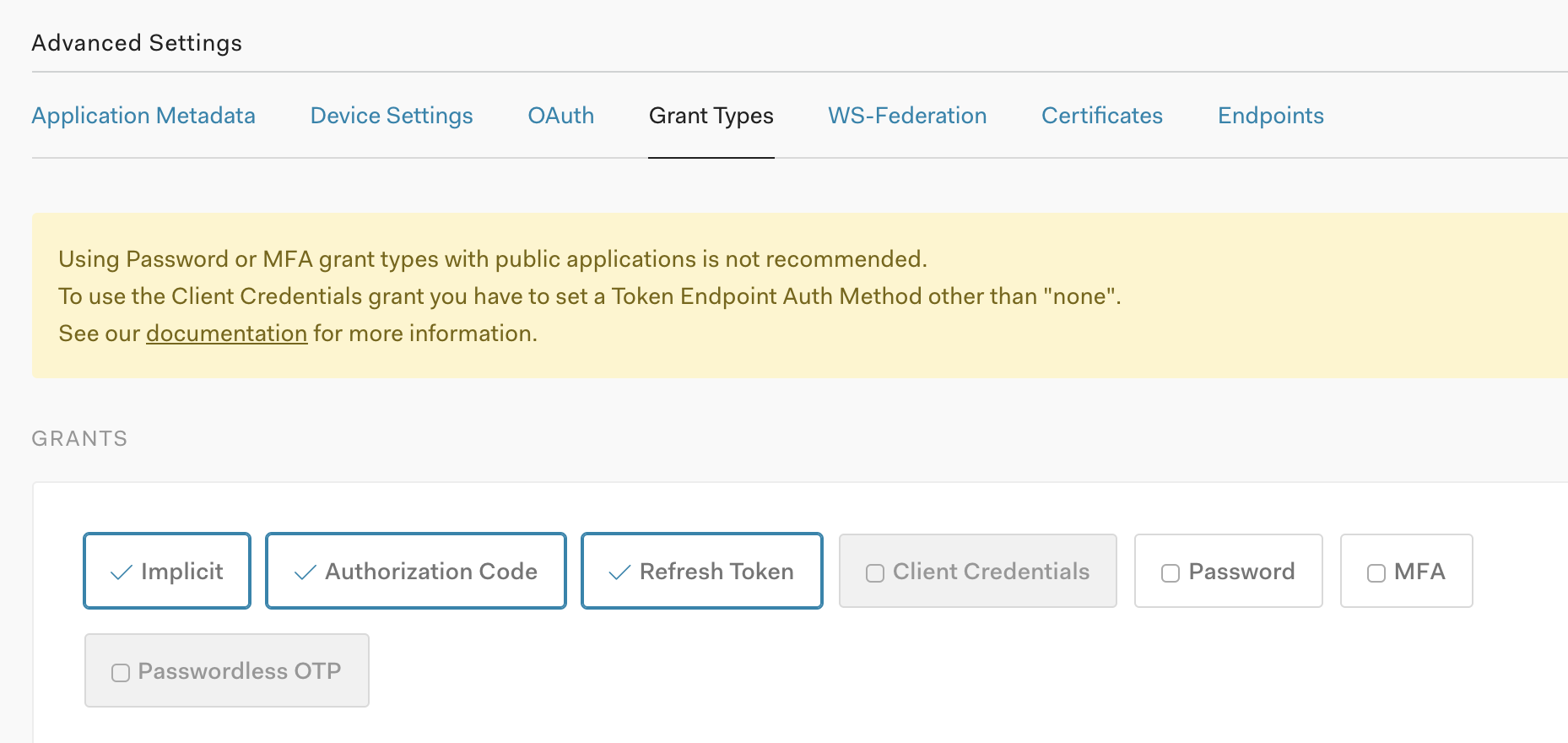
E.g, when you create an SPA, these grant types are enabled for you:
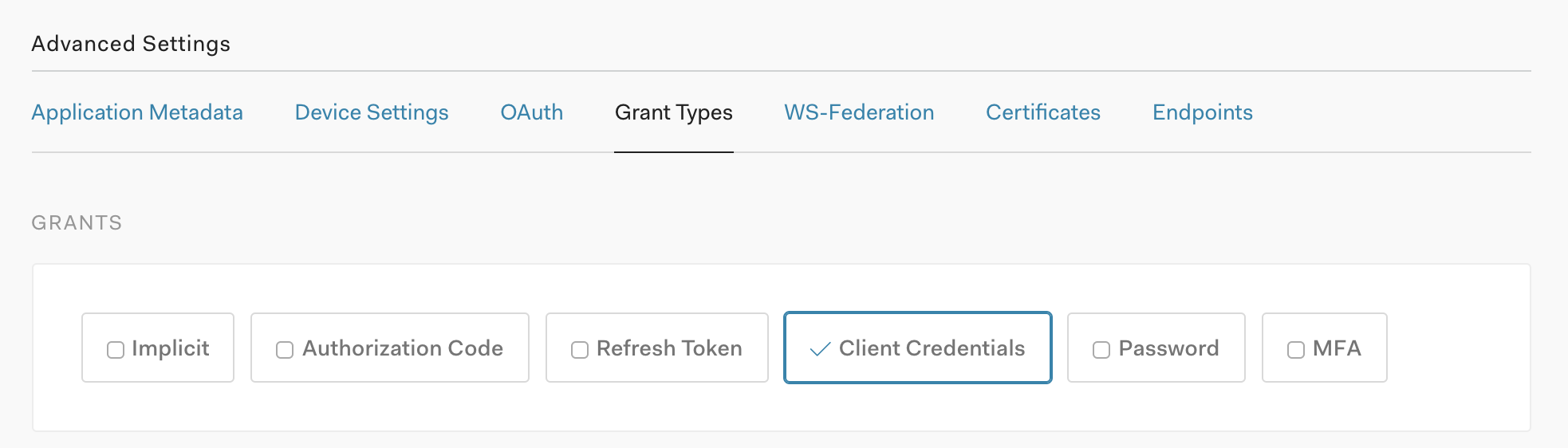
When you create a machine 2 machine application, these grant types are enabled for you:
When you create a Web App, these grant types are enabled:
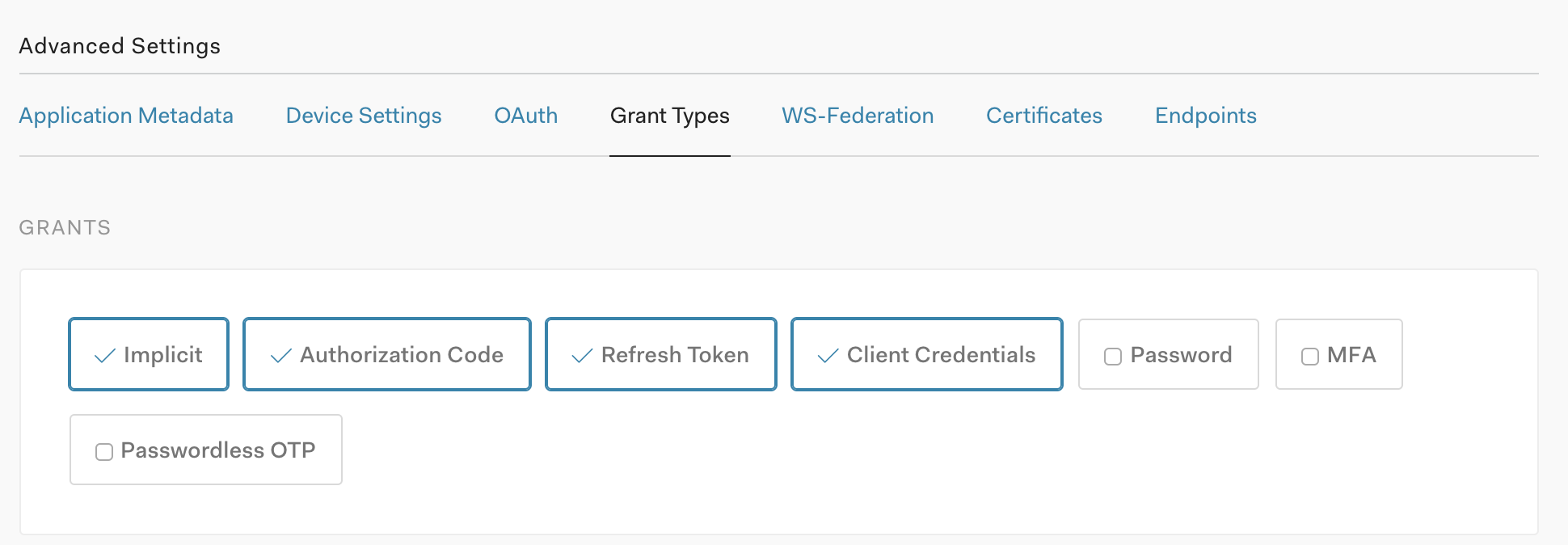
So based on these default Grant Types, the average situation doesn't need you to touch the Grant Types on an Application.
That said, we have documentation around Application Settings in general (https://auth0.com/docs/get-started/dashboard/application-settings), but also about updating Grant Types specifically at https://auth0.com/docs/applications/update-grant-types.
 frederikprijck
on 9 Jan 2021
frederikprijck
on 9 Jan 2021
@frederikprijck hard to remember because I was trying a lot of things but I think I was trying to test a machine to machine application using the React sample app to see if I could get the authz thing to work (i could not). googling my error brought me here.
I wasn't aware of the difference between a web app application and a m2m application and thought I could modify settings to make it work for both. I'll try setting up a new application from scratch
sw-yx
on 9 Jan 2021
@sw-yx Sorry for the confusion. I just wanted to mention that, if you create different apps for their purposes, the grant types should be set up correctly.
But yes, if you have a web app that also behaves as a m2m application, you will need to configure the grant types.
The React Sample App needs a SPA application tho, not a Web or M2M application.
frederikprijck
on 9 Jan 2021
Related issues
 wrightwriter
·
7Comments
wrightwriter
·
7Comments
 devuxer
·
7Comments
devuxer
·
7Comments
 Benjathing
·
5Comments
Benjathing
·
5Comments
 philipp-tailor
·
4Comments
philipp-tailor
·
4Comments
 jackoliver
·
5Comments
jackoliver
·
5Comments
Most helpful comment
This is a config issue. Not sure why your client doesn't have this enabled though :( Go to your client advanced settings and enable the Authorization Code grant: